CCA: Master the Developer Productivity scenario for the Claude Certified Architect exam -- from CLAUDE.md hierarchies to MCP scoping to the anti-patterns that trip up most candidates
Maximizing Developer Efficiency: Navigate the Claude Certified Architect Exam with Confidence
Originally published on Medium.
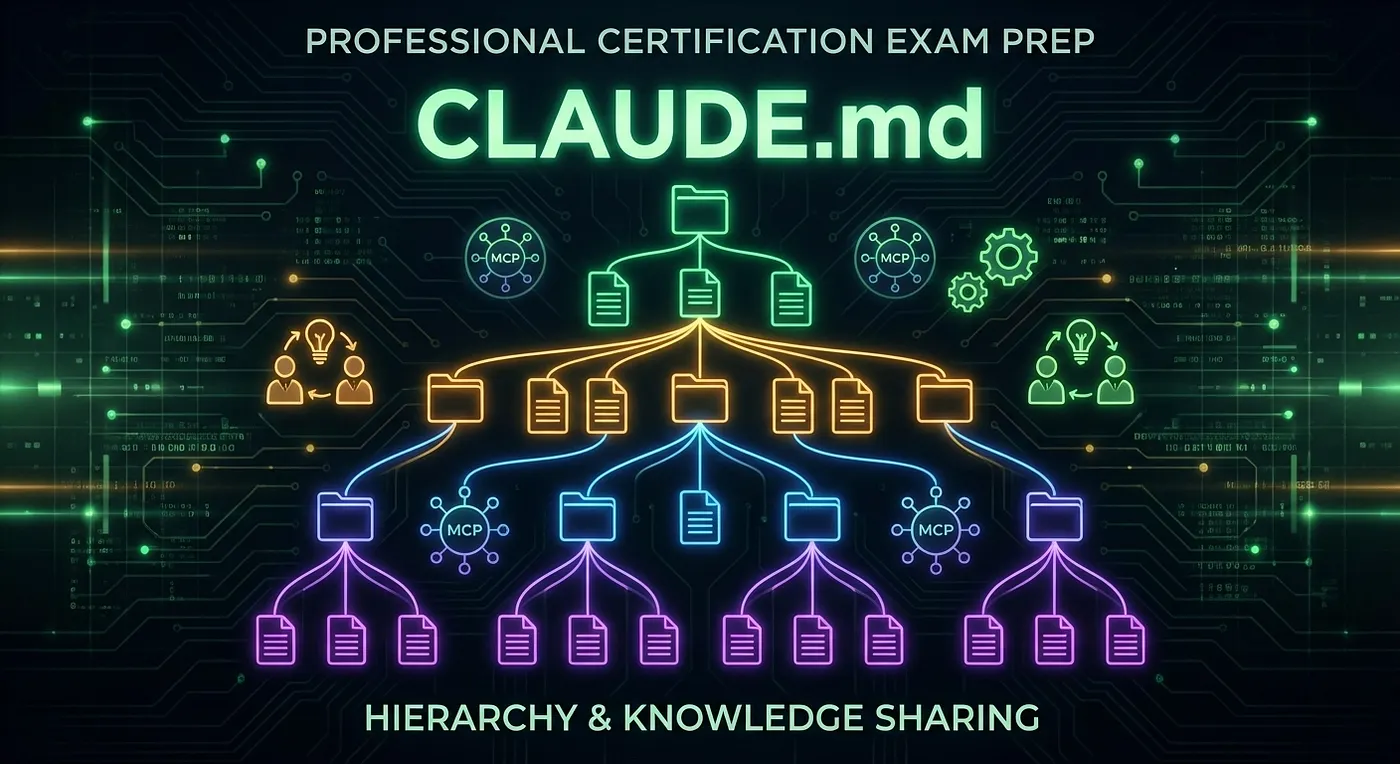
Maximizing Developer Efficiency: Navigate the Claude Certified Architect Exam with Confidence
Article 7 of the CCA Scenario Deep Dive Series
🚀 Ready to elevate your developer productivity? Discover how the Claude Certified Architect exam tests your knowledge across multiple domains, from MCP configurations to team knowledge sharing! Don’t miss out on mastering the essentials for your success! 🌟 #CCAExam #DeveloperProductivity #ClaudeAI
Summary: The Developer Productivity scenario for the Claude Certified Architect exam spans multiple competency domains, requiring knowledge of CLAUDE.md hierarchies, MCP configuration, and team workflows. Key concepts include the four levels of CLAUDE.md configuration, the importance of programmatic enforcement over prompt-based guidance, and the necessity of shared skills for team productivity. The exam tests understanding of where configurations should reside, how to enforce rules effectively, and the optimal number of tools per agent to ensure reliable performance. Candidates should focus on the Description-Discernment loop to improve team outputs over time.
Why Developer Productivity Is a Multi-Domain Question
The Developer Productivity scenario is sneaky. On the surface it looks like a Claude Code configuration question, and you might think it maps neatly to Domain 2 (Claude Code Configuration and Workflows, 20%). It does not. This scenario sprawls across all five competency domains, and the Claude Certified Architect exam knows it.
Think about what “developer productivity” actually involves in a team setting. You need Claude Code configured correctly (Domain 2). You need MCP servers wired up with the right tools (Domain 4, Tool Design, 18%). You need prompts and structured outputs that work reliably (Domain 3, 20%). You need context managed so Claude does not lose track of what matters (Domain 5, 15%). And if you are building custom skills or multi-agent workflows for your team, that is Domain 1 (Agentic Architecture, 27%).
The CCA exam exploits this by asking questions that sound like they belong to one domain but actually require knowledge from two or three. A question about “where should the team’s linting configuration live?” sounds like a Claude Code question. But the correct answer involves understanding programmatic enforcement versus prompt-based guidance, which is a Prompt Engineering concept.
Here is what this article covers: the complete CLAUDE.md four-level hierarchy and what belongs at each level, MCP configuration scoping so you know which file gets which config, the Description-Discernment loop as a practical productivity pattern, team knowledge sharing through custom skills, and the anti-patterns that cost candidates the most points. Think of this as your study session for the scenario where everything connects to everything else.
The Developer Productivity Scenario: What the Exam Tests
The Claude Certified Architect exam presents you with a team of developers using Claude Code across multiple projects. The team has shared coding conventions, common tools, and project-specific configurations. Your job is to design the configuration and workflow layer so that every developer gets a consistent experience without stepping on each other’s personal preferences.
Here are the decision points the exam probes:
Where should this configuration live? The exam gives you a specific piece of configuration (a coding standard, an MCP server, a personal API key) and asks where it belongs. The answer depends on whether the configuration is team-shared or personal, and whether it involves credentials.
Should this rule be enforced by prompt or by code? This is the big one. The CCA exam consistently rewards programmatic enforcement over prompt-based guidance for anything that matters. If a rule has consequences when violated (broken builds, security issues, compliance failures), it needs to be enforced in code.
How do you share MCP servers across a team without leaking credentials? The exam tests whether you understand the split between project-level and user-level MCP configuration. Getting this wrong means either your teammates have no access to shared tools, or personal credentials end up in version control.
How many tools should an agent have? The exam loves this question. The answer is 4–5 focused tools per agent. Not 18. Not “as many as it needs.”
The mental model to carry into the exam: Claude Code configuration is a layered system, not a flat config file. Every decision about where something lives and how it gets enforced maps to a specific layer in that system.
CLAUDE.md four-level hierarchy showing managed org project user and local scope levels
CLAUDE.md Hierarchy Deep Dive
The CLAUDE.md file is how you give Claude Code persistent instructions for a project, your personal workflow, or your entire organization. The CCA exam tests one thing about CLAUDE.md more than anything else: knowing which level to put things in.
Here is the fact that trips up most candidates: the CLAUDE.md hierarchy has four levels, not two. Many prep resources only describe project-level and user-level. The official documentation confirms four distinct scopes, and the exam tests all of them.
The Four Levels (Complete Reference)
The hierarchy loads in this order, from highest authority to lowest:
Level 1: Managed/Org (Highest Authority)
This is the organization-wide configuration managed by IT or DevOps. Developers cannot override it. The file lives in an OS-level system directory, outside any user’s home directory.
Exact file paths from official documentation:
- macOS: /Library/Application Support/ClaudeCode/CLAUDE.md
- Linux/WSL: /etc/claude-code/CLAUDE.md
- Windows: C:\Program Files\ClaudeCode\CLAUDE.md
What belongs here:
- Organization-wide security policies
- Compliance requirements (what Claude Code is and is not allowed to do)
- Corporate tool configurations that must apply to every developer
- Regulatory constraints for industries with strict guidelines
Who controls it: IT/DevOps. Shared with all users in the organization.
💡 CCA Exam Tip: The managed/org level is the one most candidates do not know about. When the exam describes a scenario involving organization-wide compliance or security constraints that must apply to all developers with no exceptions, the answer points to the managed/org CLAUDE.md level. If you only know two levels, you will miss these questions.
Level 2: Project (Team-Shared)
This file lives in your project repository and gets committed to version control. Every developer who clones the repo gets it automatically. The official documentation describes it as giving “Claude persistent instructions for a project.”
Locations: ./CLAUDE.md or ./.claude/CLAUDE.md (either works; .claude/ is the more common team convention).
What belongs here:
- Coding standards (naming conventions, file organization, import ordering)
- Test commands (npm test, pytest, make test)
- Architecture decisions (“we use repository pattern for data access, never call the database directly from controllers”)
- Directory structure explanations (“all API routes live in src/routes/, database models in src/models/")
- Build and deploy procedures
- Project-specific terminology
Who controls it: the team (committed to version control, reviewed like code).
Level 3: User (Personal Preferences)
This file lives in your home directory and is never shared with anyone. Only your Claude Code instance reads it. It covers your personal workflow preferences that apply across all your projects.
Location: ~/.claude/CLAUDE.md
What belongs here:
- Preferred verbosity level (“I like concise responses, skip the explanations”)
- Personal coding style preferences that differ from the team standard (use sparingly)
- Editor-specific quirks (“I use Vim keybindings, suggest Vim-style commands”)
- Personal workflow preferences (“always show me the diff before committing”)
Who controls it: just you.
Level 4: Local (Personal Project Overrides)
This is the least-discussed level and one of the more practically useful ones. The CLAUDE.local.md file sits inside a project directory but is listed in .gitignore, so it never gets committed. It lets you override project-level settings with personal preferences without affecting your teammates.
What belongs here:
- Temporary debug instructions you do not want to commit
- Personal notes about the codebase visible only to you
- Workflow adjustments you are experimenting with before proposing to the team
Who controls it: just you, but scoped to the specific project.
How the Levels Interact
Think of the hierarchy like a resolution chain. When Claude Code starts, it loads CLAUDE.md files in this priority order: managed/org first, then project, then user, then local. Higher-priority levels cannot be overridden by lower-priority ones. The managed/org configuration is authoritative; a developer’s personal CLAUDE.md cannot contradict it.
Claude Code also loads CLAUDE.md files from parent directories at launch, and from subdirectories on demand when Claude reads files in that subdirectory. A monorepo can have a project-level CLAUDE.md at the root and additional CLAUDE.md files in subdirectories for component-specific instructions.
Level Location Version Controlled Scope Can Override Managed/Org OS system directory No (deployed by IT) All org users Cannot be overridden Project ./CLAUDE.md or ./.claude/CLAUDE.md Yes Team Overrides nothing above User ~/.claude/CLAUDE.md No Just you, all projects Personal preferences Local CLAUDE.local.md (gitignored) No Just you, this project Project-specific personal overrides
The Exam Traps
Anti-pattern: Putting credentials in project-level CLAUDE.md. The project CLAUDE.md is committed to version control. API keys, database passwords, and personal tokens do not belong there. If a question mentions credentials in a version-controlled file, that answer is wrong.
Anti-pattern: Using user-level CLAUDE.md for team standards. If you put “always run the linter before committing” in your personal ~/.claude/CLAUDE.md, it works for you. Nobody else on the team sees it. When a question asks about team-wide standards, the answer is always the project-level file.
Anti-pattern: Assuming only two levels exist. The CCA exam will describe scenarios requiring managed/org-level configuration. Candidates who only know project and user will choose the wrong answer.
💡 CCA Exam Tip: The practice question “A company’s security policy requires that all developers are prohibited from using Claude Code to make external API calls during development. Where should this restriction be configured?” points to managed/org level. Project-level does not prevent a developer from removing the instruction. Managed/org is the only level that cannot be overridden.
MCP Configuration Scoping
MCP (Model Context Protocol) servers give Claude Code access to external tools and data. The configuration for these servers follows the same layered hierarchy as CLAUDE.md, but with different files.
The Two Config Locations
**.mcp.json**** (project-level, shared)**
This file lives in your project root, gets committed to version control, and defines MCP servers that the whole team needs. When a developer clones the repo, they get access to all the shared MCP servers automatically.
What belongs here:
- Project documentation server (connects Claude to your docs)
- Shared database tools (read-only access to development databases)
- Team CI/CD status server
- Project-specific API connectors
Example .mcp.json:
{
"mcpServers": {
"project-docs": {
"command": "npx",
"args": ["-y", "@team/docs-mcp-server"],
"env": {
"DOCS_PATH": "./docs"
}
},
"database": {
"command": "npx",
"args": ["-y", "@team/db-mcp-server"],
"env": {
"DB_HOST": "dev-db.internal.company.com",
"DB_NAME": "app_development"
}
}
}
}
**~/.claude.json**** (user-level, personal)**
This file lives in your home directory and is never shared. It holds your personal MCP servers and any credentials that should not end up in version control.
The official documentation describes this file as containing “your preferences, OAuth session, MCP server configurations for user and local scopes, per-project state (allowed tools, trust settings), and various caches.” The MCP server configuration is just one part of what lives here.
What belongs here:
- Personal GitHub token (for your specific account)
- Private API keys for services only you use
- MCP servers for personal productivity tools
- Credentials that the shared project servers need but should not be committed
Example ~/.claude.json (relevant section):
{
"mcpServers": {
"personal-github": {
"command": "npx",
"args": ["-y", "@anthropic/github-mcp-server"],
"env": {
"GITHUB_TOKEN": "ghp_xxxxxxxxxxxx"
}
}
}
}
The Split Configuration Pattern
Here is the pattern the CCA exam wants you to know: shared server definitions go in .mcp.json and personal credentials go in ~/.claude.json or environment variables. The server definition and the credentials for that server can live in different places.
The .mcp.json file defines the server command and non-sensitive configuration. The ~/.claude.json file or environment variables supply the secrets. Each developer provides their own credentials without those credentials ending up in version control.
The Scoping Decision Framework
When the exam asks where an MCP configuration belongs, apply this decision tree:
- Does the whole team need this server? If no, put it in ~/.claude.json.
- Does it require personal credentials? If no, put the whole thing in .mcp.json.
- If yes to both: put the server definition (without secrets) in .mcp.json and the credentials in ~/.claude.json or environment variables.
Anti-pattern: All MCP config in user-level. If every developer configures MCP servers individually in ~/.claude.json, new team members get nothing. They have to manually set up every server. This defeats the purpose of team configuration.
Anti-pattern: Personal credentials in **.mcp.json**. This file is committed to version control. Your personal GitHub token does not belong in a Git repository.
💡 CCA Exam Tip: The CCA exam loves questions about a new developer joining a team and getting inconsistent tool access. If the scenario describes new team members having to manually configure MCP servers that experienced developers have, the anti-pattern is “all MCP config in user-level.” The fix is moving shared server definitions to .mcp.json.
Tool Count and Tool Descriptions
Two MCP concepts come up repeatedly in the Developer Productivity scenario:
The 4–5 tool rule (architectural best practice). When you configure MCP servers for an agent, keep the total tool count to 4–5 per agent. The exam’s Multi-Agent Research scenario demonstrates this with a cautionary example: an agent with 18 tools that keeps selecting the wrong one. The fix is not better prompts. The fix is fewer tools per agent, with excess tools distributed to specialized subagents.
Note that this is an architectural best practice from CCA exam materials, not a hard limit enforced by the SDK. Frame it as good design, not a technical constraint.
Tool descriptions are the routing mechanism. Claude selects tools based on their descriptions, not their names. A tool called analyze_code with the description "Analyzes stuff" will get misrouted. A tool called analyze_code with the description "Performs static analysis on Python source files, returning a list of type errors, unused imports, and style violations with line numbers" will get selected accurately. The exam tests this distinction.
MCP scoping decision tree showing .mcp.json for team servers and ~/.claude.json for personal credentials
The Description-Discernment Loop: Practical Exam Concept
The AI Fluency Framework describes four principles: Delegation, Description, Discernment, and Diligence. In the Developer Productivity scenario, the two that connect most directly to team workflows are Description and Discernment. Understanding how they work together as a loop is practical CCA exam knowledge.
What the Loop Looks Like
Description is giving Claude clear, specific instructions. In a team context, description happens through:
- Project-level CLAUDE.md (instructions that apply to every session on the project)
- Skill files (step-by-step procedures for common team workflows)
- Well-written MCP tool descriptions (which tell Claude when to reach for each tool)
The more precise your descriptions, the less ambiguity Claude has to resolve on its own.
Discernment is reviewing Claude’s outputs against established standards. In a team context, discernment happens through:
- Code review: does Claude’s output match the team’s conventions?
- Test results: does the generated code pass the test suite?
- Architecture review: did Claude use the right patterns for this codebase?
Why It Is a Loop
The loop is the practical payoff: you improve your descriptions based on what discernment reveals. If Claude keeps generating code that violates a naming convention, you do not just fix the code. You update the CLAUDE.md or skill file so the description is clearer, and the problem does not recur.
This is how a team’s institutional knowledge grows over time. Each round of discernment reveals gaps in description. Closing those gaps improves the next round of outputs. The team’s CLAUDE.md and skill files become progressively more precise.
Describe (CLAUDE.md, skills, tool descriptions)
|
v
Claude produces output
|
v
Discern (code review, tests, architecture review)
|
v
Update description based on what discernment revealed
|
v
(repeat)
What the Exam Tests
The exam presents scenarios where Claude Code is producing inconsistent output across the team. The question asks how to fix it. Candidates who think only about the immediate fix (“update the CLAUDE.md”) are on the right track but incomplete. The full answer involves understanding that Description feeds forward into Claude’s outputs, and Discernment feeds back into Description. A one-time fix that does not close the feedback loop will see the problem recur.
💡 CCA Exam Tip: When you see a question about Claude Code producing outputs that vary across team members or across sessions, look for answer choices that address both the immediate fix (improving the description) and the systemic fix (establishing a review process that updates descriptions over time). The loop answer is almost always more correct than the one-shot answer.
Team-Wide Knowledge Sharing Patterns
Configuration files tell Claude Code how the project works. But what about encoding team-specific workflows, like “how we deploy to staging” or “how we run a security review”? That is where custom skills come in.
Custom Skills for Team Productivity
Skills are reusable, shareable instructions stored as Markdown files in your project repository. The official documentation confirms the path: .claude/skills/SKILL.md. Skills encode multi-step workflows in a format Claude Code can follow. Because they live in version control, every team member has access to the same skills.
Skills are distinct from rules. The difference matters for the CCA exam:
Type Path When It Loads Purpose Rules .claude/rules/*.md Every session automatically Instructions always in context Skills .claude/skills/SKILL.md When invoked or when relevant Task-specific procedures loaded on demand
Rules add overhead to every session because they load unconditionally. Skills are lighter: they stay out of context until needed. For long, multi-step procedures, skills are the right choice.
What makes a good team skill:
- Deploy procedures: Step-by-step instructions for deploying to each environment, including pre-checks and rollback procedures
- Review checklists: What to check during code review, specific to your project’s domain
- Onboarding tasks: Standard setup steps for new team members
- Release workflows: Version bumping, changelog generation, tagging
The key insight for the exam: skills are the correct way to encode complex team procedures. The alternative is asking each developer to write their own prompts for common tasks, and that alternative is an anti-pattern.
Anti-pattern: Relying on each developer to write their own prompts for common tasks. When five developers each write their own “deploy to staging” prompt, you get five different deployment procedures. Some will miss steps. Some will skip safety checks. Encoding the procedure as a shared skill ensures consistency and benefits from the Description-Discernment loop: when someone finds a gap in the skill during code review, they update it for the whole team.
Hooks: Programmatic Enforcement That Actually Works
Here is where the Developer Productivity scenario connects to the CCA exam’s deepest principle: programmatic enforcement beats prompt-based guidance for business rules.
You can put “always run the linter before committing” in your project CLAUDE.md. Claude will follow that instruction most of the time. But “most of the time” is not the same as “always.” Under context pressure (long conversations, complex tasks, many tools), Claude may skip steps that are only described in the prompt. That is not a bug; it is the nature of prompt-based guidance.
Hooks solve this. Claude Code supports hooks that fire at specific points in the workflow:
PostToolUse hooks run after Claude uses a tool. For example, after Claude writes a file, a PostToolUse hook can automatically run the linter on that file. Claude does not have to remember to lint. The hook ensures it happens every time.
PreToolUse hooks run before Claude uses a tool. For example, before Claude executes a shell command, a PreToolUse hook can check that the command is on an approved list. This prevents Claude from running destructive commands regardless of what the prompt says.
Beyond the filesystem hook configuration, hooks are also available in the Claude Agent SDK programmatically. The full list of available hooks is: PreToolUse, PostToolUse, Stop, SessionStart, SessionEnd, UserPromptSubmit.
Example: a PostToolUse hook that runs linting after every file write:
{
"hooks": {
"PostToolUse": [
{
"matcher": "write_file",
"command": "eslint --fix ${file_path}"
}
]
}
}
The exam principle: if you see a question where the answer choices include “add instructions to the system prompt” and “configure a programmatic hook,” the hook is almost always correct. Hooks execute deterministically. Prompts execute probabilistically.
Prompt-based enforcement vs programmatic PostToolUse PreToolUse hook enforcement comparison
Anti-Pattern Gallery: What the Exam Punishes
Let me consolidate the anti-patterns from this scenario into a single reference. These are the wrong answers the CCA exam presents as plausible options.
Anti-Pattern 1: Few-Shot Examples for Tool Ordering
The mistake: You want Claude to always call the validate_input tool before calling the query_database tool. So you put few-shot examples in the prompt showing the correct order: first validate, then query.
Why it fails: Tool selection is driven by tool descriptions, not by examples in the prompt. Few-shot examples help with output formatting and reasoning style, but they are not a reliable mechanism for controlling tool call order. Claude evaluates which tool fits the current need based on the tool’s description, not based on the sequence shown in examples.
Correct approach: Use programmatic prerequisites. The query_database tool should have a prerequisite that validate_input has been called first. This is enforced in code, not in the prompt. Alternatively, wrap both operations into a single tool that validates and then queries, eliminating the ordering problem entirely.
Anti-Pattern 2: Prompt-Based Enforcement of Business Rules
The mistake: You add “Always validate input before calling the database” to the system prompt.
Why it fails: Prompts are guidance, not guarantees. Under context pressure (long conversations, many tools, complex multi-step tasks), Claude may skip steps that are only described in prompts. For business rules with real consequences (data integrity, security, compliance), “usually follows the instruction” is not acceptable.
Correct approach: Programmatic enforcement. Validation functions that run before tool execution, PostToolUse hooks that check results, and PreToolUse hooks that enforce preconditions. The application layer around Claude handles enforcement; Claude handles the reasoning.
Anti-Pattern 3: MCP Scoping Mistakes
The mistake: Putting all MCP configuration in one place. Either everything goes in .mcp.json (including personal tokens) or everything goes in ~/.claude.json (meaning teammates get no shared servers).
Why it fails: All-in-project leaks credentials. All-in-user leaves teammates without shared tools. Either way, you get a broken team setup.
Correct approach: Layered configuration. Shared server definitions in .mcp.json, personal credentials in ~/.claude.json. This mirrors the CLAUDE.md hierarchy: team stuff in the project, personal stuff in your home directory.
Anti-Pattern 3: Context: Where config should live
Claude’s ecosystem treats MCP config as a layered hierarchy:inventivehq+1
- Project‑level shared MCP config: ./.mcp.json (checked into the repo, shared with teammates).code.claude+1
- User‑level MCP config: ~/.claude.json (per‑user MCP servers and overrides, not shared).inventivehq+1
- Project docs / instructions: CLAUDE.md in the repo for team‑wide behavior; personal tweaks in CLAUDE.local.md which is gitignored.inventivehq
This is what “team stuff in project, personal stuff in home directory” means in practice.code.claude+1
Anti‑pattern 3 -- A: All‑in‑project (leaks secrets)
Imagine a repo with this .mcp.json committed to Git:
{
"mcpServers": {
"stripe-admin": {
"command": "npx",
"args": ["-y", "@acme/stripe-mcp"],
"env": {
"STRIPE_SECRET_KEY": "sk_live_XXXXXXXXXXXXXXXX",
"STRIPE_ACCOUNT_ID": "acct_1234567890",
"ORG_SSO_TOKEN": "eyJhbGciOiJIUzI1NiIsInR..."
}
},
"docs-search": {
"command": "npx",
"args": ["-y", "@acme/docs-mcp"]
}
}
}
Why this is bad:
- The .mcp.json file is project‑level and intended for shared MCP server definitions, not secrets.gofastmcp+1
- It is usually committed to Git along with CLAUDE.md and .claude/settings.json, so tokens like STRIPE_SECRET_KEY and ORG_SSO_TOKEN end up in source control and on every dev’s laptop.
- Any fork of the repo or a leaked ZIP now contains live production credentials embedded in MCP config.
This is the “all‑in‑project” scoping mistake: shared file contains personal or environment‑specific credentials instead of only shared server definitions.gofastmcp+1
Anti‑pattern 3 -- B: All‑in‑user (no shared servers)
Now flip it the other way. The repo has no .mcp.json at all:
./
├── src/
├── CLAUDE.md
└── .claude/
└── settings.json
One engineer sets up MCP only in their home file:
~/.claude.json:
{
"mcpServers": {
"stripe-admin": {
"command": "npx",
"args": ["-y", "@acme/stripe-mcp"]
},
"docs-search": {
"command": "npx",
"args": ["-y", "@acme/docs-mcp"]
}
}
}
Why this is bad:
- These MCP servers are visible only to that user, because user‑level MCP config lives in ~/.claude.json outside the project.code.claude+1
- New teammates who clone the repo see no MCP servers configured in the project (.mcp.json is missing), so they cannot use “stripe-admin” or “docs-search” without manual, out‑of‑band setup.
- The project appears “MCP‑less” even though one person has a rich set of tools wired up locally.
This is the “all‑in‑user” mistake: everything is hidden in a personal file, so there is no reproducible, shared team configuration.code.claude+1
Correct pattern: Layered configuration -- the fix
You fix both problems by splitting what is shared from who provides credentials.
1) Project‑level **.mcp.json** (shared servers, no secrets)
In the repo root, checked in:
{
"mcpServers": {
"stripe-admin": {
"command": "npx",
"args": ["-y", "@acme/stripe-mcp"],
"env": {
// Describe required vars, but don't put values here.
"STRIPE_SECRET_KEY": "",
"STRIPE_ACCOUNT_ID": ""
}
},
"docs-search": {
"command": "npx",
"args": ["-y", "@acme/docs-mcp"]
}
}
}
Key points:
- The project defines which MCP servers exist and how to run them (command/args), so every teammate gets the same tool surface by default.gofastmcp+1
- Sensitive values are left blank or omitted entirely; documentation can go in CLAUDE.md to explain how to set credentials.inventivehq
2) User‑level **~/.claude.json** (personal credentials and overrides)
Each developer sets their own secrets in their home directory:
text{
"mcpServers": {
"stripe-admin": {
"env": {
"STRIPE_SECRET_KEY": "sk_live_my_personal_key",
"STRIPE_ACCOUNT_ID": "acct_9999999999"
}
}
}
}
How this plays with the hierarchy:
- Claude’s settings docs explicitly separate user‑level MCP servers (~/.claude.json) from project‑level ones (.mcp.json).code.claude+1
- When the same server name exists at multiple scopes, the client merges or overrides according to its scope precedence rules (local/project/user).code.claude+1
- In practice, this lets the project define shared servers, while each user supplies their own credentials or per‑user tweaks in their home config.
Now the behavior matches the “CLAUDE.md hierarchy” you described:
- Project repository (CLAUDE.md, .mcp.json) contains shared behavior and shared tool definitions for the team.inventivehq
- User home directory (~/.claude/CLAUDE.md, ~/.claude.json) contains personal instructions and personal credentials, not committed anywhere.code.
Anti-Pattern 4: Overloaded Tool Sets
The mistake: Giving an agent 15 or more tools “so it can handle anything.”
Why it fails: More tools means more ambiguous routing. When an agent has 18 tools, several of them inevitably have overlapping descriptions, and Claude has to guess which one fits. The result is misrouted tool calls, wrong tools selected for the task, and unreliable behavior.
Correct approach: 4–5 focused tools per agent (architectural best practice). If you need more capabilities, split them across specialized subagents. A coordinator agent delegates to a “database agent” (with 4 database tools) and a “file system agent” (with 4 file tools), rather than one agent with 8 tools competing for selection.
Anti-Pattern 5: CLAUDE.md Hierarchy Blind Spots
The mistake: Only knowing about project-level and user-level CLAUDE.md, and choosing user-level or project-level when the correct answer involves local overrides or managed/org configuration.
Why it fails: The CCA exam tests all four levels. Missing the local (CLAUDE.local.md) and managed/org levels means you will answer several questions incorrectly even if your reasoning about team vs. personal configuration is otherwise sound.
Correct approach: Know all four levels cold. Project and user are the most common. Local is the “personal but gitignored” level. Managed/org is the IT-administered level for compliance and security that cannot be overridden.
Exam Strategy: Developer Productivity Questions
When you see a Developer Productivity question on the CCA exam, run it through this decision framework:
“Where should X live?” Apply the full four-level CLAUDE.md hierarchy. Organization-wide, non-overridable requirements go in managed/org. Team-wide standards go in project-level files (.claude/CLAUDE.md, .mcp.json). Personal preferences across all projects go in user-level files (~/.claude/CLAUDE.md, ~/.claude.json). Personal project-specific overrides go in local (CLAUDE.local.md). Credentials never go in version control.
“How should X be enforced?” Programmatic beats prompt-based. Always. If the answer choices include both a prompt-based approach and a hook-based or code-based approach, choose the code-based approach. The only exception is when the “enforcement” is actually just guidance (like coding style preferences where violations are not critical).
“How many tools?” 4–5 per agent (architectural best practice). If a question describes an agent with many tools that is misrouting, the answer is to reduce the tool count and split into subagents. It is never to “add more detailed descriptions to the prompt” or “increase the context window.”
“Who sees this config?” .mcp.json and .claude/CLAUDE.md are visible to the team (committed to version control). ~/.claude.json and ~/.claude/CLAUDE.md are visible only to you. CLAUDE.local.md is visible only to you on this project. Managed/org CLAUDE.md is visible to all users in the organization.
“How does the team improve over time?” Description-Discernment loop. The team writes precise descriptions (CLAUDE.md, skills, tool descriptions), reviews outputs (code review, tests), and updates descriptions based on what the review reveals. This is how institutional knowledge accumulates.
Common Wrong Answers to Eliminate
These distractor patterns appear repeatedly:
- “Add more detailed instructions to the system prompt” when the question is about enforcement
- “Use user-level configuration” when the question is about team-wide standards
- “Add more tools to the agent” when the problem is tool description quality or tool count
- “Use few-shot examples to control tool ordering” when the correct approach is programmatic prerequisites
- Answers that assume only project-level and user-level CLAUDE.md exist (missing managed/org and local)
Practice Question Walkthrough
Question: A development team notices that Claude Code sometimes generates code that does not follow the team’s import ordering convention. Some developers have added import ordering instructions to their personal ~/.claude/CLAUDE.md files, but the inconsistency persists across the team. What is the most effective solution?
A) Add more detailed import ordering examples to each developer’s personal CLAUDE.md
B) Create a shared skill that includes import ordering instructions
C) Add import ordering instructions to the project-level .claude/CLAUDE.md and configure a PostToolUse hook to run the import sorter automatically
D) Use few-shot examples in the system prompt showing correct import ordering
Answer: C. This question tests two principles simultaneously. First, team-wide standards belong in project-level configuration, not user-level (eliminating A).
Second, programmatic enforcement (the PostToolUse hook) is more reliable than prompt-based or skill-based approaches for something as mechanical as import ordering (eliminating B and D).
Option C puts the instruction where the whole team can see it AND enforces it programmatically.
Key Takeaways for Exam Day
Here are the facts from the Developer Productivity scenario most likely to appear on your Claude Certified Architect exam, mapped to the domains they test:
- CLAUDE.md has four levels, not two: managed/org (OS system directory, IT-managed), project (./CLAUDE.md or ./.claude/CLAUDE.md, version controlled), user (~/.claude/CLAUDE.md, personal), and local (CLAUDE.local.md, gitignored personal project overrides). Each level has a specific purpose and audience. Domain: Claude Code Workflows (20%)
- Managed/org level cannot be overridden. It is the right choice for organization-wide security and compliance requirements. It is deployed by IT/DevOps, not by developers. Domain: Claude Code Workflows (20%)
- MCP configuration follows the same hierarchy: .mcp.json for shared team servers, ~/.claude.json for personal servers and credentials. Never commit credentials to version control. Domain: Tool Design and MCP (18%)
- Programmatic enforcement beats prompt-based guidance: PostToolUse and PreToolUse hooks enforce rules deterministically. Prompts enforce rules probabilistically. For anything with real consequences, use hooks. Domain: Prompt Engineering (20%)
- 4–5 tools per agent (architectural best practice): More tools means worse routing accuracy. Split excess tools into specialized subagents. This is a CCA exam best practice, not a hard SDK limit. Domain: Agentic Architecture (27%), Tool Design (18%)
- Tool descriptions are the routing mechanism: Claude selects tools based on descriptions, not names. Vague descriptions cause misrouting. Specific descriptions enable accurate selection. Domain: Tool Design and MCP (18%)
- Custom skills encode team workflows: Skills live at .claude/skills/SKILL.md and load on demand. Rules live at .claude/rules/*.md and load every session. For complex multi-step procedures, use skills. Domain: Claude Code Workflows (20%)
- The Description-Discernment loop drives improvement: Teams improve Claude’s outputs over time by updating descriptions (CLAUDE.md, skills, tool descriptions) based on what code review and testing reveals. This is a practical exam concept, not just theoretical. Domain: Prompt Engineering (20%), Claude Code Workflows (20%)
- Few-shot examples do not control tool ordering: Use programmatic prerequisites, not prompt examples, to enforce tool call sequences. Domain: Prompt Engineering (20%)
Discussion Questions
- Your team’s security team requires that no Claude Code session can execute network requests to external IPs. Using the four-level CLAUDE.md hierarchy, which level would you configure this restriction at, and why would project-level or user-level configuration be insufficient?
- A new engineer joins your team and reports that Claude Code suggests different patterns than what experienced engineers get. The experienced engineers have customized their ~/.claude/CLAUDE.md files over months. What is the systemic issue, and how does the Description-Discernment loop apply to fixing it for the whole team?
- Your agent currently has 12 tools and is selecting the wrong tool 20% of the time. A teammate suggests writing better tool descriptions. Another suggests splitting the agent into three specialized subagents with 4 tools each. Which approach aligns with CCA exam best practices, and what is the architectural reasoning?
Series Navigation
Part of the CCA Scenario Deep Dive Series:
- Article 1: Claude Certified Architect: The Complete Guide to Passing the CCA Foundations Exam written by Rick Hightower.
- Article 2: Customer Support Resolution Agent -- Agentic loops, escalation design, confidence calibration written by Rick Hightower
- Article 3: CCA Exam: Code Generation with Claude Code -- Context degradation, CLAUDE.md hierarchy, CI/CD integration
- Article 4: Multi-Agent Research System: Hub-and-spoke design, context isolation, tool scoping
- Article 5: Claude Code for CI/CD -- Using Claude Code headless in your CI/CD workflows
- Article 6: CCA Exam -- Structured Data Extraction
- Article 7: CCA: Master the Developer Productivity scenario (You are here)
- This series is a work in progress with 8 total articles.
Next up: Article 8 where we cover 60 review questions and their answers and where you might get tripped up.
ClaudeAI #CCAExam #DeveloperProductivity #MCPConfiguration #ClaudeCode #AIEngineering #CertificationPrep #AgenticAI #TeamProductivity #PromptEngineering
About the Author
Rick Hightower is a technology executive and data engineer who led ML/AI development at a Fortune 100 financial services company. He created skilz, the universal agent skill installer, supporting 30+ coding agents including Claude Code, Gemini, Copilot, and Cursor, and co-founded the world’s largest agentic skill marketplace. Connect with Rick Hightower on LinkedIn or Medium. Check out SpillWave, your source for AI expertise.
Rick has been actively developing generative AI systems, agents, and agentic workflows for years. He is the author of numerous agentic frameworks and developer tools and brings deep practical expertise to teams looking to adopt AI.