Claude Code — Routines, Remote Control, Scheduled Tasks and Channels: The Four Ways Claude Code Works Without You
Part 1: Most people learn Claude Code as a list of commands they type at a terminal. The developers who pull ahead learn the opposite skill: how to make Claude do the work when nobody is typing at all
Originally published on Medium.
Part 1: Most people learn Claude Code as a list of commands they type at a terminal. The developers who pull ahead learn the opposite skill: how to make Claude do the work when nobody is typing at all
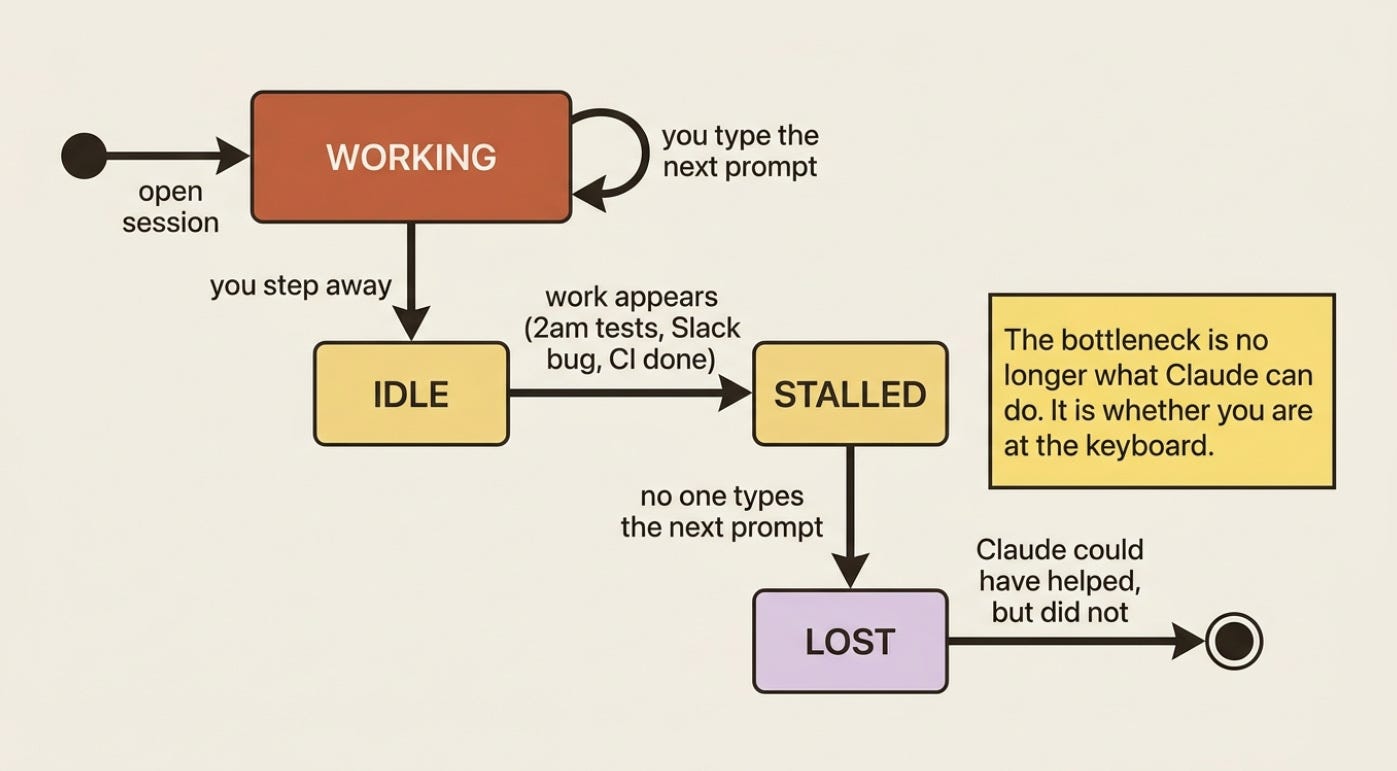
Claude could have fixed it at 2am, but you were asleep. The work that does not happen is the work nobody is there to start. Once you know what Claude Code can do, the real bottleneck is whether you are at the keyboard when there is work; five trigger surfaces remove that constraint.
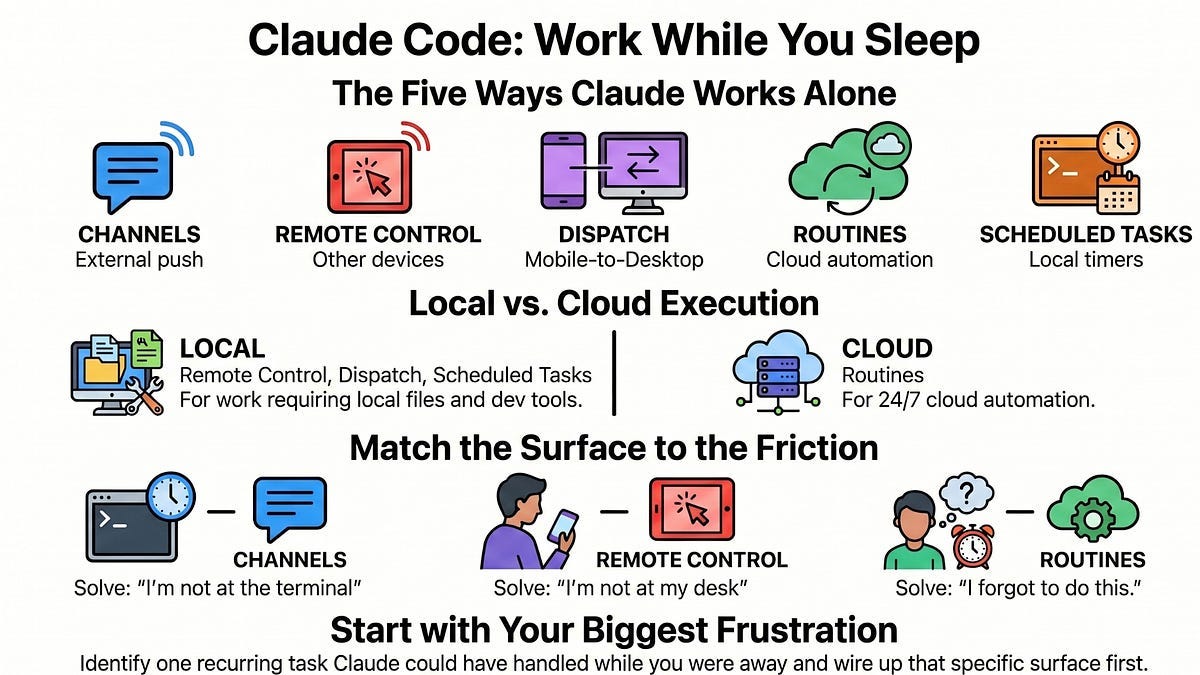
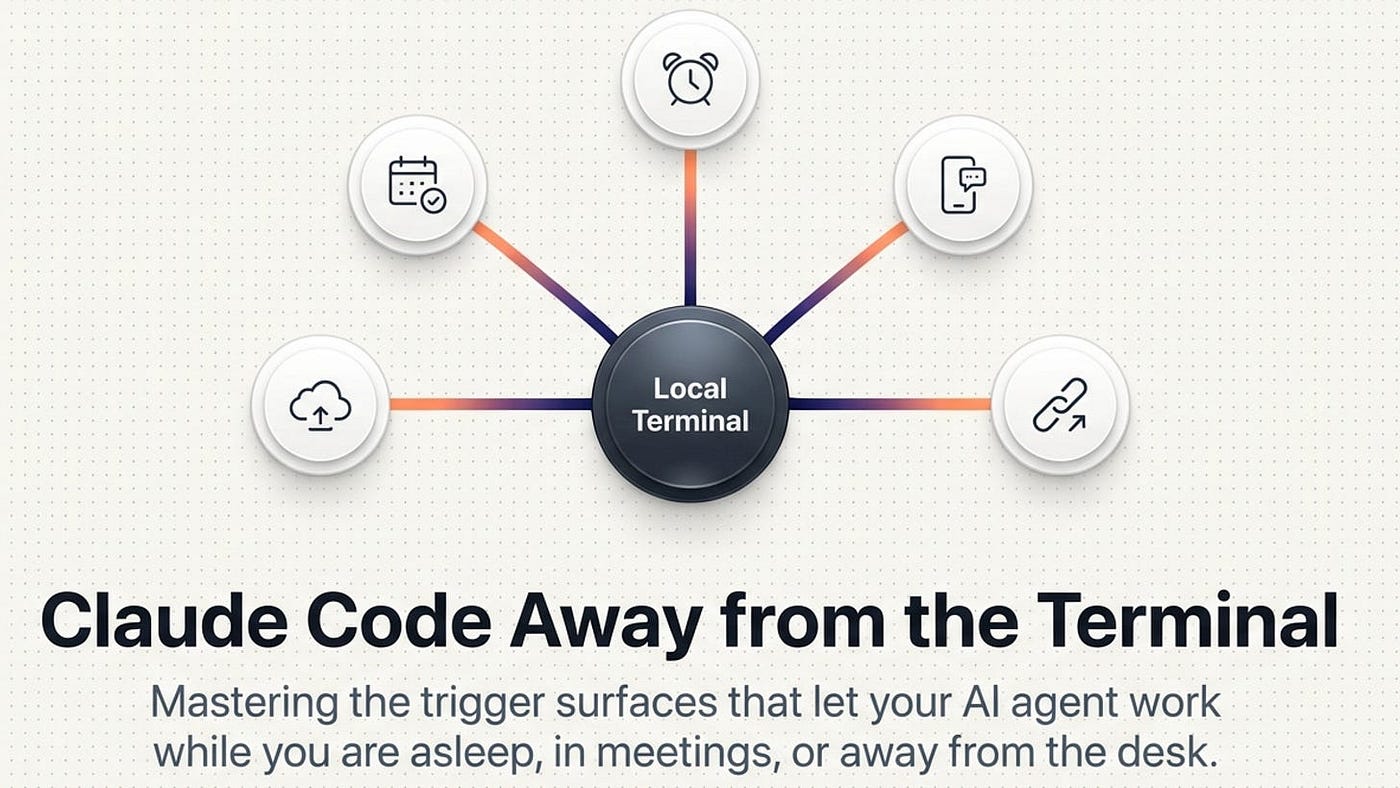
In this article: You will learn the five trigger surfaces that let Claude Code work when you are not at the keyboard: Channels, Remote Control, Dispatch, Routines, and Scheduled tasks. You will get a side-by-side decision table, a simple way to match each surface to the friction it removes, and a clear sense of which one to reach for first. By the end you will know how to map the territory so the next "I wish Claude could have done that while I was away" moment has an obvious answer.
Part 1 of "Claude Code Away from the Terminal," a seven-part guide to the trigger surfaces that let Claude Code work when you are not at the keyboard.
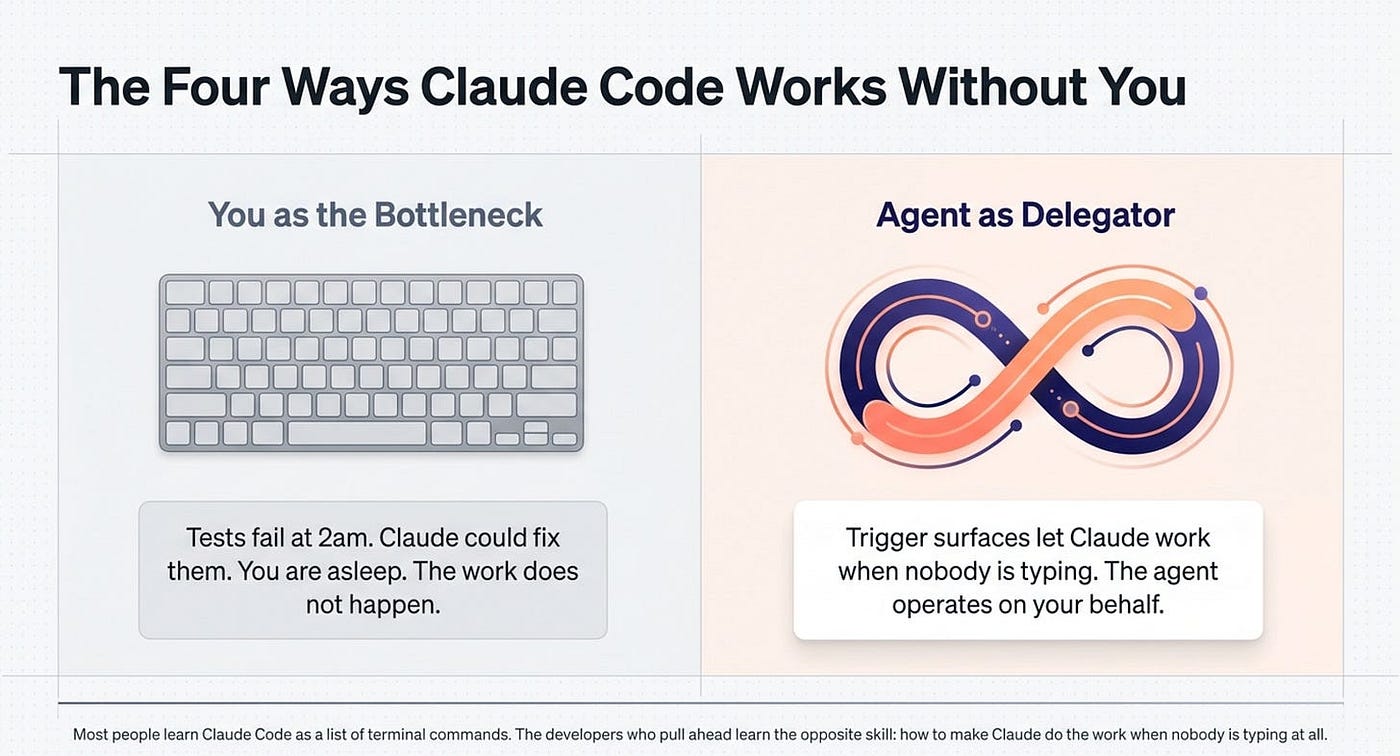
There is a moment every Claude Code user eventually hits where the bottleneck stops being what Claude can do and starts being whether you are at the keyboard when there is work to do. Your tests fail at 2am, Claude could fix them, but you are asleep. A teammate hits a bug in Slack at noon, Claude could investigate, but you are in a meeting. The CI pipeline finishes a long run at lunch, Claude could check it, but you went out for lunch.
Everything you have already learned about Claude Code (skills, hooks, MCP, permissions, plugins, worktrees, and verification) makes you productive while you are working. This article is about the layer above that: the trigger surfaces that let Claude work when you are not at the keyboard at all. That is the difference between an agent you operate and an agent that operates on your behalf.
There are five of them. Each solves a different shape of "Claude does something without me typing the next prompt." You do not need all five; most readers will adopt one or two and never need the rest. The point of this overview is to map the territory so you know which one to reach for when the right problem appears.
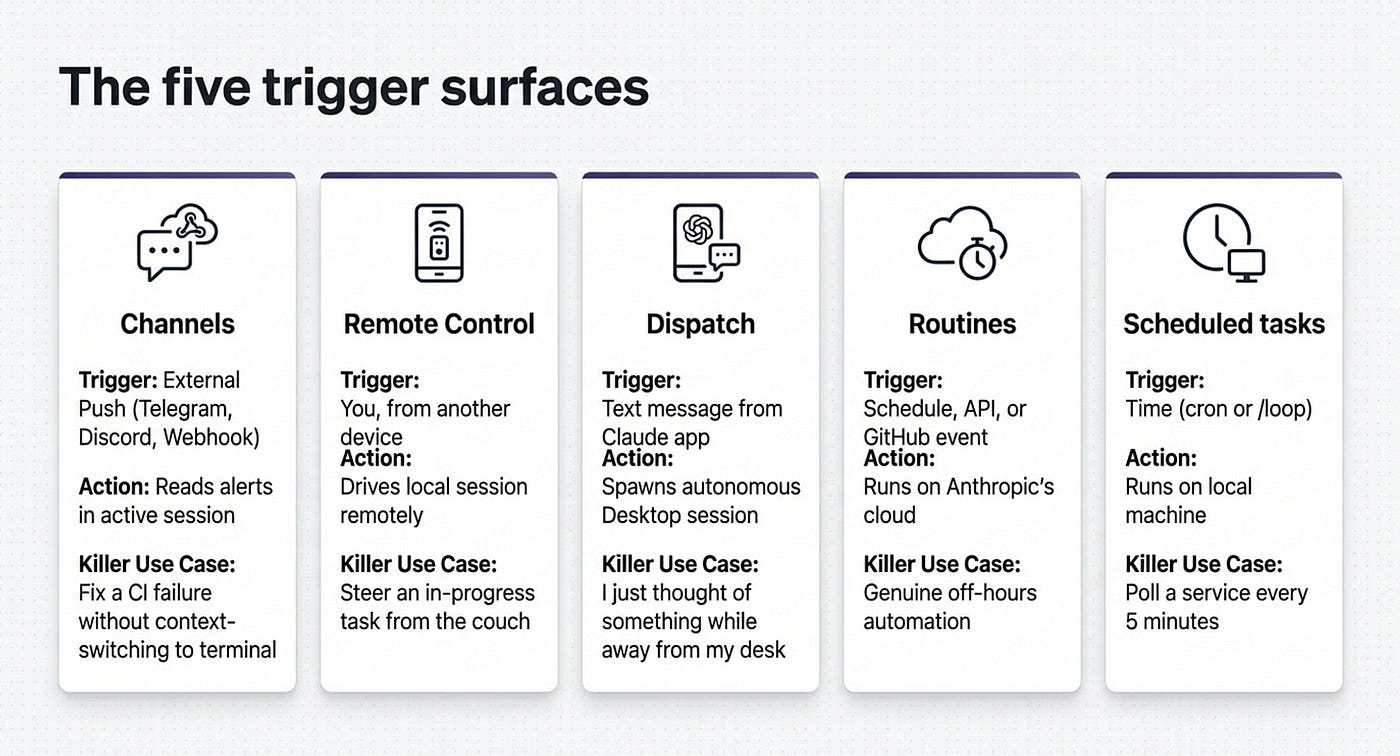
The five trigger surfaces
Each trigger surface answers a different question.
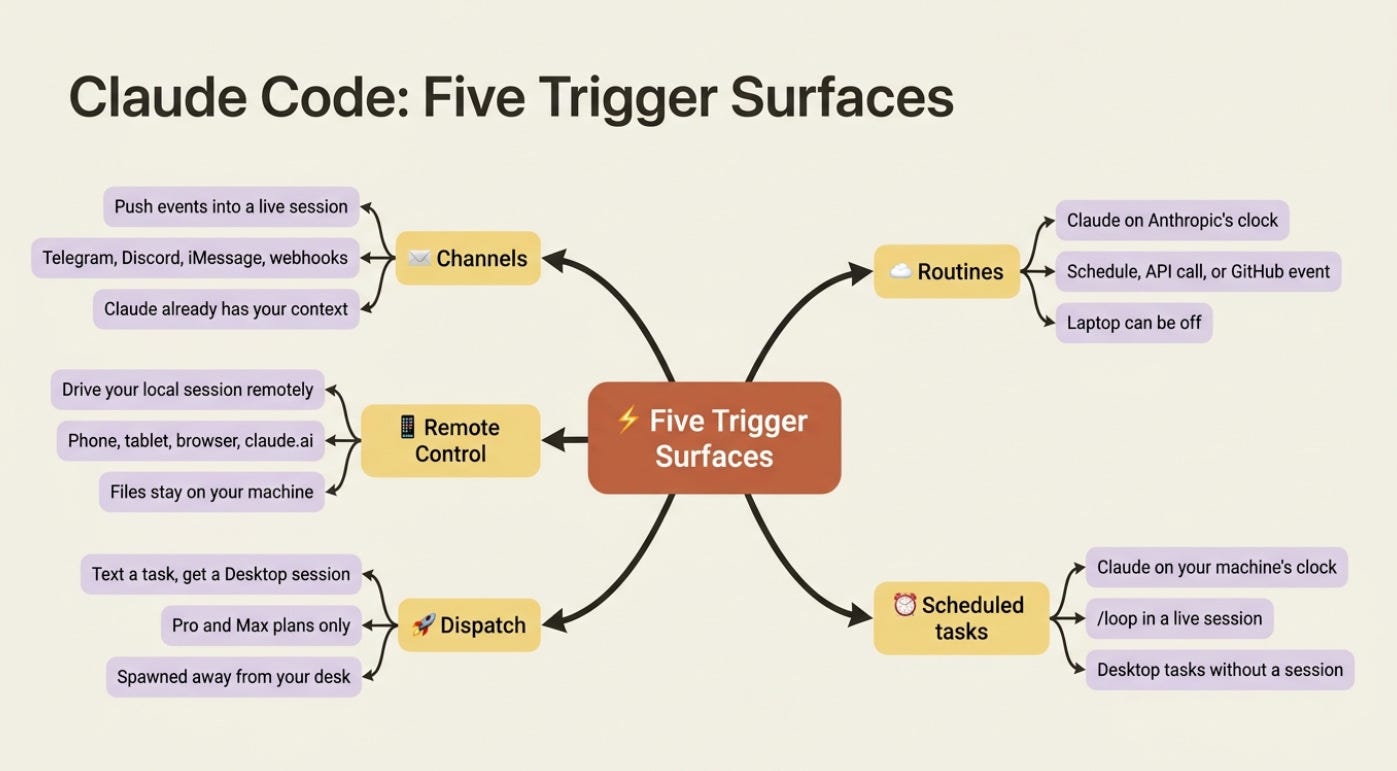
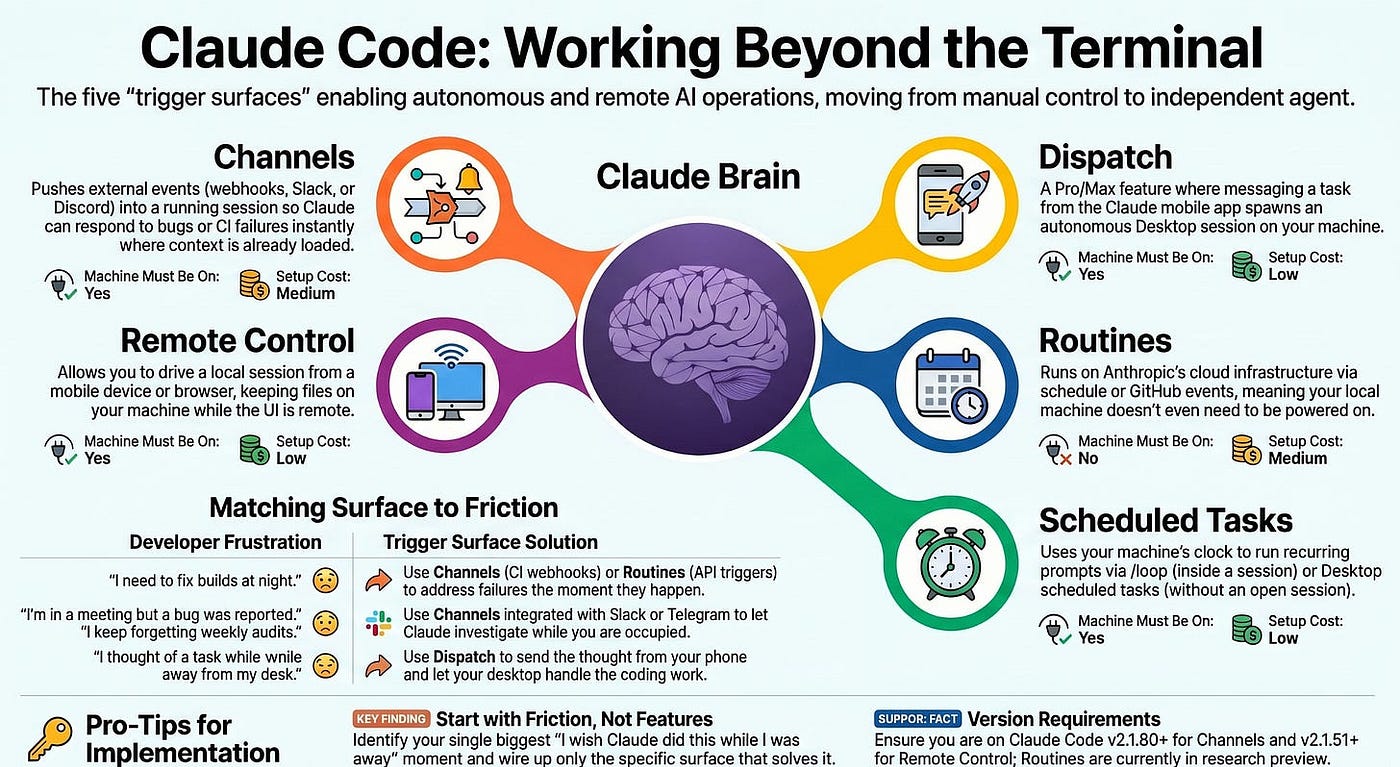
Channels. Push events from external systems into a running session. Telegram, Discord, iMessage, or your own webhooks send messages or alerts; Claude reads them in the session you already have open and responds, often by editing your local files. The killer use case: a CI failure or a bug report shows up where Claude already has your project context loaded, instead of forcing you to context-switch back to the terminal.
Remote Control. Drive your local session from another device. You start a session on your machine, then pick it up from your phone, your tablet, a browser on another computer, or claude.ai. The files and tools stay on your machine; only the UI is remote. This is useful for steering an in-progress task while you are on the couch, on the train, or in a different room.
Dispatch. Text Claude a task from your phone, and get a Desktop session back. You message a task description from the Claude mobile app. Dispatch decides whether it is coding work and, if it is, spawns a Desktop session on your machine that handles it autonomously. This is available on Pro and Max plans only. It is the "I just thought of something that needs doing while I am away from my desk" workflow.
Routines. Claude on Anthropic's clock, not yours. A routine is a saved Claude Code configuration (the prompt plus repos plus connectors) that runs on Anthropic's cloud infrastructure on a schedule, on an HTTP API call, or on GitHub events. Your laptop does not have to be on. This is the biggest unlock for genuinely off-hours automation.
Scheduled tasks (/loop and Desktop scheduled tasks). Claude on your machine's clock. /loop runs a recurring prompt inside a live session; Desktop scheduled tasks run on your machine without an open session. This is the middle ground between live work and full cloud automation.
That is the whole map.
The decision table
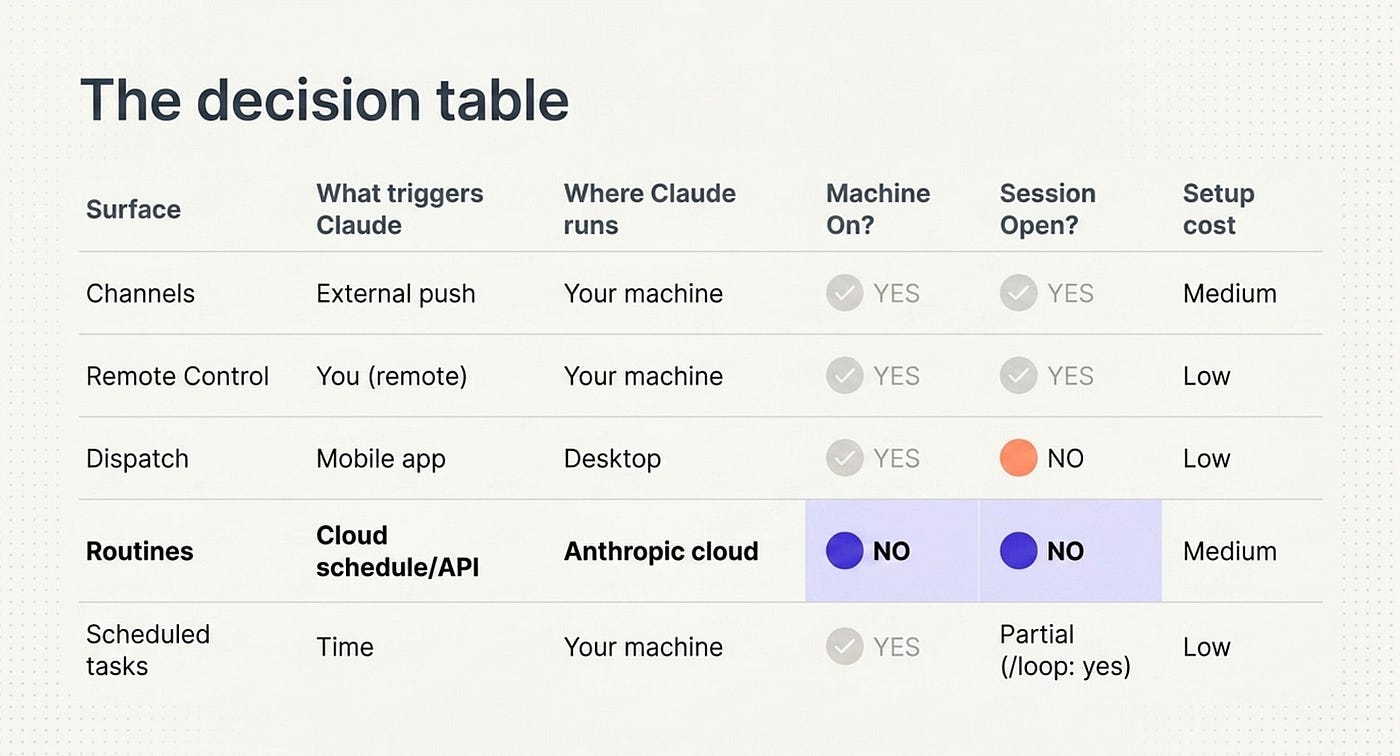
The five surfaces side by side, on the dimensions that actually matter:
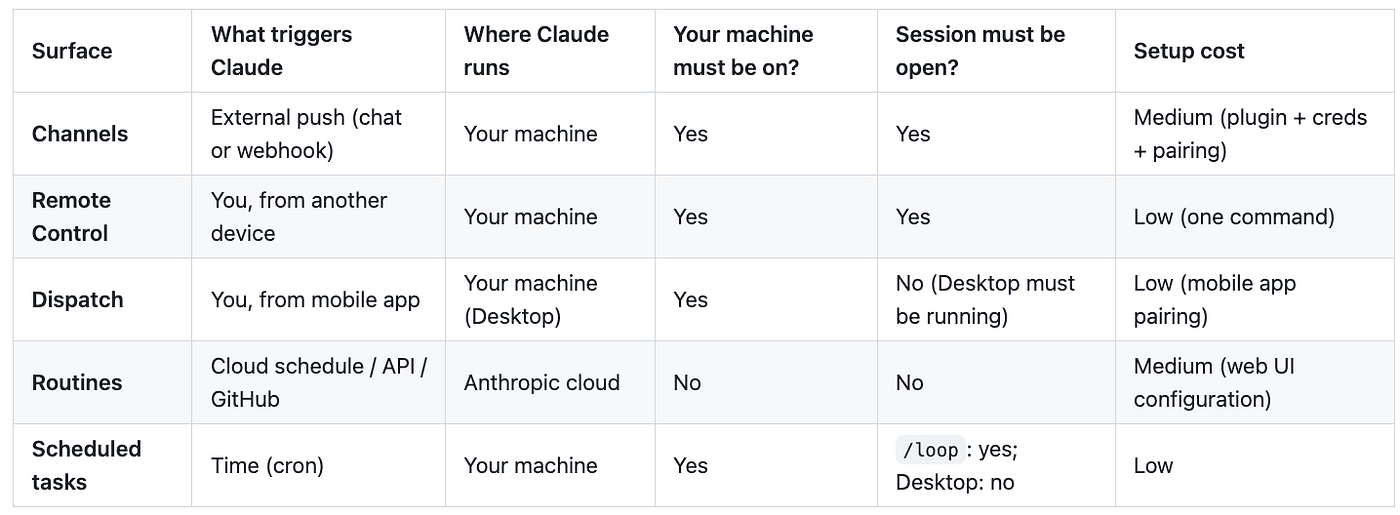
Channels are triggered by an external push, such as a chat message or webhook.
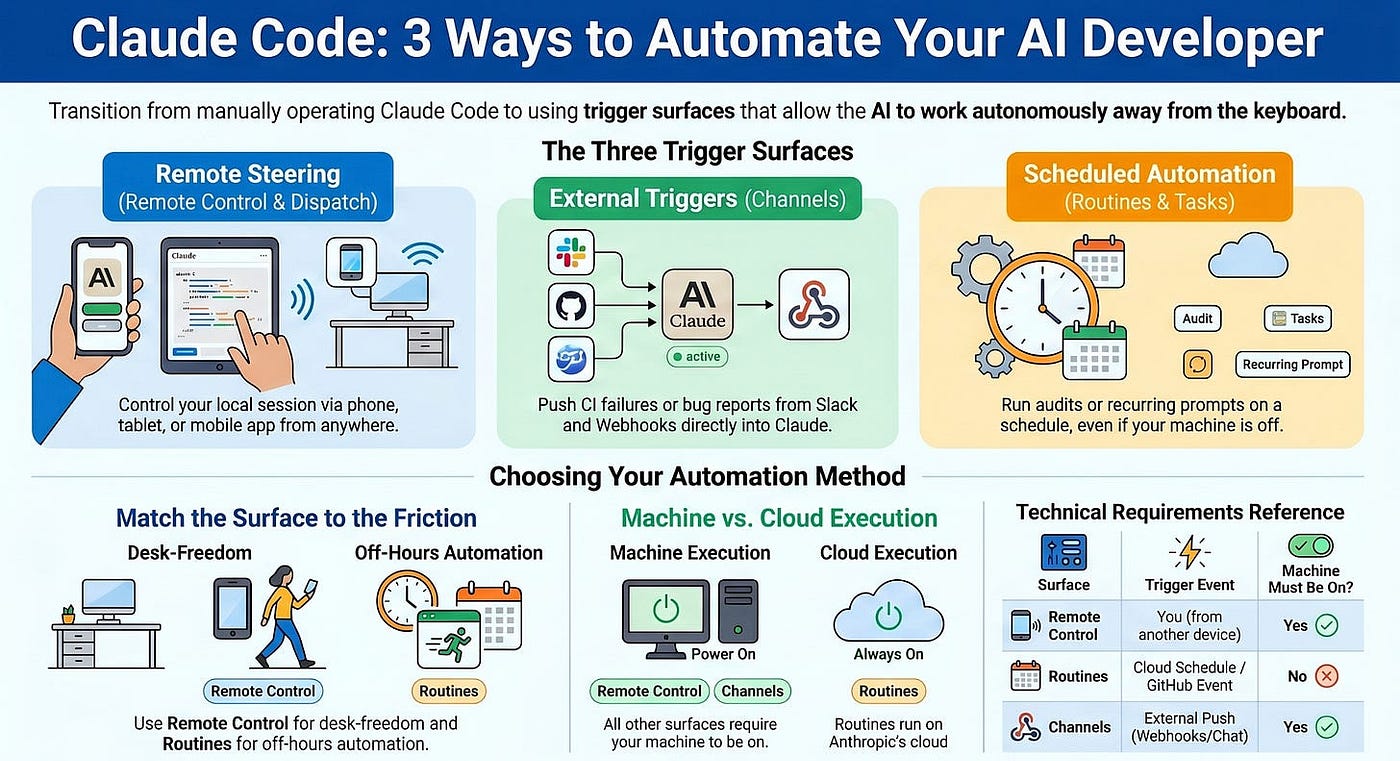
Remote Control is triggered by you from another device. Like Channels, the work runs on your machine, so it has to be powered on with the session open. The advantage here is setup: it's just one command, making it the lightest option in this group to get going.
Dispatch is triggered by you from the mobile app. It runs on your machine specifically through Desktop, so your machine still needs to be on, but the session itself doesn't have to be open as long as Desktop is running. Setup is low, requiring only mobile app pairing.
Routines stand apart from the rest. They're triggered by a cloud schedule, the API, or GitHub, and they run in Anthropic's cloud rather than on your hardware. As a result, your machine does not need to be on and no session needs to be open. The tradeoff is a medium setup cost, since you configure them through the web UI.
Scheduled tasks are triggered on a time-based cron schedule and run on your machine, so it has to be on. Whether the session must stay open depends on how you run it: with /loop the session must be open, but via Desktop it does not. Setup cost is low.
The clearest split is that Routines are the only fully hands-off, cloud-hosted option, while every other surface depends on your own machine staying powered on, differing mostly in whether an open session is required and how much initial configuration they take.
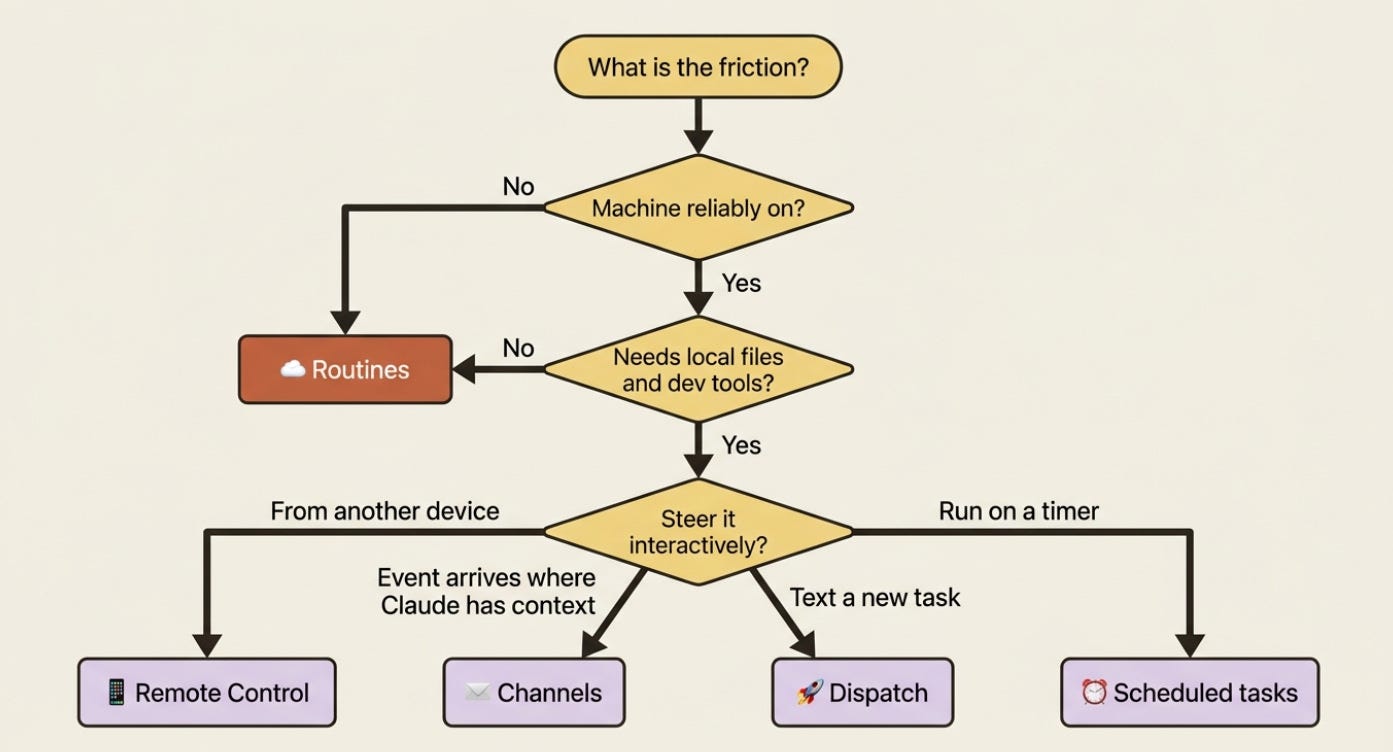
The columns matter because they are the deciding factors in which surface fits a given problem. If your machine is not reliably on, Routines is the only option. If the work needs your local files and dev tools, anything except Routines works. If you need to drive the work interactively from your phone, Remote Control is the only fit.
What survives "Claude is gone"
A useful framing is this question: what part of your workflows depend on you typing the next prompt?
For most working developers, deep into daily Claude Code use, the answer is "essentially all of them." You start a session, you steer it, you finish, and you exit. When the next prompt would be useful, you are not there to type it. Whatever Claude could have done does not happen.
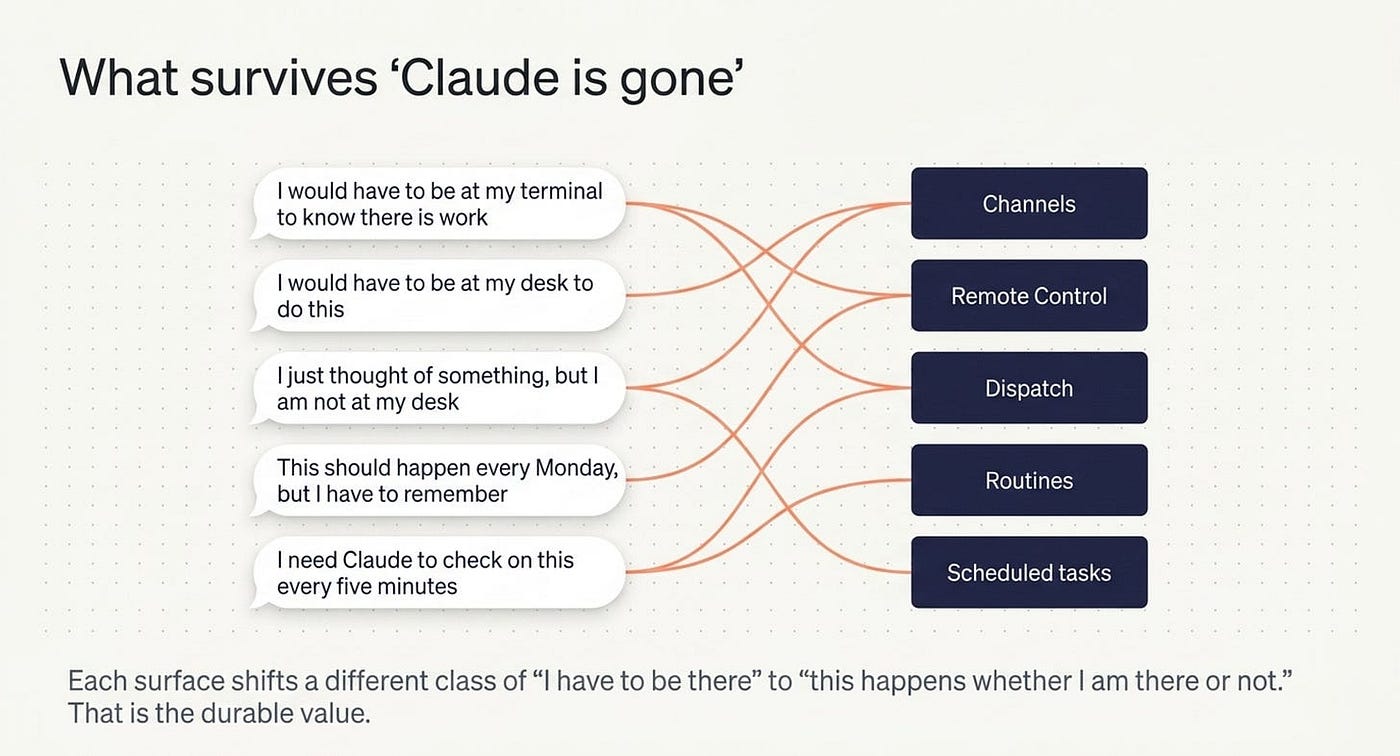
The five surfaces fix this from different angles:
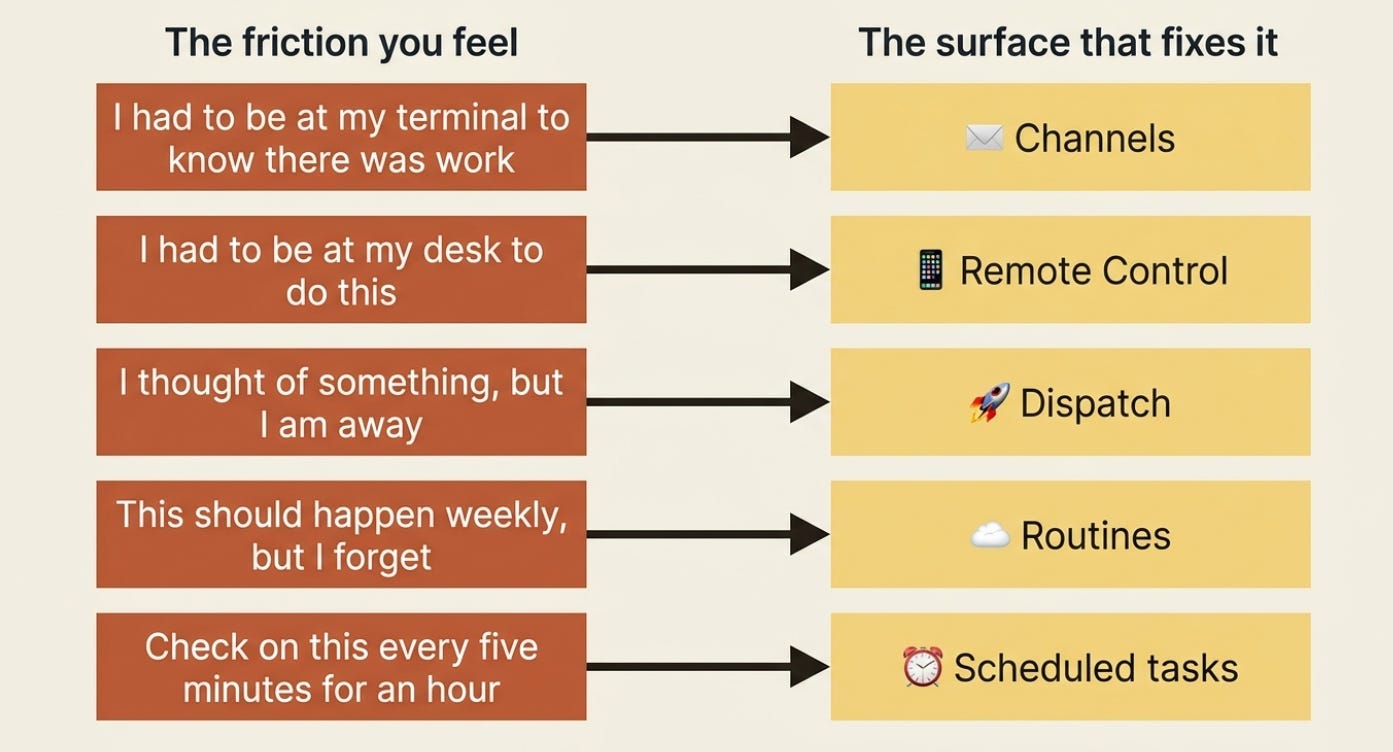
- Channels removes the "I would have to be at my terminal to know there is work" problem. The event arrives where Claude already has context.
- Remote Control removes the "I would have to be at my desk to do this" problem. The work happens locally; you steer from anywhere.
- Dispatch removes the "I just thought of something, but I am not at my desk" problem. The thought becomes a task without your hands on the keyboard.
- Routines removes the "this should happen every Monday, but I have to remember to do it" problem. The clock or the GitHub event is what reminds you.
- Scheduled tasks remove the "I need Claude to check on this every five minutes for the next hour" problem. The poll is automatic.
Each one shifts a different class of "I have to be there for this to happen" to "this happens whether I am there or not." That is the durable value.
What is assumed, what is not
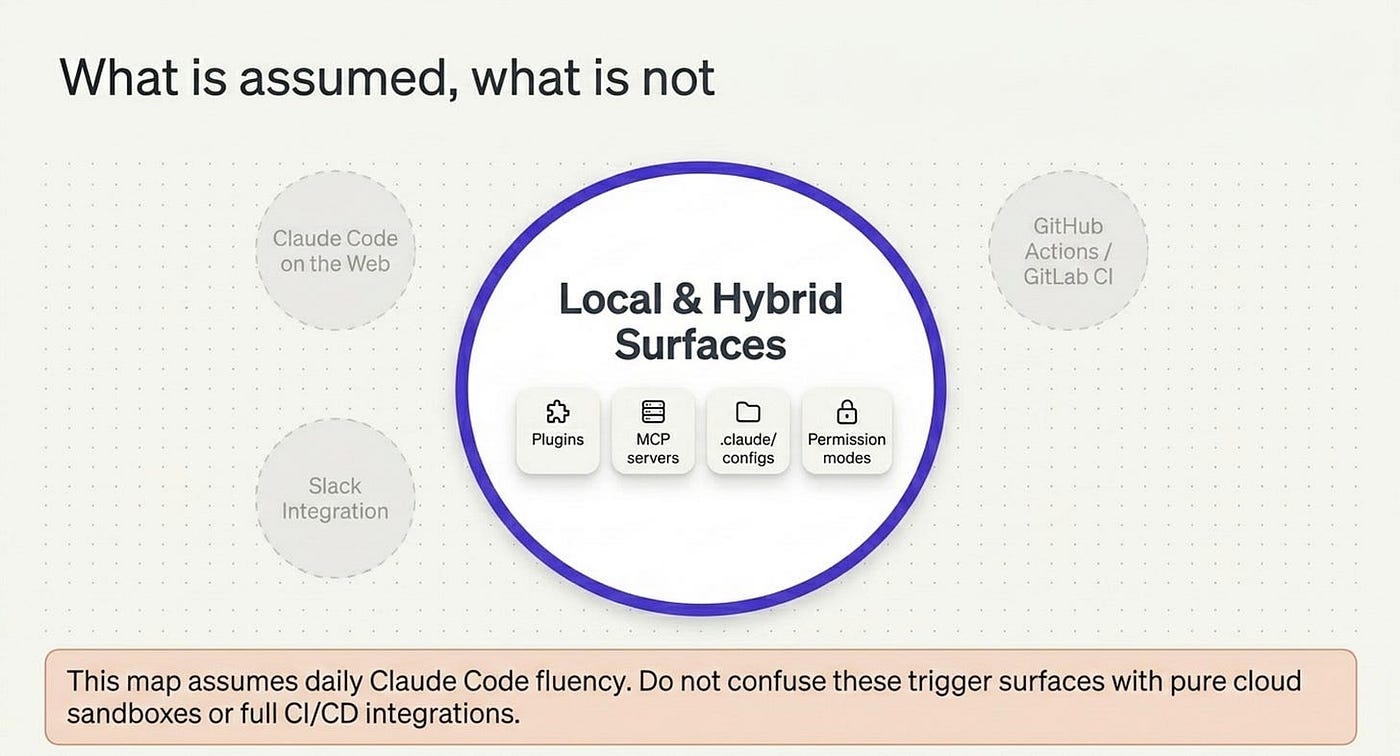
This material assumes daily Claude Code fluency. Specifically, it helps to already know how to install plugins (Channels are distributed as plugins), what an MCP server is (Channels are themselves a special kind of MCP server), and what permission modes are (Routines run autonomously without prompts, while Remote Control and Channels still observe your permission rules). It also helps to know what /loop does in a live session, because Routines are the cloud counterpart, and to be comfortable with skills, hooks, and the project .claude/ configuration layout.
A few related things sit just outside this map and are worth naming so you do not confuse them with the five surfaces:
- Claude Code on the web is its own thing: fresh cloud sandboxes cloned from GitHub. It is useful for long-running autonomous tasks that do not need your local environment, but it is a different mental model, because the work runs in the cloud and never touches your machine.
- Slack integration spawns a cloud session when you mention @Claude, so it is closer to Claude Code on the web than to the local-first surfaces here.
- GitHub Actions and GitLab CI/CD are full CI integrations covered in the official docs. The "Routines on GitHub triggers" use case overlaps somewhat, but CI integration is a deeper topic that deserves its own coverage.
A note on what to expect
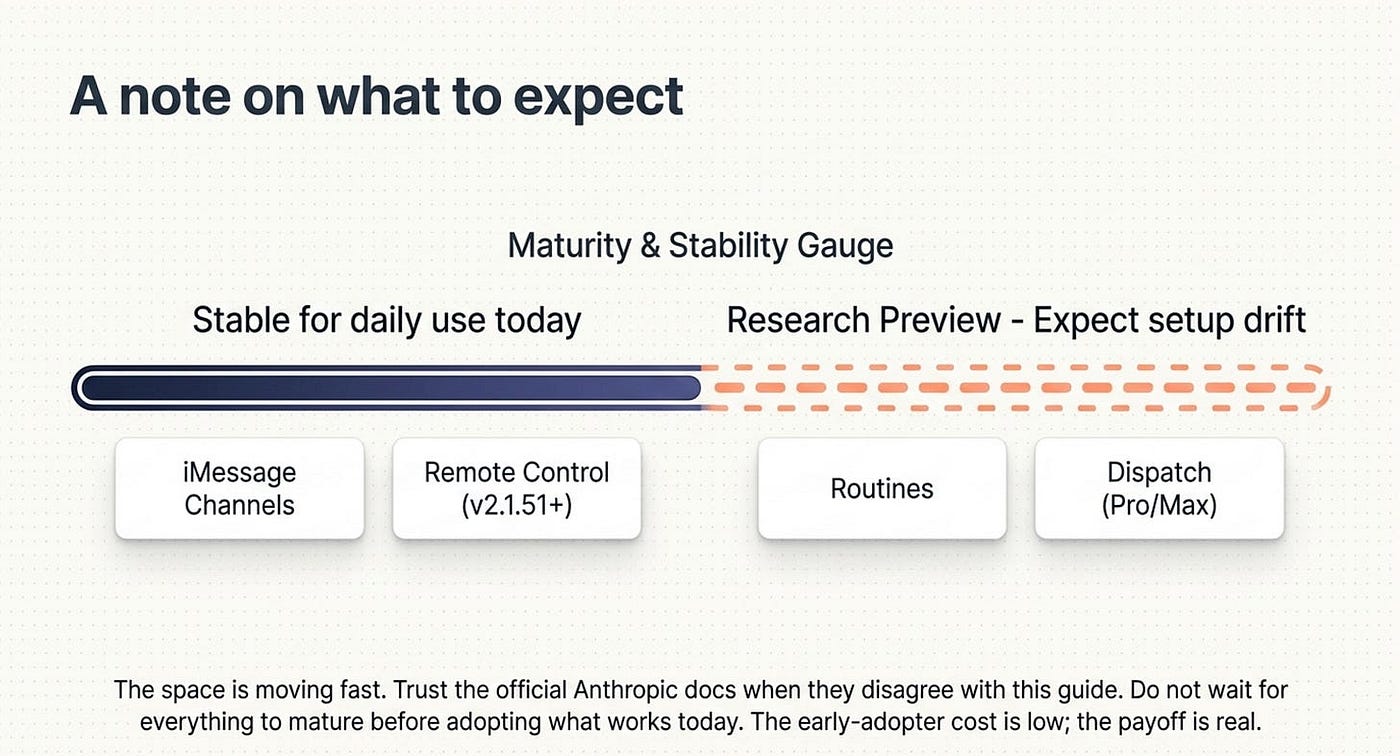
These trigger surfaces are mostly in research preview. Channels requires Claude Code v2.1.80 or later, Remote Control requires v2.1.51 or later, Routines is research preview, and some have plan restrictions (Dispatch is Pro and Max only). The space is moving fast.
That means two things. First, expect some of the specific setup details to drift over the next quarter; trust the official docs when they disagree with anything written here. Second, do not wait for everything to mature before adopting the parts that work today. iMessage Channels and Remote Control are stable enough for daily use right now. Routines covers most of the off-hours-automation use cases. The early-adopter cost is low, and the payoff is real.
Do this today
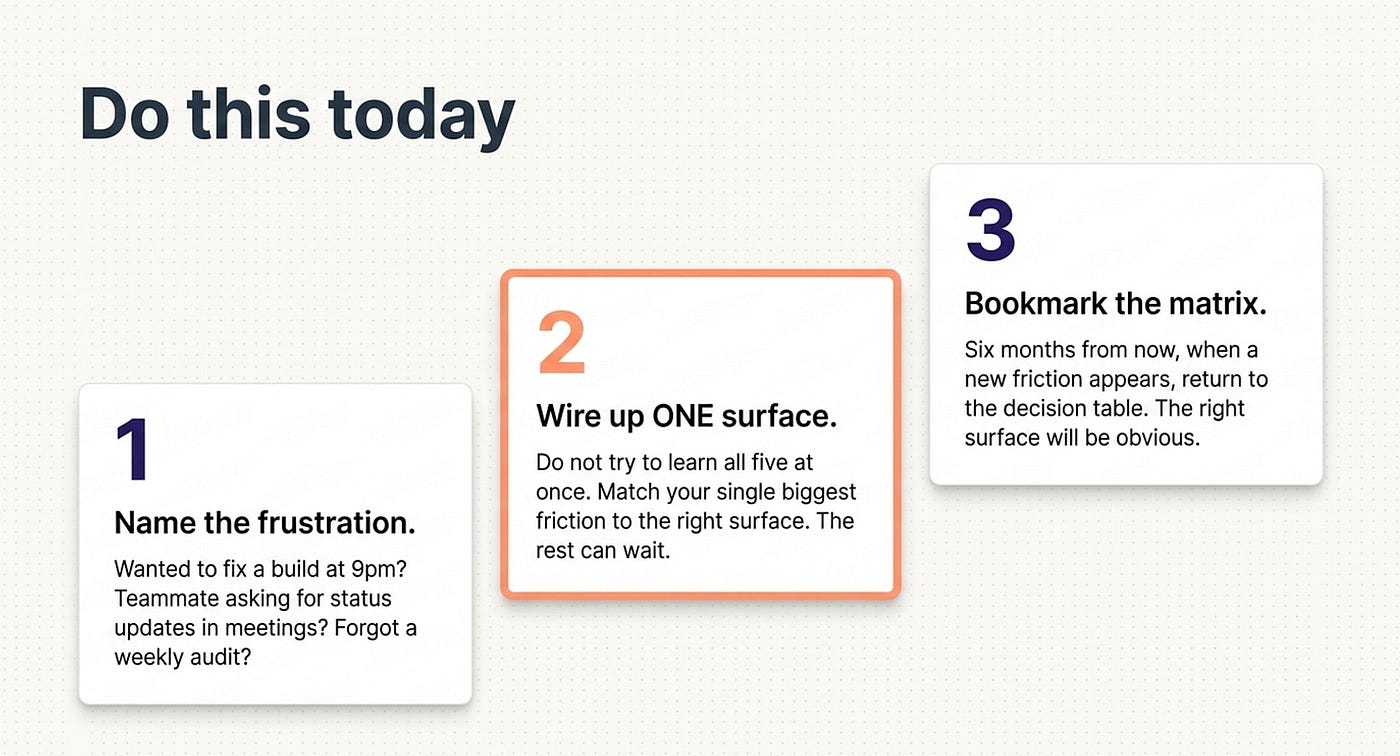
Three concrete moves, in order of payback:
- Name your single biggest "I wish Claude could have done this while I wasn't there" frustration. Wanted to fix the failing build at 9pm? That is a Channels use case (a webhook from CI) or a Routine (an API trigger from your pipeline). A teammate kept asking for status updates while you were in meetings? That is Channels (Slack, Telegram, or Discord). Forgot the weekly dependency audit again? That is a Routine. Match the frustration to the surface.
- Reach for the one surface that solves it. Do not try to learn all five at once. Wire up the one that addresses your real problem. The others can wait until they are also solving real problems for you.
- Bookmark the decision table. Six months from now, when a new "I wish Claude could have done that while I was away" friction appears, come back to it. The right surface usually becomes obvious once you can name the friction.
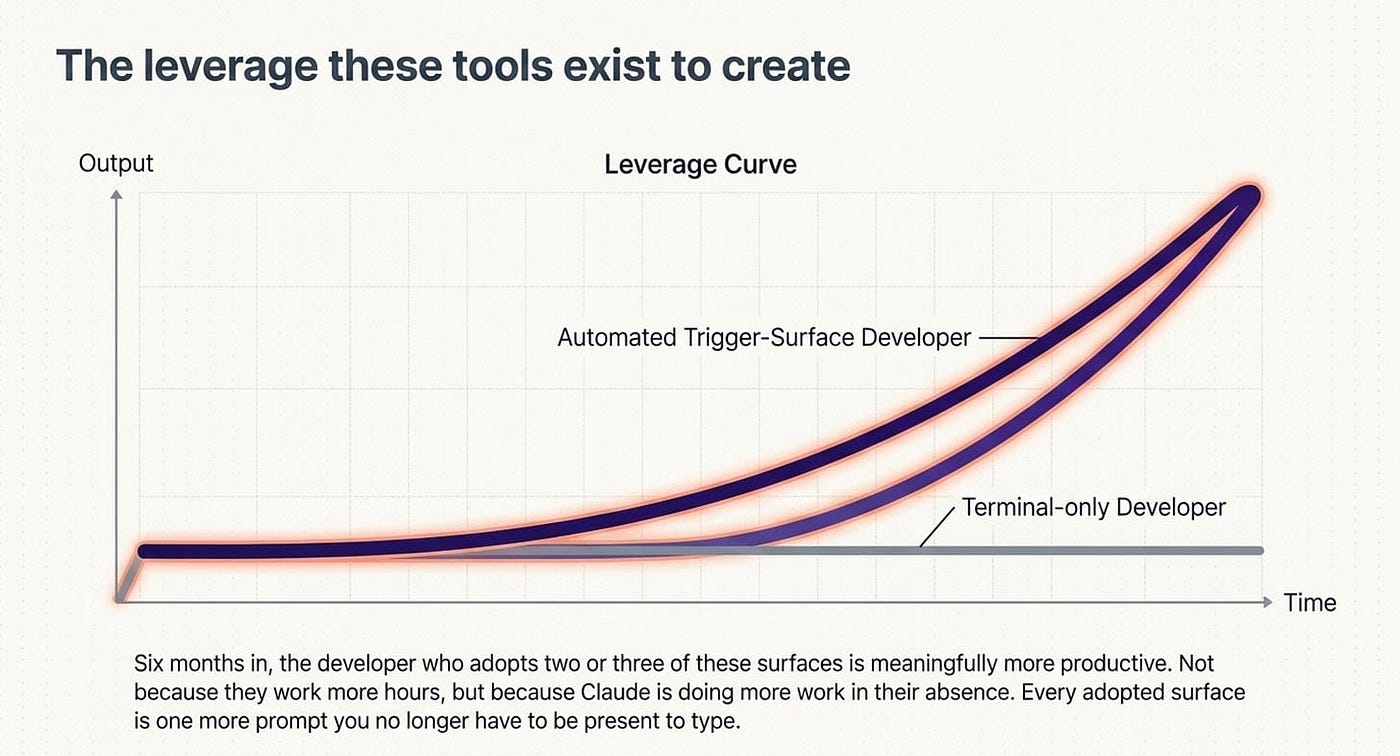
The leverage these tools exist to create
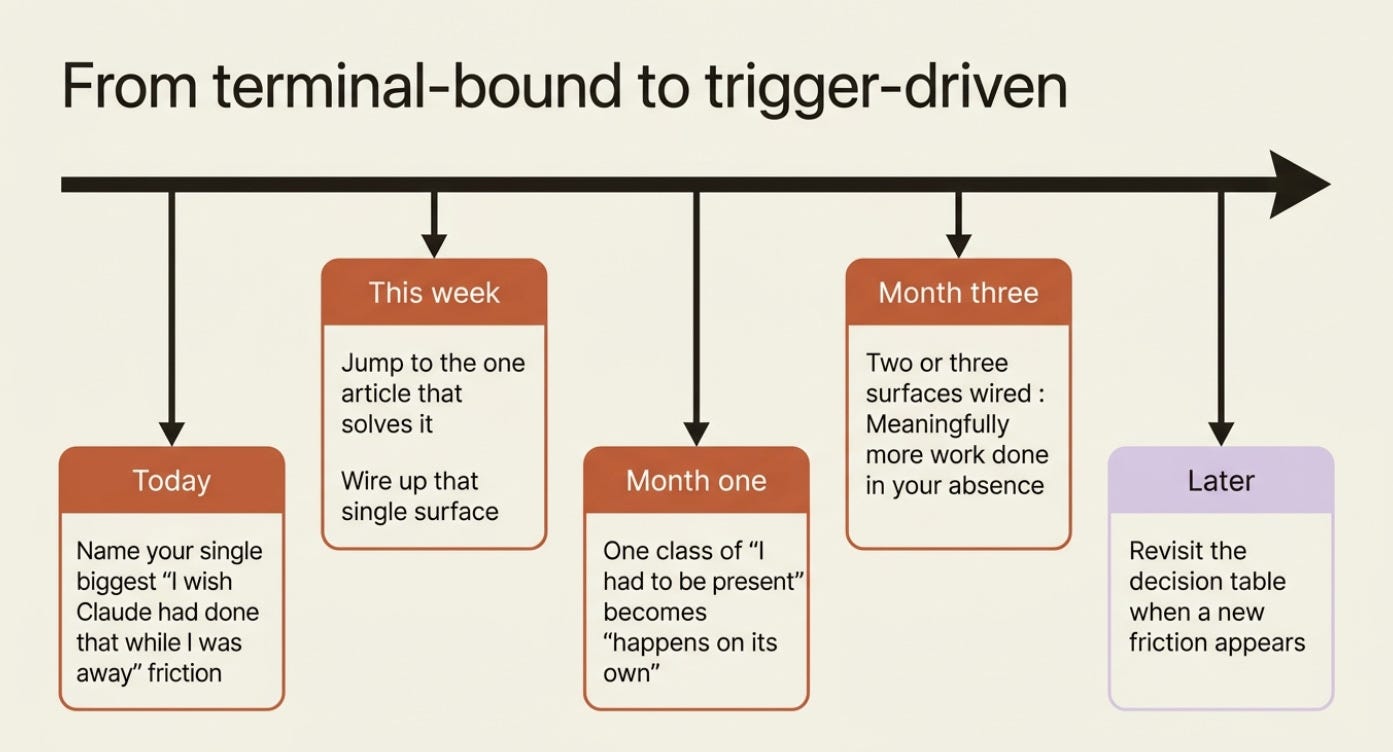
Every trigger surface you adopt is one more class of "things I had to be present for" that becomes "things that happen on their own." Six months in, the developer who has adopted two or three of these surfaces is meaningfully more productive than the one who relies only on terminal sessions. This is not because they are working more hours, but because Claude is doing more work in their absence.
So start with the friction, not the feature. Name the moment you most wished Claude could have acted while you were away, find it in the decision table, and wire up that one surface. The 2am test failure, the noon bug report, the Monday-morning audit you keep forgetting: each one is a prompt you no longer have to be present to type.
That is the leverage these tools exist to create.
This is Part 1 of "Claude Code Away from the Terminal," a seven-part guide to the trigger surfaces that let Claude Code work when you are not at the keyboard.
About the Author — Claude Certified Architect
Rick Hightower is a former Senior Distinguished Engineer at a Fortune 100 company, focusing on delivering ML / AI insights to front-line applications, and a practitioner building multi-agent production systems. Follow him on SubStack and Medium for more hands-on agent engineering content. You can also book him to speak and train your team: Check out Rick Hightower's SpeakerHub.
Rick Hightower helps companies become AI-first through practical mentoring, executive and team training, and custom AI solution development. He is a former Senior Distinguished Engineer at a Fortune 100 company, where he focused on bringing ML and AI insights into real front-line business applications.
Subscribe to Rick's newsletter to see videos and guides.
Rick is a Claude Certified Architect, AI systems practitioner, and builder of production multi-agent systems. He is currently working on authoring a book on Harness Engineering with Manning publishing. He created Skilz, a universal agent skill installer supporting 30+ coding agents including Claude Code, Gemini, Copilot, and Cursor, and co-founded one of the largest agentic skill marketplaces.
Today, Rick and the Spillwave team works with leaders and teams who want to move beyond AI experiments and build real AI capability inside their companies. He helps organizations adopt AI safely, train their people, redesign workflows, and build practical AI systems that create measurable business value.
Ready to make your company AI-first? Connect with Rick on LinkedIn, Substack or Medium, book him to speak or train your team, or visit Spillwave to explore mentoring, training, and custom AI solutions for your organization.
Originally published at https://rickhigh.substack.com.