Claude Code Rules: Stop Stuffing Everything into One CLAUDE.md
Split your instructions into path-scoped rule files. Claude loads only what applies.
Originally published on Medium.

Split your instructions into path-scoped rule files. Claude loads only what applies.
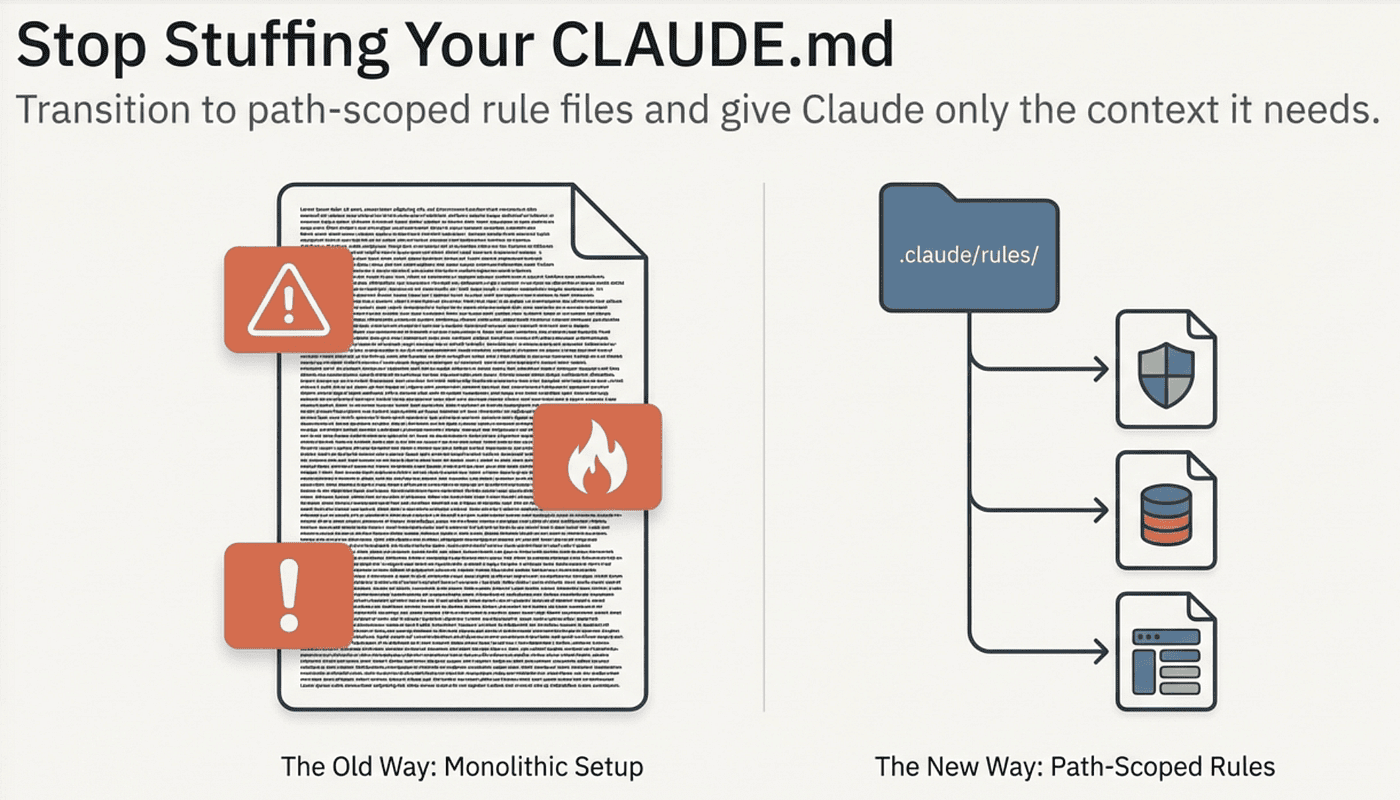
Your CLAUDE.md file started small. A few build commands, a note about the test framework, a reminder about naming conventions. Then it grew. API guidelines joined coding standards. Security rules sat next to React patterns. Database migration warnings lived alongside CSS conventions. Now it is 400 lines long, and every single line loads into context every session, whether Claude is working on a migration or a button component.
This is priority saturation. When everything is high priority, nothing is. Claude sees your migration safety rules while editing a React component and your React patterns while writing a database query. The context window fills with instructions that do not apply to the current task.
Claude Code's rules system solves this. Instead of one massive file, you split instructions into focused rule files scoped to specific file types. Your migration rules load only when Claude touches migration files. Your React patterns load only when Claude works on .tsx files. Everything else stays out of context.
This article covers how the rules system works, how it compares to CLAUDE.md and auto memory, and how to structure your instructions so Claude gets the right context at the right time.
The Rules Directory
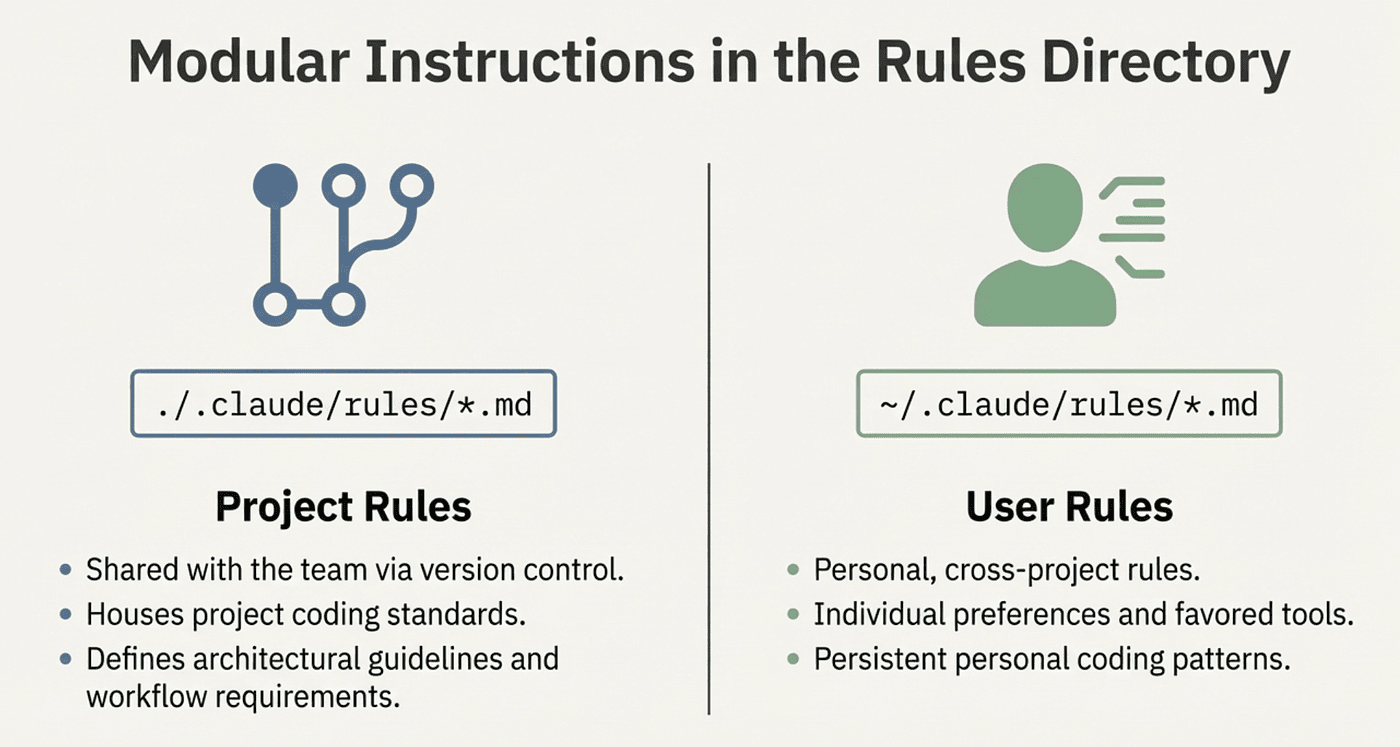
Rules live in a .claude/rules/ directory at two levels:
Project rules at ./.claude/rules/*.md are committed to git and shared with your team. These are your project's coding standards, architectural guidelines, and workflow requirements.
User rules at ~/.claude/rules/*.md are personal and apply across every project you work on. These are your individual preferences, tools you always use, and patterns you always want applied.
your-project/
├── .claude/
│   ├── CLAUDE.md              # Main project instructions
│   └── rules/
│       ├── code-style.md      # Always loaded
│       ├── testing.md         # Always loaded
│       ├── api-patterns.md    # Loaded only for API files
│       └── security/
│           └── auth.md        # Loaded only for auth files
~/.claude/
├── CLAUDE.md                  # Personal instructions (all projects)
└── rules/
    ├── preferences.md         # Your coding style
    └── workflows.md           # Your preferred workflows
All .md files in the rules directory are discovered recursively. You can organize them into subdirectories like security/ or frontend/ for clarity. Claude finds them all.
Path-Specific Scoping: The Key Feature
The defining feature of rules is the paths: frontmatter. This controls exactly when a rule loads into context.
Rules Without paths: (Always Load)
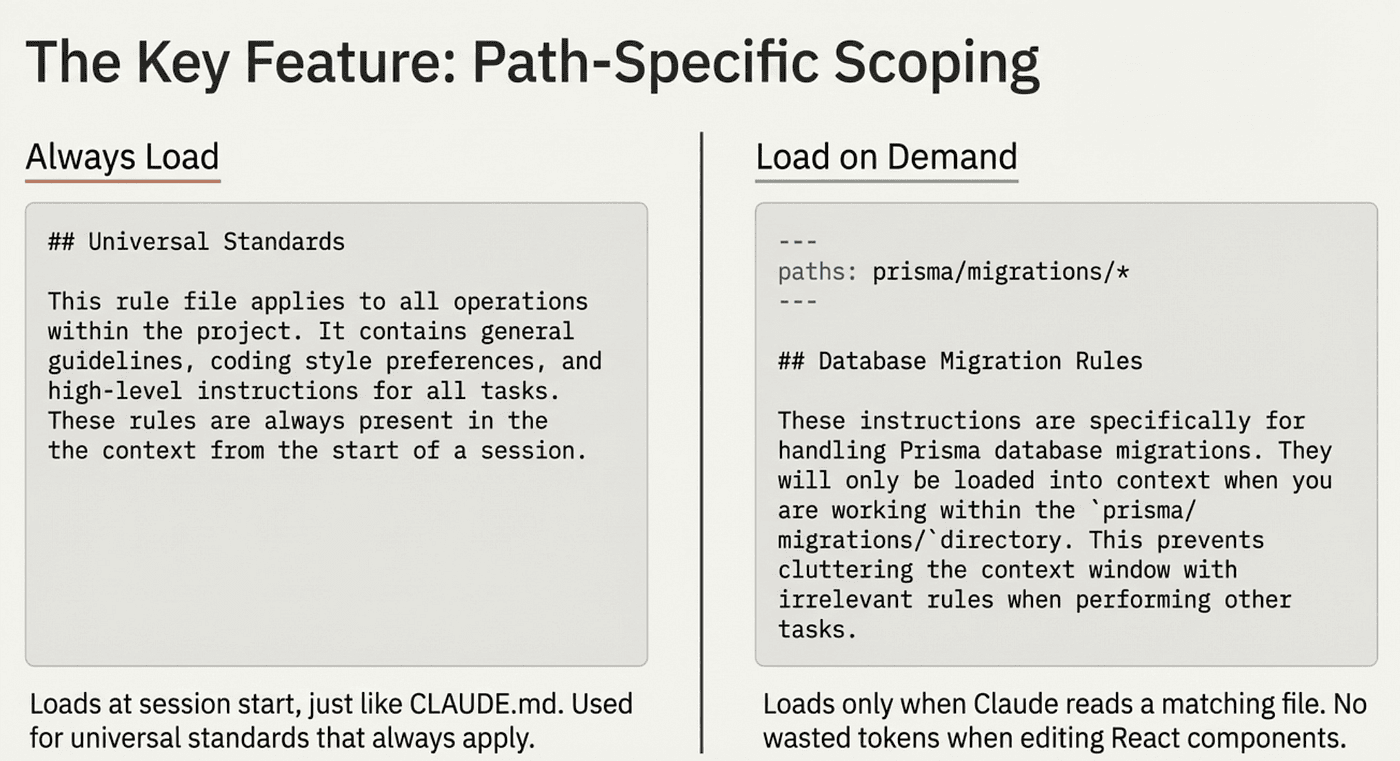
A rule file without paths: frontmatter loads at session start, just like CLAUDE.md:
# Code Style Rules
- Use 2-space indentation
- Prefer const over let
- No default exports
This rule loads every session regardless of which files Claude works on. Use this for universal standards that always apply.
Rules With paths: (Load on Demand)
A rule file with paths: frontmatter loads only when Claude reads files matching the pattern:
---
paths:
  - "prisma/migrations/**/*"
---

# Migration Safety Rules
- Always include rollback instructions
- Never delete columns in the same migration that removes code using them
- Add columns as nullable first, populate, then add constraints
This rule loads only when Claude reads a file inside prisma/migrations/. When Claude edits React components, these migration rules are not in context at all. No wasted tokens. No irrelevant instructions competing for attention.

Glob Pattern Examples
---
paths:
  - "src/api/**/*.ts"
---
# API rules: load for any TypeScript file under src/api/
---
paths:
  - "**/*.test.ts"
  - "**/*.spec.ts"
---
# Testing rules: load for any test file anywhere in the project
---
paths:
  - "src/**/*.{ts,tsx}"
---
# TypeScript rules: load for all TS/TSX files under src/
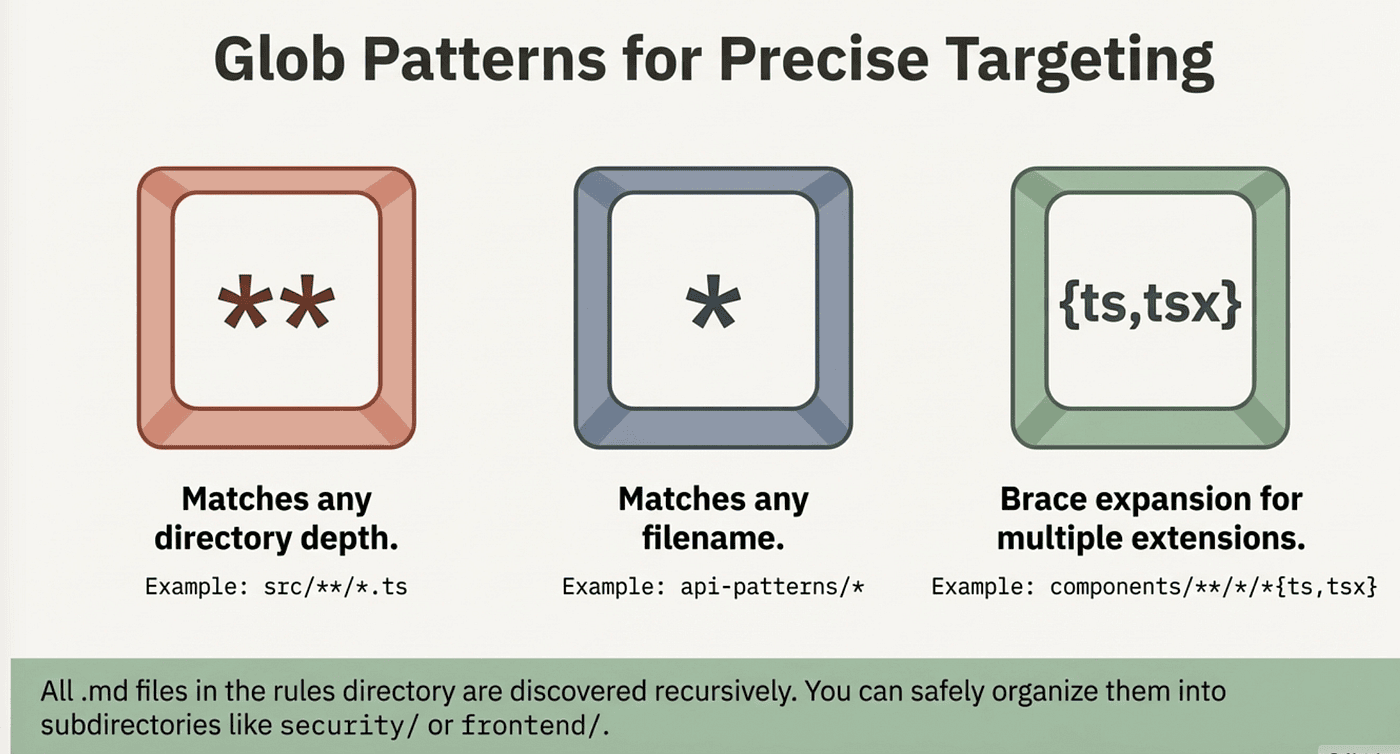
The glob patterns use standard syntax. ** matches any directory depth, * matches any filename, and brace expansion ({ts,tsx}) matches multiple extensions.
When Rules Actually Load
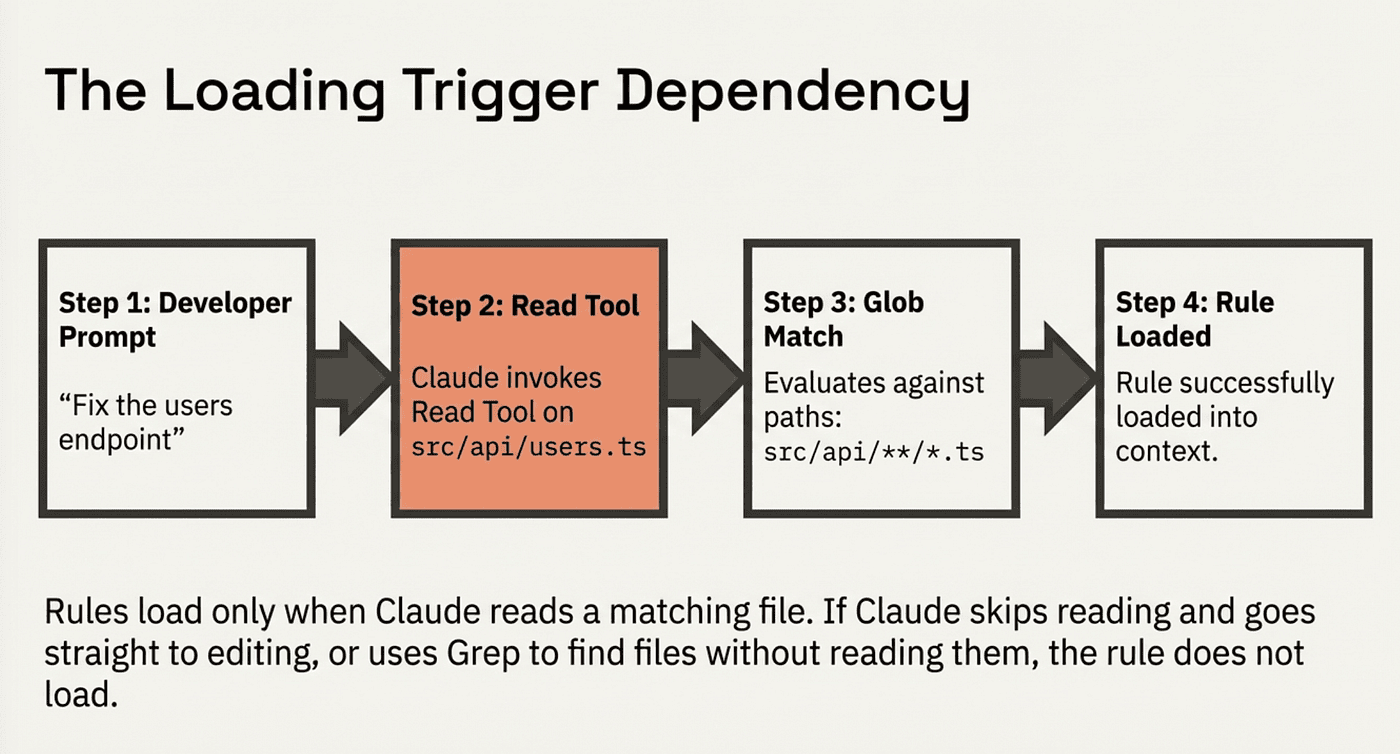
Understanding the loading trigger matters because it affects reliability.
Rules with paths: frontmatter load when Claude reads a matching file. Not when you mention the file. Not when Claude edits a matching file. Specifically when Claude invokes the Read tool against a path that matches the glob pattern.
This has practical implications:
- Claude opens src/api/users.ts to read it; your paths: src/api/**/*.ts rule loads
- You tell Claude "edit the users endpoint" and Claude goes straight to Edit without reading first; the rule may not load
- Claude uses Grep to find files matching a pattern without reading them; the rule does not load
For safety-critical rules (migration safety, security requirements, "never modify this file"), do not rely on paths: scoping alone. Put those in a rule file without paths: frontmatter so they always load. Reserve path-scoped rules for guidance that is helpful when present but not catastrophic if missed: coding patterns, style conventions, documentation formats.
Rules vs. Subdirectory CLAUDE.md Files
You might wonder why not just put a CLAUDE.md in each subdirectory. Claude Code does support subdirectory CLAUDE.md files; they load lazily when Claude reads files in that directory. But rules are better for most use cases:
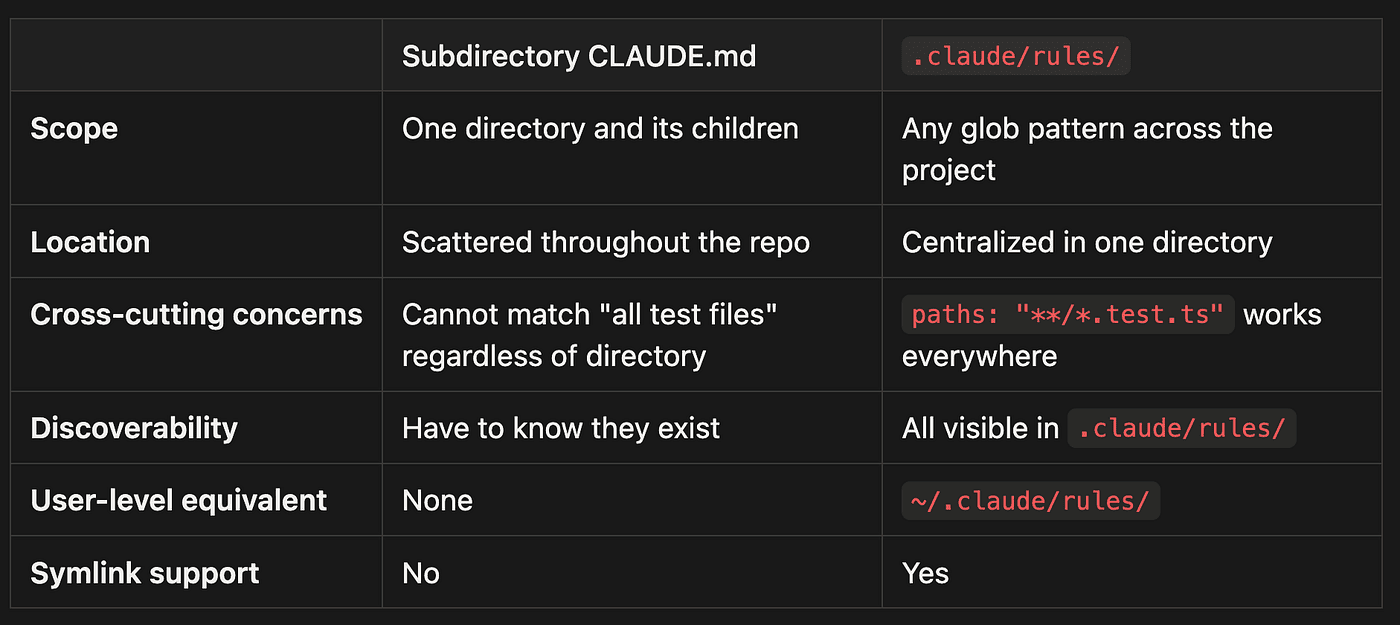
- Scope: Subdirectory CLAUDE.md applies to one directory and its children, while .claude/rules/ can use any glob pattern across the entire project
- Location: Subdirectory CLAUDE.md files are scattered throughout the repo, whereas .claude/rules/ are centralized in one directory
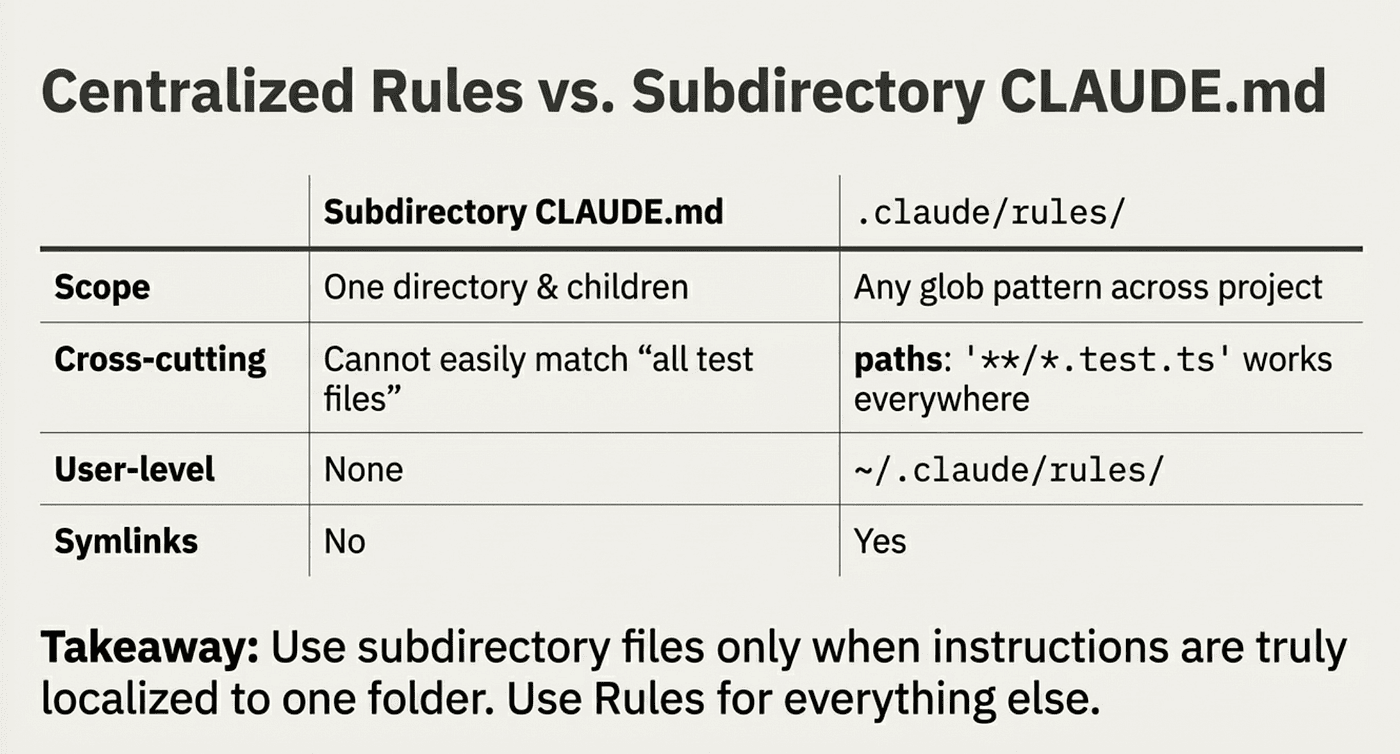
- Cross-cutting concerns: Subdirectory CLAUDE.md cannot match "all test files" regardless of directory, but .claude/rules/ with paths: "**/*.test.ts" works everywhere
- Discoverability: With subdirectory CLAUDE.md you have to know they exist, while all rules are visible in .claude/rules/
- User-level equivalent: Subdirectory CLAUDE.md has no user-level equivalent, but rules have ~/.claude/rules/
- Symlink support: Subdirectory CLAUDE.md does not support symlinks, while .claude/rules/ does
The biggest practical difference: subdirectory CLAUDE.md files are directory-scoped. If you want rules that apply to all test files regardless of where they live, there is no single directory representing "all test files." With rules, you write paths: "**/*.test.ts" and it works everywhere.
Use subdirectory CLAUDE.md files when instructions are truly specific to one directory and the team finds co-located files intuitive. Use rules for everything else.
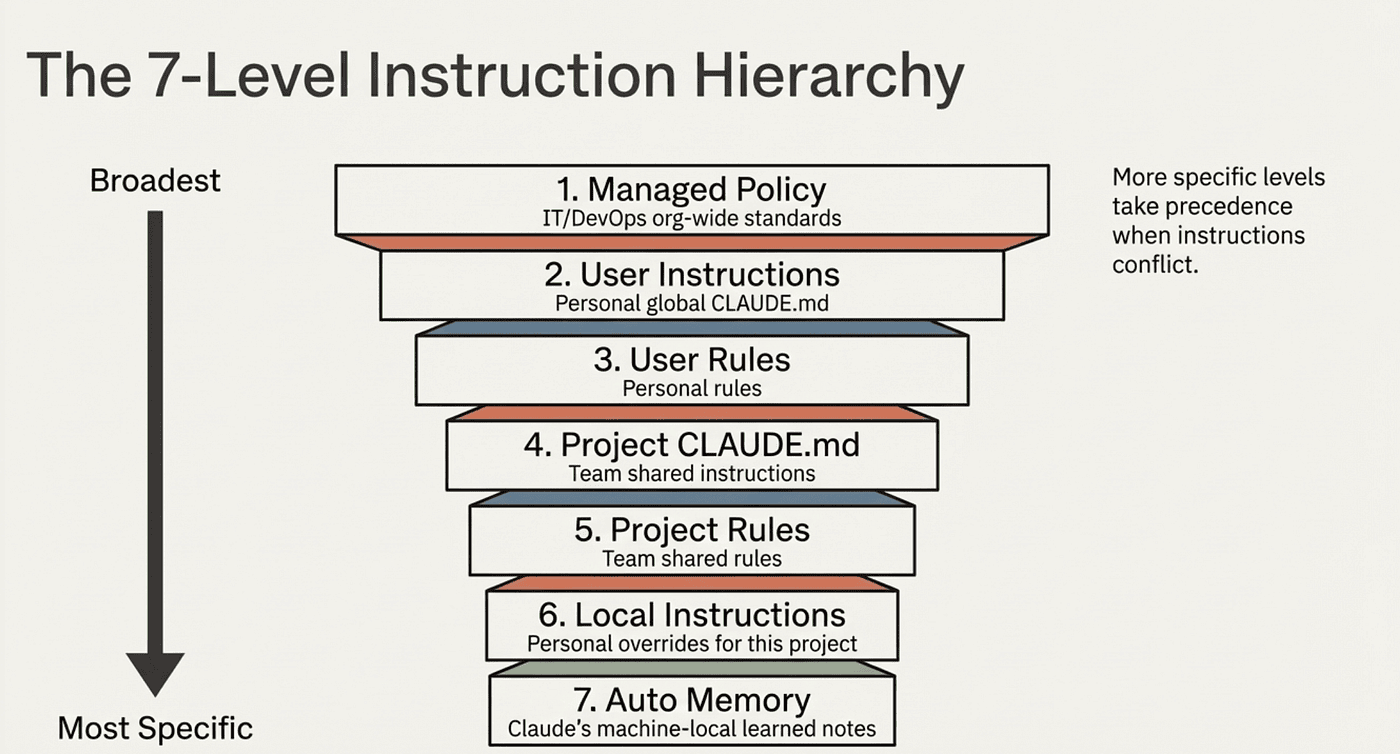
The Full Instruction Hierarchy
Claude Code loads instructions from seven levels, from broadest to most specific. More specific levels take precedence when instructions conflict:
Managed Policy     /Library/Application Support/ClaudeCode/CLAUDE.md
    ↓                (org-wide, cannot be excluded)
User Instructions  ~/.claude/CLAUDE.md
    ↓                (personal, all projects)
User Rules         ~/.claude/rules/*.md
    ↓                (personal rules)
Project CLAUDE.md  ./CLAUDE.md or ./.claude/CLAUDE.md
    ↓                (team-shared via git)
Project Rules      ./.claude/rules/*.md
    ↓                (path-specific, team-shared)
Local Instructions ./CLAUDE.local.md
    ↓                (personal, gitignored)
Auto Memory        ~/.claude/projects/<project>/memory/
                     (Claude-written, machine-local)
Each level serves a different purpose:
- Managed Policy: IT/DevOps sets org-wide standards. Cannot be excluded by users or projects.
- User Instructions: Your personal CLAUDE.md that applies to all projects.
- User Rules: Your personal rules, optionally path-scoped.
- Project CLAUDE.md: The team's shared project instructions, committed to git.
- Project Rules: The team's shared rules, optionally path-scoped.
- Local Instructions: Your personal overrides for this project, gitignored by default.
- Auto Memory: Notes Claude writes based on what it learns working with you.
If your project CLAUDE.md says "use tabs" and your user CLAUDE.md says "use spaces," the project instruction wins because it is more specific.
Rules vs. CLAUDE.md vs. Auto Memory
These three systems serve different purposes. Understanding when to use each prevents duplication and ensures Claude gets the right instructions.
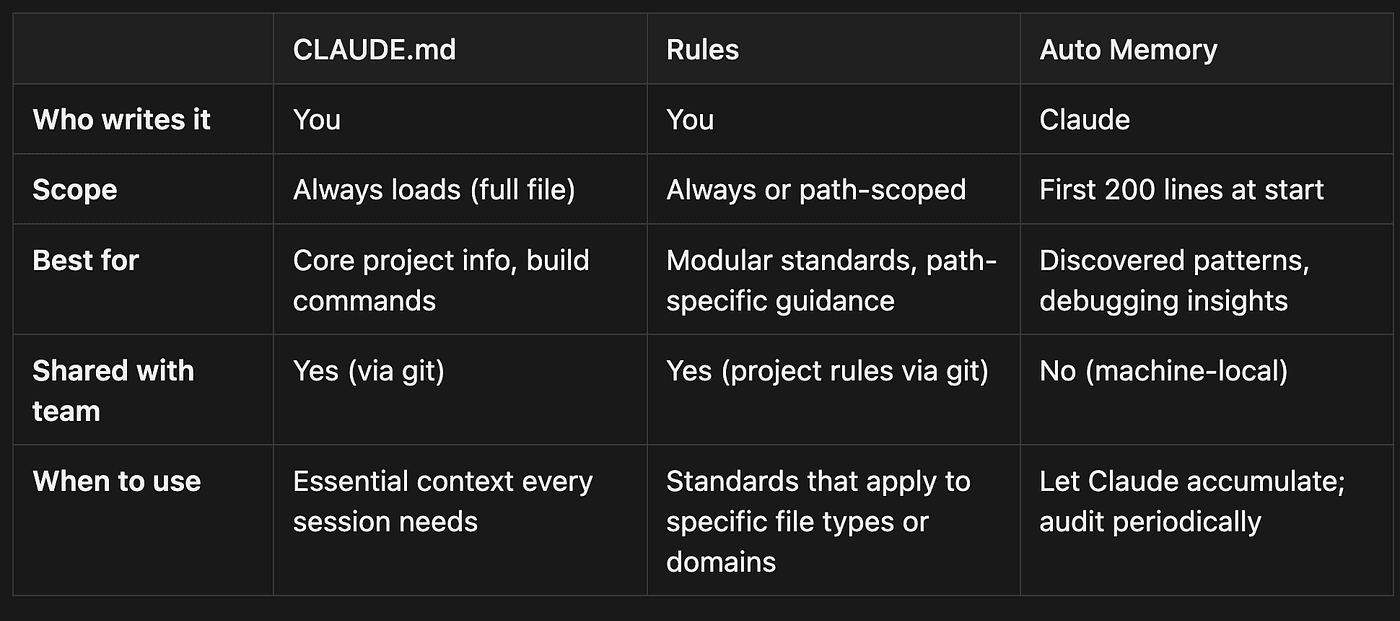
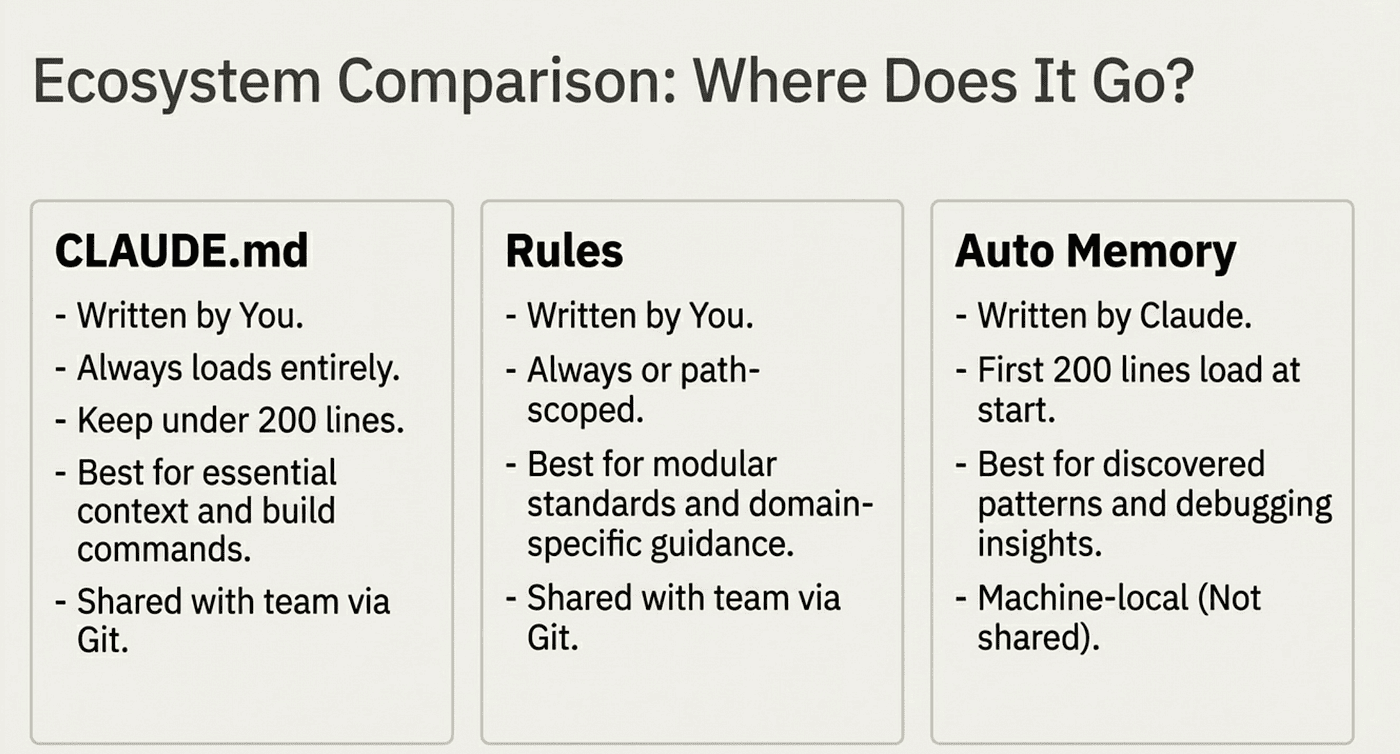
Quick Comparison
CLAUDE.md
- Who writes it: You (the developer or team)
- Scope: Always loads completely at the start of every session
- Best for: Core project information, build commands, and essential architecture overview
- Shared with team: Yes, committed to version control (git)
- When to use: For essential context that every Claude Code session needs, regardless of which files are being worked on
Rules
- Who writes it: You (the developer or team)
- Scope: Can be always-loaded or path-scoped to specific files/directories
- Best for: Modular standards, path-specific guidance, and domain-specific conventions
- Shared with team: Yes for project rules (via git); user rules remain personal
- When to use: For standards that apply to specific file types or domains (API patterns, testing conventions, database guidelines)
Auto Memory
- Who writes it: Claude (automatically learned during sessions)
- Scope: First 200 lines load at session start
- Best for: Discovered patterns, debugging insights, and environment-specific quirks
- Shared with team: No, stored locally per machine
- When to use: Let Claude accumulate knowledge naturally; audit and clean up periodically
CLAUDE.md is your project's essential context: build commands, test instructions, high-level architecture, and the most important conventions. Keep it under 200 lines.
Rules are modular, specialized standards. Put your API design guidelines in api-patterns.md, your testing conventions in testing.md, and your security requirements in security.md. Use paths: to scope them when appropriate.
Auto Memory is what Claude learns on its own: build quirks, debugging insights, your personal preferences, environment-specific notes. Audit it periodically, but you do not need to write it yourself.
The rule of thumb: if it is essential context for every session, put it in CLAUDE.md. If it is a standard that applies to a specific domain or file type, make it a rule. If Claude discovered it by working with you, let auto memory handle it.
Debugging with InstructionsLoaded
If you are unsure which rules are loading and when, the InstructionsLoaded hook provides visibility. This hook fires every time a CLAUDE.md or rules file loads into context.
Configure it in your settings:
{
  "hooks": {
    "InstructionsLoaded": [
      {
        "hooks": [
          {
            "type": "command",
            "command": "bash -c 'cat >> /tmp/claude-rules.log'"
          }
        ]
      }
    ]
  }
}
The hook receives JSON input with useful fields:
- file_path: Which file loaded
- load_reason: Why it loaded (session_start, path_glob_match, nested_traversal, include)
- globs: The path patterns that triggered loading (for path-scoped rules)
- trigger_file_path: Which file Claude was reading when the rule loaded
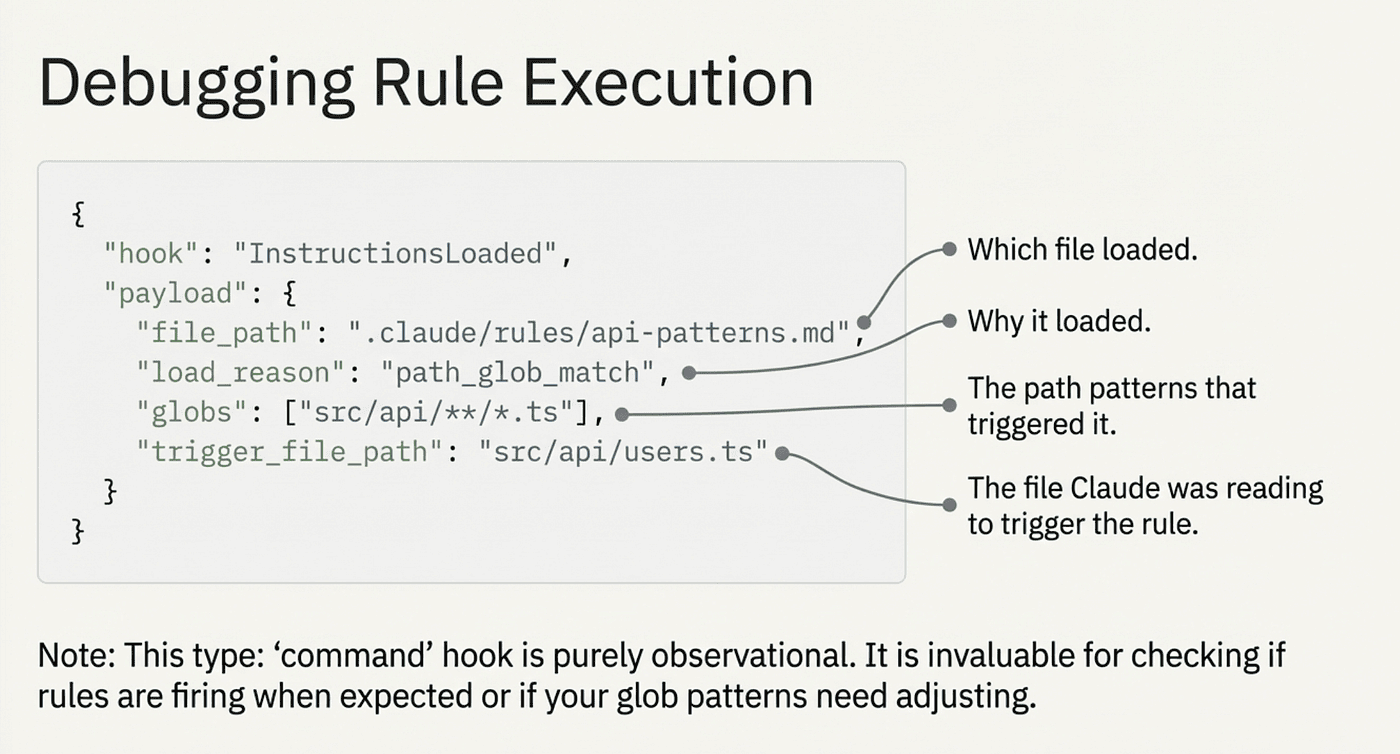
This is invaluable for debugging. If a rule is not firing when you expect it to, check the log. If a rule fires when it should not, check your glob patterns.
The hook cannot block loading; it is purely observational. It only supports type: "command" hooks, not HTTP or prompt hooks.
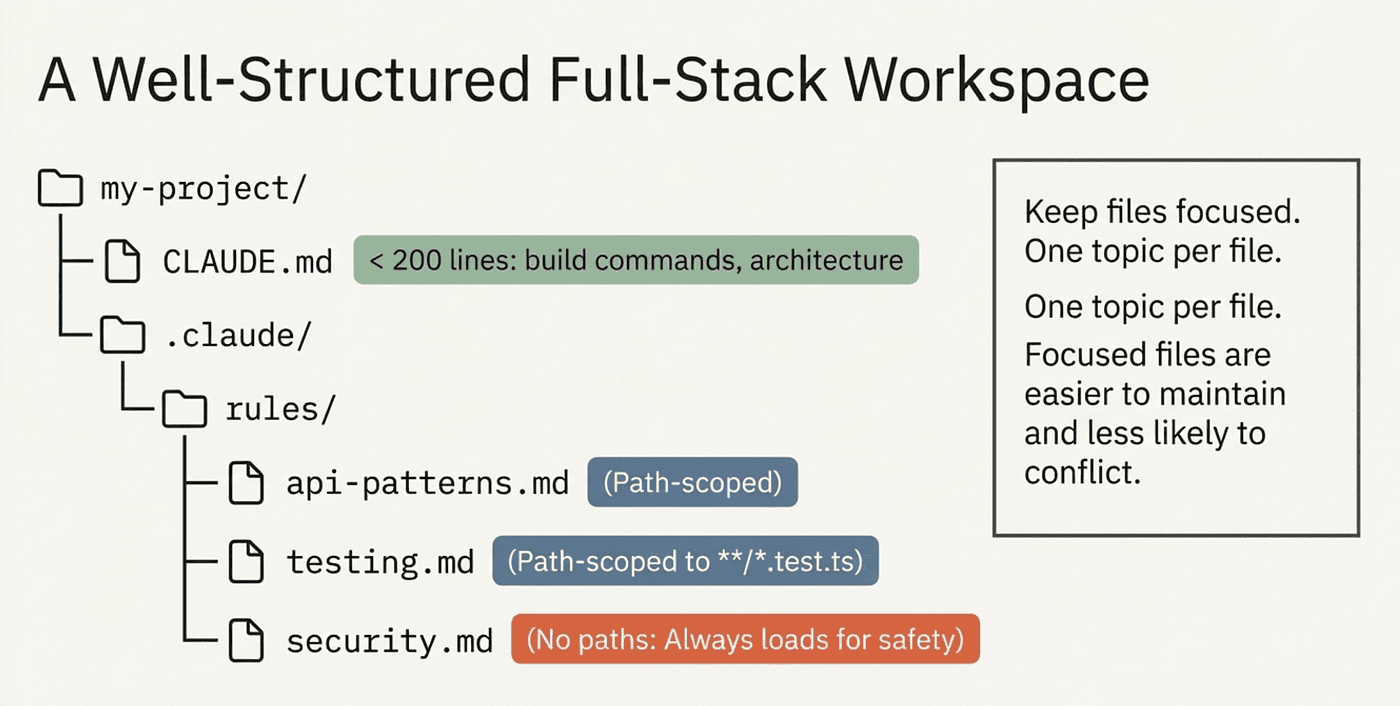
Practical Setup
Here is a concrete example of a well-structured rules setup for a full-stack TypeScript project:
.claude/
├── CLAUDE.md                     # Build commands, architecture overview, key conventions
└── rules/
    ├── code-style.md             # No paths; universal style rules
    ├── api-patterns.md           # paths: src/api/**/*.ts
    ├── testing.md                # paths: **/*.test.ts, **/*.spec.ts
    ├── database.md               # paths: prisma/**, src/db/**/*
    ├── security.md               # No paths; always loaded (safety-critical)
    └── frontend/
        ├── react.md              # paths: src/components/**/*.tsx
        └── styling.md            # paths: **/*.css, **/*.scss

~/.claude/
├── CLAUDE.md                     # Personal: "use pnpm", "prefer explicit types"
└── rules/
    ├── preferences.md            # No paths; always loaded
    └── consulting.md             # Communication preferences for client work
The main CLAUDE.md stays lean: build commands, architecture overview, a handful of critical conventions. Everything else goes into focused rule files. Path-scoped rules keep context clean. Universal and safety-critical rules have no paths: filter so they always load.
Symlinks for Shared Rules
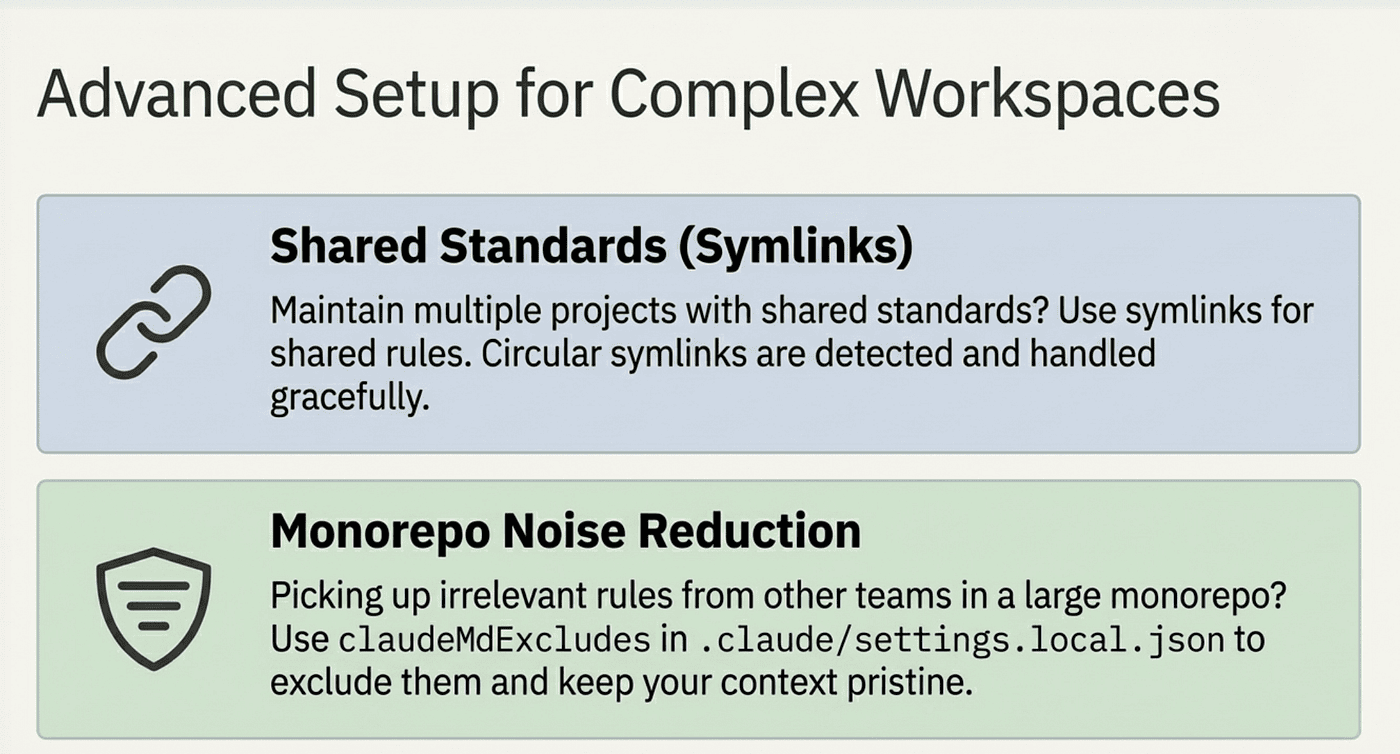
If you maintain multiple projects with shared standards, use symlinks:
# Share company standards across projects
ln -s ~/company-standards/security.md .claude/rules/security.md
ln -s ~/company-standards/api-design.md .claude/rules/api-design.md
Symlinks are resolved normally. Circular symlinks are detected and handled gracefully.
Excluding Rules in Monorepos
In large monorepos, you may pick up rules from other teams. Use claudeMdExcludes in .claude/settings.local.json:
{
  "claudeMdExcludes": [
    "**/other-team/.claude/rules/**",
    "**/legacy-service/CLAUDE.md"
  ]
}
This prevents irrelevant instructions from loading into your sessions.
What to Watch Out For
Context, Not Enforcement
All instruction systems in Claude Code are context, not configuration. Claude reads them and tries to follow them, but there is no strict enforcement mechanism. Specific, verifiable instructions ("use 2-space indentation") work better than vague ones ("format code properly").
Conflicting Rules
If two rule files contradict each other, Claude picks one arbitrarily. Audit your rules periodically to remove conflicts. This matters most when combining user rules with project rules.
Path-Scoped Rules Are Not Guaranteed
Path-scoped rules load when Claude reads matching files. If Claude skips the Read step and goes straight to editing, the rule may not load in time. For anything safety-critical, use a rule without paths: frontmatter.
Keep Files Focused
One topic per file. api-patterns.md should cover API patterns, not API patterns plus database conventions plus deployment scripts. Focused files are easier to maintain and less likely to conflict.
The Bottom Line
The rules system gives you something CLAUDE.md alone cannot: targeted, modular instructions that load based on what Claude is actually working on. Instead of a monolithic file where migration safety rules compete with React patterns for attention, you get focused rule files that load when relevant and stay out of the way when they are not.
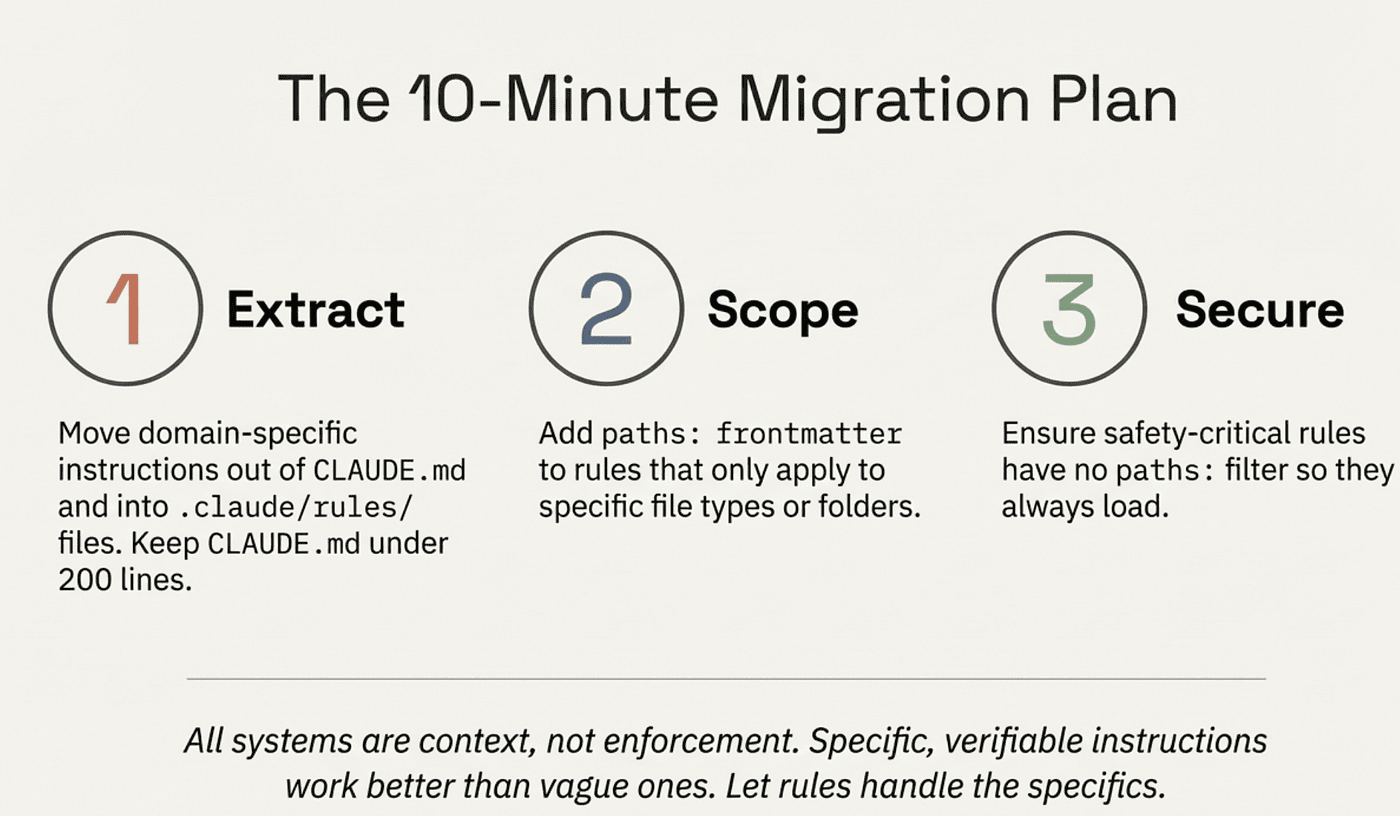
The setup takes ten minutes. Move your domain-specific instructions out of CLAUDE.md and into .claude/rules/ files. Add paths: frontmatter to the ones that only apply to certain file types. Keep your CLAUDE.md under 200 lines with just the essentials. Put safety-critical rules in files without paths: so they always load.
Your CLAUDE.md does not need to carry everything. Let rules handle the specifics.
Claude Code rules documentation: code.claude.com/docs/en/memory. Rules require organizing files in .claude/rules/ with optional paths: frontmatter for scoping.
About the Author
Rick Hightower is a technology executive and data engineer who led ML/AI development at a Fortune 100 financial services company. He created skilz, the universal agent skill installer, supporting 30+ coding agents including Claude Code, Gemini, Copilot, and Cursor, and co-founded the world's largest agentic skill marketplace. Connect with Rick Hightower on LinkedIn or Medium. Rick has been doing active agent development, GenAI, agents, and agentic workflows for quite a while. He is the author of many agentic frameworks and tools. He brings core deep knowledge to teams who want to adopt AI.