Claude Cowork Plugins: Stop Rebuilding Your Setup
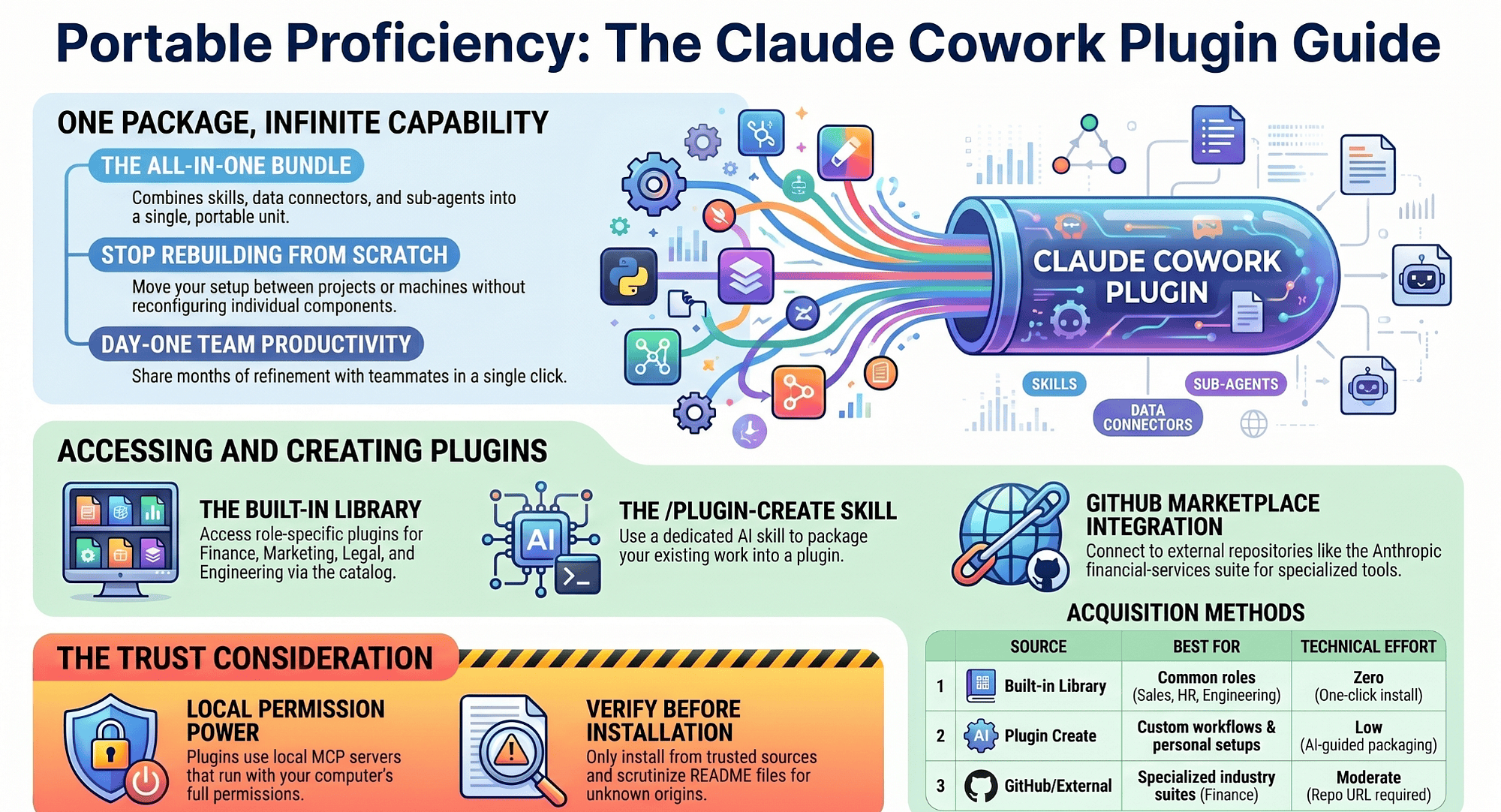
Part 10: A plugin bundles skills, connectors, and sub-agents into one installable package. Install one from the library, build your own, or pull from a whole ecosystem of ready-made setups.
Originally published on Medium.
Part 10: A plugin bundles skills, connectors, and sub-agents into one installable package. Install one from the library, build your own, or pull from a whole ecosystem of ready-made setups.
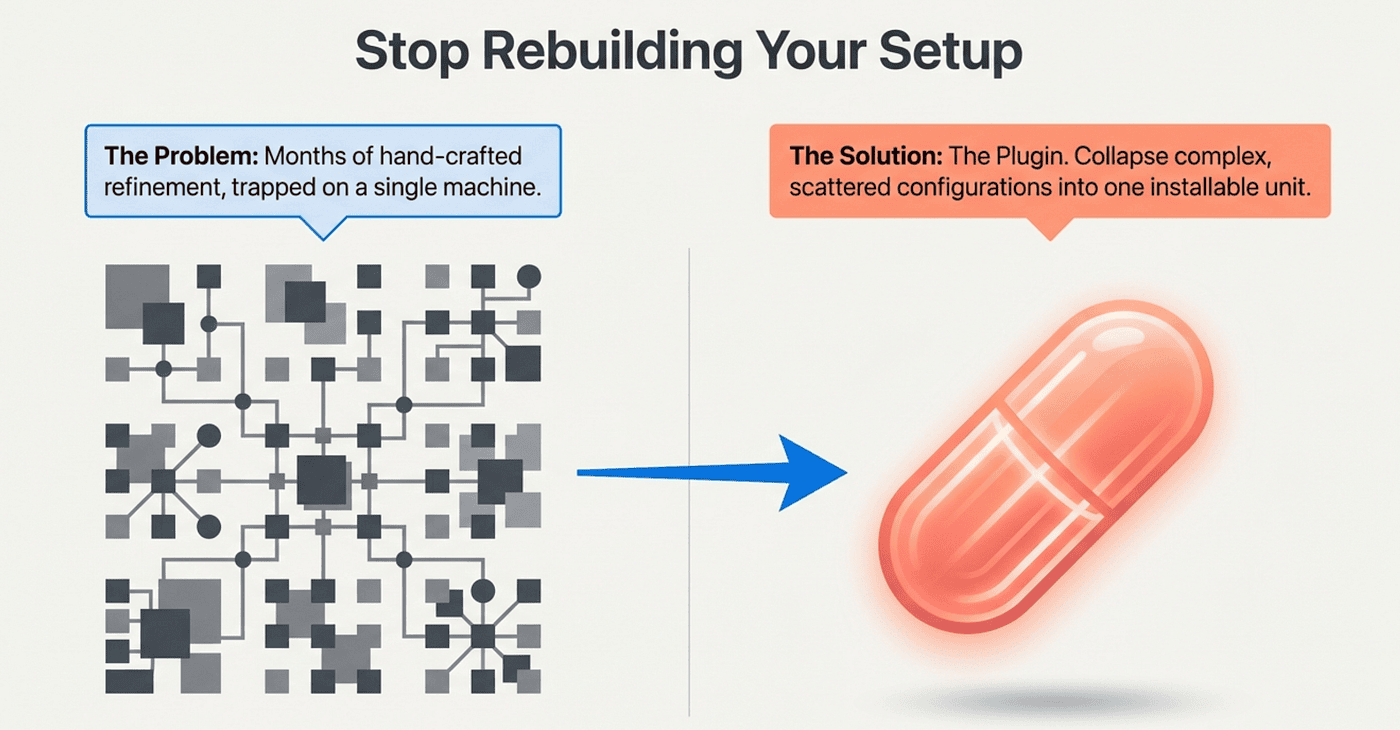
Everything you built across nine articles is still sitting in scattered configuration. A plugin collapses it all into one thing you install in a click. A plugin bundles your whole Cowork setup into one installable unit, so you never rebuild from scratch and a teammate gets your months of refinement on day one.
In this article: You will learn what a Cowork plugin actually is, how to install one from the built-in library, how to build your own using the Plugin Create skill, and how to access external plugin collections from GitHub. You will also learn the trust consideration that makes plugin installation a real decision rather than a casual click.
Part 10 of "Getting Real Work Done with Claude Cowork," a 12-part guide to using Claude Cowork for real knowledge work.
Companion Video
By the time you finish nine articles building a competitive-intelligence setup, you have something worth keeping. It works beautifully, and it lives entirely on your machine, assembled by hand, piece by piece. Which raises the obvious question: what happens when you start a new project, switch machines, or want a teammate to have the same thing?
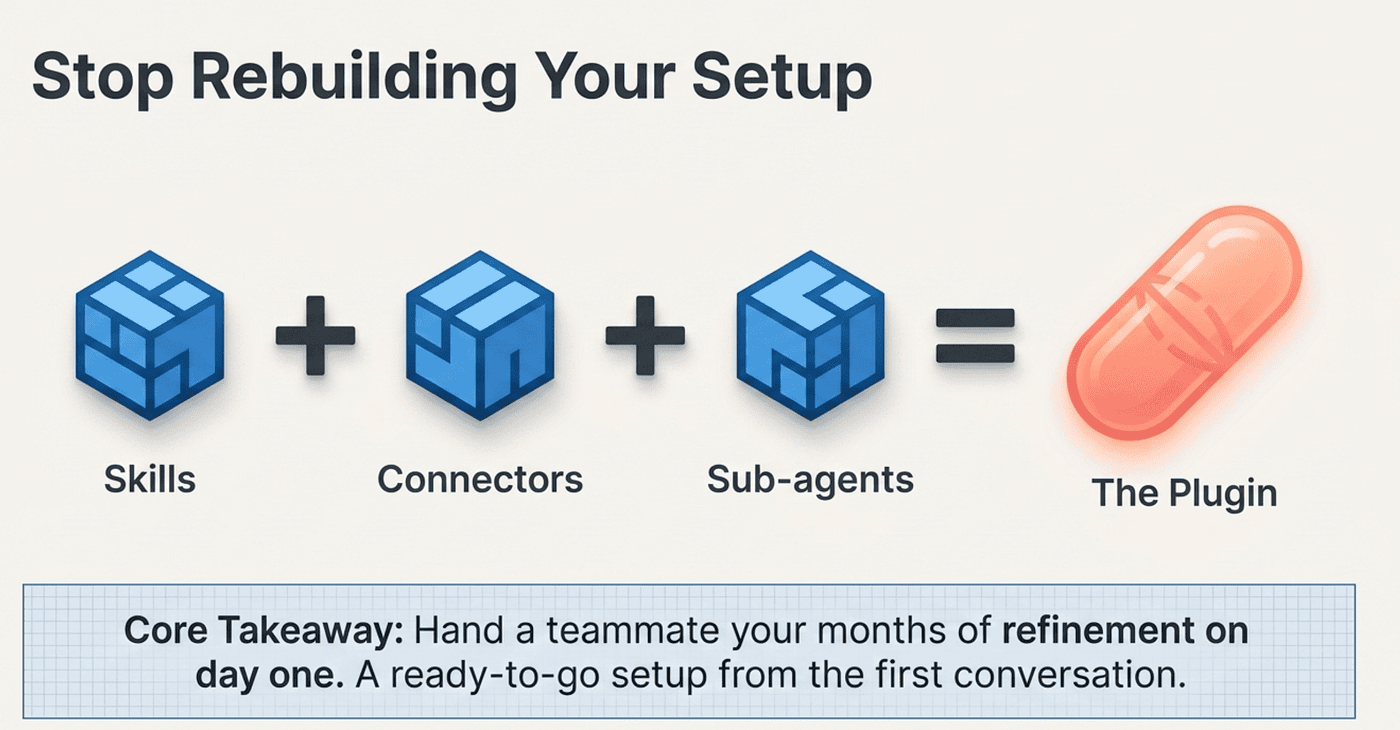
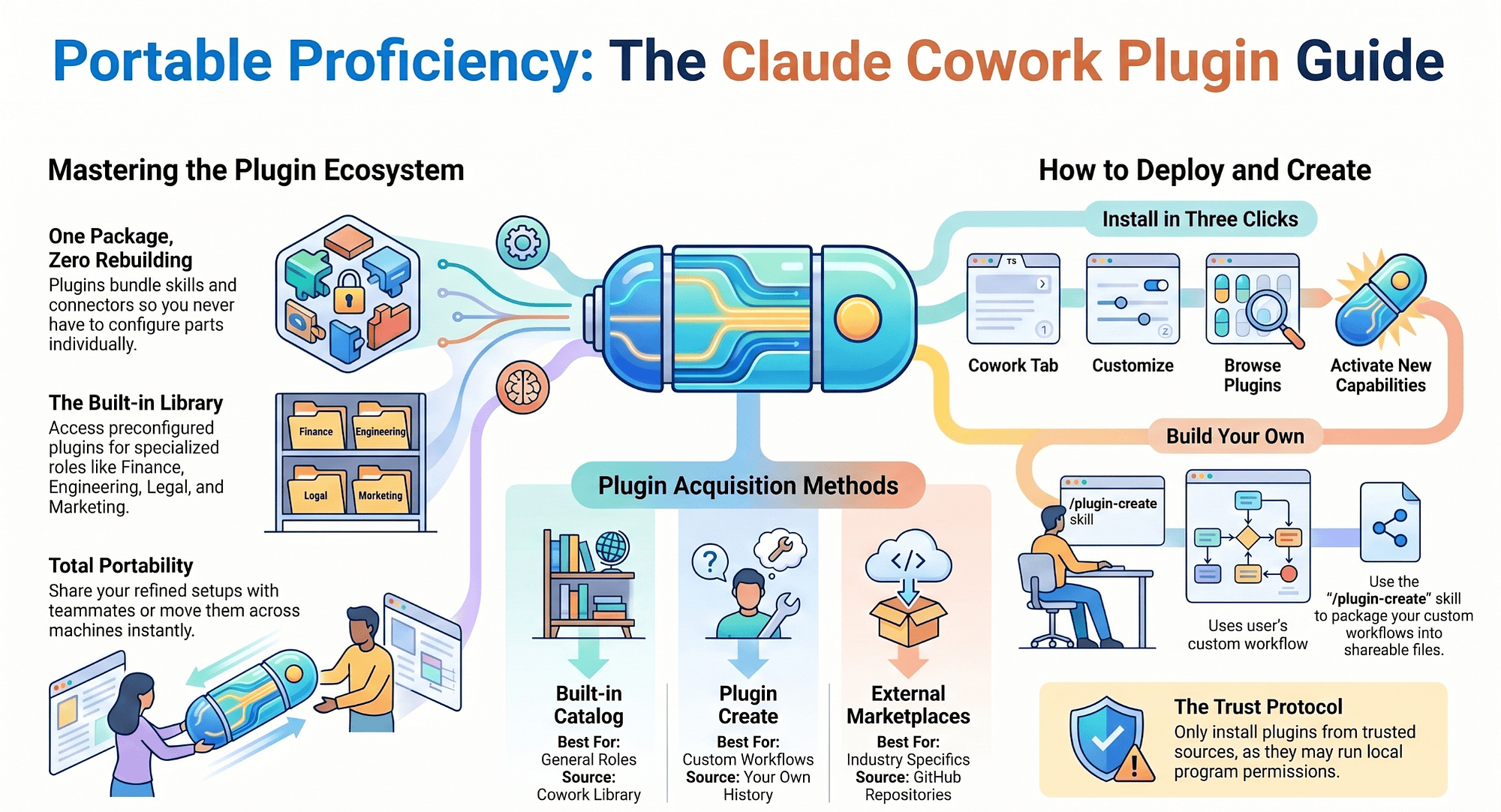
No. That is what plugins are for. A plugin bundles the pieces of a Cowork setup (skills, connectors, and sub-agents) into a single installable package, so instead of configuring each part individually, you get a ready-to-go setup from the first conversation.
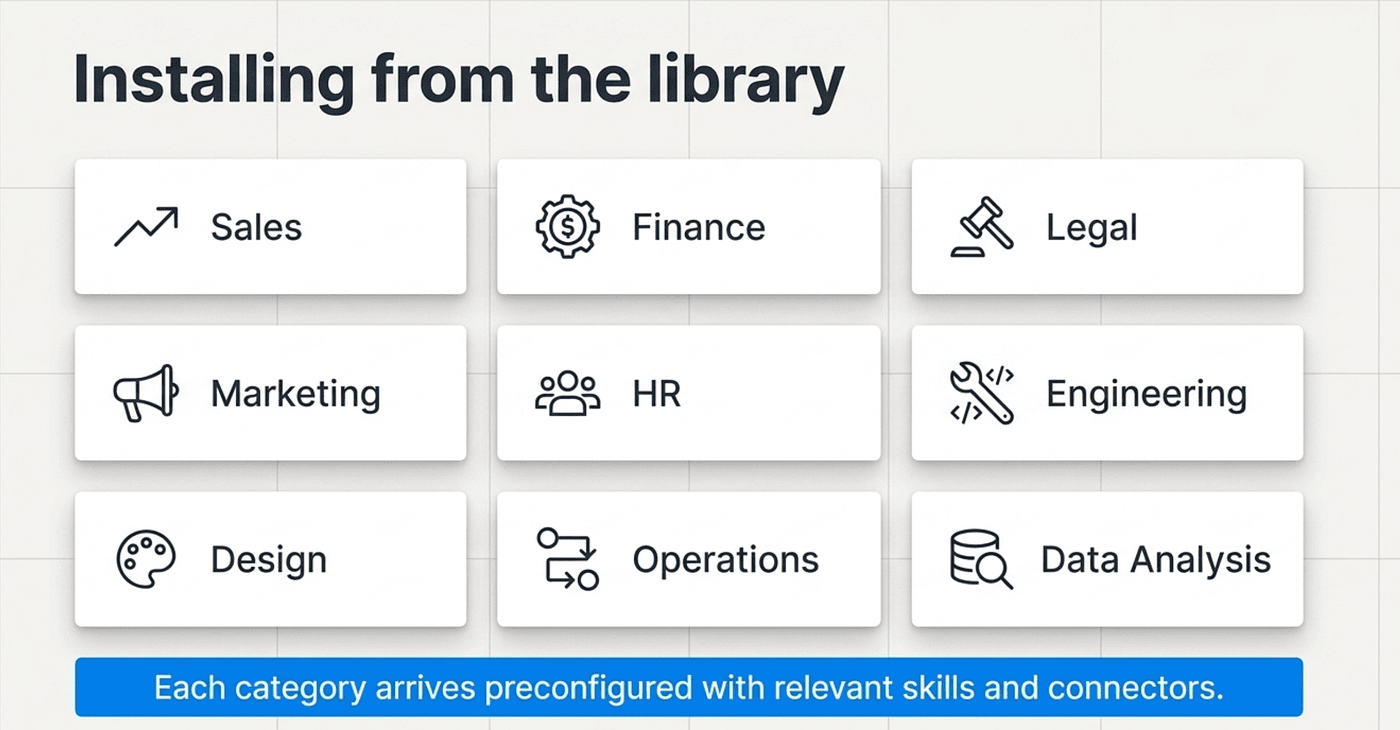
Installing from the library
The fastest way to understand plugins is to install one. Cowork includes a growing library covering common knowledge work: sales, finance, legal, marketing, HR, engineering, design, operations, data analysis, and more. Each arrives preconfigured with the skills and connectors relevant to that function.
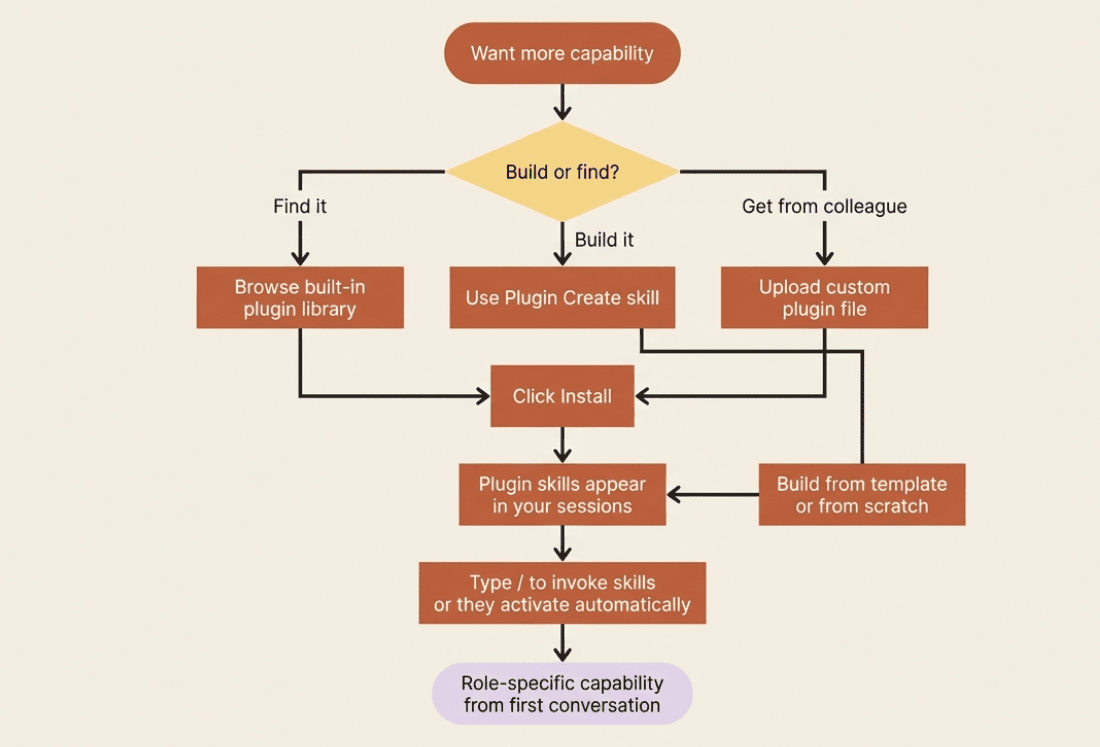
The install path is short. Open Claude Desktop and switch to the Cowork tab. Click the Customize menu in the left sidebar. Click Browse plugins to open the catalog. Click Install on the plugin you want.
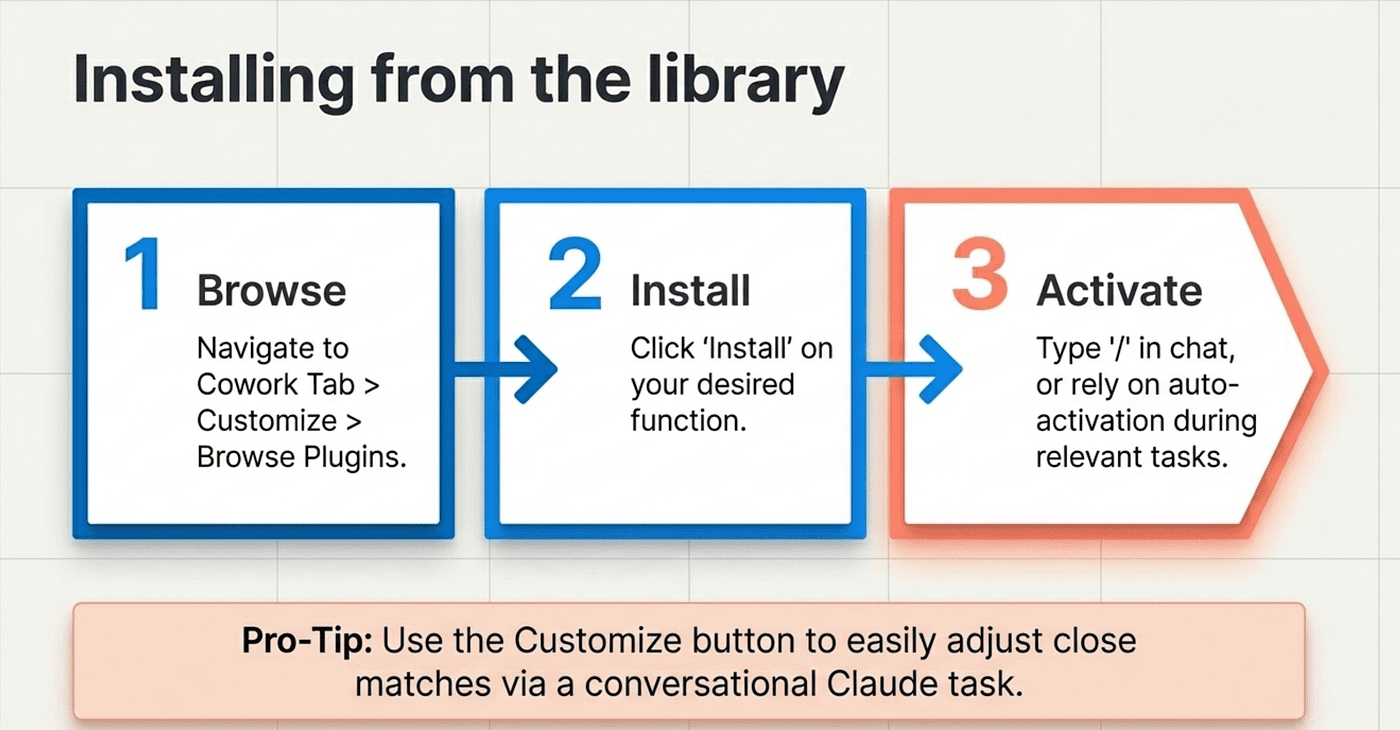
Once installed, its skills become available in your sessions. Type / or click the + button to see them. Skills also activate on their own when they are relevant to what you are doing, so you do not always have to invoke them by name.
If a plugin is close but not quite right, you can tailor it. While viewing an installed plugin, click Customize in the upper right, which opens a new Cowork task where Claude helps you adjust the plugin's skills and connectors to match how you actually work.
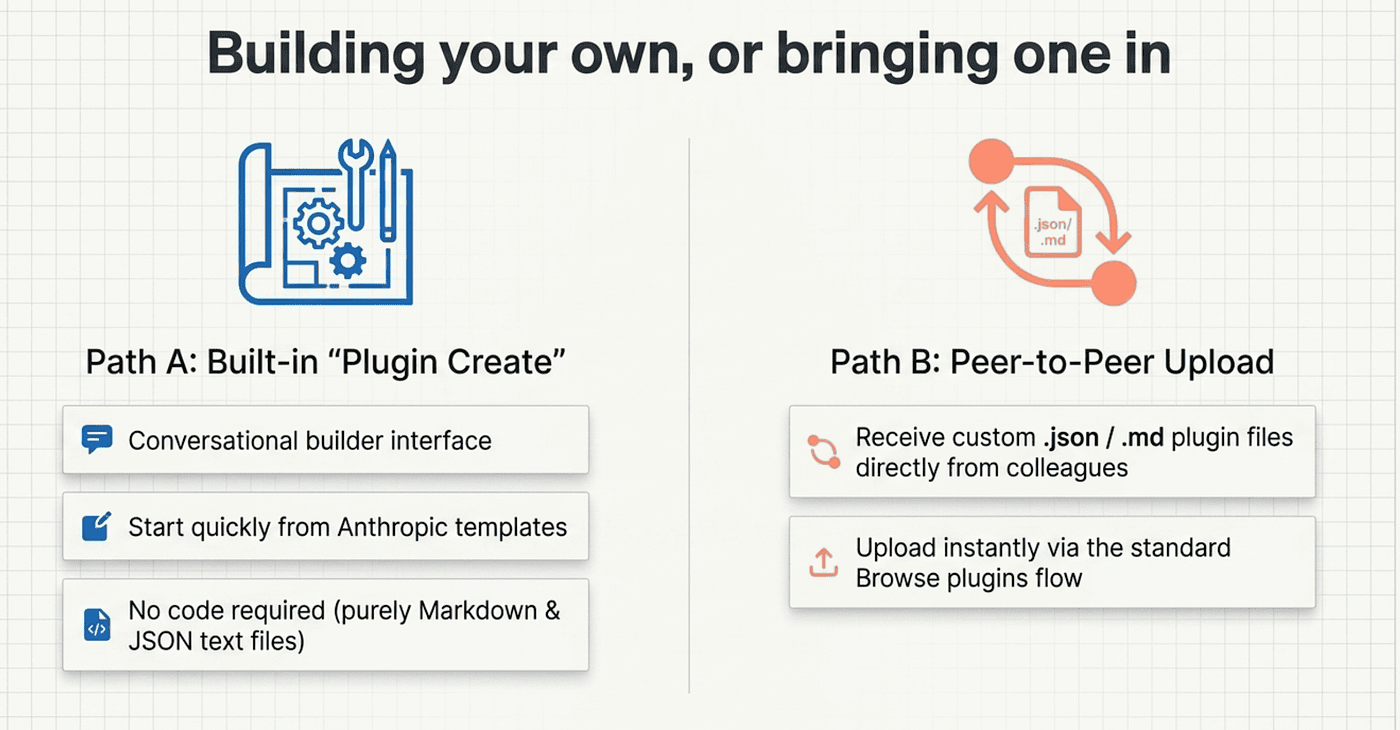
Building your own, or bringing one in
Cowork includes a built-in plugin called Plugin Create that walks you through building one from scratch. You can also start from any of the Anthropic-built templates and modify them, which is usually faster than a blank page. Plugins are file-based, just Markdown and JSON, so there is no code or infrastructure to stand up. Customizing one means editing text files, adding your terminology and formatting standards, and pointing connectors where you want them.
You can also receive plugins. If a colleague has built one, you can upload their custom plugin file directly through the same Browse plugins flow.
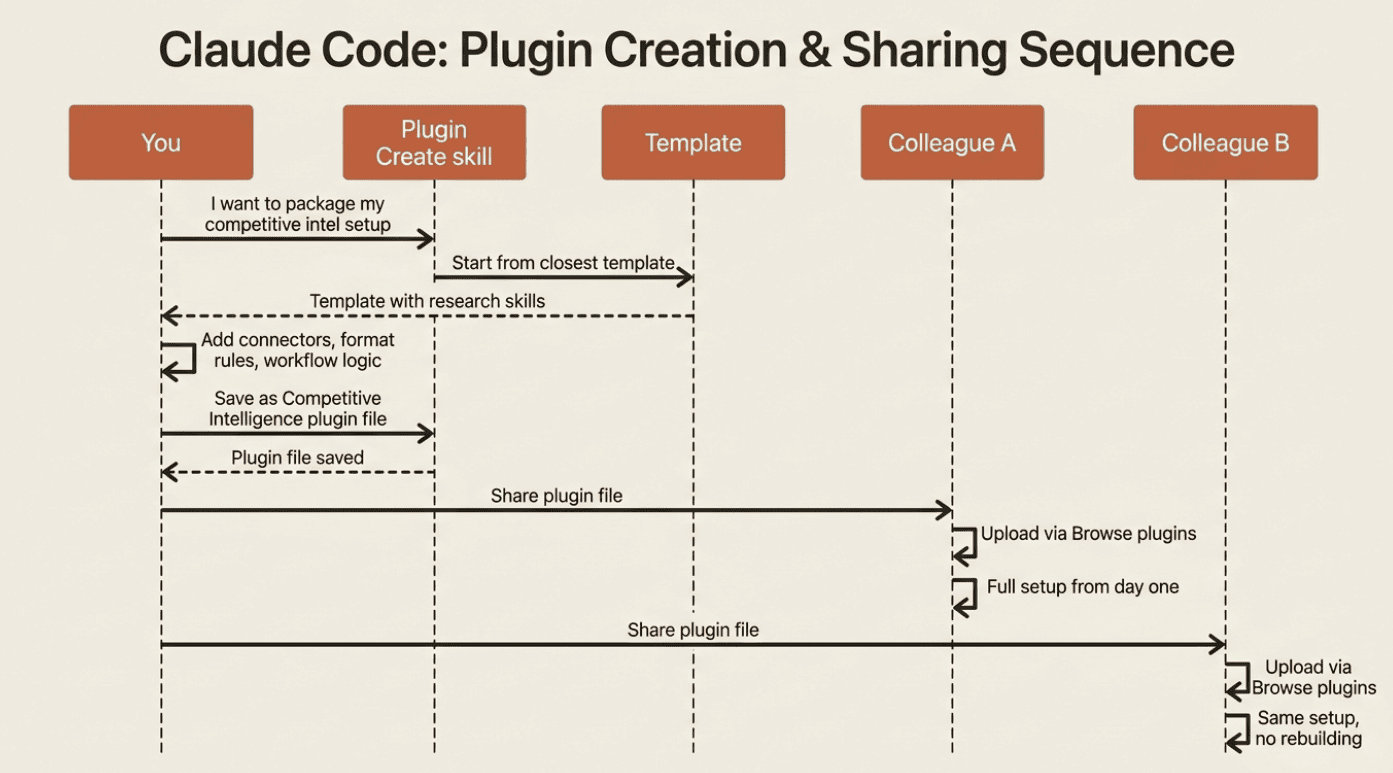
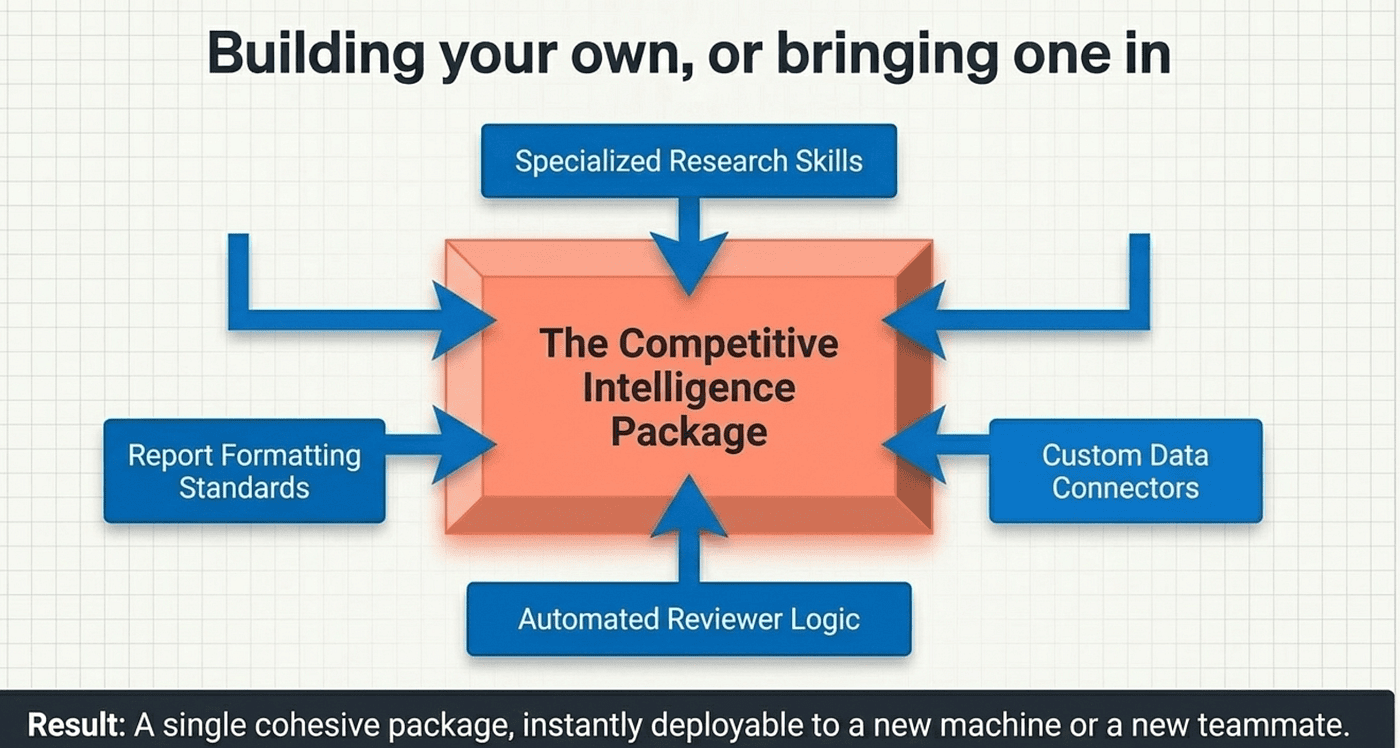
This is where the running example gets packaged. Everything you built for competitive intelligence (the research skills, the connectors for your own data, the report formatting, the reviewer logic) can be bundled into one plugin. Start from a template with Plugin Create, fold in the pieces, and you have a single Competitive Intelligence package. Install it on a new machine and the whole setup is there. Hand it to a teammate and they get your months of refinement on day one, instead of rebuilding it task by task.
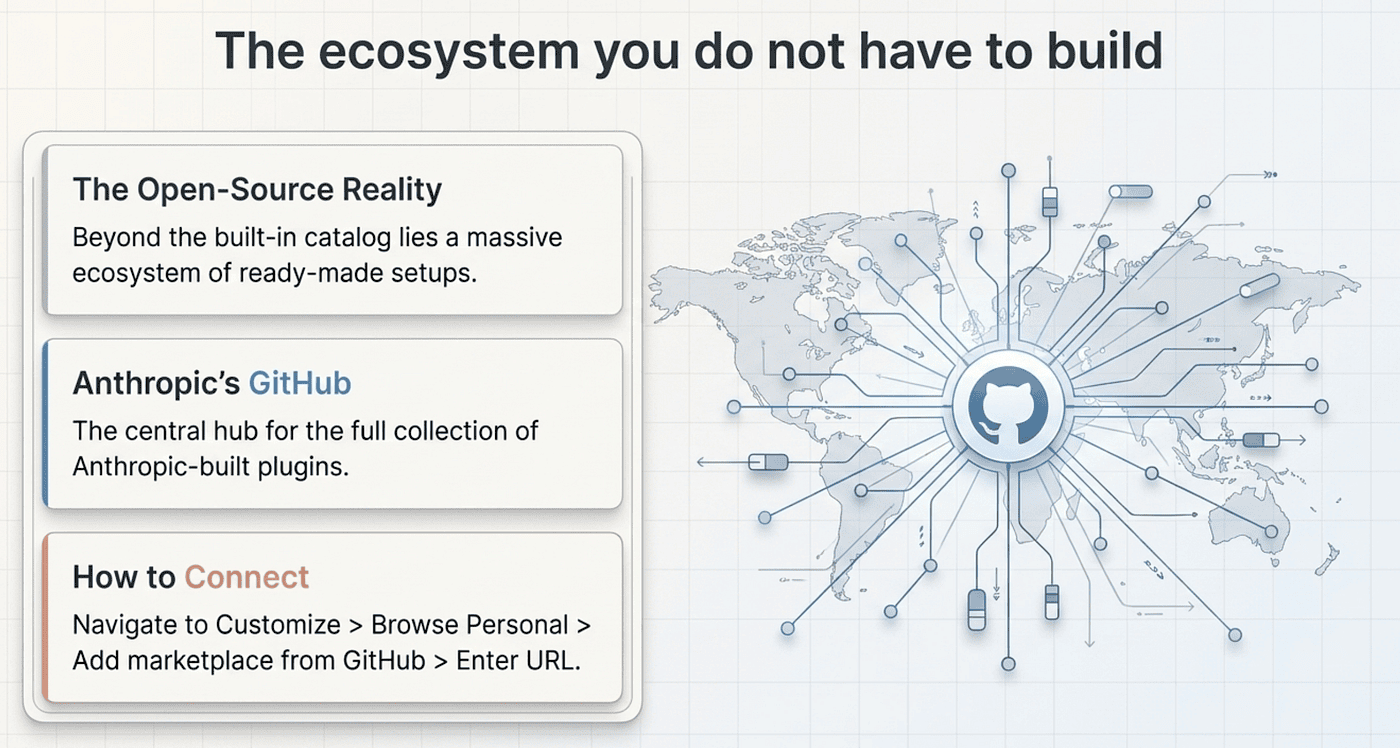
The ecosystem you do not have to build
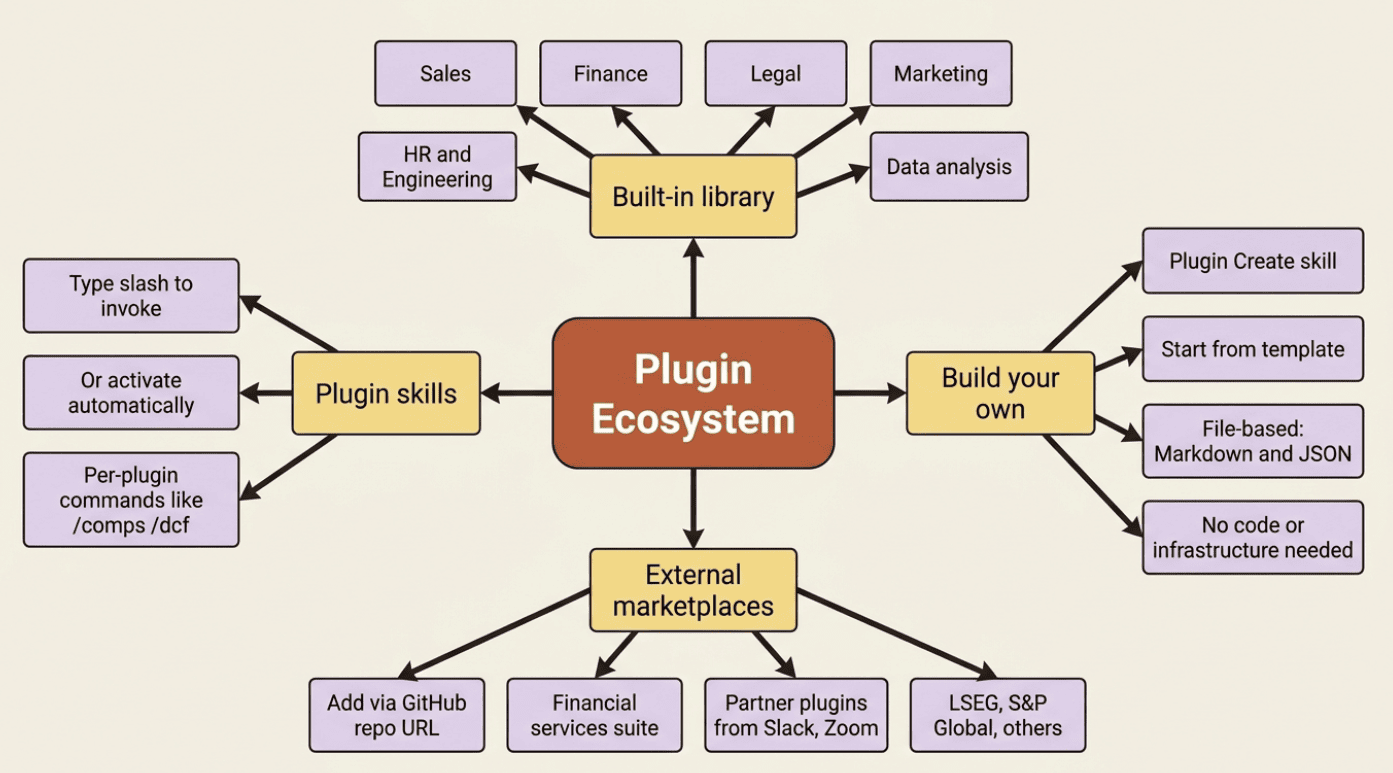
Beyond the built-in catalog, there is a real ecosystem of plugins. The full collection of Anthropic-built plugins lives on GitHub, and you can add external plugin collections as marketplaces.
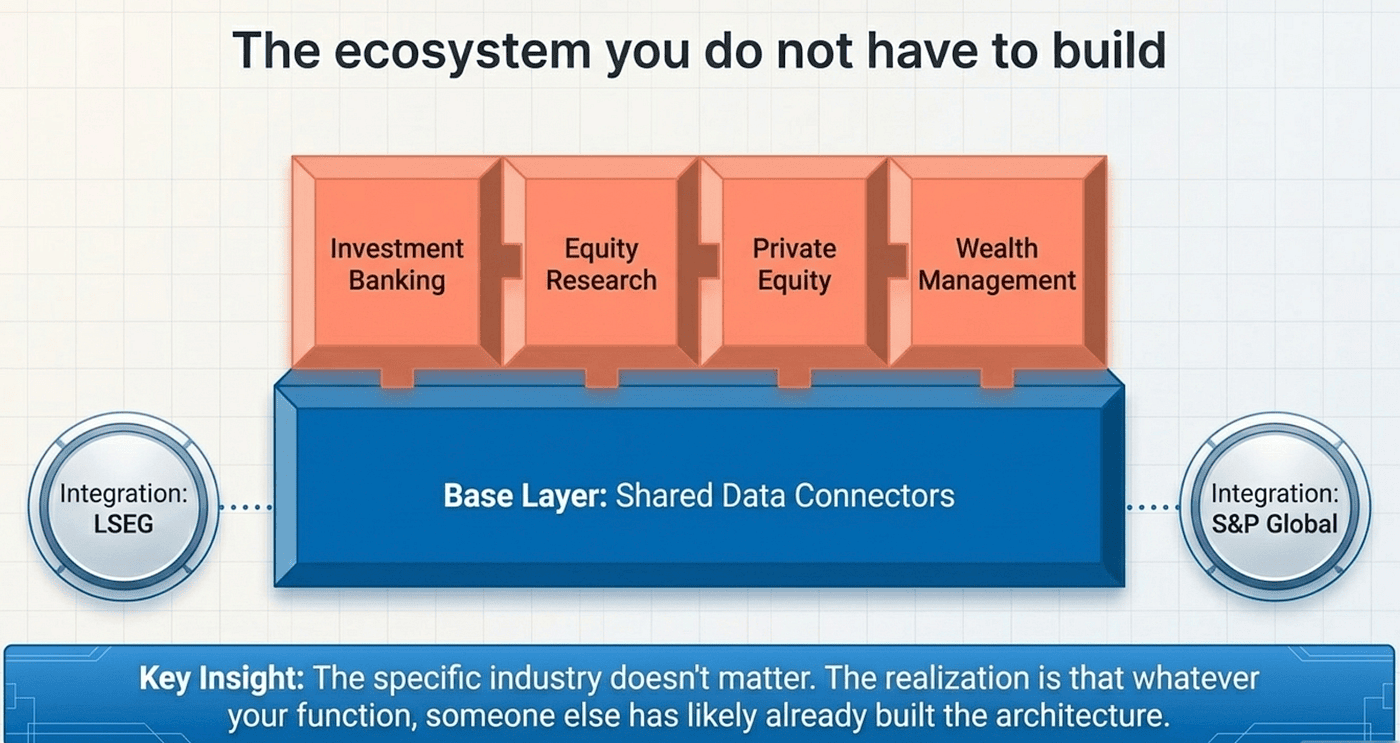
The richest worked example is the open-source financial-services suite. It is structured as a core plugin plus add-ons. The core plugin carries shared data connectors. On top sit specialized add-ons: investment banking, equity research, private equity, and wealth management. The repository also includes partner-built plugins from LSEG and S&P Global.
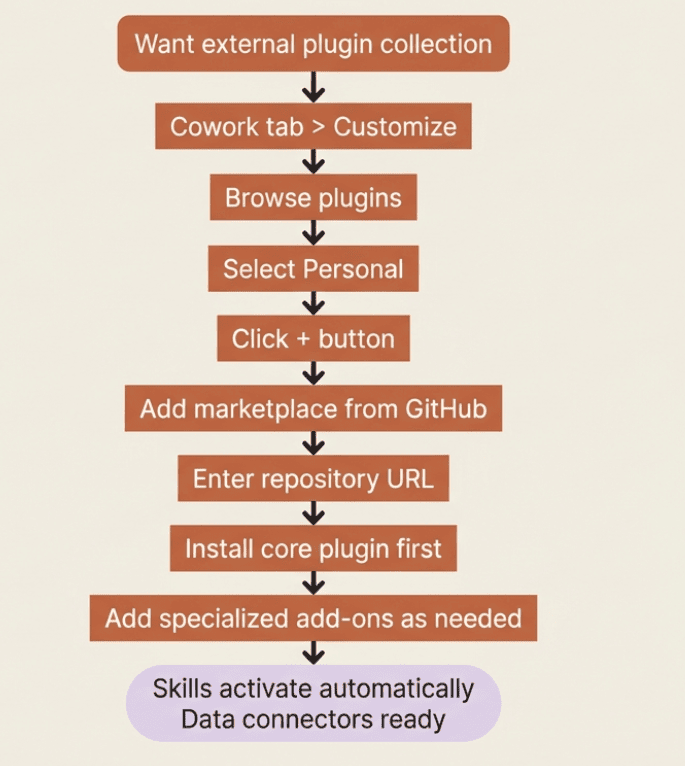
Adding an external marketplace: in the Cowork tab, click Customize, then Browse plugins, select Personal, click the + button, then Add marketplace from GitHub. Enter the repository URL, then install the core plugin first and add-ons as needed.
The point is not the finance specifics; it is the realization that whatever your function, someone may have already built the plugin. Adding it is a few clicks rather than a build project.
The trust decision
Everything powerful in this series has carried a corresponding caution, and plugins are no exception.
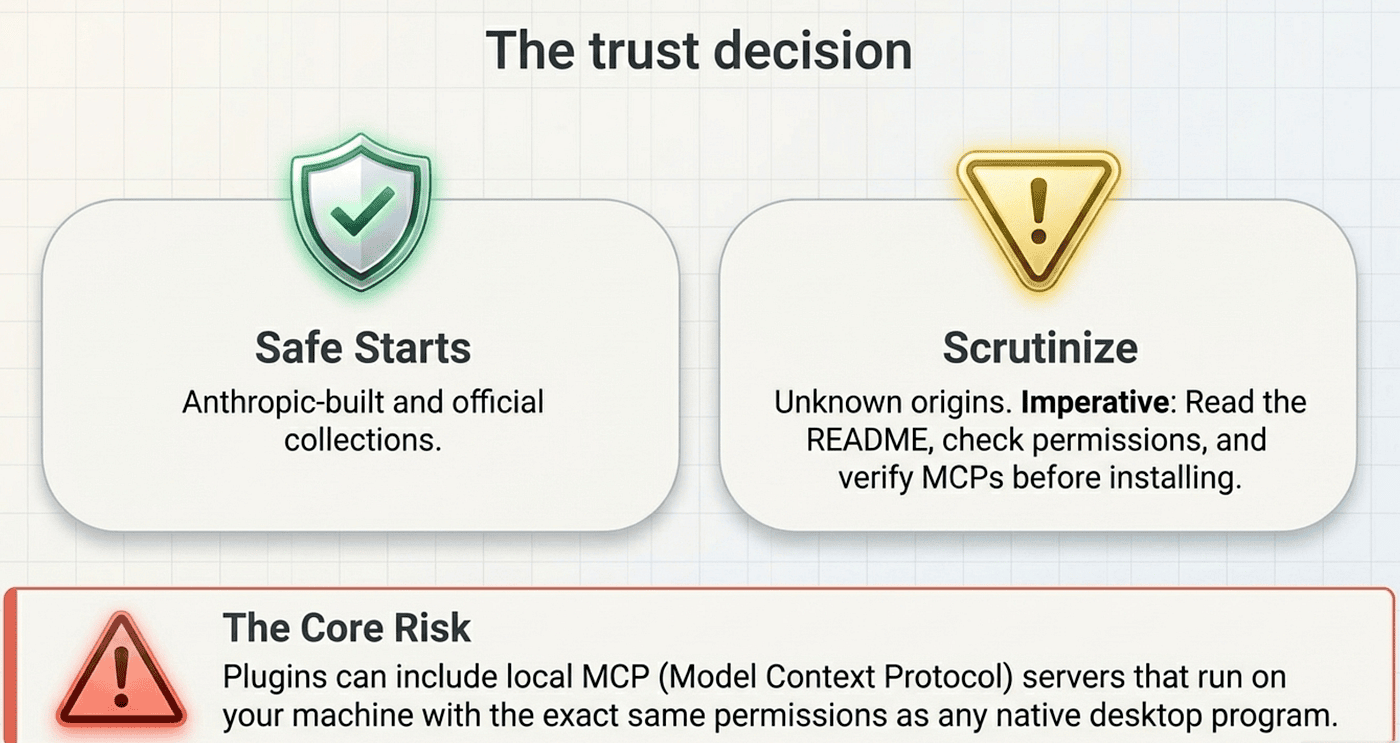
Plugins may include local MCP servers that run on your computer with the same permissions as any other program you run. That is what lets them do real work, and it is exactly why the source matters. Only install plugins from sources you trust: Anthropic-built plugins and official collections are safe starting points. A plugin file from an unknown origin deserves real scrutiny before you install it.
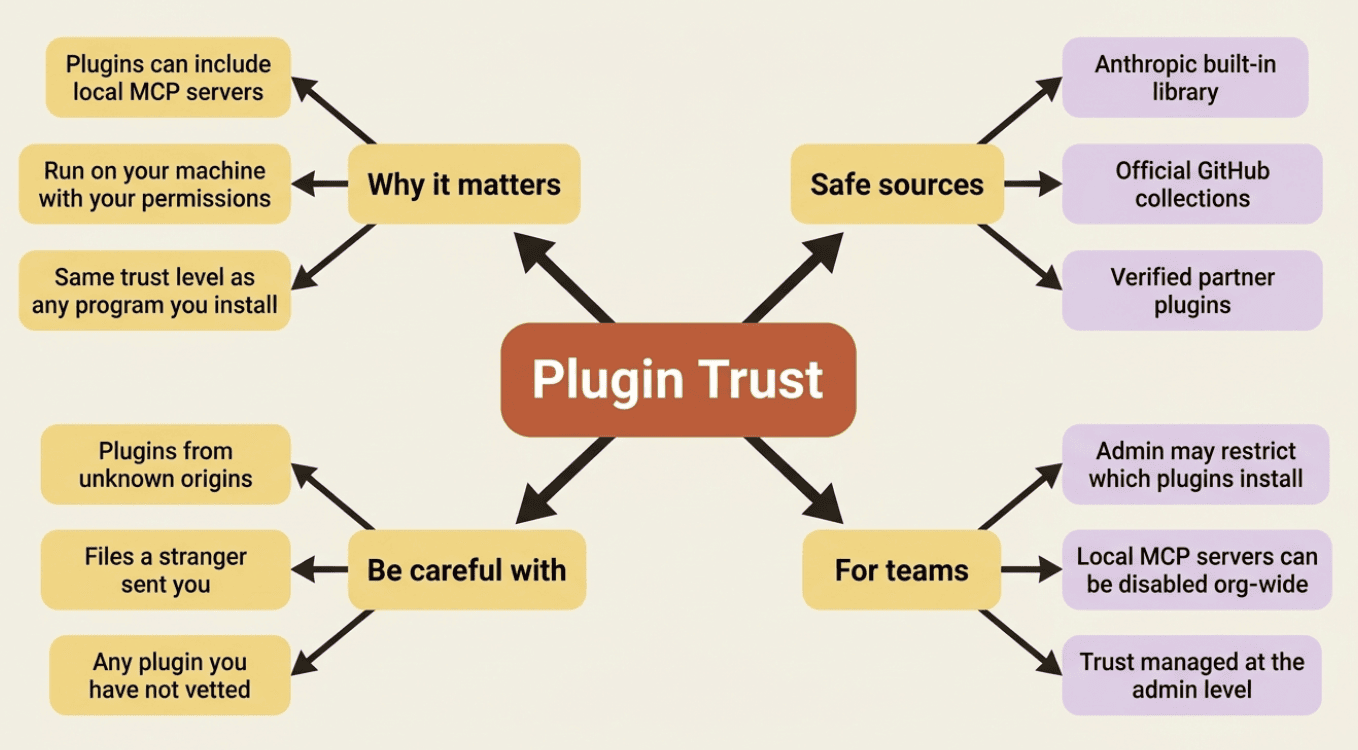
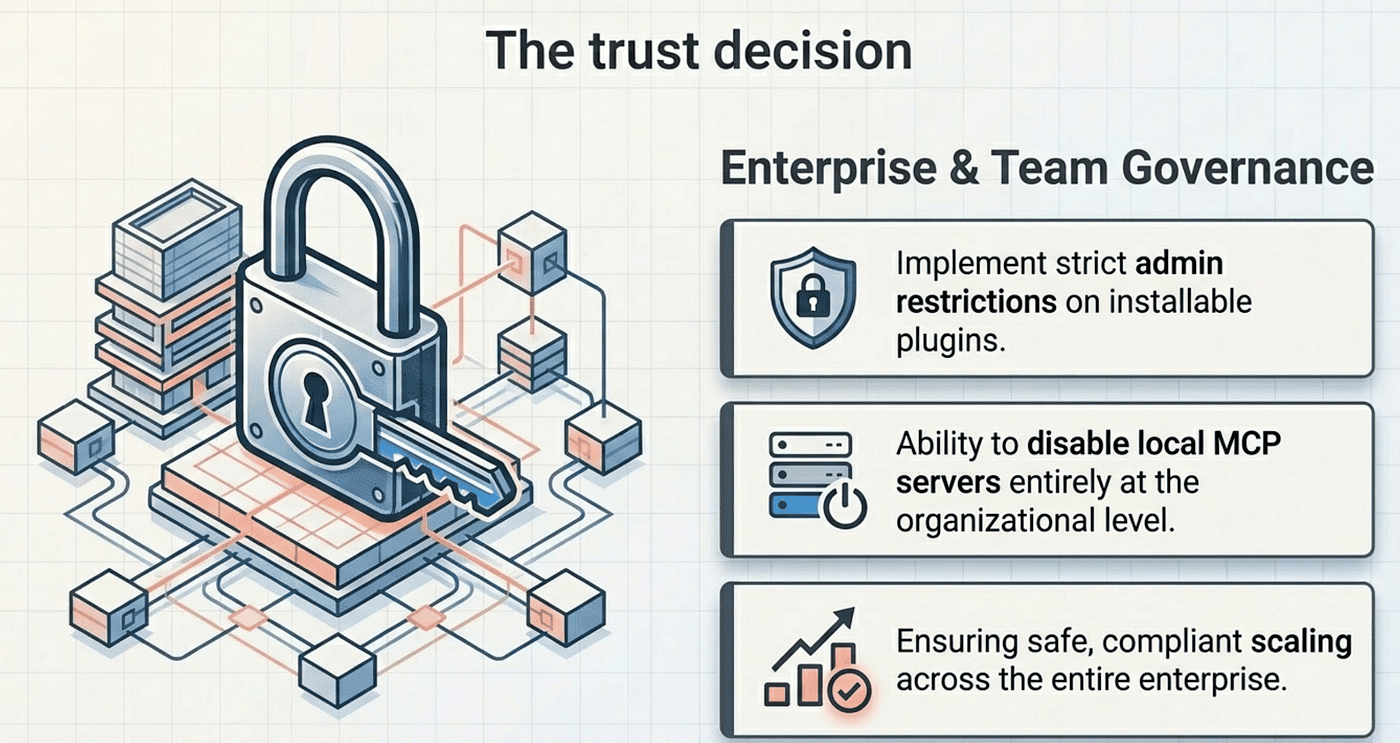
For Team and Enterprise readers: your admin may restrict which plugins you can install, or disable local MCP servers entirely, which is part of how organizations keep this safe at scale.
Do this today
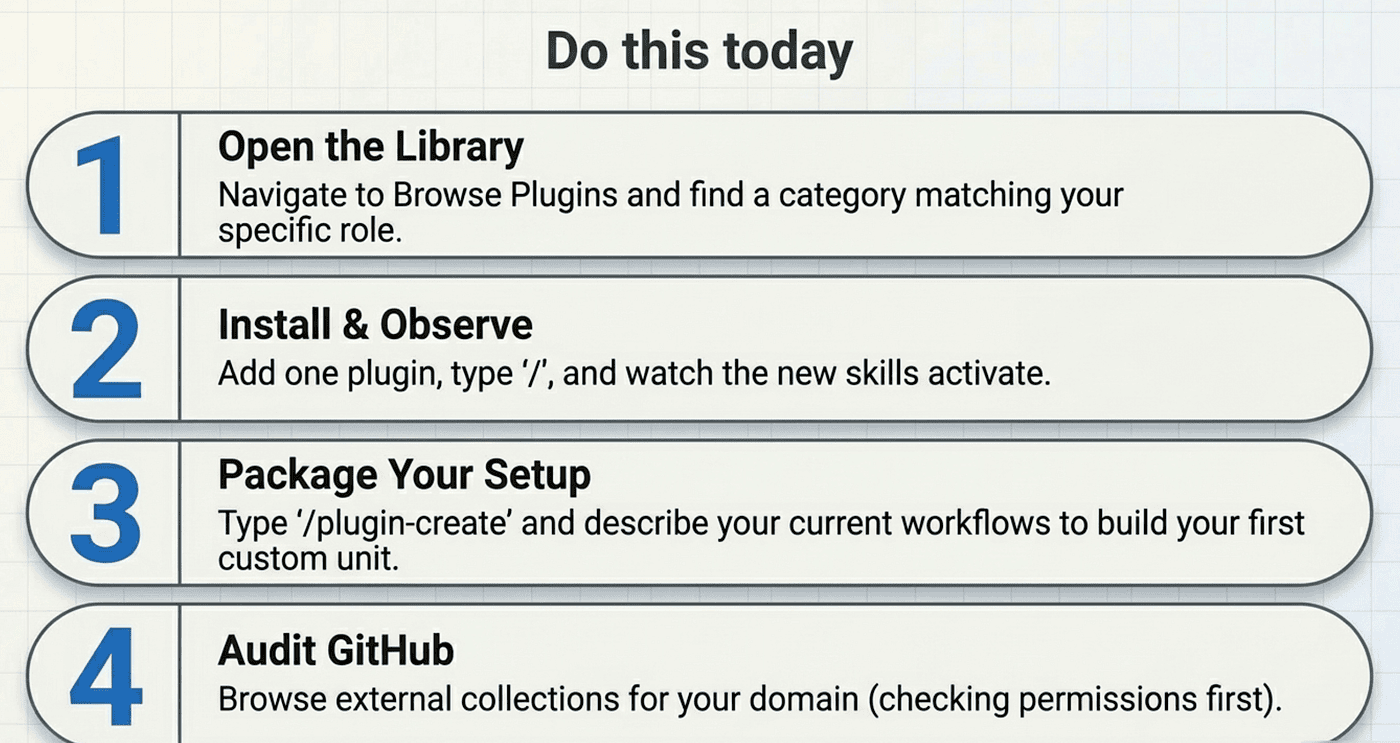
- Open the plugin library (Cowork tab > Customize > Browse plugins) and read through the categories available. Find one that matches your role.
- Install one built-in plugin and then type
/in a task to see the skills it added. Run a task and notice whether any skills activate automatically. - Start the Plugin Create skill by typing
/plugin-createin a Cowork task and describe the competitive-intelligence setup you have been building. See how it packages it. - Browse the Anthropic plugins GitHub repository to see what external collections exist for your domain.
- Before installing any external plugin, read its README and check what permissions and MCPs it includes.
One package instead of a hundred clicks
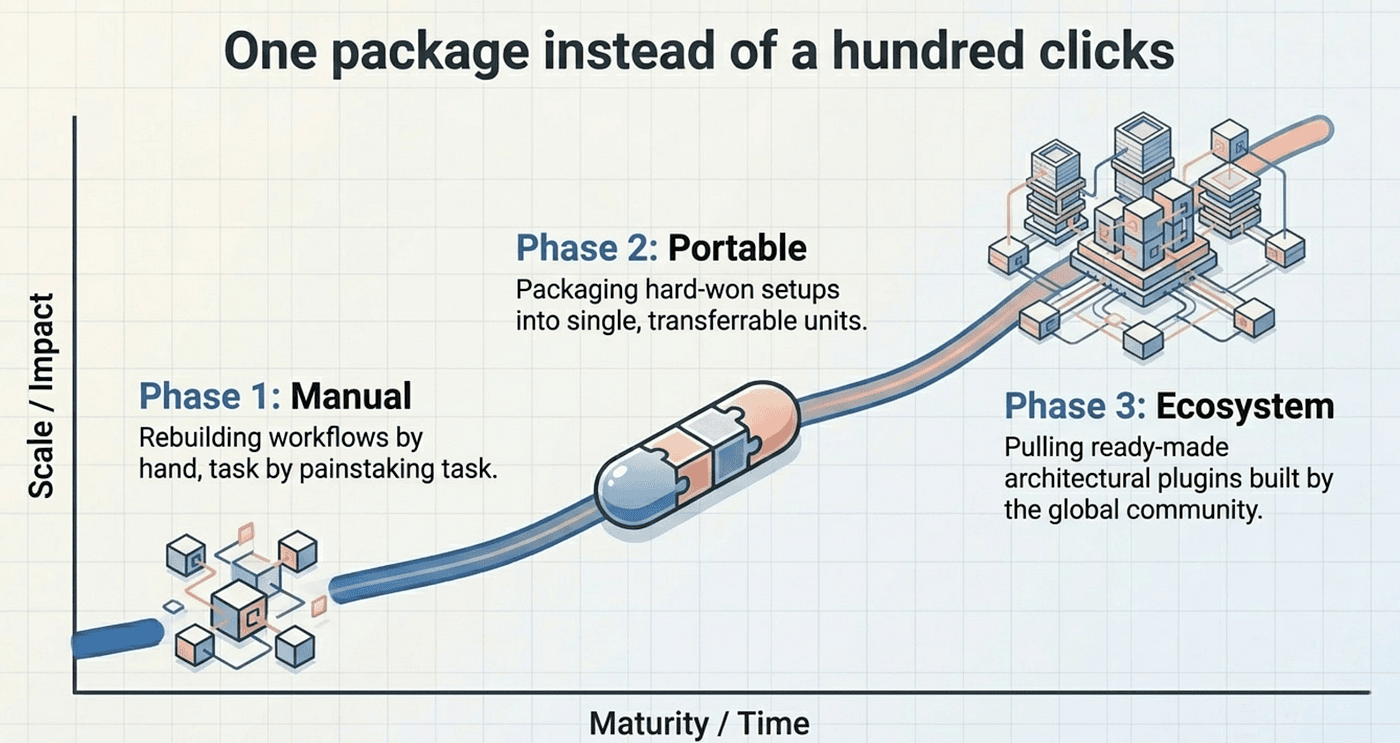
The arc of this article is the arc of maturing past doing everything by hand. You learned to install a role's worth of capability in two clicks, to package your own hard-won setup into something portable, and to pull from an ecosystem of ready-made plugins instead of rebuilding what others have already built.
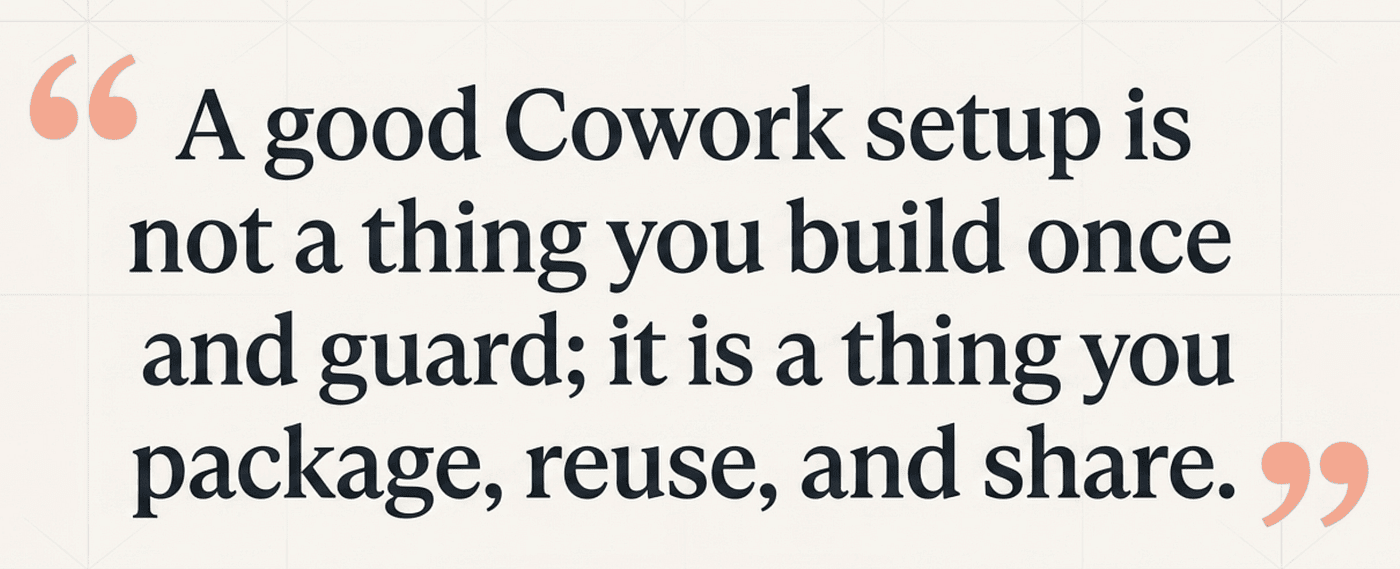
Your competitive-intelligence work, which took nine articles to assemble, is now a single installable unit. And the broader lesson is bigger than that one example: a good Cowork setup is not a thing you build once and guard; it is a thing you package, reuse, and share.
This is Part 10 of "Getting Real Work Done with Claude Cowork," a 12-part guide to using Claude Cowork for real knowledge work.
About the Author — Claude Certified Architect
Rick Hightower is a former Senior Distinguished Engineer at a Fortune 100 company, focusing on delivering ML / AI insights to front-line applications, and a practitioner building multi-agent production systems. Follow him on SubStack and Medium for more hands-on agent engineering content. You can also book him to speak and train your team: Check out Rick Hightower's SpeakerHub.
Rick Hightower helps companies become AI-first through practical mentoring, executive and team training, and custom AI solution development. He is a former Senior Distinguished Engineer at a Fortune 100 company, where he focused on bringing ML and AI insights into real front-line business applications.
Subscribe to Rick's newsletter to see videos and guides.
Rick is a Claude Certified Architect, AI systems practitioner, and builder of production multi-agent systems. He is currently working on authoring a book on Harness Engineering with Manning publishing. He created Skilz, a universal agent skill installer supporting 30+ coding agents including Claude Code, Gemini, Copilot, and Cursor, and co-founded one of the largest agentic skill marketplaces.
Today, Rick and the Spillwave team works with leaders and teams who want to move beyond AI experiments and build real AI capability inside their companies. He helps organizations adopt AI safely, train their people, redesign workflows, and build practical AI systems that create measurable business value.
Ready to make your company AI-first? Connect with Rick on LinkedIn, Substack or Medium, book him to speak or train your team, or visit Spillwave to explore mentoring, training, and custom AI solutions for your organization.