Claude Cowork Connectors: Cowork Is Only as Useful as What You Let It Touch
Part 3: Connectors, the browser, and computer use are three ways Claude reaches your real work. Know the order.
Originally published on Medium.
Part 3: Connectors, the browser, and computer use are three ways Claude reaches your real work. Know the order.
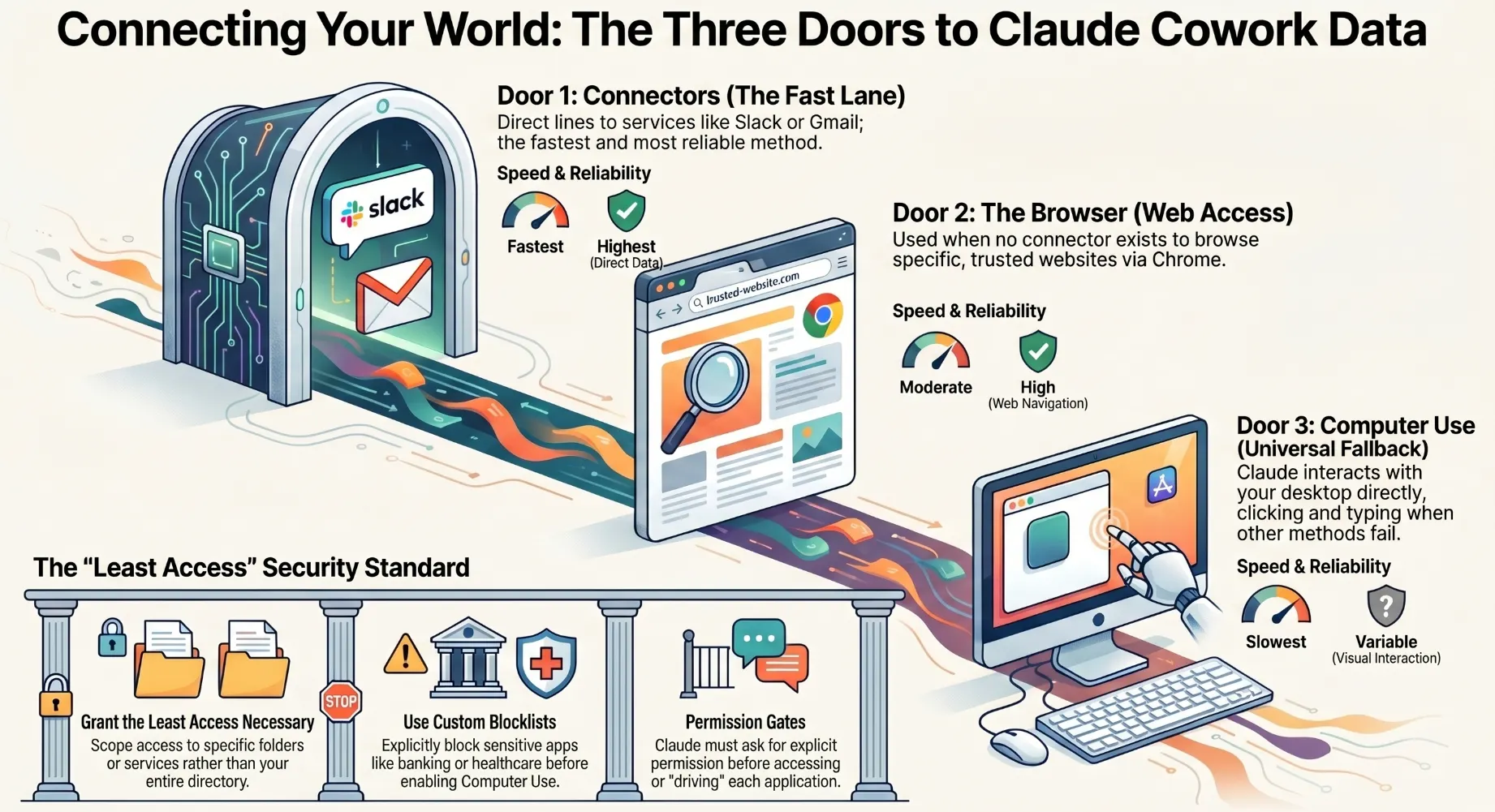
Your competitor brief was good but generic because it ran on public web search alone. The version worth your time pulls from sources that actually belong to you. Cowork is only as useful as what you let it touch. Connectors, browser, and computer use are three doors, and knowing the order changes everything.
In this article: You will learn the three ways Cowork reaches external data and apps, why Claude always prefers the most efficient path first, and exactly what to connect today to make your next task meaningfully better.
Your first competitor brief was built almost entirely from public web search. Good, but generic. The same brief anyone could generate with a free tool. The version that would actually change your next pitch would pull from your own past research in Google Drive, your team's competitive thread in Slack, and a live scrape of the competitor's pricing page. That version requires Cowork to reach outside itself, and that is what this article is about.
Companion Video
That is the leap this article is about. A loop is only as powerful as the tools it can reach, and right now you have handed Cowork a very short reach. This article gives it a longer one.
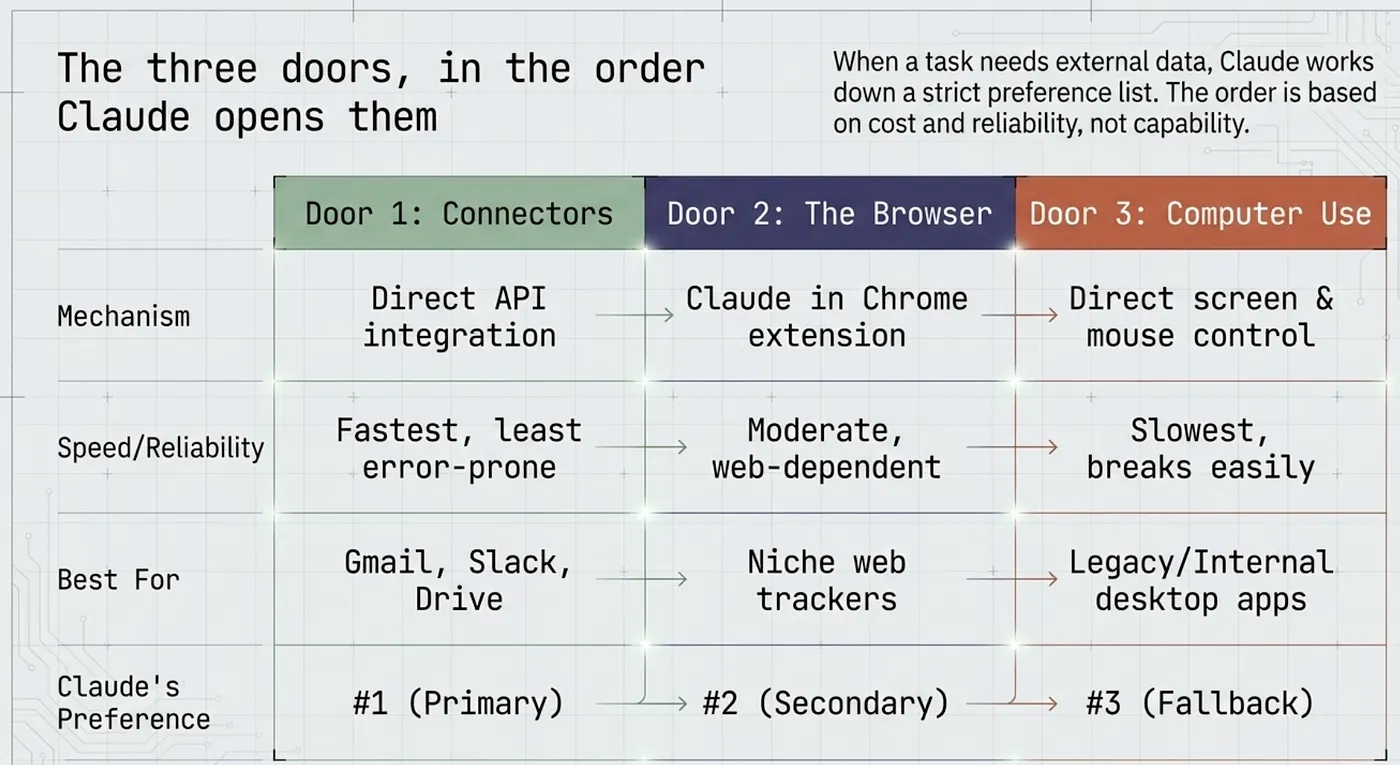
The three doors, in the order Claude opens them
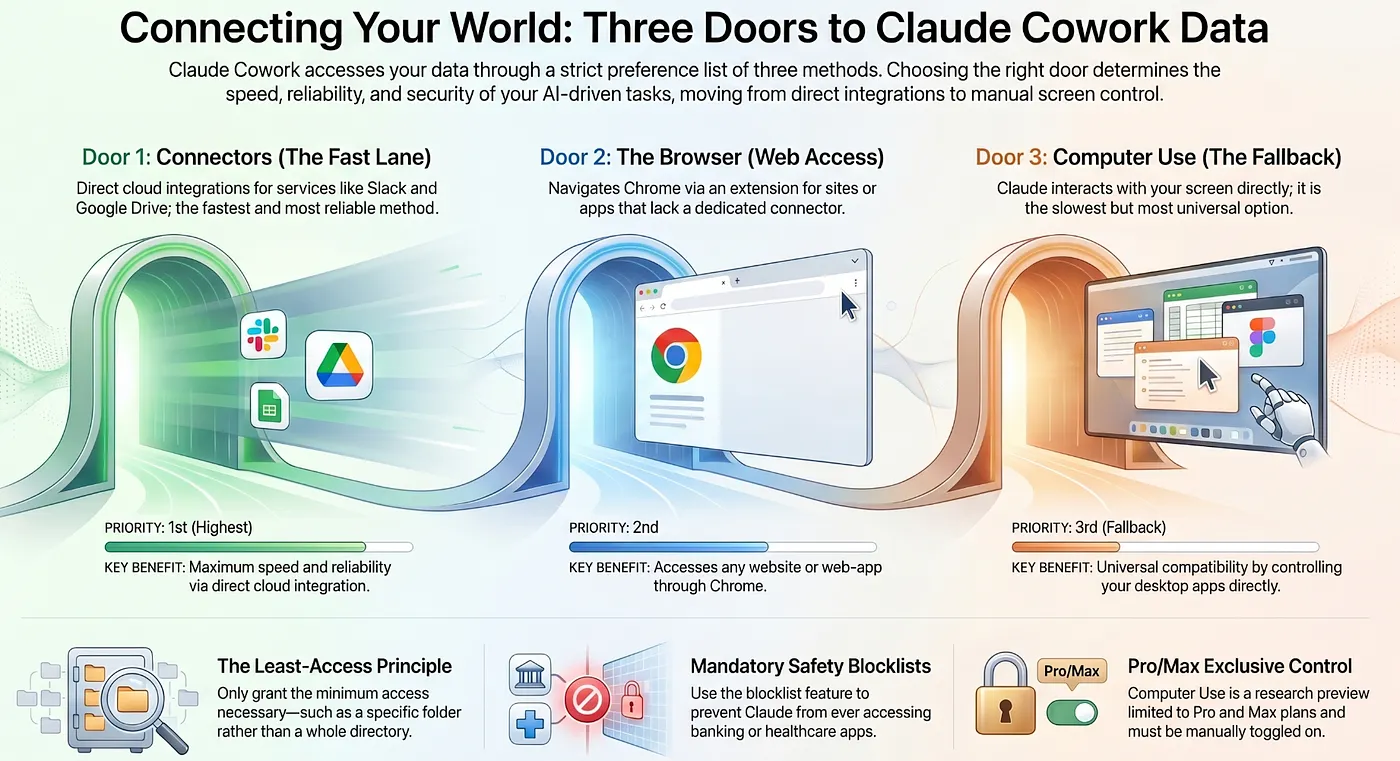
When a task needs something beyond Claude's own reasoning, such as a service, an app, or a website, Claude works down a three-step hierarchy. The hierarchy is not arbitrary. It exists because the options differ in speed, reliability, and risk.
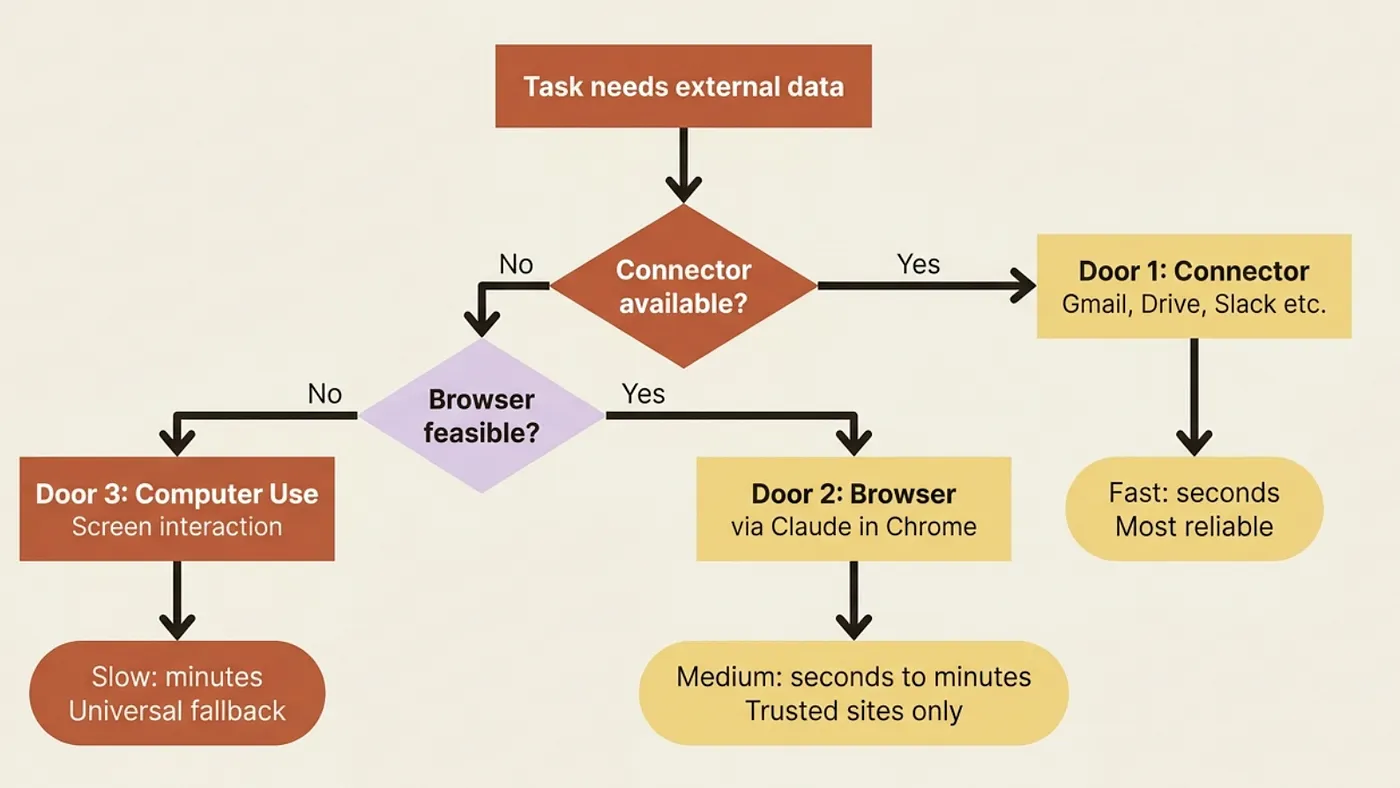
Connectors first. A direct line to a service like Gmail, Google Drive, or Slack. Fastest, most reliable, and least error-prone because the integration is explicit and scoped.
The browser second. When no connector exists, Claude drives Chrome through the Claude in Chrome extension to do the job through the web interface, exactly as a human would.
Computer use third. Claude works your screen directly, clicking and typing through your desktop apps, as the universal fallback when neither of the above applies.
The order is about cost, not capability. A connector pulls your Slack messages in seconds through a clean integration. Computer use can do the same thing by controlling your mouse, but it is slower, more fragile, and more powerful in ways that require more care.
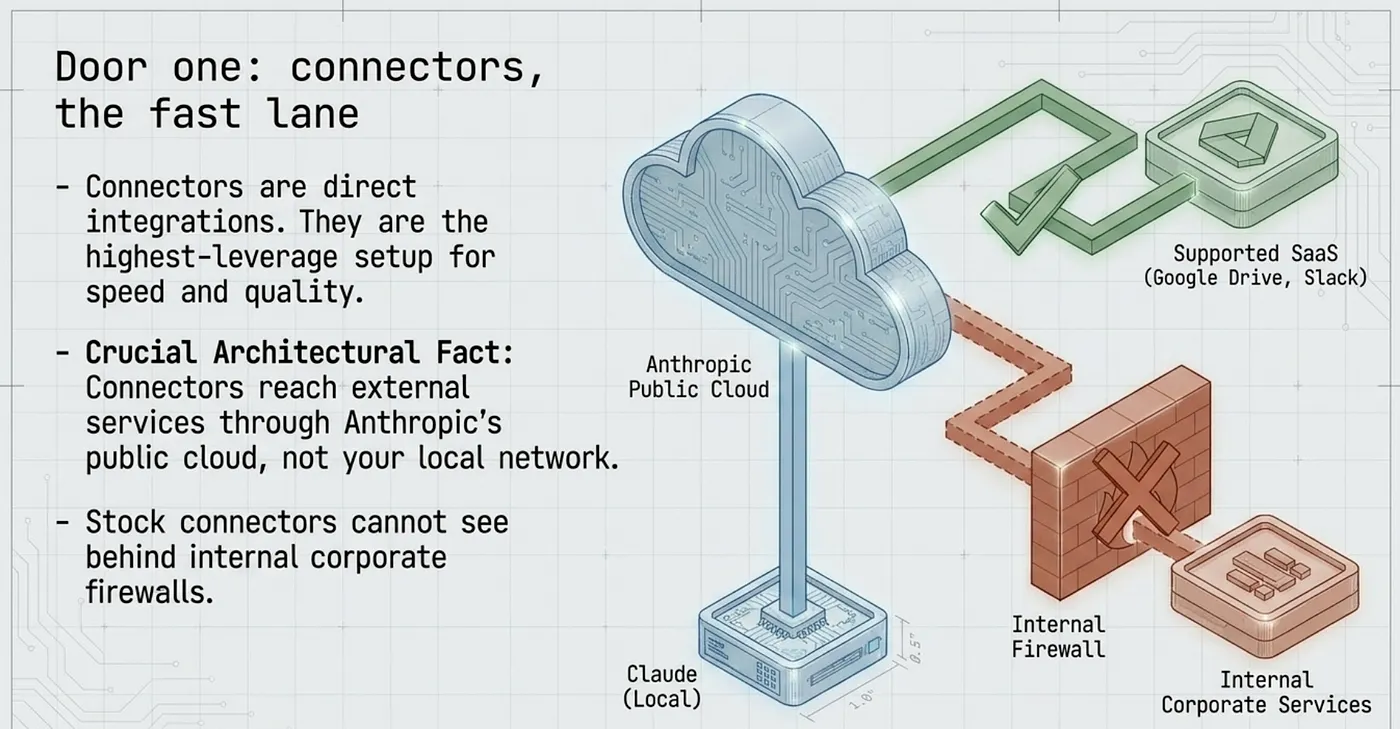
Door one: connectors, the fast lane
A connector is a direct integration between Claude and a service you already use. Cowork connects to Google Drive, Gmail, Google Calendar, Google Docs, Slack, Jira, GitHub, and a growing list of other services.
Connecting one is the highest-leverage thing you can do for the speed and quality of every future task. Open the desktop app, go to the Customize menu in the Cowork tab, and add the services your work actually lives in.
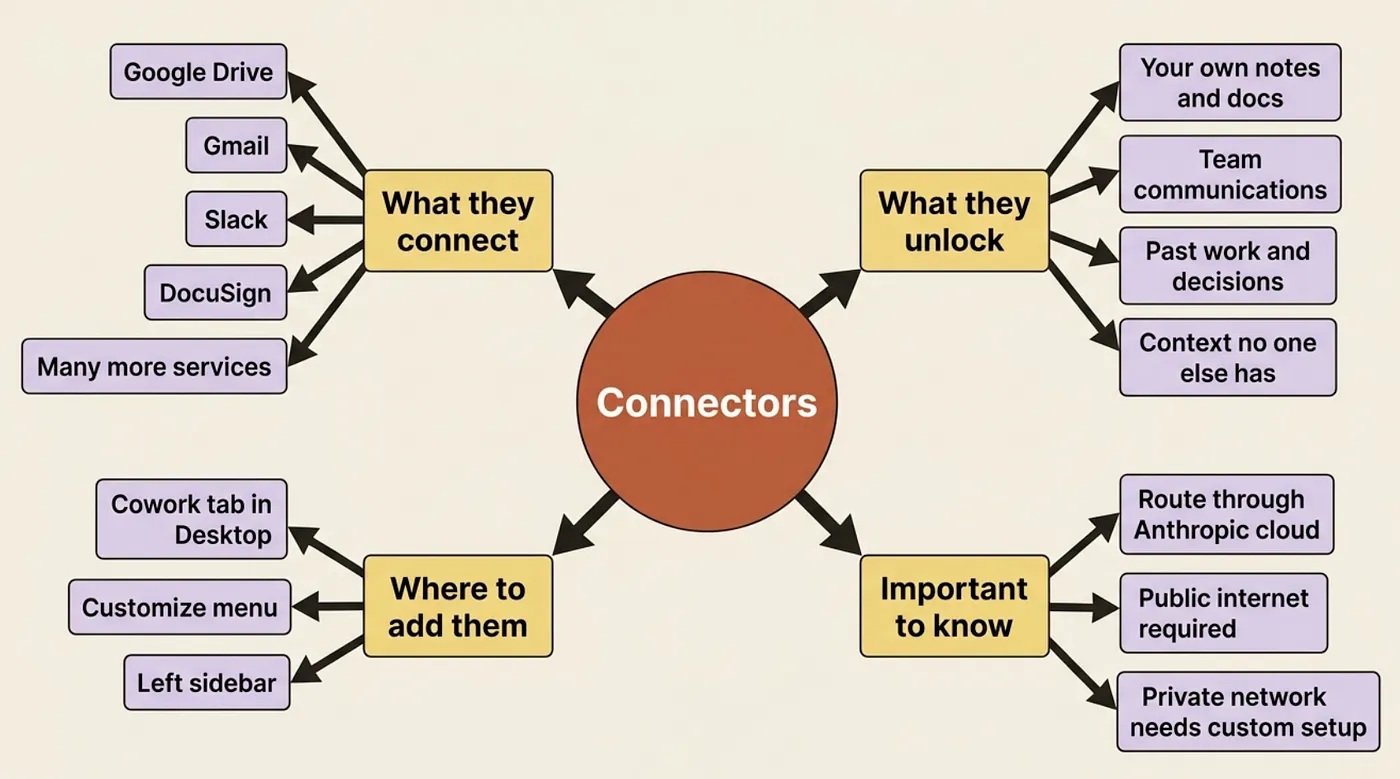
One architectural fact worth knowing: connectors in Cowork reach external services through Anthropic's cloud, not through your local machine. This means the connection is consistent and does not depend on what is running on your computer at the moment, but it also means the data you share travels through Anthropic's infrastructure. Grant access to a working folder, not your entire Drive.
For the running example, the connector that changes everything is the one holding your own context. Connect Google Drive to a folder that contains your past research, or connect Slack to the channel where your team discusses competitors. Now your competitor brief is not built from public web search alone. It is built from the sources that have your company's specific knowledge baked in.
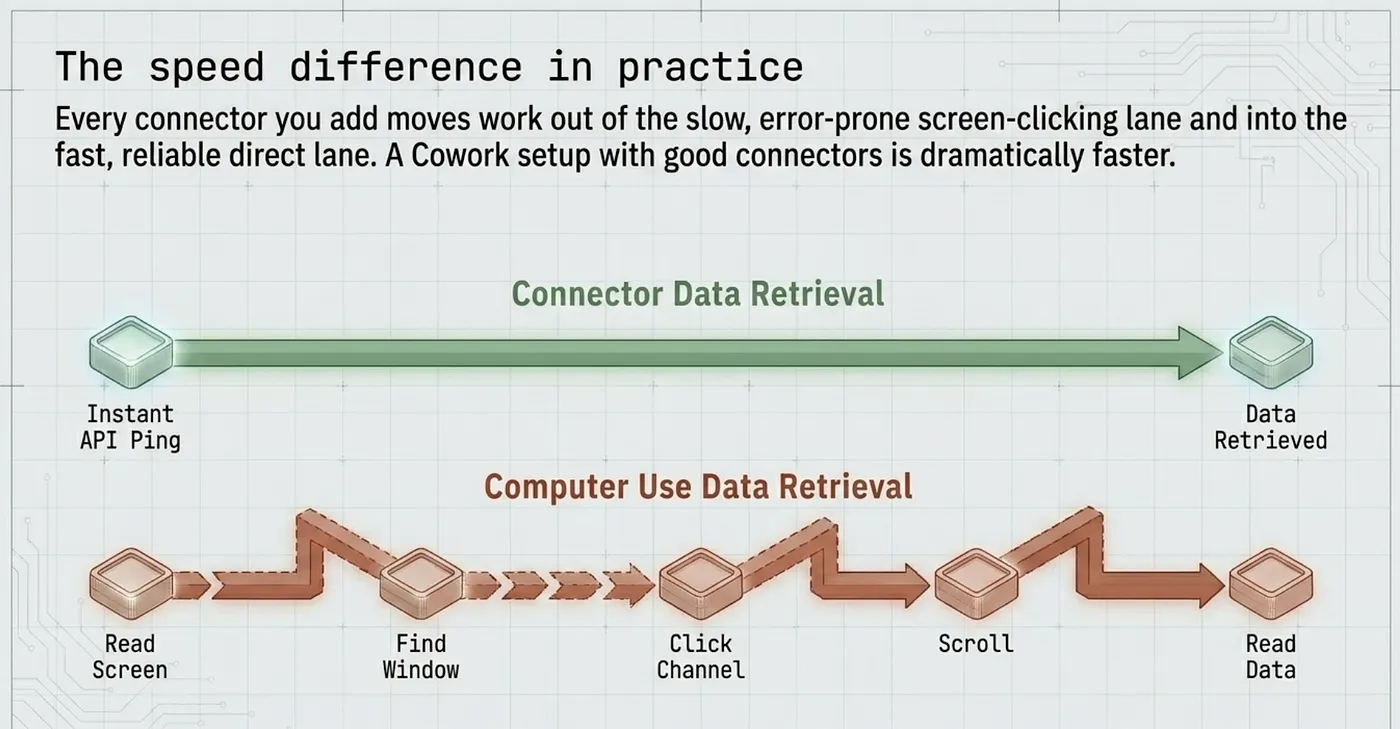
The speed difference in practice
The comparison between using a connector and not is stark.
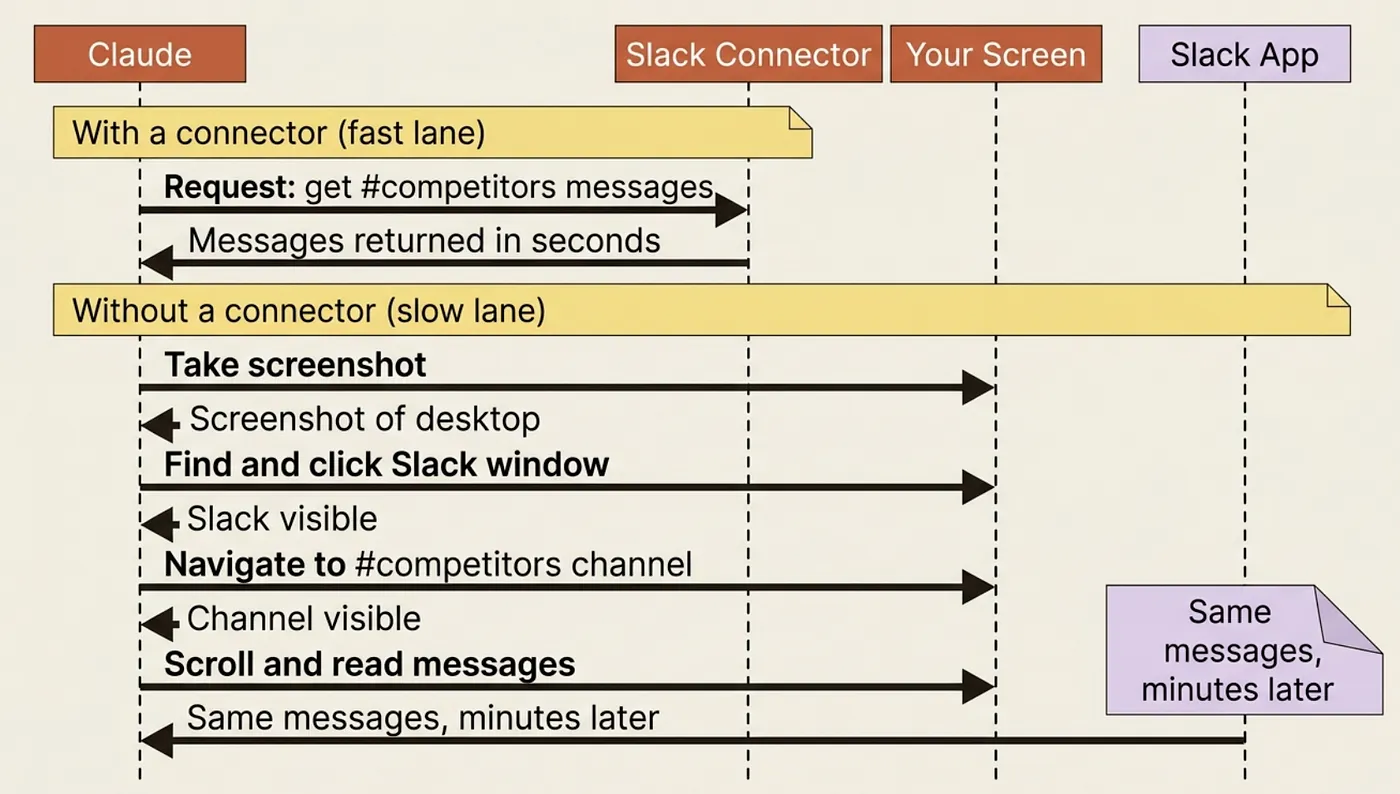
Every connector you add moves a chunk of work out of the slow, error-prone screen-clicking lane and into the fast, reliable integration lane. Claude reaches your Drive folder in seconds. It would take significantly longer, with more failure points, if it had to open Chrome, navigate to Drive, search for the file, and read it off the screen.
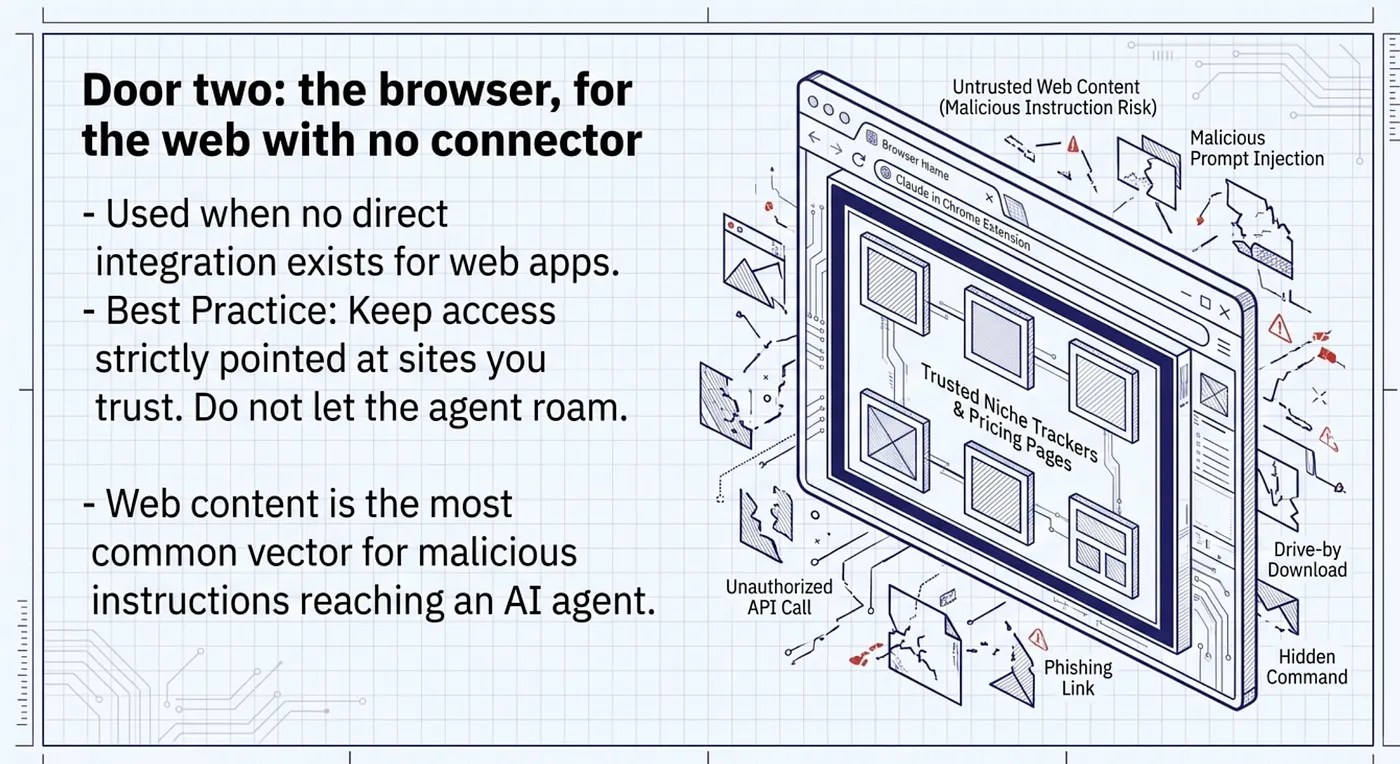
Door two: the browser, for the web with no connector
Plenty of useful things on the web have no connector: a competitor's pricing page, a niche industry tracker, a web app your team uses that Anthropic has not integrated yet. For those, Claude uses the Claude in Chrome extension to control a browser session and do the work through the web UI.
One habit to start now: when you use Claude in Chrome with Cowork, keep its access pointed at sites you trust, and do not leave sensitive browser tabs open that you would not want included in the context of a task.
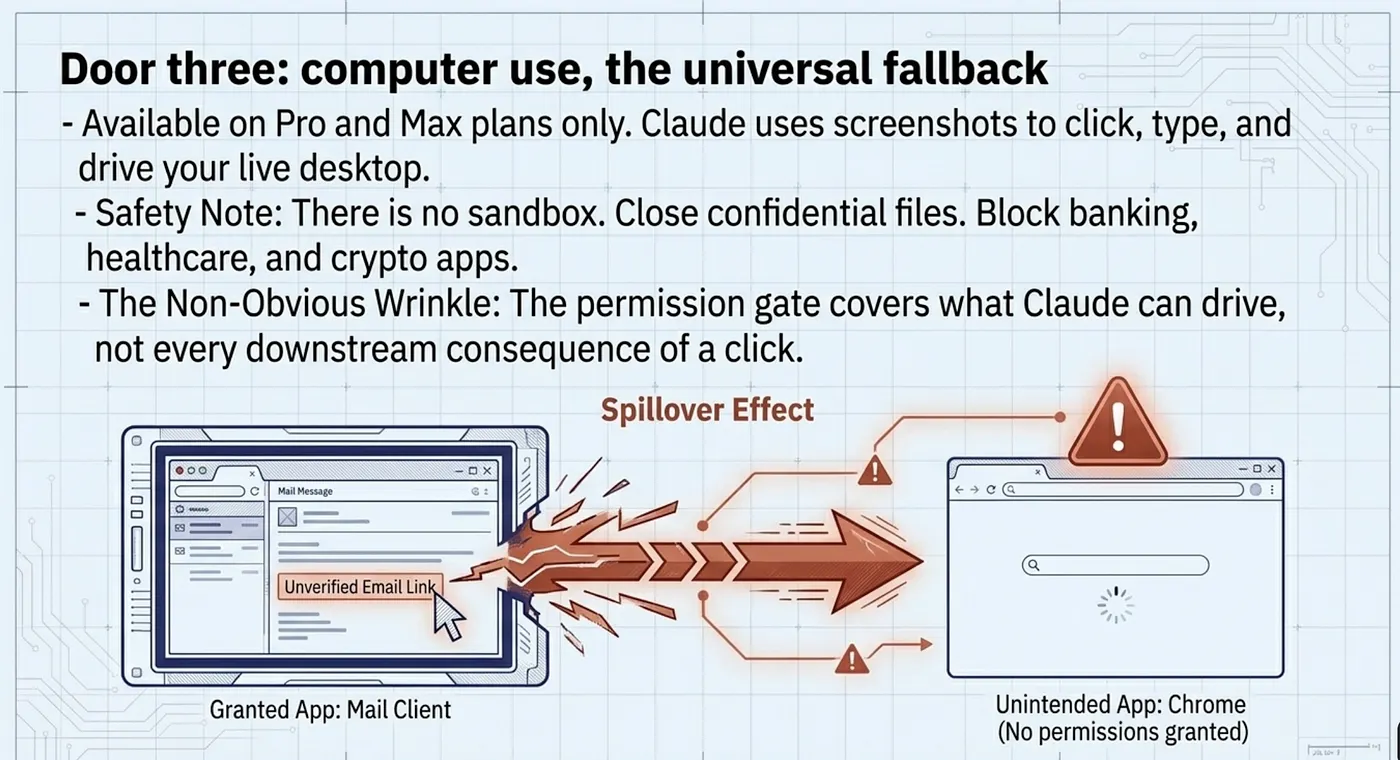
Door three: computer use, the universal fallback
When neither a connector nor the browser fits, computer use is the catch-all. Claude takes screenshots to understand your screen, and then clicks, types, and navigates your desktop apps directly. It can reach a local database tool, a desktop accounting app, or anything else you run on your machine.
Computer use is a research preview, available on Pro and Max plans only. Team and Enterprise plans do not have it at this time.
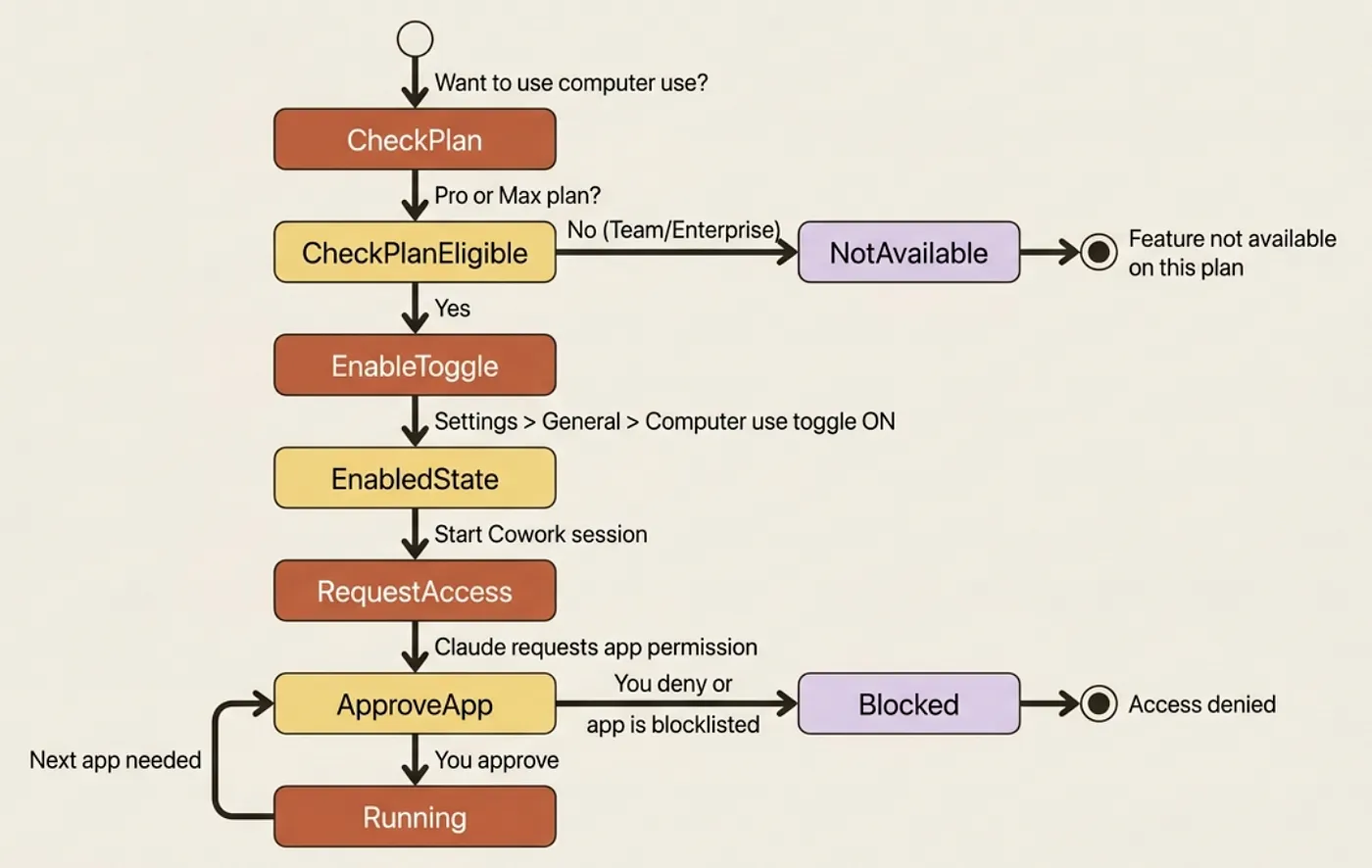
To enable: open Settings > General under the desktop app section, find the Computer use toggle, and turn it on. Then start a new conversation in Cowork and ask it to do something that requires your desktop.
Permissions are per-app and explicit. Claude asks before accessing each application. Some sensitive categories, such as banking and healthcare, are blocked by default. You can also maintain your own blocklist in settings.
Safety note: Computer use has no sandbox between Claude and your screen. File operations go through permission checks and code runs inside the virtual machine, but computer use is Claude acting directly on your live desktop. Close confidential files before you start, and keep banking, healthcare, and anything else you would not want touched on a dedicated blocklist.
One non-obvious wrinkle: actions in one app can spill into another. If Claude clicks a link in your email, that link opens in a browser. If that browser has stored credentials, Claude now has access to those. Be deliberate about what is open when you run a computer-use task.
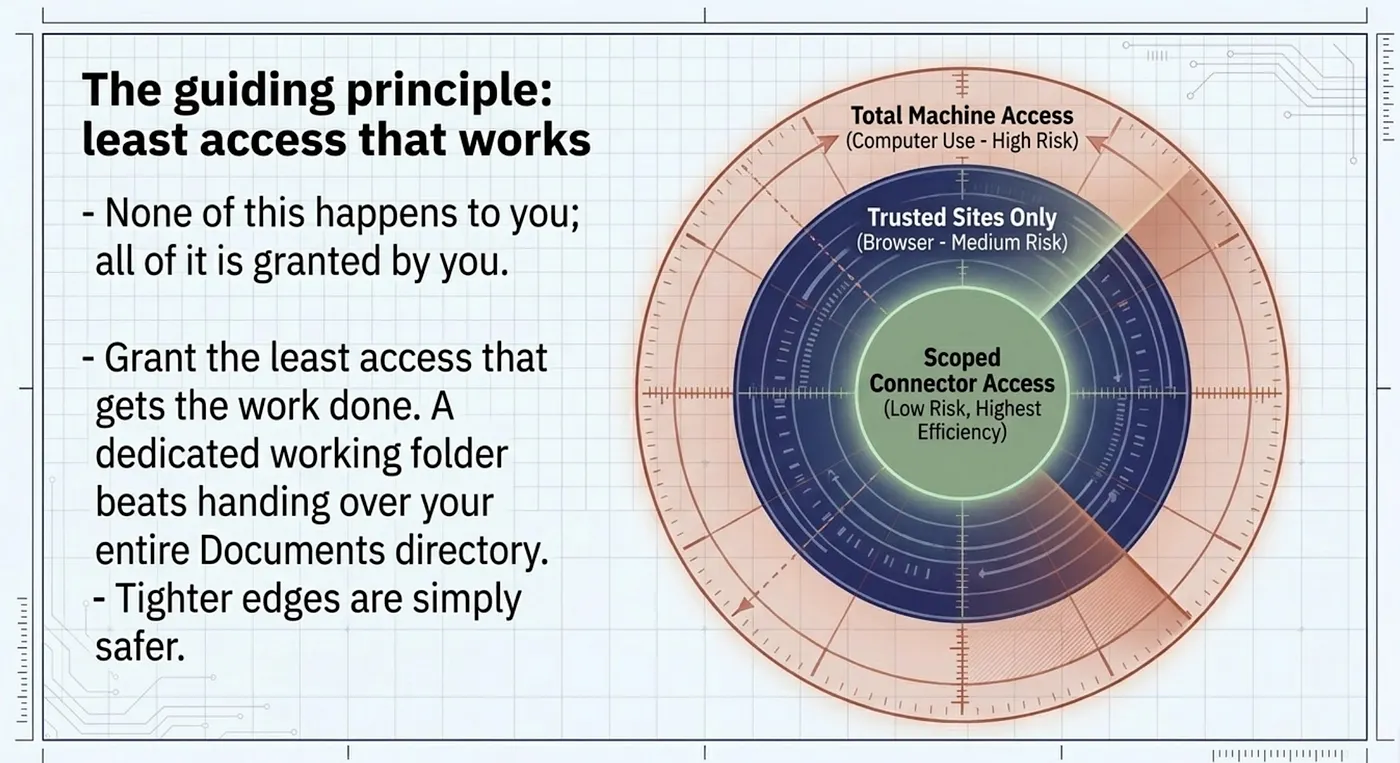
The guiding principle: least access that works
Notice the through-line. A connector is something you link. The browser is access you extend to sites. Computer use is a permission you grant to your entire screen. Each step up the hierarchy is more powerful and requires more careful scoping.
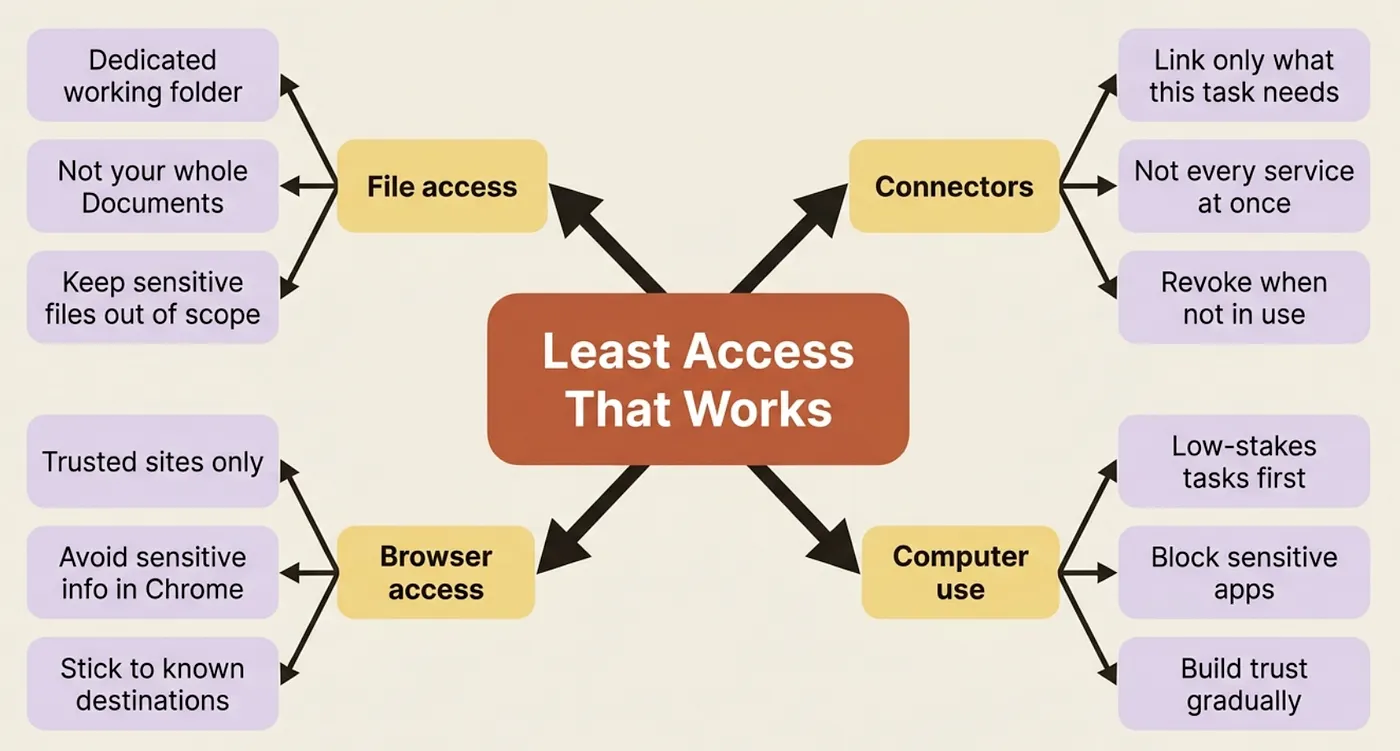
The practical rule: grant the least access that gets the work done. A dedicated working folder beats handing over your whole Drive. Targeted computer use on a specific internal app beats leaving every app open.
For the competitor-brief workflow, the high-value, low-risk setup is a Google Drive or Slack connector for your own context, plus the browser for scraping competitor pages. Computer use stays off unless you have an internal app that genuinely requires it.
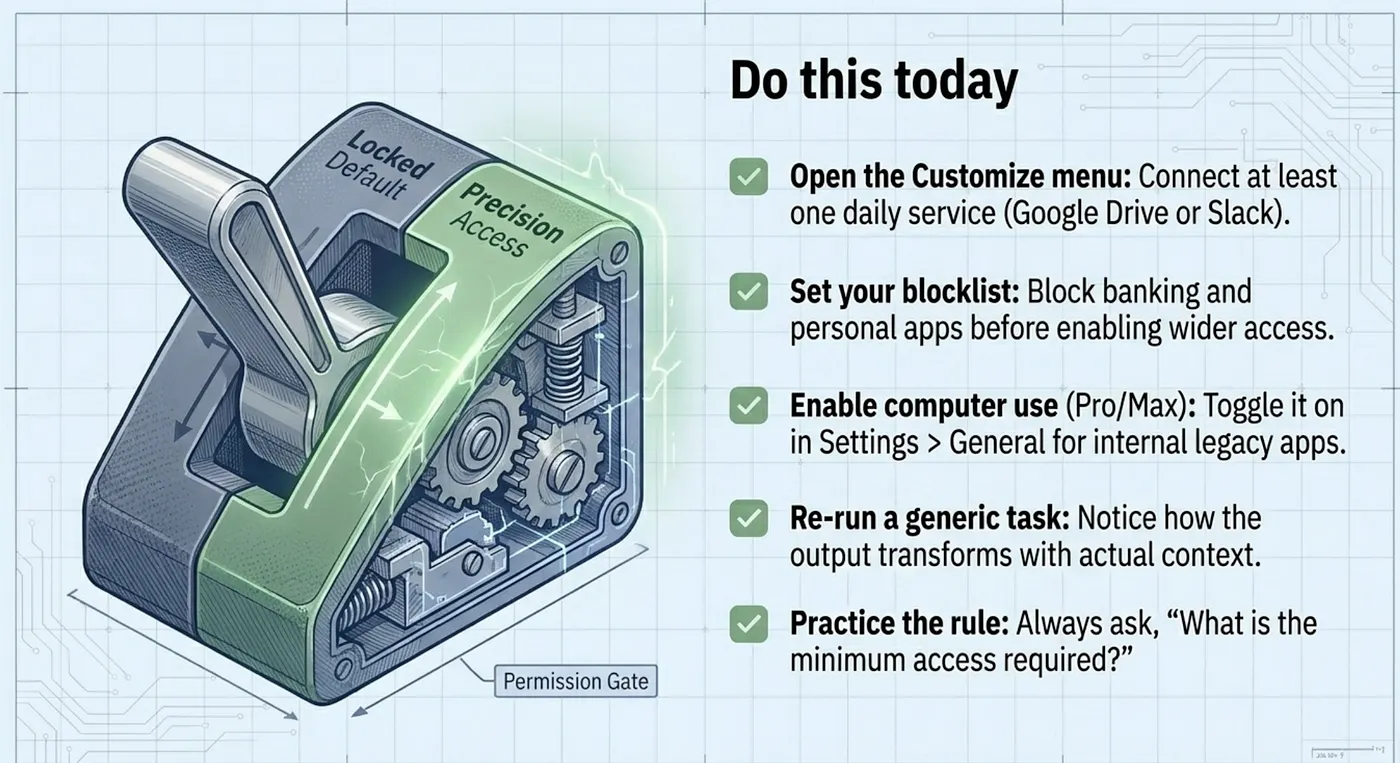
Do this today
- Open the Customize menu in the Cowork tab and connect at least one service you use daily. Google Drive or Slack is the highest-leverage first connector for most knowledge workers.
- Enable computer use if you are on Pro or Max and have an internal app you want Cowork to reach. Go to Settings > General and toggle it on.
- Set your blocklist before enabling computer use. Block your banking app, any healthcare apps, and anything else that should stay off-limits regardless of what task you are running.
- Re-run your competitor brief after connecting a Drive folder or Slack channel and notice how the output changes when Claude has access to your actual context instead of public search alone.
- Practice the least-access rule: for your next task, ask what is the minimum access Cowork actually needs, and scope it to exactly that.
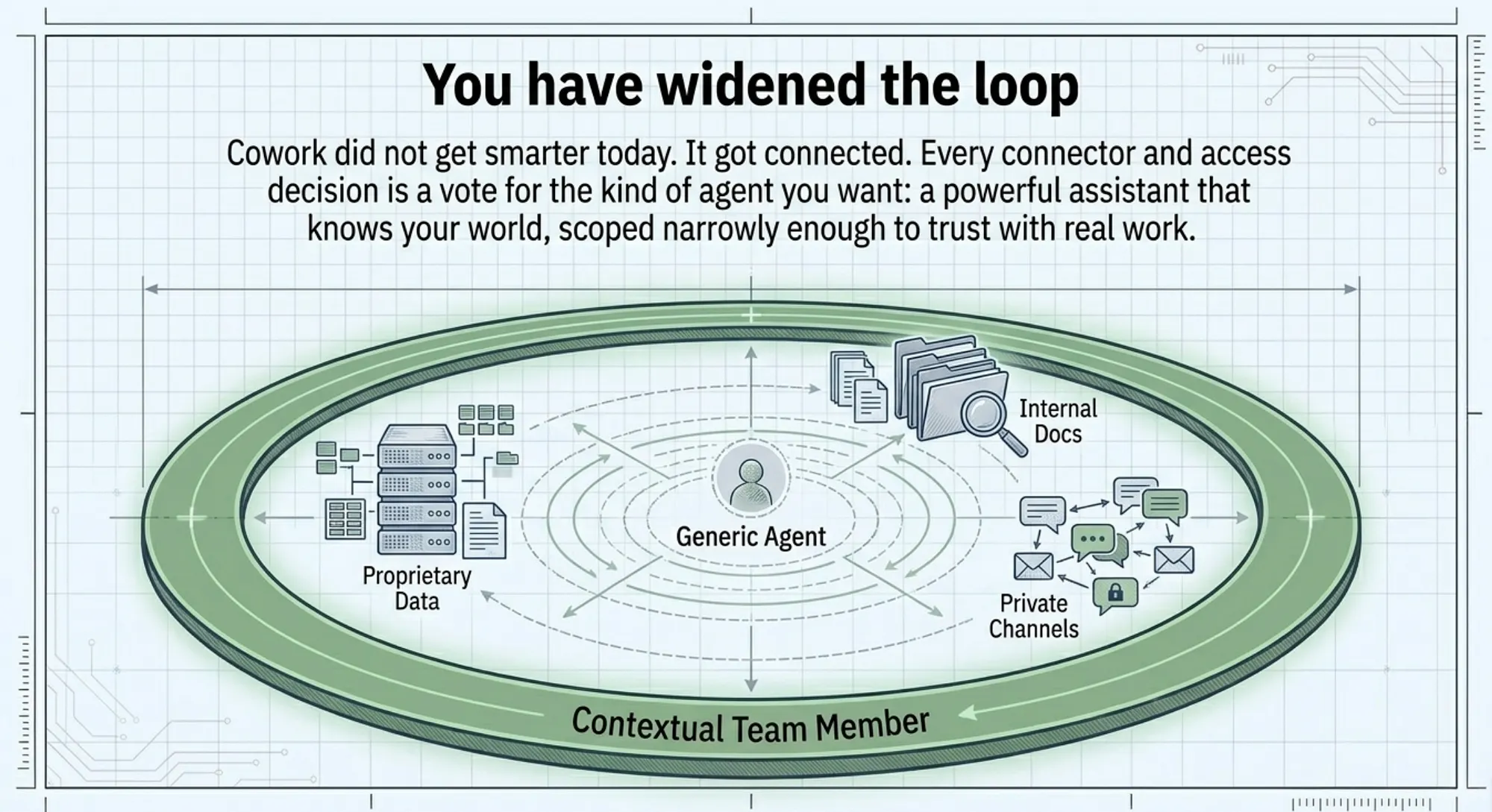
You have widened the loop
Cowork did not get smarter in this article. It got connected. The same loop now runs against your real sources instead of only public ones, and the output reflects that.
Every connector you add and every access decision you make is a vote for what kind of agent you want Cowork to be: a powerful assistant with access to your actual work, or a capable model running in isolation.
This is Part 3 of "Getting Real Work Done with Claude Cowork," a 12-part guide to using Claude Cowork for real knowledge work. Each part builds on the last. Start at Part 1 if you are new to Cowork.
About the Author: Rick Hightower, Claude Certified Architect

Rick Hightower helps companies become AI-first through practical mentoring, executive and team training, and custom AI solutions. He is the author of the Cowork series and writes about how real teams move from AI experimentation to AI-first operations.
Subscribe to Rick's newsletter to see videos and guides.
Rick is a Claude Certified Architect, AI systems practitioner, and builder of production multi-agent systems. He is currently building Spillwave, an AI-first company focused on practical AI adoption for knowledge workers and teams.
Today, Rick and the Spillwave team works with leaders and teams who want to move beyond AI experiments and build real AI-first operations. If that is you, reach out.
Ready to make your company AI-first? Connect with Rick on LinkedIn, Substack or Medium, book him to speak or train your team, or explore what Spillwave can build with you.