Claude Cowork Tasks and Steering: Stop Retyping the Same Task
Part 5: Your finished tasks do not vanish. You can reopen them, build on them, and steer them while they run.
Originally published on Medium.
Part 5: Your finished tasks do not vanish. You can reopen them, build on them, and steer them while they run.
Every time you retype a task prompt you worked hard to get right, you are throwing away work. Cowork keeps that work. This article shows you how to use it.
In this article: You will learn how tasks persist in Cowork's Tasks list, how to reopen and reuse finished work instead of starting over, what deleting a task actually does, and how to steer a task while it is still running.
Part 5 of "Getting Real Work Done with Claude Cowork," a 12-part guide to using Claude Cowork for real knowledge work.
Companion Video
You can run a real task, read the loop that produces it, feed that loop your actual tools, and keep the whole thing safe by choosing the right permission mode.
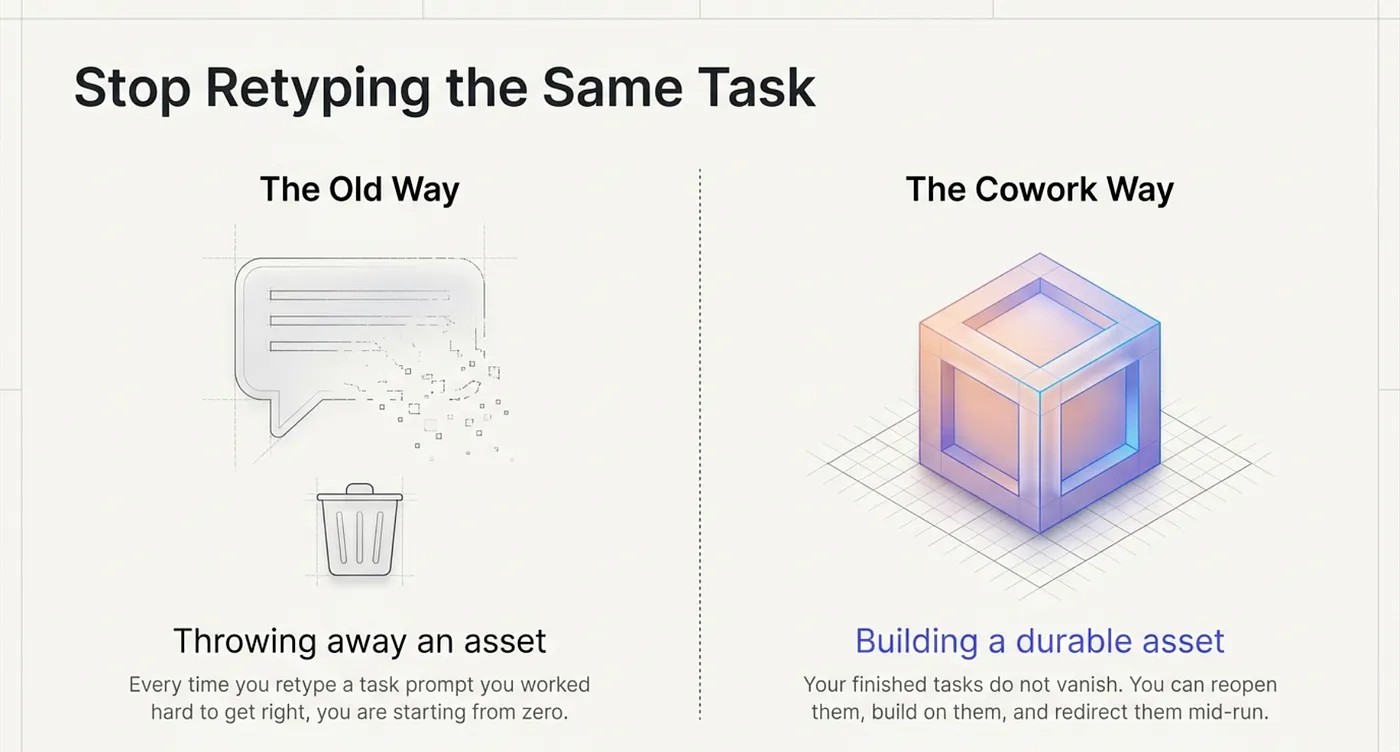
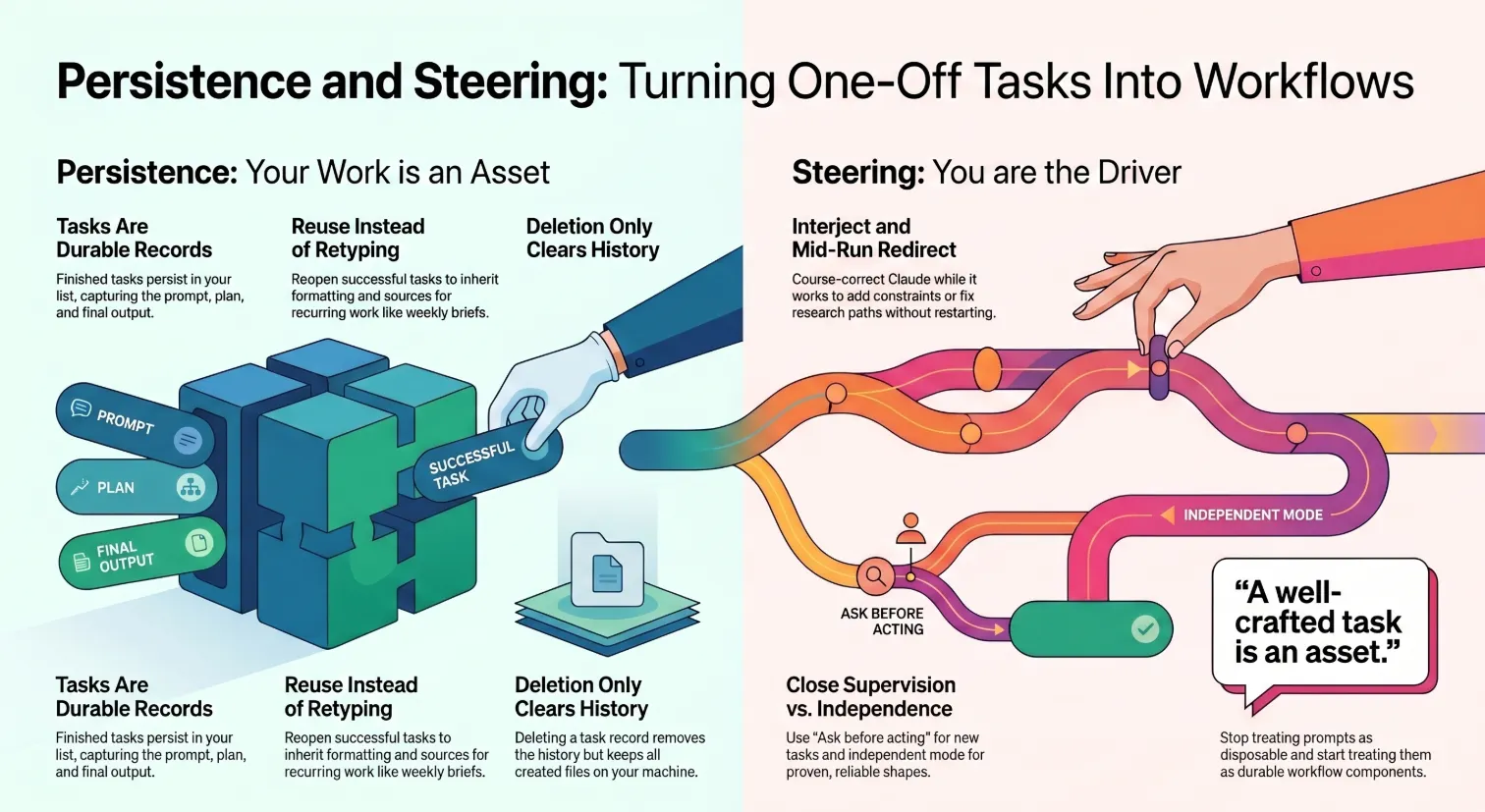
Cowork does not work that way. Your tasks persist after they finish. You can reopen them, build on them, and refine them without starting from scratch. And while a task is running, you can steer it, adjusting direction in real time without killing it.
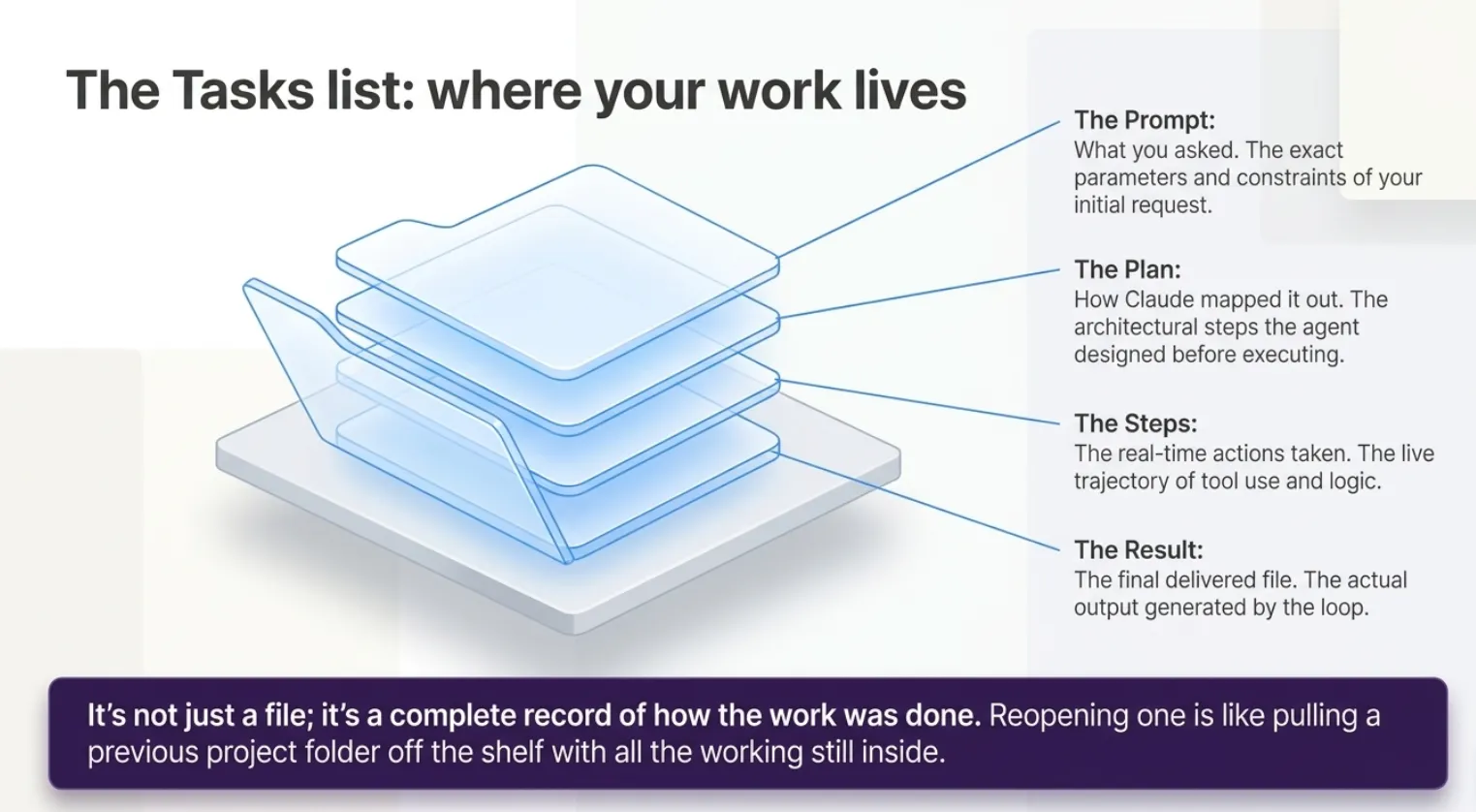
The Cowork Tasks list: where your work lives
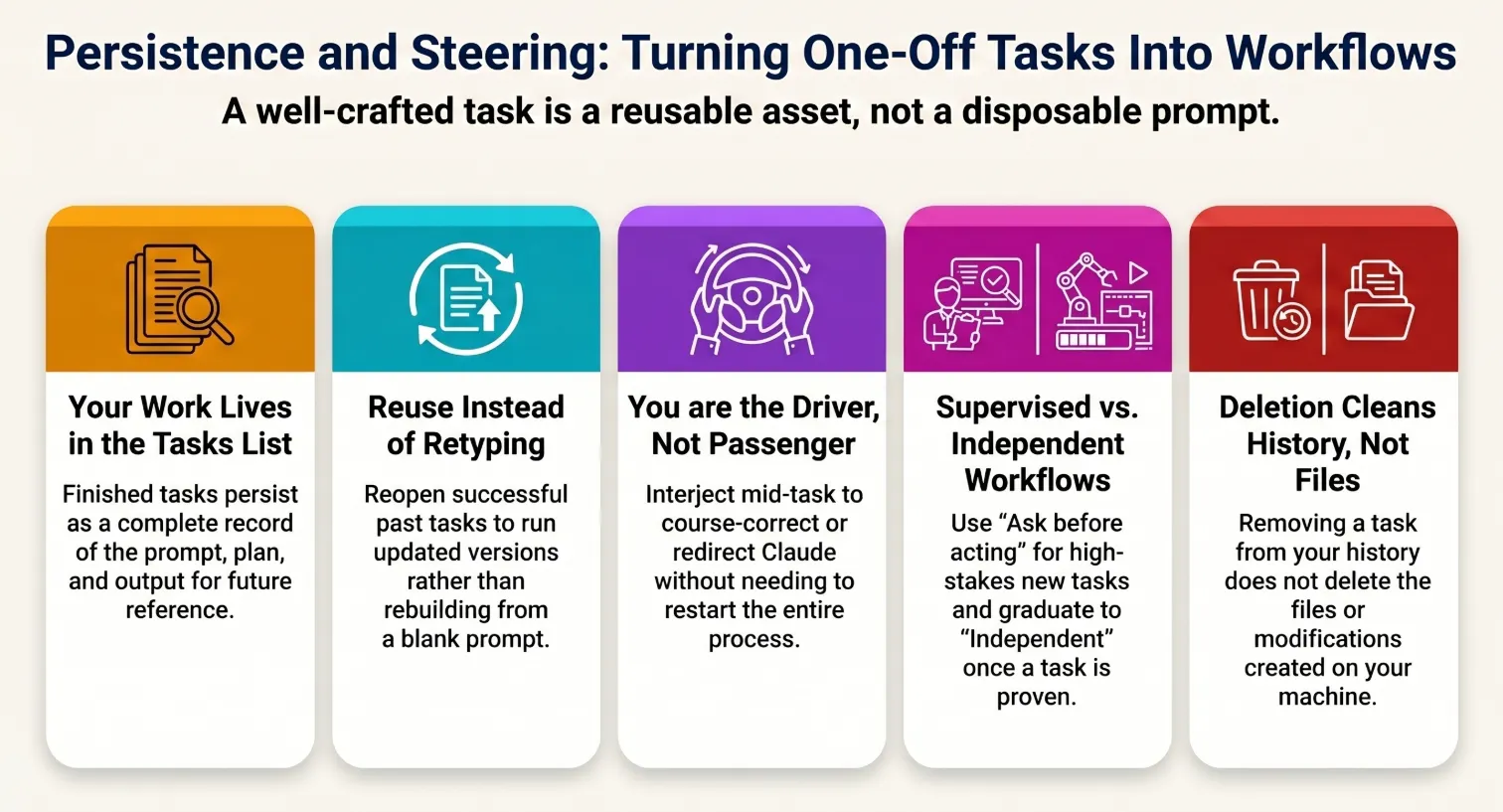
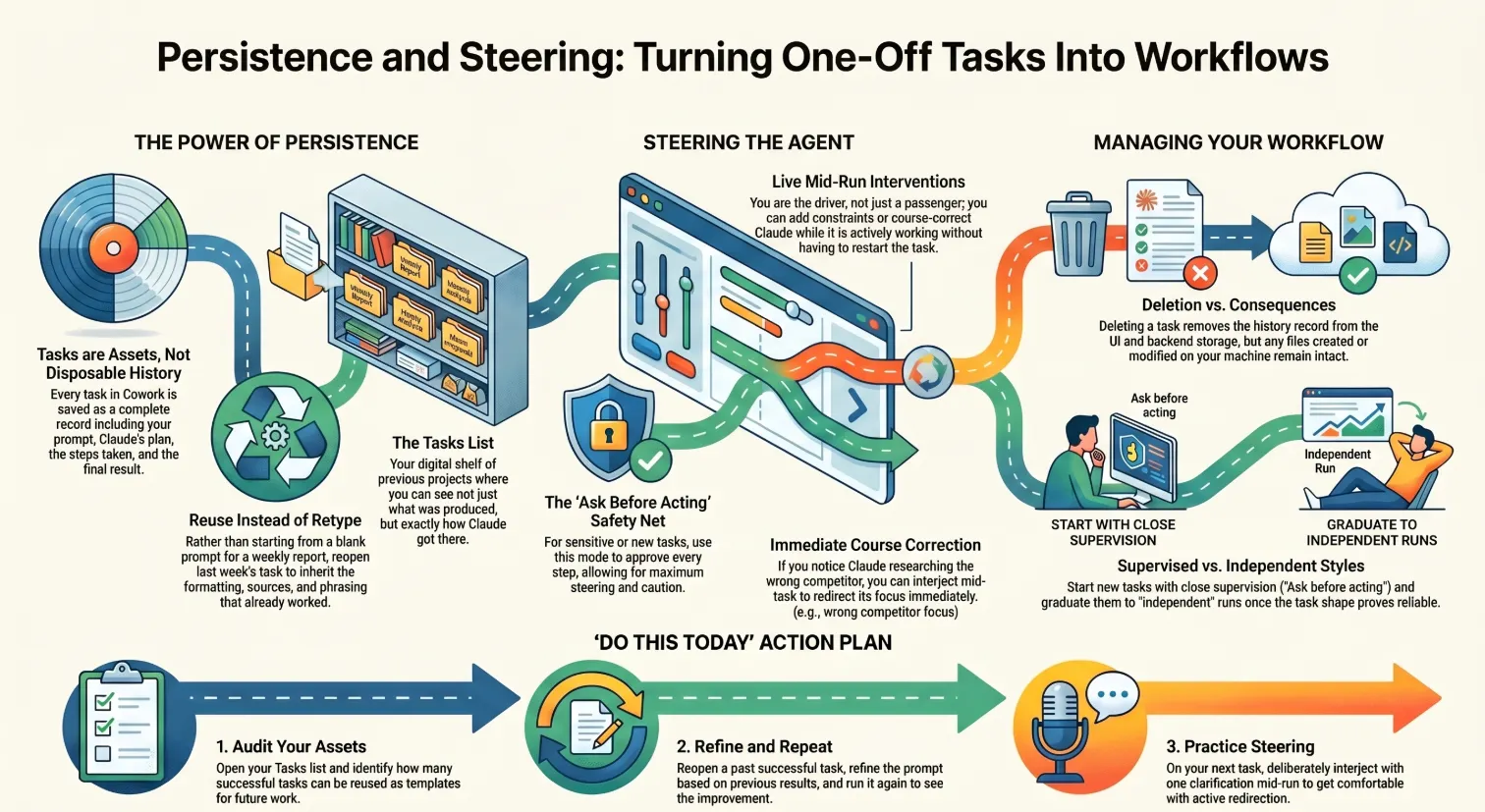
When you switch to the Cowork tab, your work is organized as Tasks, and they do not disappear when they finish. Each task you have run is listed there, ready to be reopened.
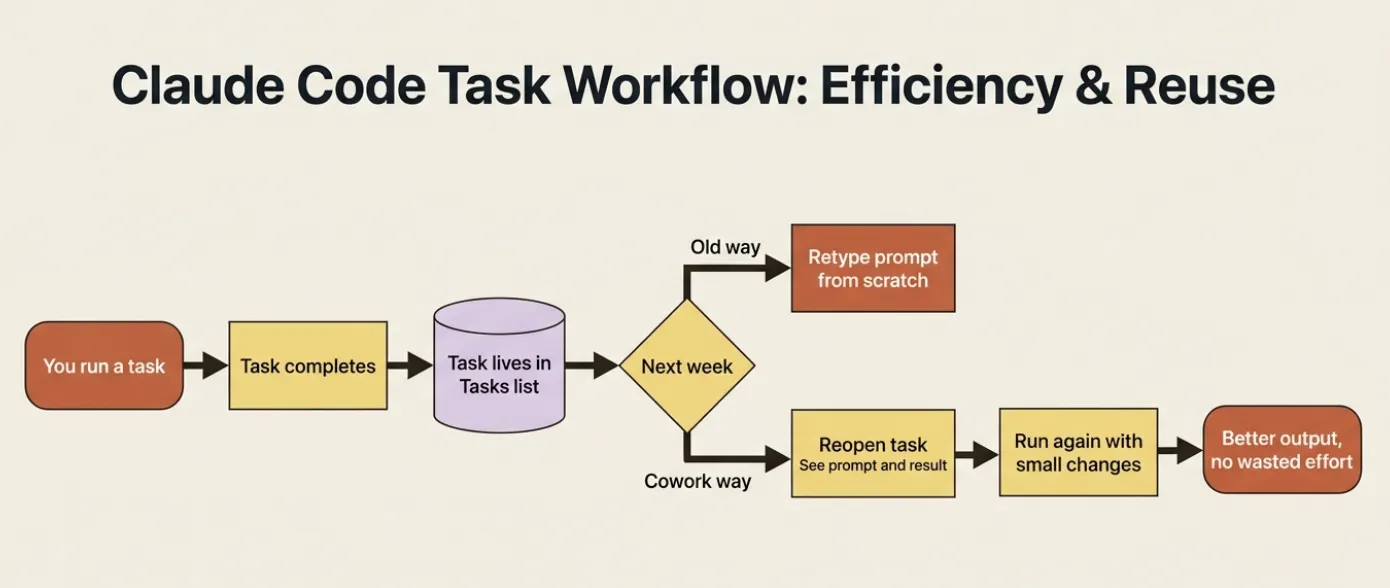
A finished task is not just a delivered file; it is a complete record: the prompt you gave, the plan Claude made, the steps it took, the files it created, and the tools it used. That record is sitting there the next time you need to do something similar.
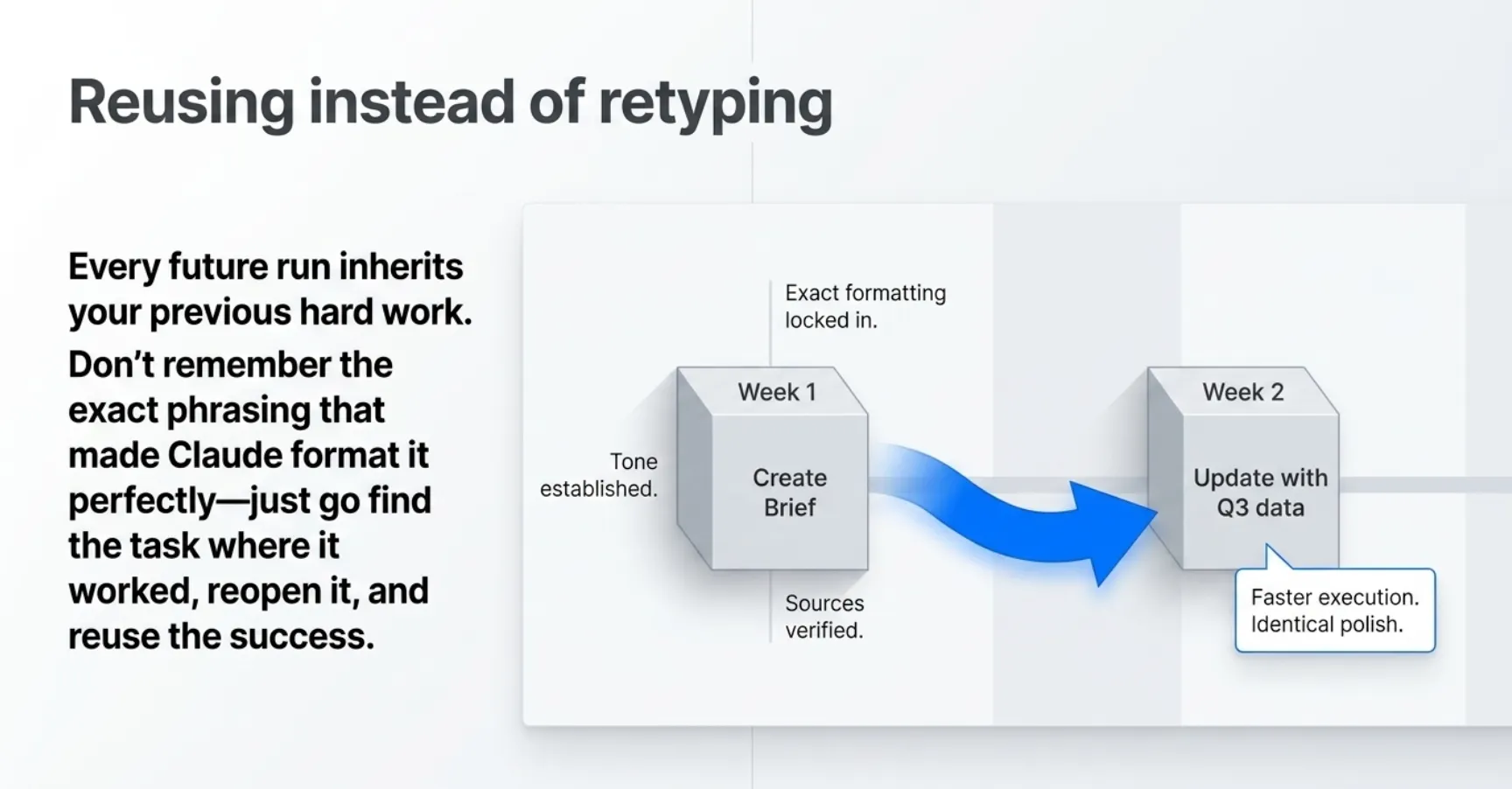
Reusing instead of retyping
Once you internalize that tasks persist, your habits shift. Instead of composing the competitor brief from a blank prompt every Monday morning, you open the task that produced last week's brief, adjust one or two parameters, and run it again.
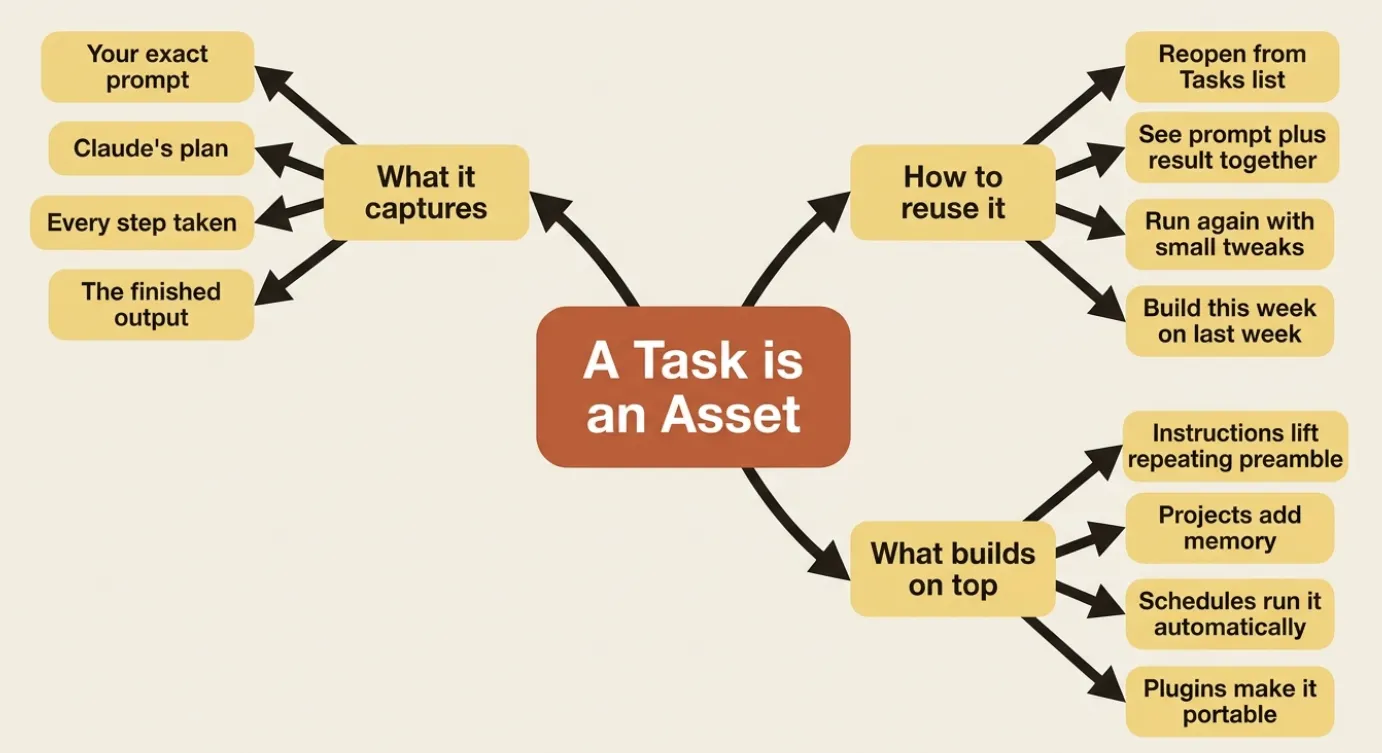
The work you put into getting a task right, the precise outcome, the output location, the formatting, the sources, is preserved. Rerunning a refined task is almost always faster and more consistent than trying to recreate it from memory.
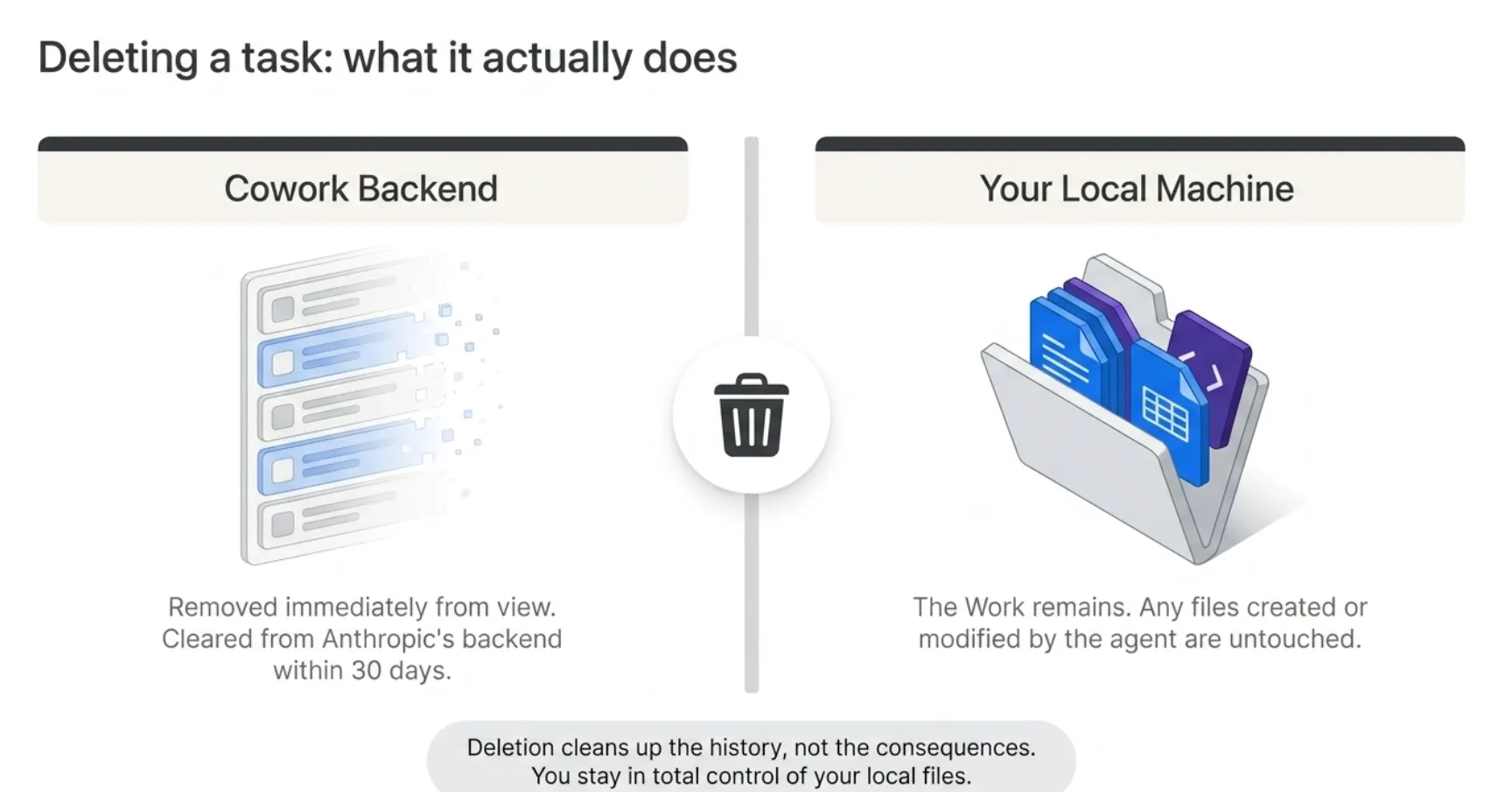
Deleting a task: what it actually does
You stay in control of your task history, which includes the ability to clear it. To delete a task, click the ⋮ menu next to any task in the list. You will see an option to delete it.
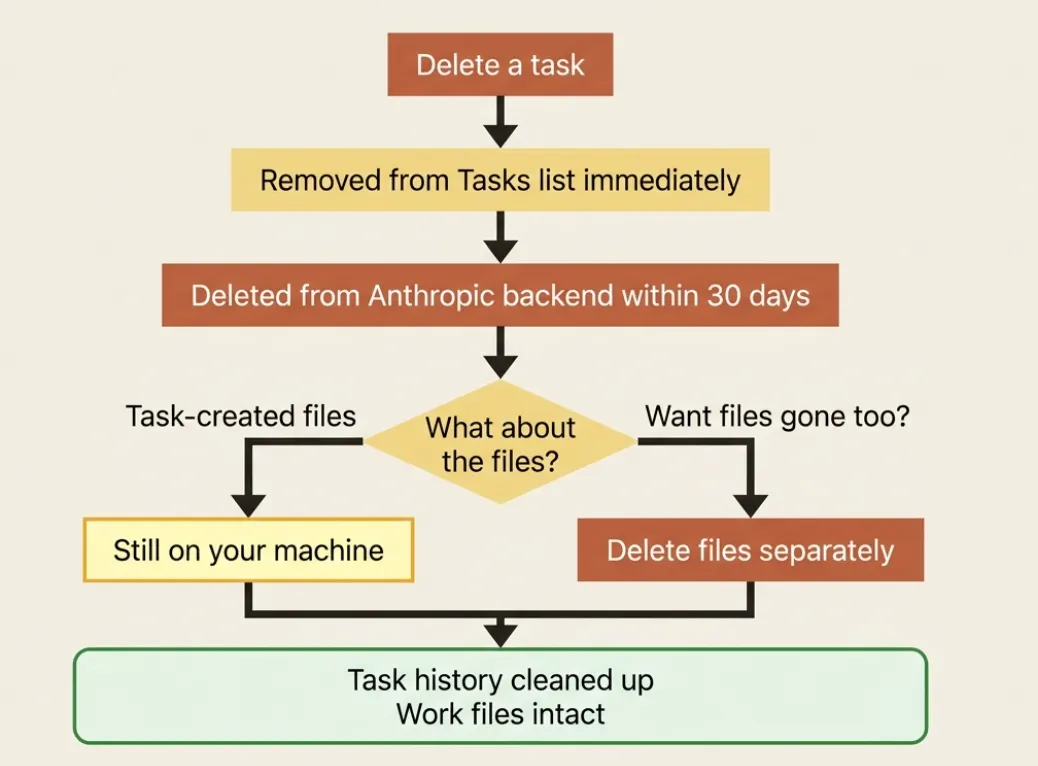
When you delete a Cowork task, it is removed from your task history immediately, and deleted from Anthropic's backend storage when the conversation expires. Files the task created on your machine are not affected. Deleting a task from the list does not delete anything from your filesystem. It only removes the task record from Cowork.
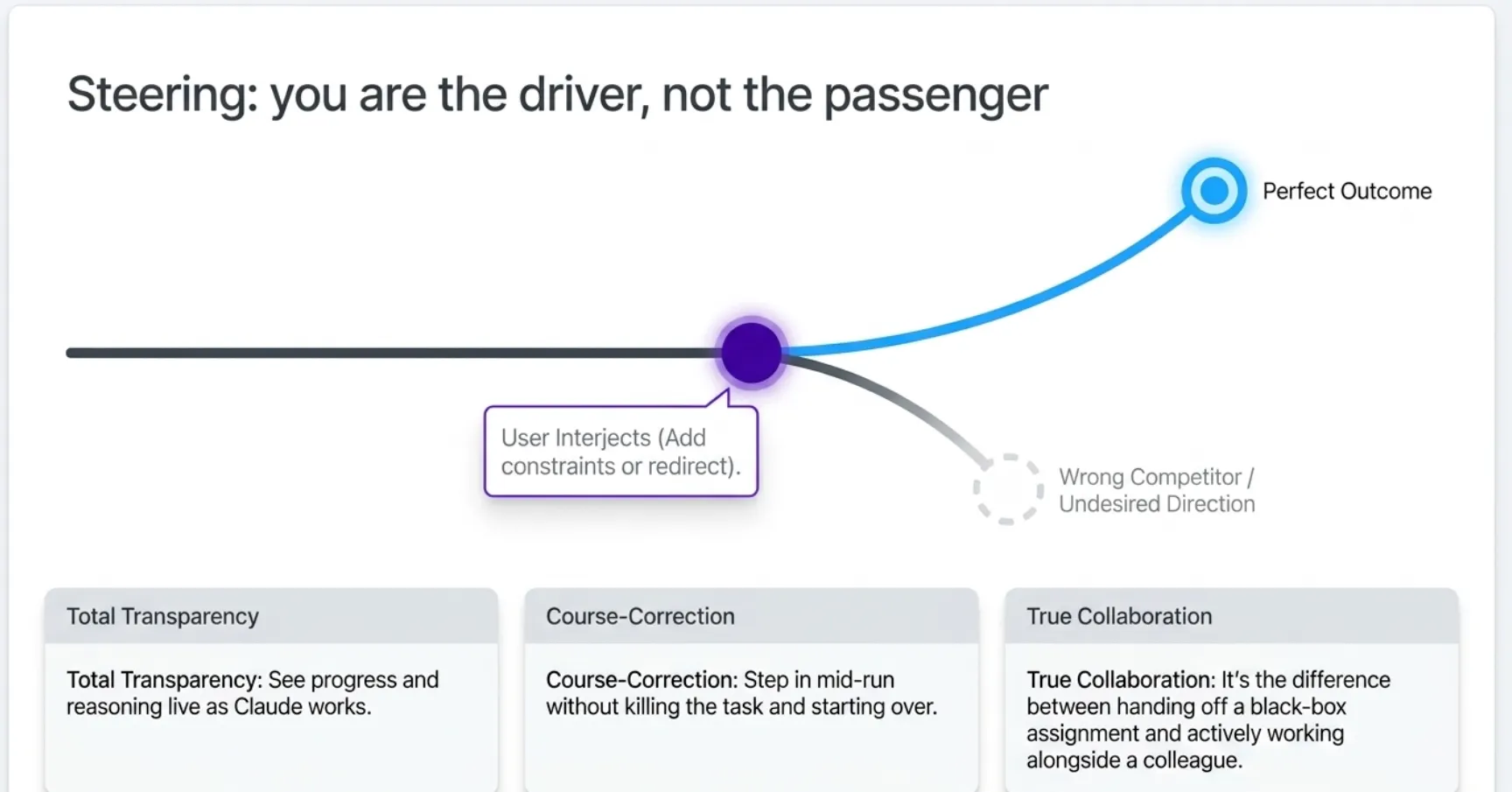
Steering: you are the driver, not the passenger
The second half of this article is about the live task, not the finished one. Throughout a task, Cowork keeps you in the loop in real time. The task log scrolls as the work happens; you can watch every step, and you can intervene at any point.
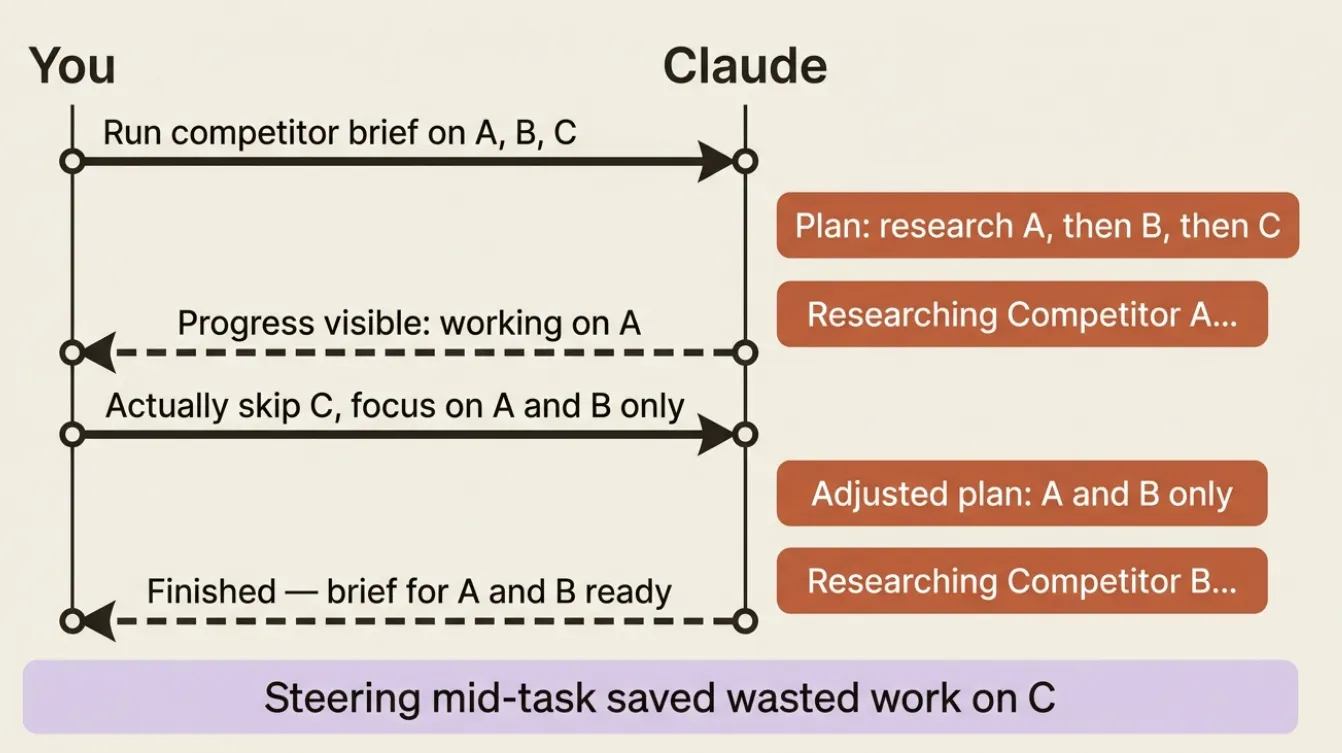
If you watch Claude start researching the wrong competitor, you do not have to kill the task and start over. You tell it to change course. Cowork accepts steering instructions mid-task and adjusts immediately.
This connects directly back to the permission modes. Ask before acting is steering at its most cautious: Claude pauses and asks before each consequential step, which gives you natural intervention points. Ask for important decisions is steering when the stakes are high. Work independently is the mode you use when you have built enough trust that you do not need to watch every step, but you can still interject at any time.
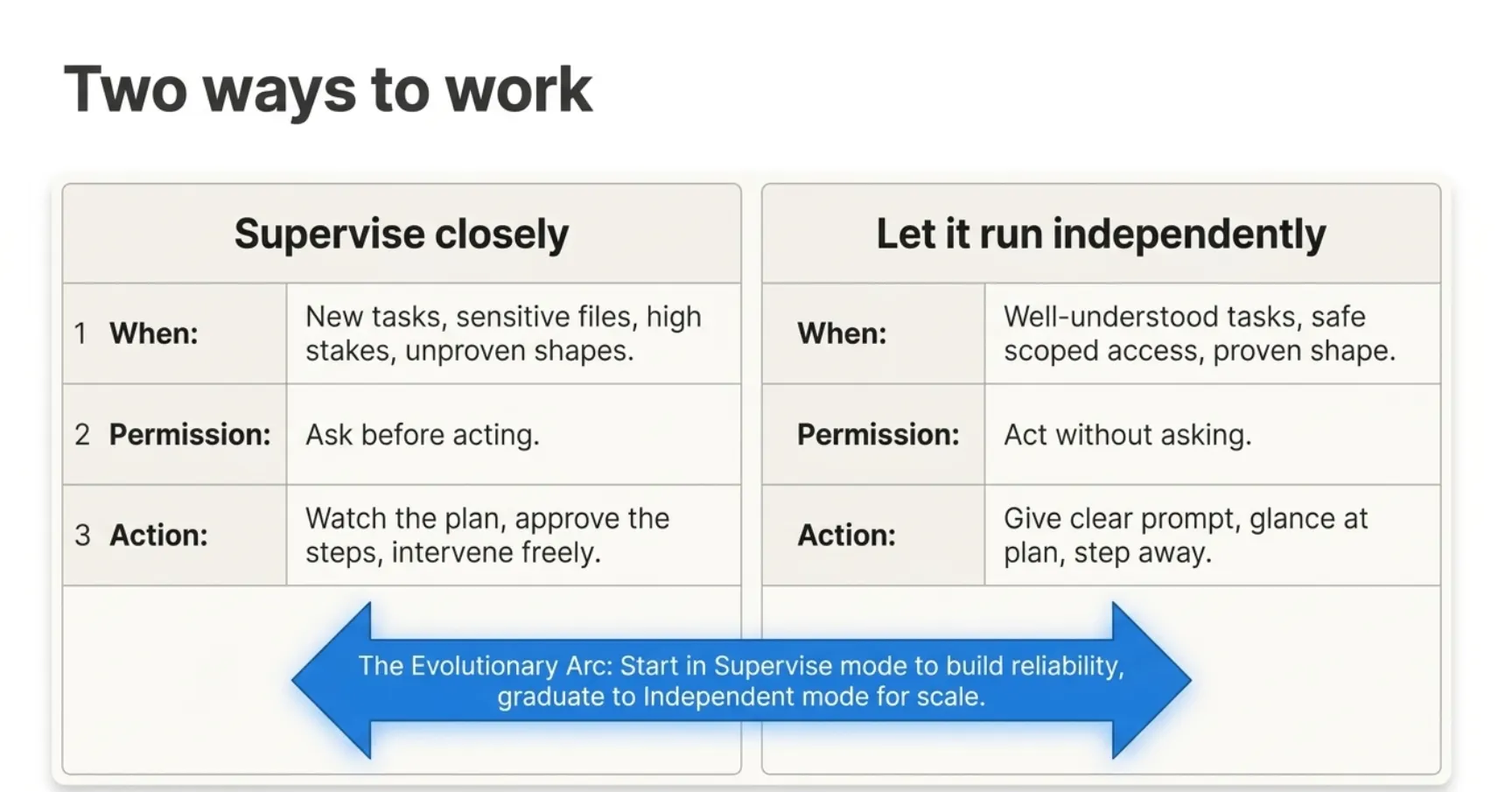
Two ways to work
Cowork supports two legitimate working styles, and good users move between them deliberately.
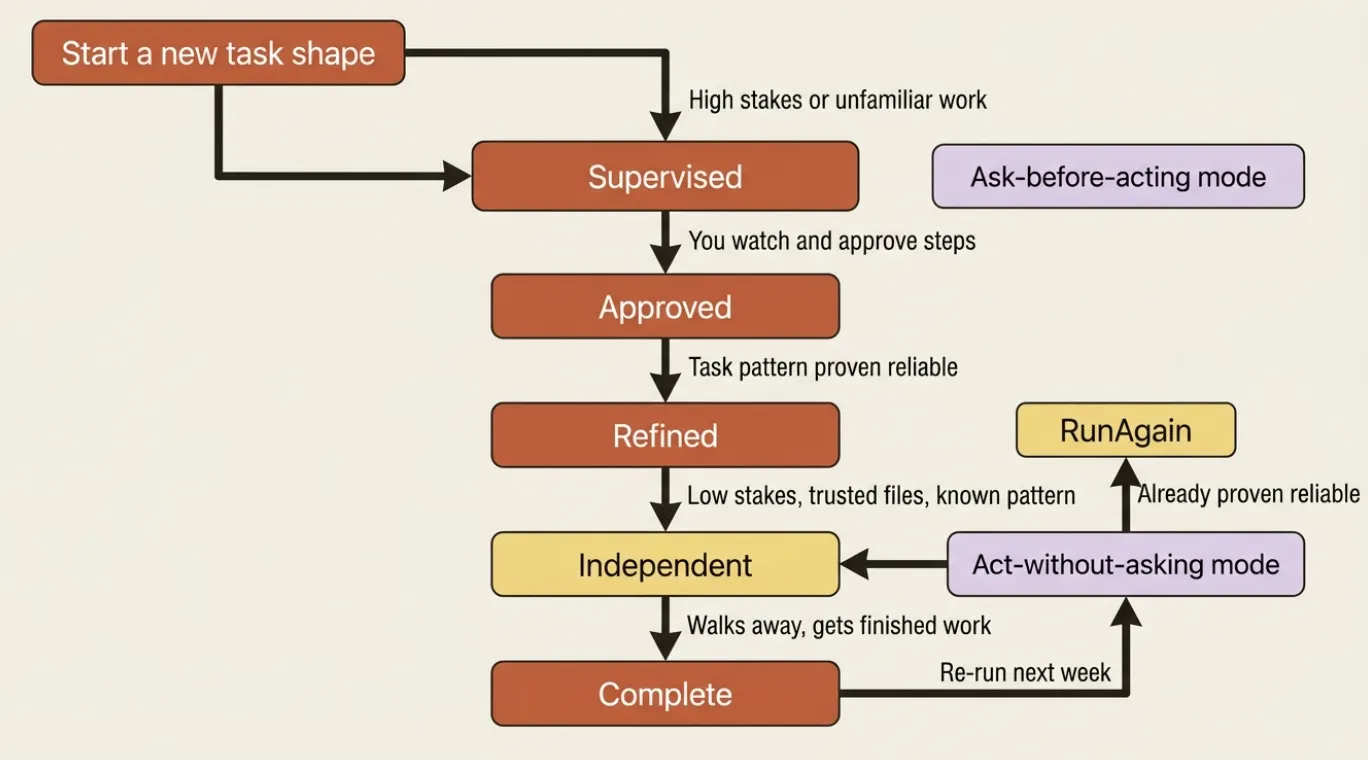
Supervise closely when the task is new, the files are sensitive, the stakes are high, or you simply have not seen Claude do this kind of work yet.
Let it run independently when the task is well-understood, the access is scoped to safe sources, and you have watched the task succeed before.
The progression between them is the arc of getting comfortable with an agent. You start every new kind of task in supervised mode. You move toward independent mode as you verify the behavior. You never go independent on a new task with broad permissions you have not watched closely first.
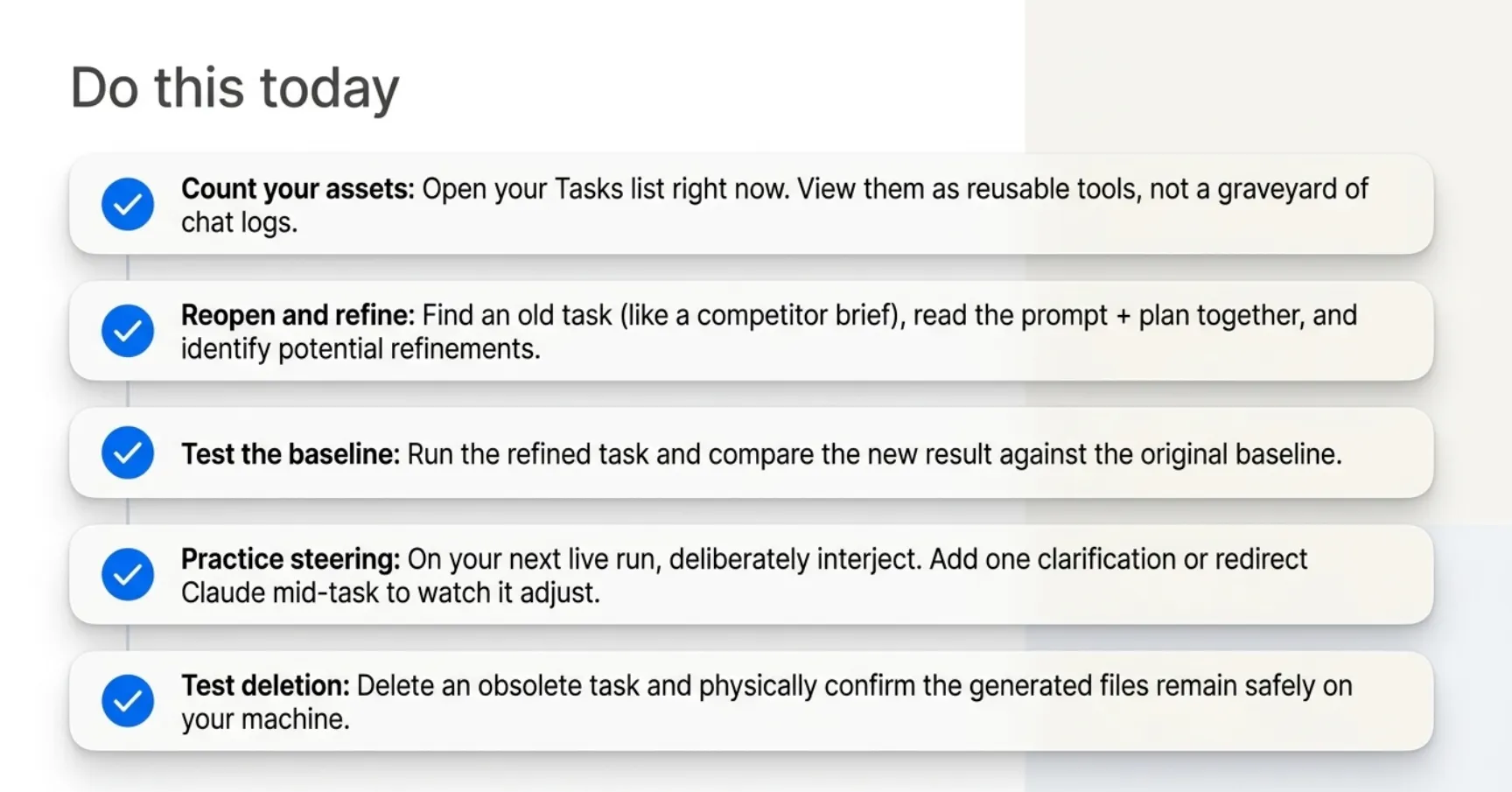
Do this today
- Open your Tasks list right now and count how many tasks you have already run. That is your reusable library. If it is empty, Part 1's competitor brief task is a good first entry.
- Reopen your competitor brief task from the first article. Read the prompt and plan. Identify one thing you would change if you ran it again.
- Run it again, with the refinements. Compare the second result to the first using the diff view.
- Practice mid-task steering deliberately on the next task you run: interject with a redirect before the task finishes and see how Cowork handles it.
- Delete a task you no longer need and confirm that the files it created are still on your machine.
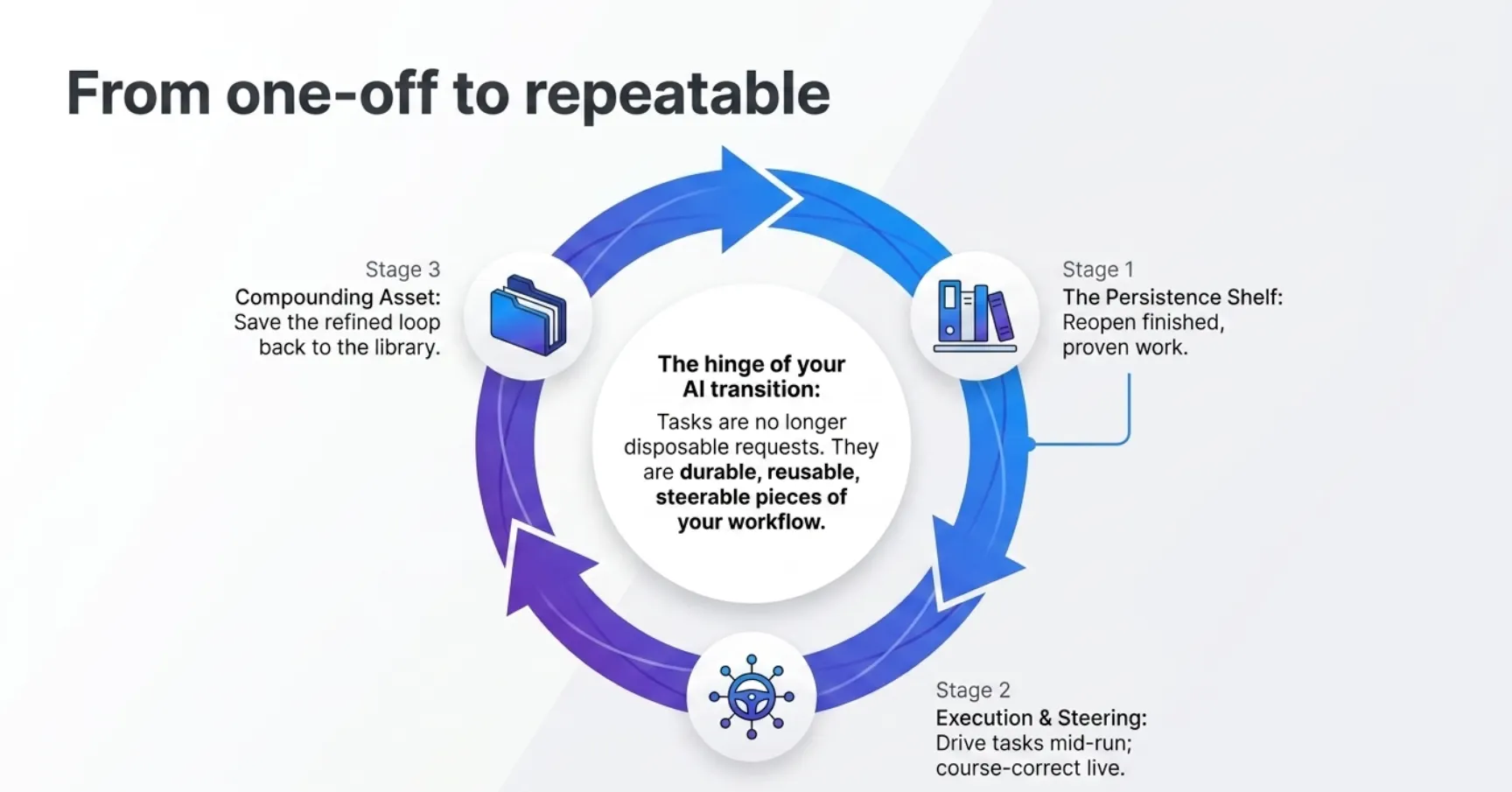
From one-off to repeatable
The shift in this article is subtle but it is the hinge the whole series turns on. For four articles, you have been running tasks. In this article, you stopped running disposable tasks.
A task stopped being a disposable request and became a durable, reusable, steerable piece of your workflow. Everything from here builds on that: scheduling, chaining, custom instructions, parallel work. None of it lands unless you treat tasks as persistent assets.
This is Part 5 of "Getting Real Work Done with Claude Cowork," a 12-part guide to using Claude Cowork for real knowledge work.
About the Author: Rick Hightower, Claude Certified Architect
Rick Hightower helps companies become AI-first through practical mentoring, executive and team training, and custom AI systems.
Subscribe to Rick's newsletter to see videos and guides.
Rick is a Claude Certified Architect, AI systems practitioner, and builder of production multi-agent systems. He is currently building Spillwave, an AI-first consulting company.
Today, Rick and the Spillwave team works with leaders and teams who want to move beyond AI experiments and build real AI systems that deliver.
Ready to make your company AI-first? Connect with Rick on LinkedIn, Substack, or Medium.