Git Worktree Isolation in Claude Code: Parallel Development Without the Chaos
Originally published on Medium.
One flag gives Claude its own branch, its own files, and zero merge conflicts.
Claude Code's --worktree flag spins up isolated git worktrees for parallel development. Run multiple Claude sessions on the same repo without file conflicts. Subagents can declare isolation in frontmatter for automatic worktree creation.
Running two Claude sessions on the same repo used to mean merge conflicts. The
--worktreeflag fixes that with one command.
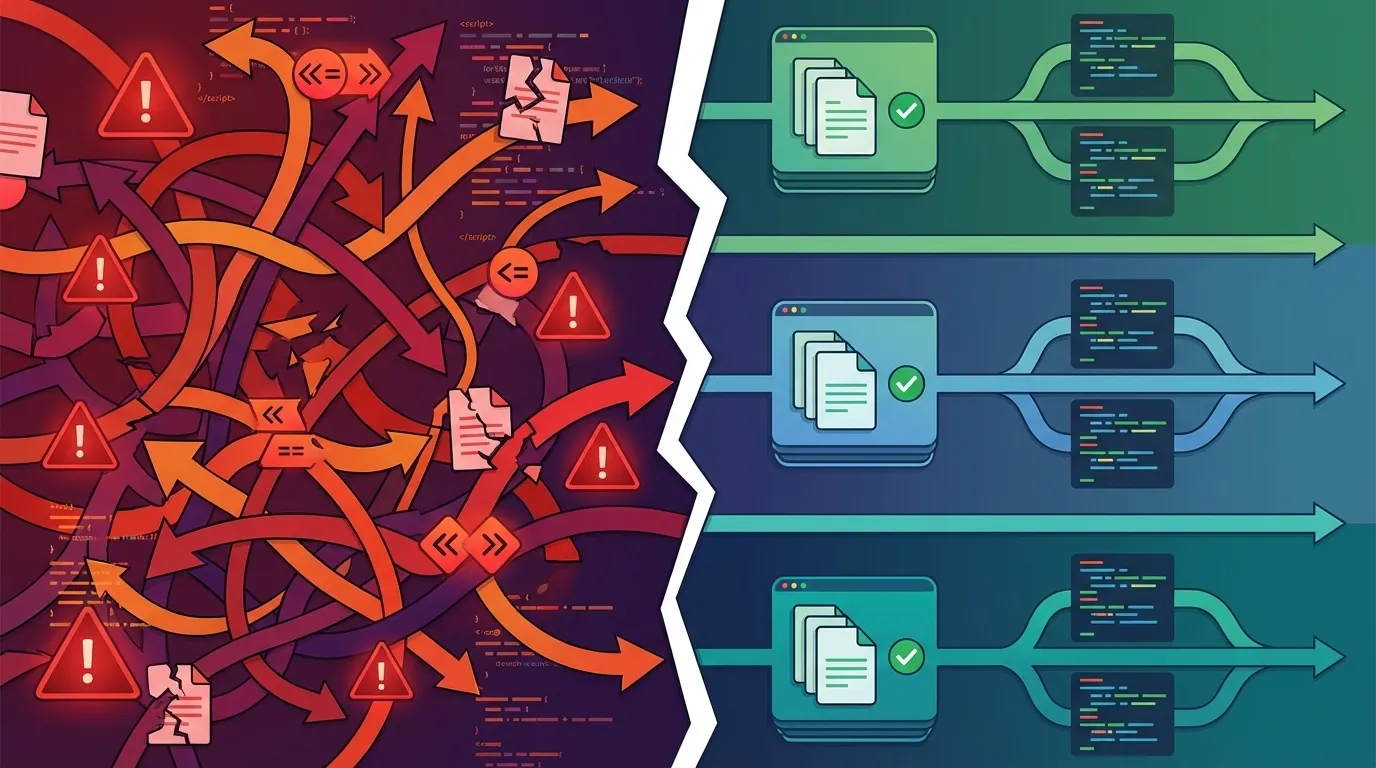
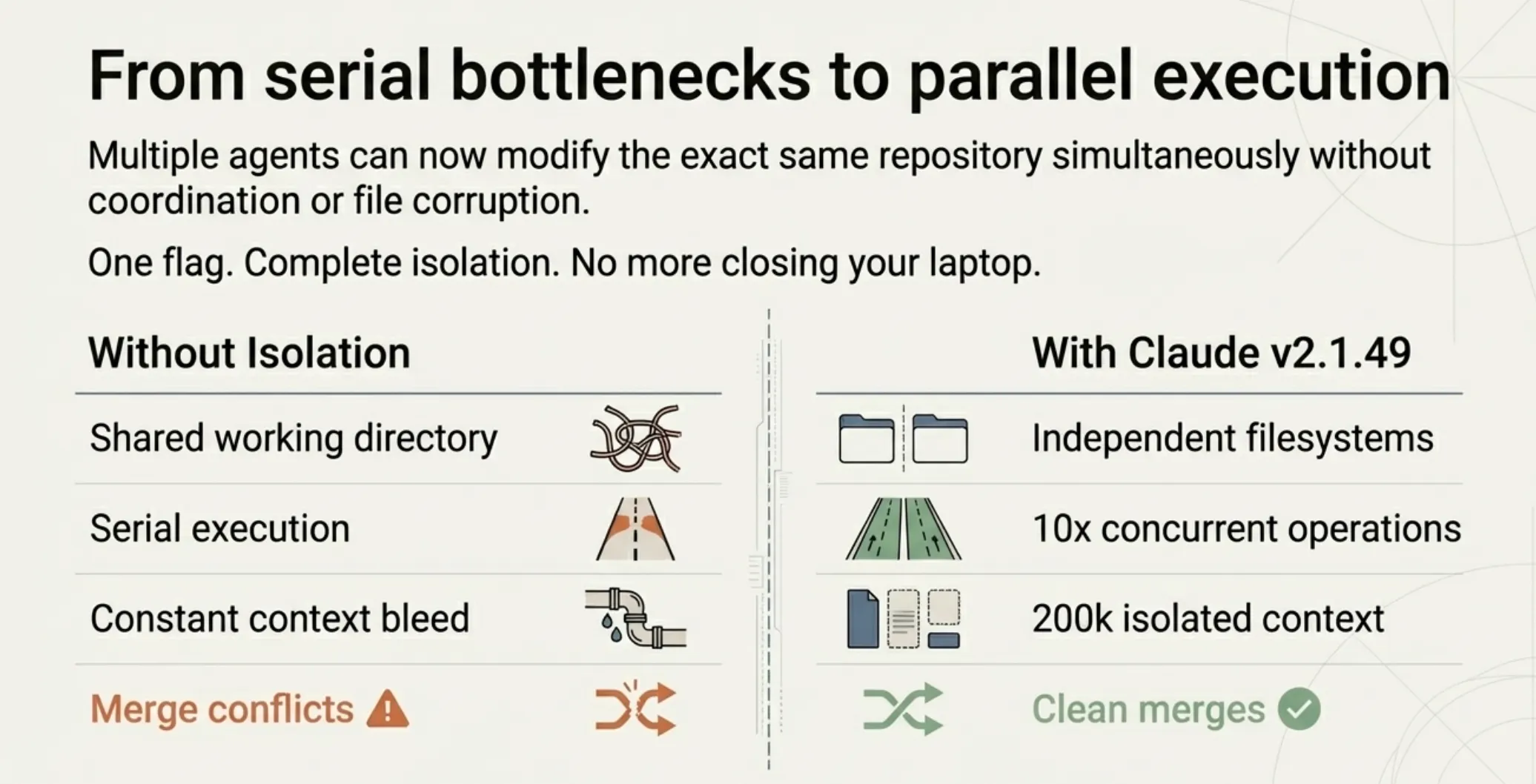
You are fixing a bug on the main branch when a client pings you about an urgent feature request. You want Claude to start on it immediately, but Claude is already mid-session in your current codebase. If you start a second session, both Claudes will be editing the same files. Merge conflicts. Overwritten changes. The kind of mess that makes you close your laptop and go for a walk.
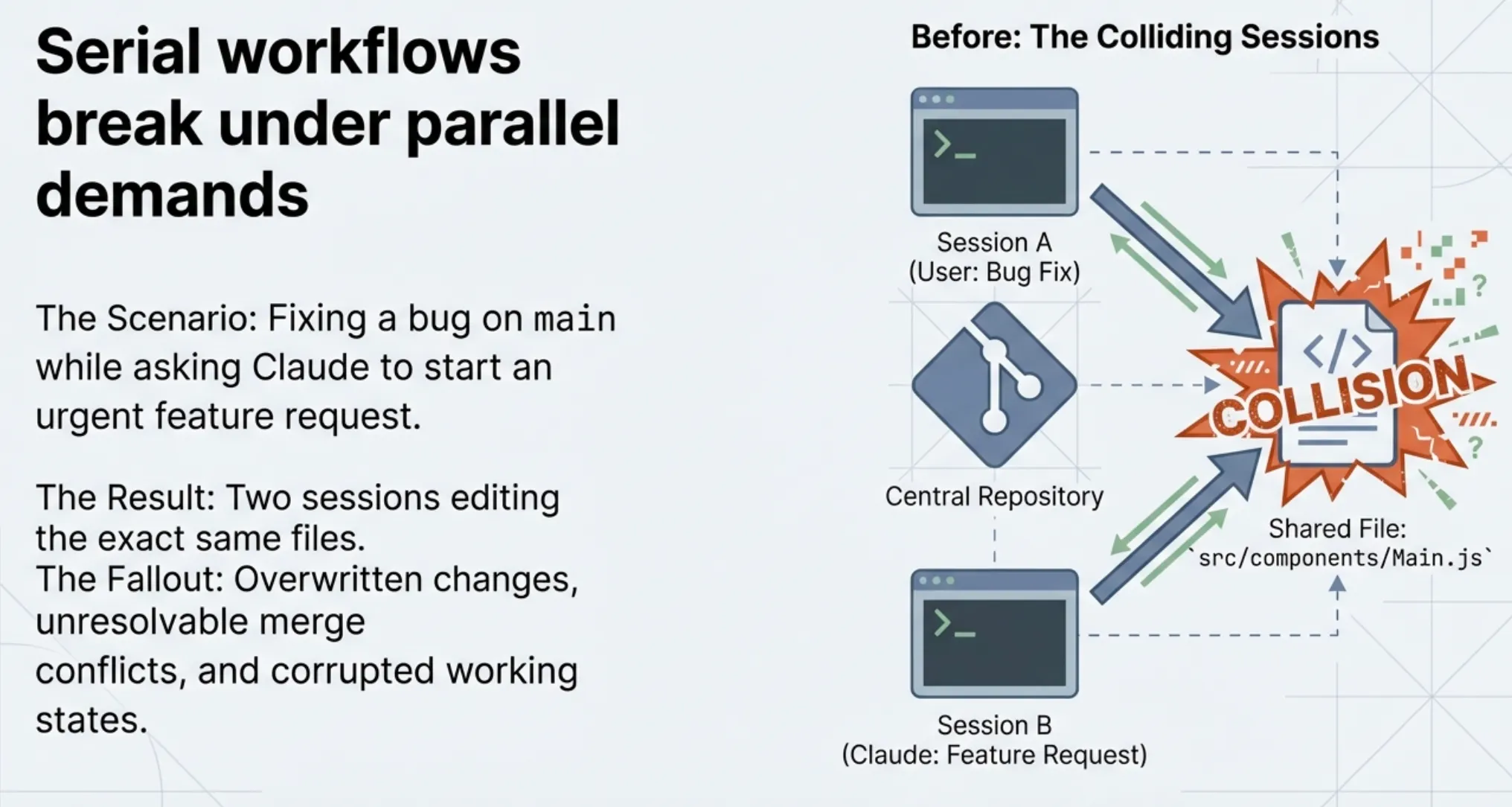
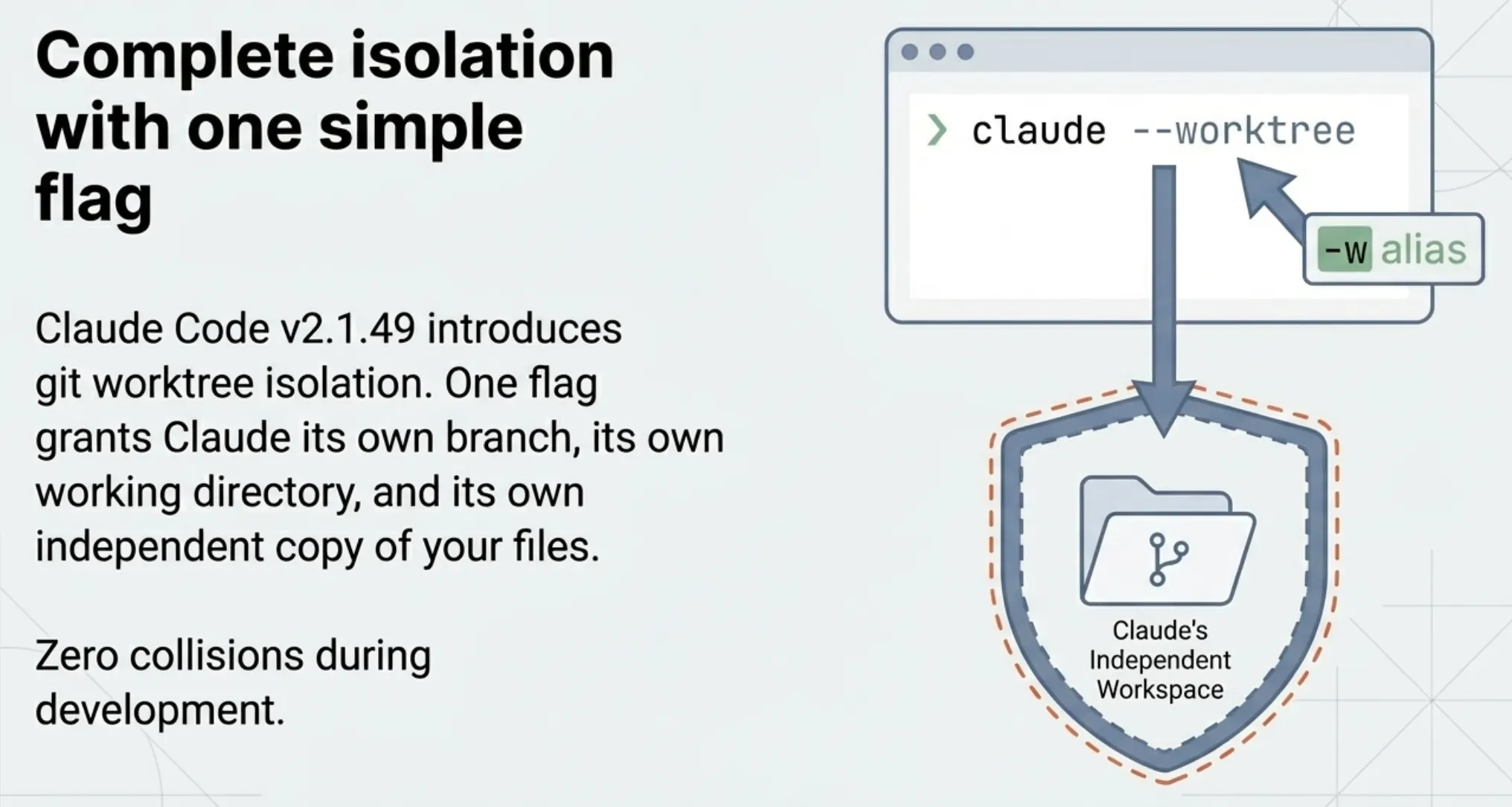
Claude Code v2.1.49 solves this with git worktree isolation. One flag gives Claude its own branch, its own working directory, and its own independent copy of your files. No collisions. No merge conflicts during development. You can run multiple Claude sessions in parallel, each working on different tasks in complete isolation.
This article covers how worktree isolation works, when to use it, and the details that matter when you start running parallel Claude workflows.
What Git Worktrees Actually Are
Before diving into Claude Code's implementation, a quick primer on git worktrees for anyone unfamiliar.
A git worktree is a linked working directory that shares the same repository history. Instead of cloning the repo a second time (which duplicates the entire git object store), a worktree creates a lightweight checkout pointing back to the original repository. It gets its own branch, its own staged files, and its own working directory; the commit history, remotes, and object database are shared.
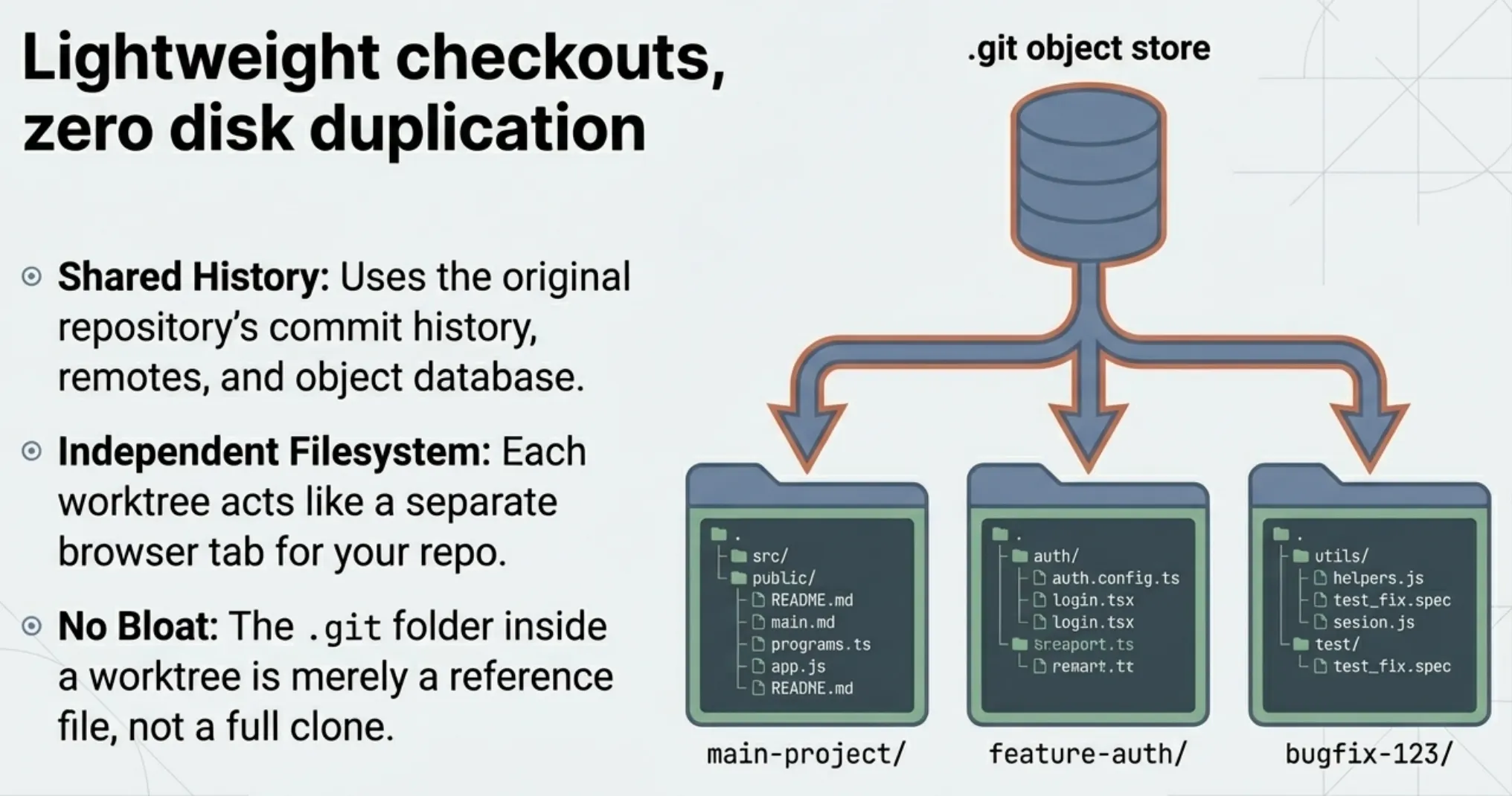
Think of it as having multiple browser tabs open to different branches of the same repo, except each tab has its own filesystem.
repo/                          # Main worktree (main branch)
├── .git/                      # Full git database
├── src/
└── ...

repo/.claude/worktrees/
├── feature-auth/              # Worktree 1 (worktree-feature-auth branch)
│   ├── .git                   # Lightweight reference to main .git
│   ├── src/
│   └── ...
└── bugfix-123/                # Worktree 2 (worktree-bugfix-123 branch)
    ├── .git
    ├── src/
    └── ...
The .git inside each worktree is a reference file, not a full copy. No disk duplication of history occurs.
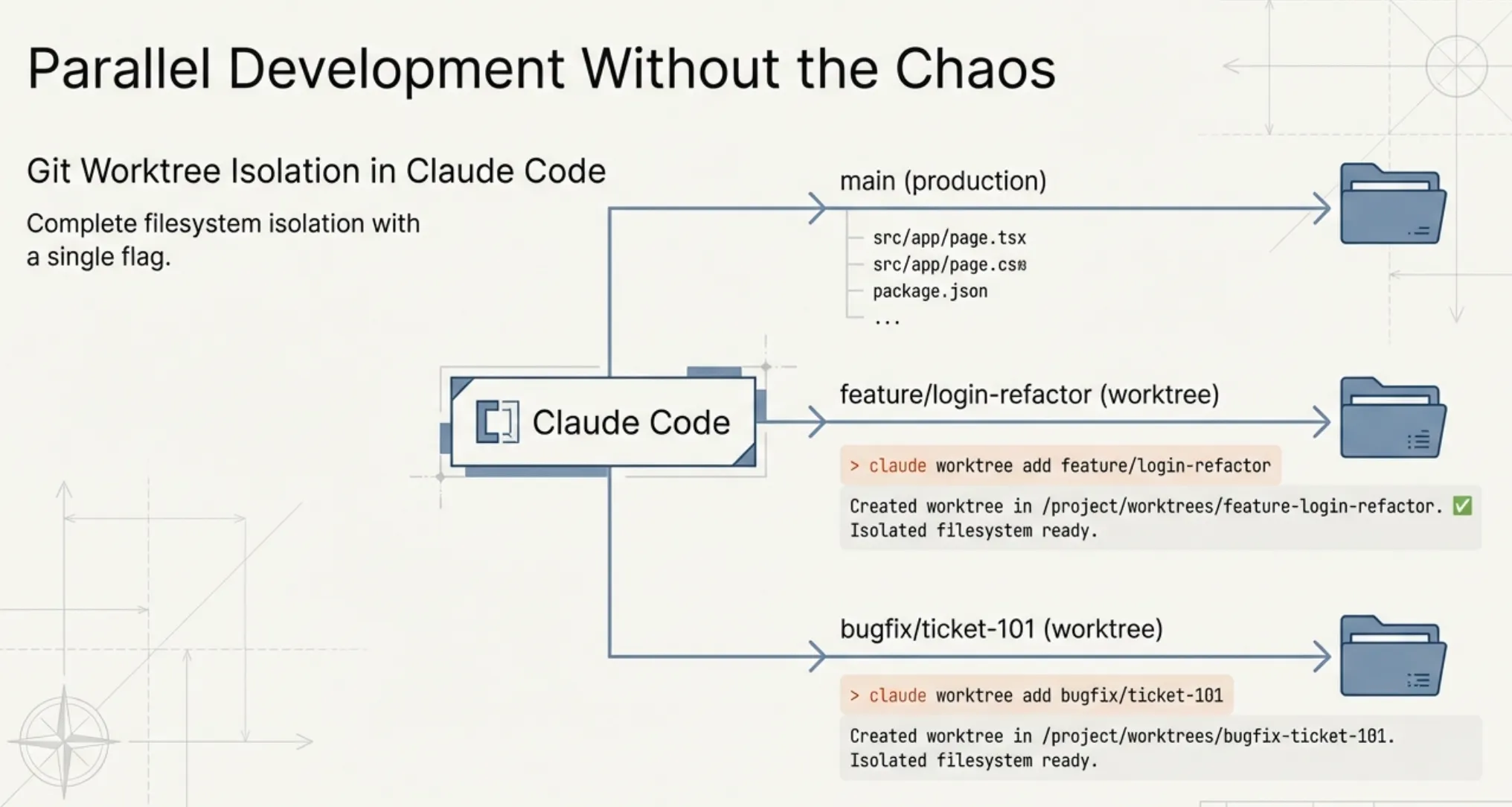
The -- worktree Flag
The simplest way to use worktree isolation is the --worktree flag (or its short alias -w):
claude --worktree feature-auth

# Short alias
claude -w bugfix-123

# Auto-generated name (e.g., "bright-running-fox")
claude --worktree
When you run this, Claude Code:
- Creates a new directory at
.claude/worktrees/<name>/ - Creates a new branch named
worktree-<name>fromorigin/main - Checks out the repository into that directory
- Starts a Claude session inside the isolated worktree
You now have a completely independent workspace. Edit files, run tests, install packages; nothing touches your main branch until you merge.
Branch Naming
The branch naming follows a predictable pattern:
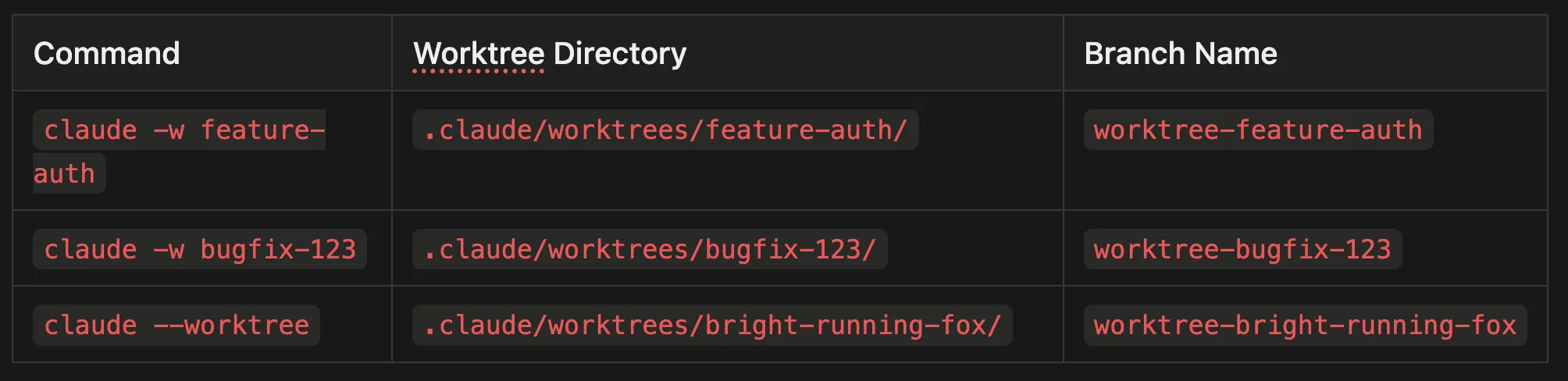
claude -w feature-authcreates.claude/worktrees/feature-auth/and branchworktree-feature-authclaude -w bugfix-123creates.claude/worktrees/bugfix-123/and branchworktree-bugfix-123claude --worktreecreates.claude/worktrees/bright-running-fox/and branchworktree-bright-running-fox
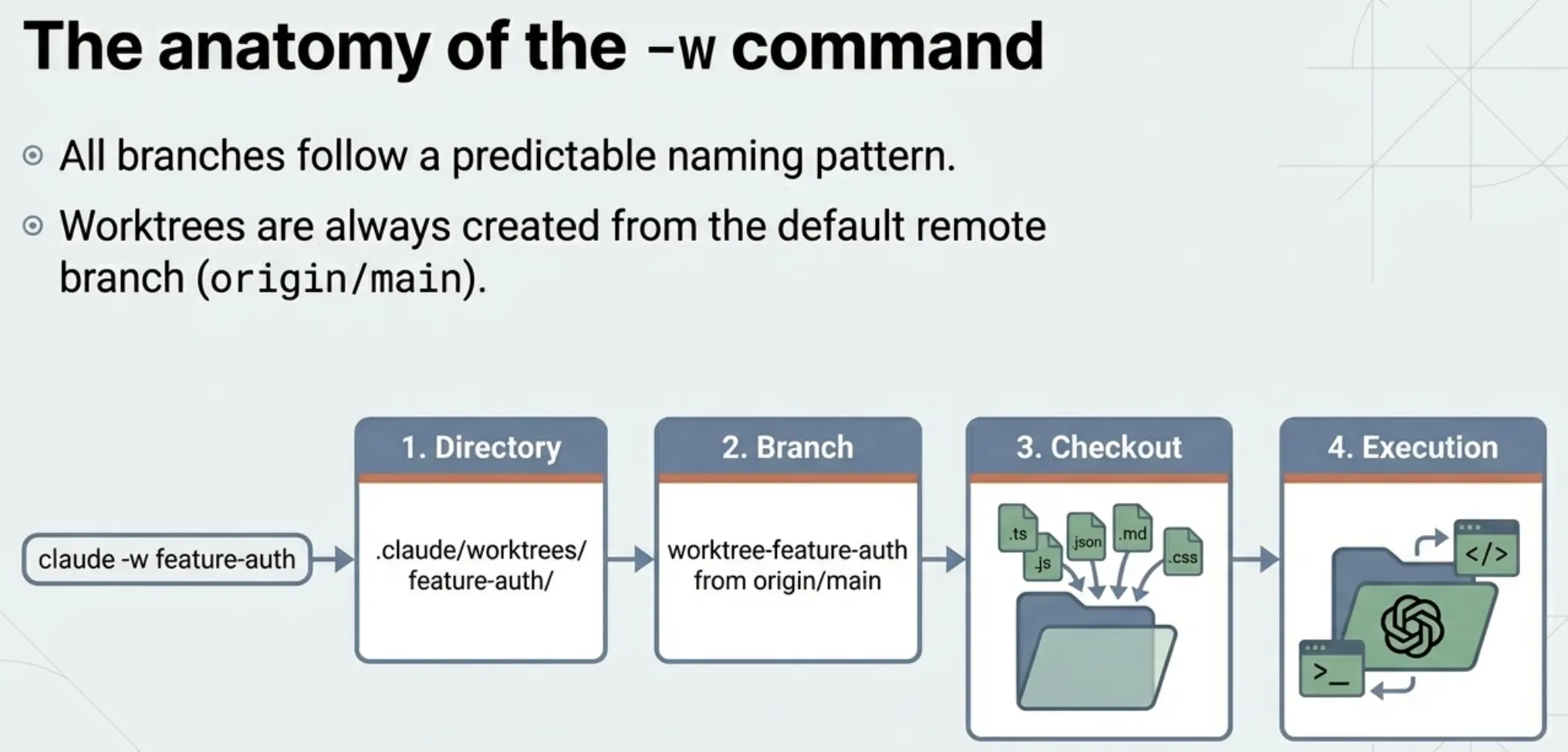
All branches are created from the default remote branch, typically origin/main.
Cleanup: What Happens When You Are Done
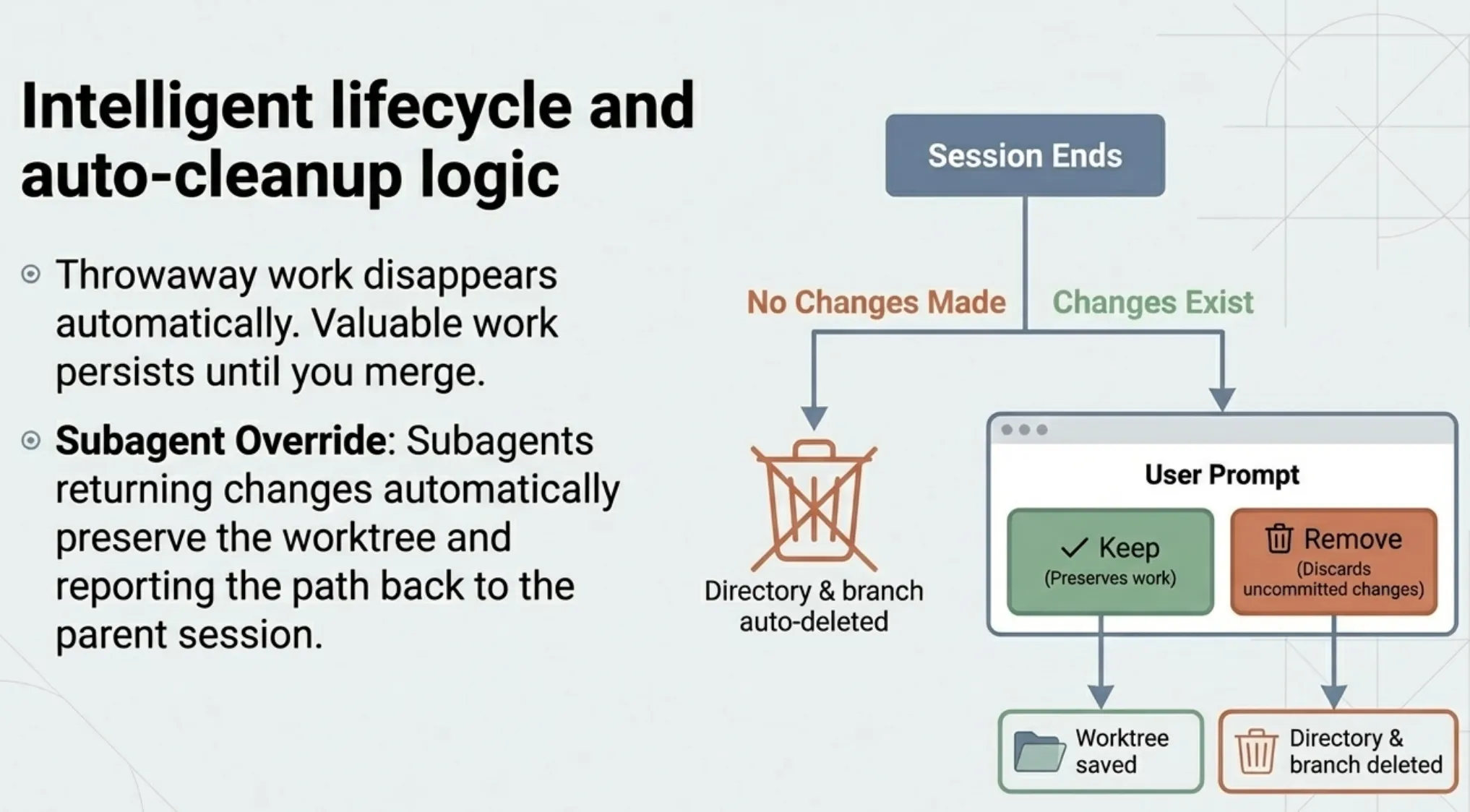
Worktree cleanup depends on whether changes were made:
No changes made: The worktree directory and branch are automatically removed. No manual cleanup needed.
Changes exist (CLI session): Claude prompts you with two options: Keep (preserves the directory and branch for later) or Remove (deletes the directory, branch, and discards uncommitted changes).
Subagent with no changes: Auto-cleaned immediately.
Subagent with changes: The worktree is preserved. Claude reports the path and branch name so you can review, merge, or discard later.
This automatic cleanup is a practical design choice. Worktrees that produce nothing useful disappear without cluttering your filesystem. Worktrees with actual work stick around until you decide what to do with them.
Manual Cleanup
If you need to clean up worktrees yourself:
# List all active worktrees
git worktree list

# Remove a specific worktree
git worktree remove .claude/worktrees/feature-auth --force

# Delete the associated branch
git branch -D worktree-feature-auth
Add .claude/worktrees/ to your .gitignore to prevent worktree contents from appearing as untracked files.
Subagent Isolation: The Real Power
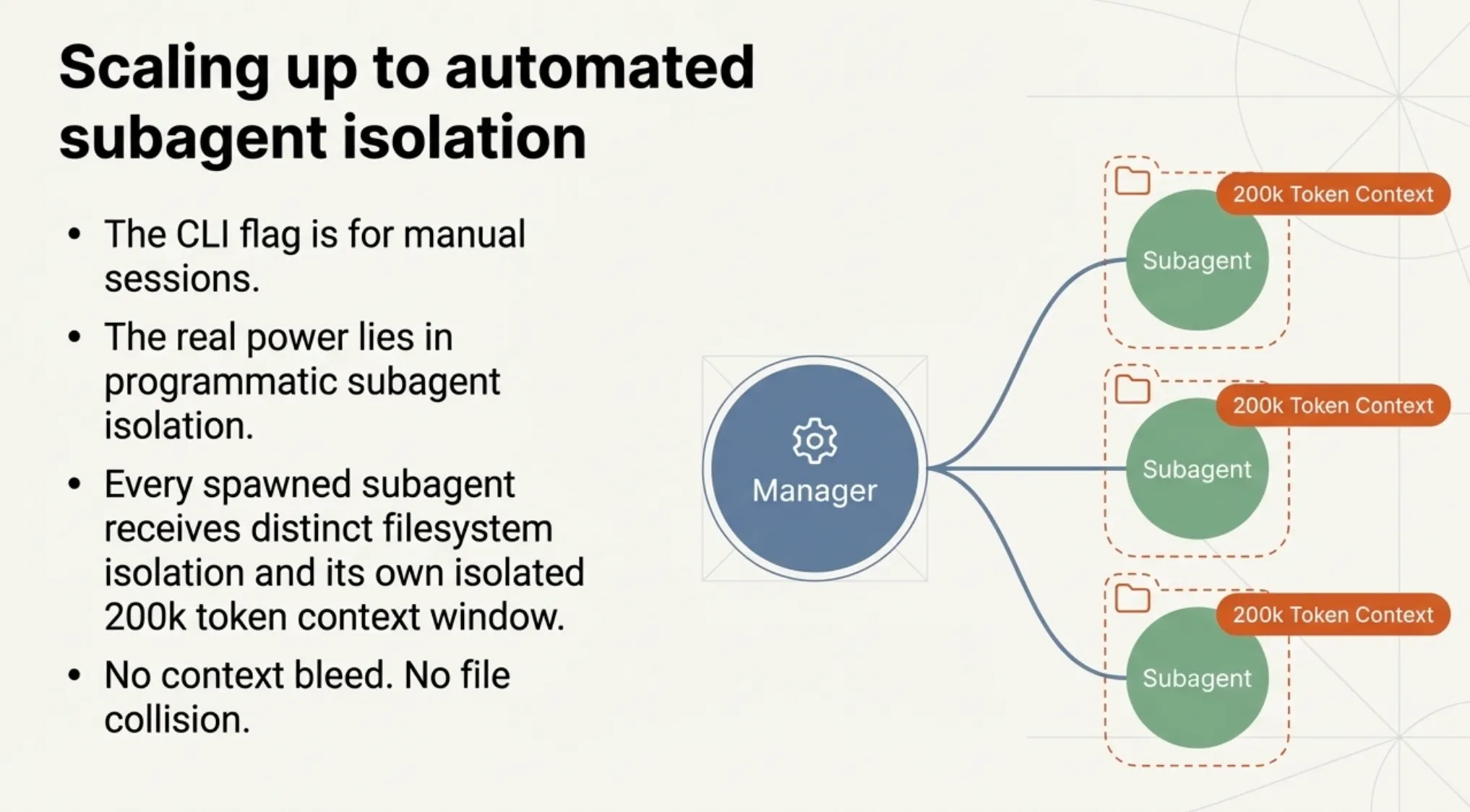
The --worktree flag is useful for manual parallel sessions, but the real power comes from subagent isolation. When Claude spawns subagents via the Task tool, each subagent can run in its own worktree automatically.
Declaring Isolation in Frontmatter
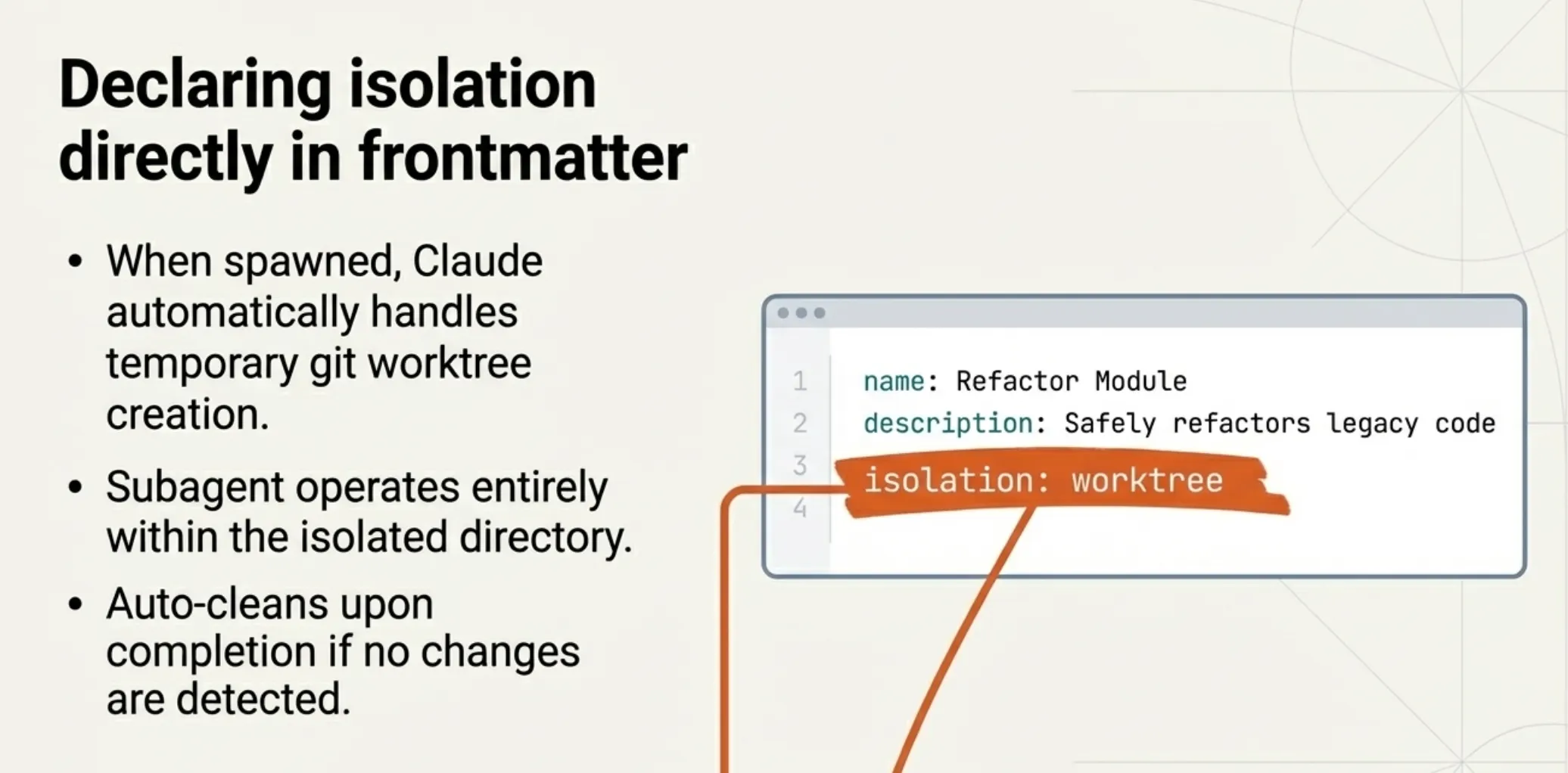
Skills and agents can declare worktree isolation in their frontmatter:
---
name: frontend-developer
description: Builds frontend components in isolation
model: haiku
isolation: worktree
tools: Read, Write, Edit, Bash
---

You are a frontend developer. Work in your isolated worktree to build the
requested components.
When this subagent is spawned, Claude Code automatically:
- Creates a temporary git worktree
- Starts the subagent in that isolated directory
- Gives the subagent its own 200k token context window
- Cleans up the worktree if no changes were made
The subagent has both context isolation (separate 200k token window) and filesystem isolation (separate working directory and branch). Neither file changes nor context bleed between parallel subagents.
The Task Tool's Isolation Parameter
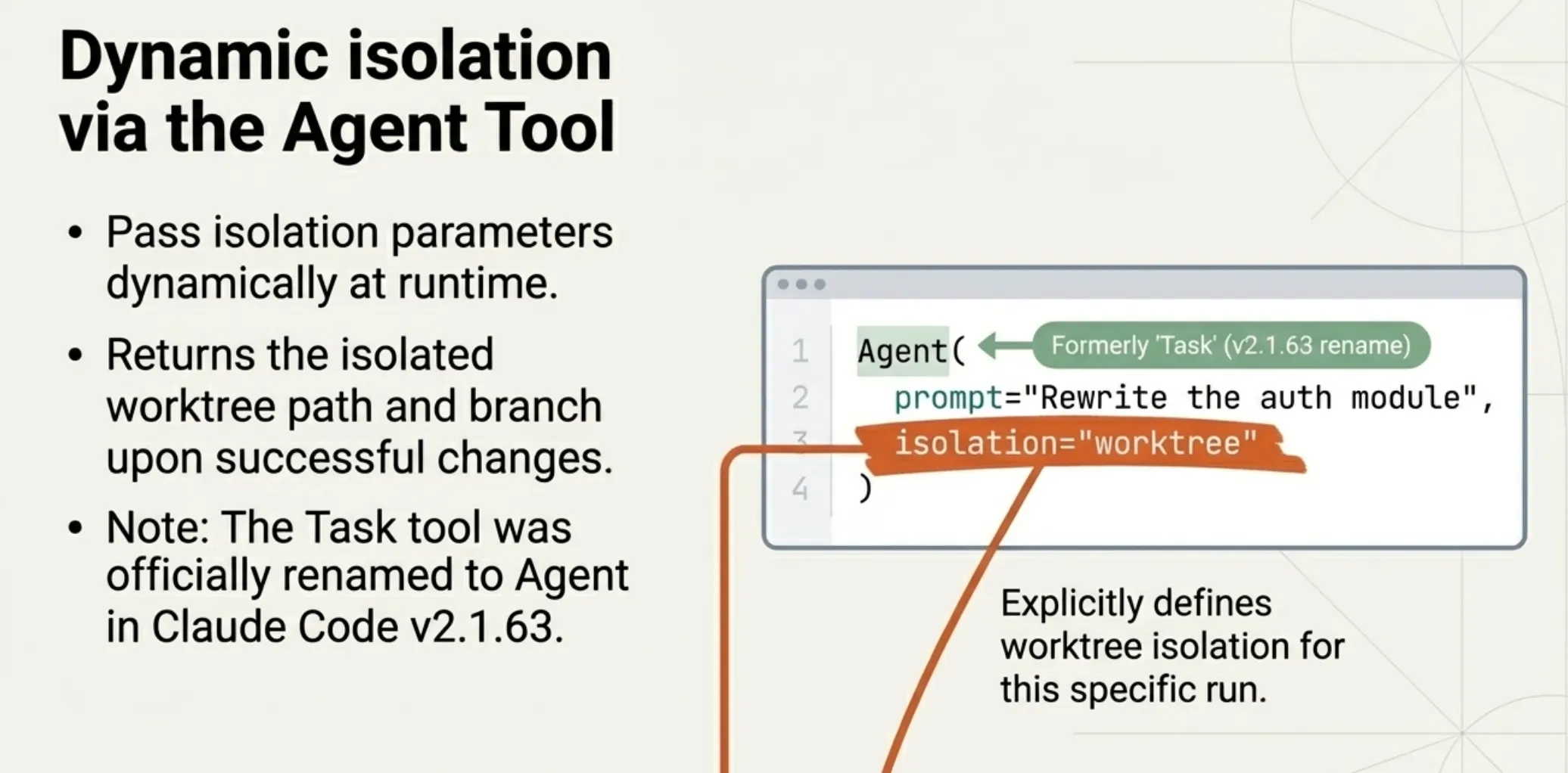
You can also request worktree isolation directly when spawning a subagent through the Task tool:
isolation: "worktree"
This creates a temporary git worktree so the agent works on an isolated copy of the repository. The worktree is automatically cleaned up if the agent makes no changes; if changes are made, the worktree path and branch are returned in the result.
Parallel Development Workflows
Multiple Terminal Sessions
The most straightforward pattern: open multiple terminals, each running Claude in its own worktree.
# Terminal 1: Feature development
claude --worktree feature-login

# Terminal 2: Bug fix concurrently
claude -w bugfix-ui

# Terminal 3: Refactoring
claude -w refactor-auth
Each session is completely independent. Claude in Terminal 1 can rewrite the entire auth module while Claude in Terminal 2 fixes a CSS bug, and neither will interfere with the other.
Subagent Parallelism
For more advanced workflows, ask Claude to spawn multiple subagents, each in its own worktree:
Spawn 5 agents to generate different landing page variants,
each in its own worktree.
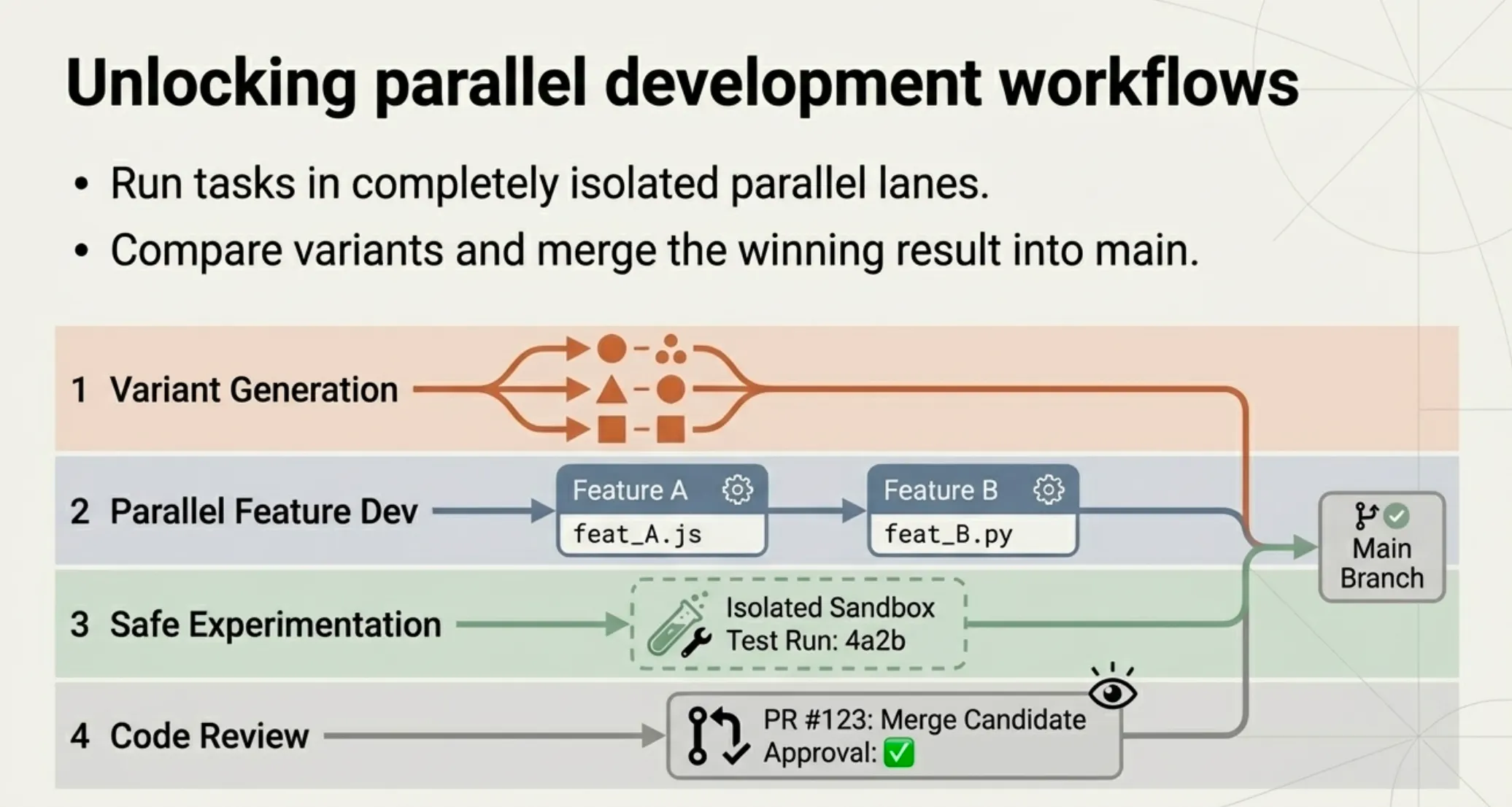
Claude creates five isolated worktrees, runs five subagents in parallel, and reports back the results. You can then compare the variants and merge the best one.
This pattern is particularly powerful for:
- Variant generation: Generate multiple approaches to the same problem and pick the best
- Parallel feature development: Build feature A and feature B simultaneously
- Safe experimentation: Try a risky refactor in a throwaway worktree without touching your working branch
- Code review isolation: Review and test changes in an isolated environment
Concurrency Limits
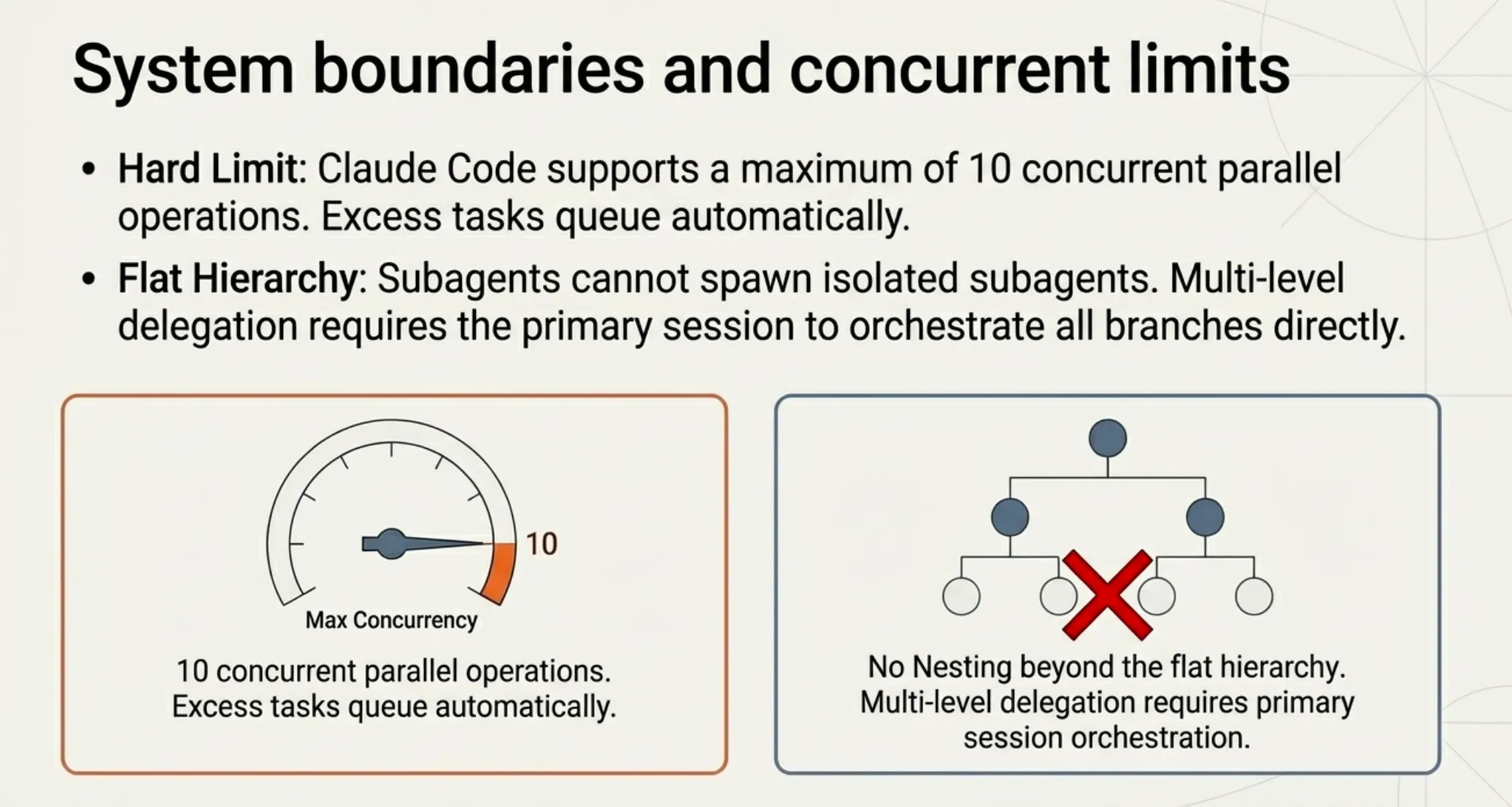
Claude Code supports up to 10 concurrent parallel operations. Additional tasks are queued and executed as slots become available. For most workflows, 10 parallel worktrees is more than enough.
Custom Version Control with Hooks
Git worktrees are a git-specific feature, but not everyone uses git. Claude Code supports custom version control systems through the WorktreeCreate and WorktreeRemove hooks.
WorktreeCreate Hook
This hook fires whenever a worktree is created (via --worktree or isolation: worktree). When configured, it replaces the default git behavior entirely.
The hook must:
- Read the
namefield from stdin (JSON) - Create the working directory
- Print the absolute path to the created directory on stdout
- Return exit code 0 on success (non-zero fails creation)
{
  "hooks": {
    "WorktreeCreate": [
      {
        "hooks": [
          {
            "type": "command",
            "command": "bash -c 'NAME=$(jq -r .name); DIR=\"$HOME/.claude/worktrees/$NAME\"; svn checkout <https://svn.example.com/repo/trunk> \"$DIR\" >&2 && echo \"$DIR\"'"
          }
        ]
      }
    ]
  }
}
WorktreeRemove Hook
Fires when a worktree is being removed. Unlike WorktreeCreate, this hook cannot block removal; it is for cleanup tasks like archiving changes or removing version control state.
These hooks enable worktree isolation for SVN, Perforce, Mercurial, or any other version control system.
What to Watch Out For
Dependencies Are Not Shared
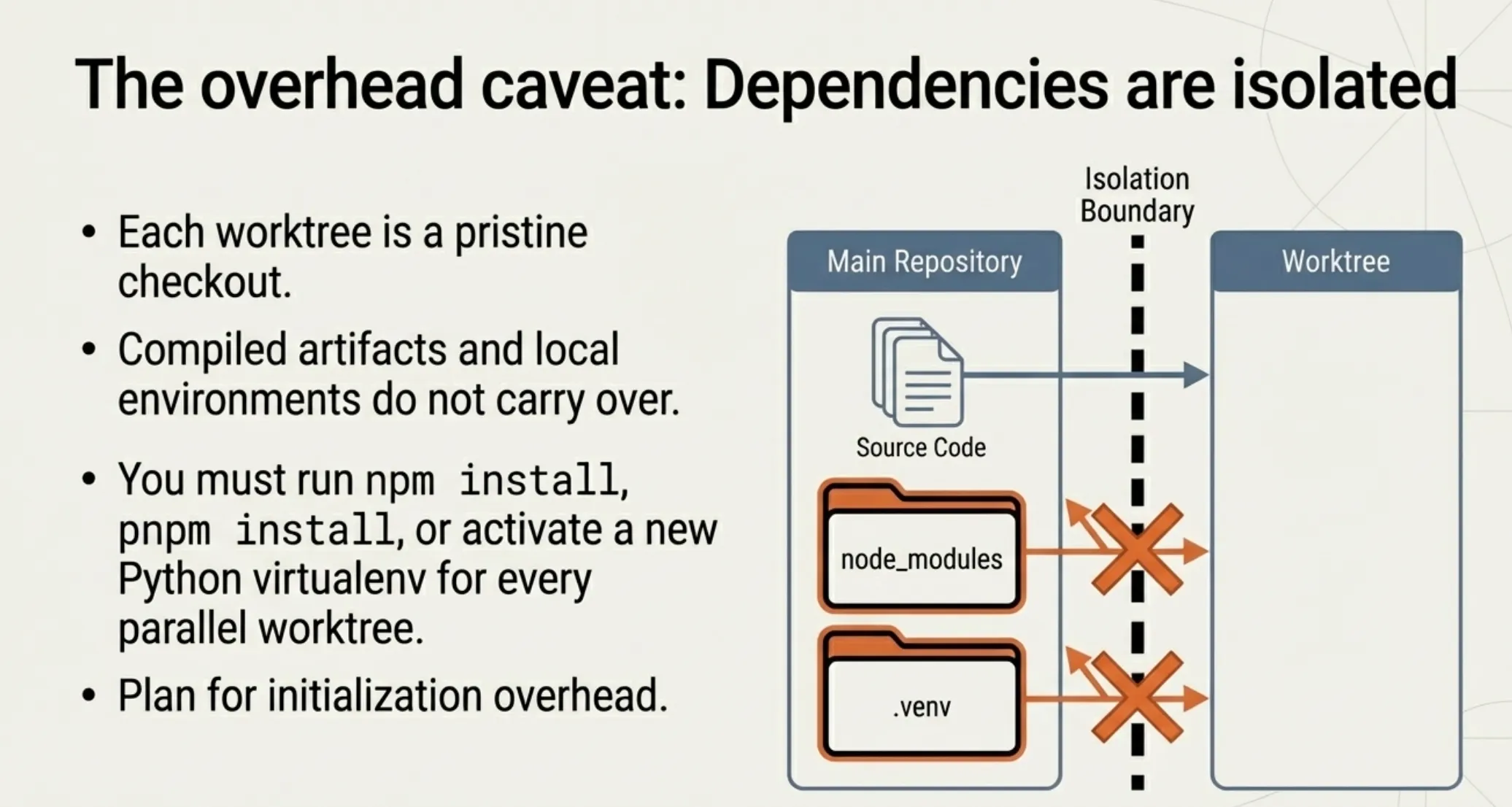
Each worktree is a fresh checkout. Your node_modules, Python virtualenvs, compiled artifacts, and other installed dependencies do not carry over. If your project requires a setup step, each worktree needs to run it independently.
For JavaScript projects, this means running npm install or pnpm install in each worktree. For Python projects, create and activate a new virtualenv. Plan for this overhead when running multiple parallel worktrees.
No Nested Worktree Isolation
Subagents cannot spawn their own subagents. This means you cannot create nested layers of worktree isolation. If your workflow requires multi-level delegation, structure it so the main conversation orchestrates all subagents directly.
Worktree Hooks Are Limited
Both WorktreeCreate and WorktreeRemove hooks only support type: "command". HTTP hooks and prompt hooks are not available for these events. Neither hook supports matchers; they fire on every worktree operation.
The Task Tool Was Renamed
In v2.1.63, the Task tool was renamed to Agent. The old Task(...) syntax still works as an alias, but new agent definitions should use the current naming.
Practical Tips
Use Descriptive Worktree Names
Name your worktrees after the task, not the date or a random label. claude -w fix-auth-redirect is more useful than claude -w task-1 when you come back to review branches later.
Add Worktrees to .gitignore
Add .claude/worktrees/ to your .gitignore file. Without this, git will show the entire worktree contents as untracked files in your main working directory, which creates noise in git status output.
Resume Worktree Sessions
The session picker (/resume or claude --resume) shows sessions from the same git repository, including sessions that ran inside worktrees. You can resume a previous worktree session and return to exactly where you left off.
Start Simple
If you have never used worktrees before, start with a single claude -w feature-name session. Get comfortable with the workflow before jumping to multi-subagent parallel patterns. The basics are simple; the advanced patterns build naturally from there.
The Bottom Line
Git worktree isolation removes the biggest friction point in parallel Claude development: file conflicts. Before this feature, running two Claude sessions on the same repo was a recipe for overwritten changes and merge conflicts. You had to serialize your work, doing one thing at a time even when the tasks were completely independent.
Now you spin up isolated worktrees with a single flag. Each Claude session gets its own branch and its own files. Subagents can declare isolation in their frontmatter and run in parallel without coordination. The cleanup is automatic for throwaway work, and the worktrees persist when they contain useful changes.
For solo developers, this means you can fix a bug while Claude builds a feature. For teams, it means multiple agents can work on different parts of the codebase simultaneously without stepping on each other. For anyone running complex workflows with subagents, it means true parallel execution with filesystem isolation.
One flag. Complete isolation. No more closing your laptop.
Claude Code worktree documentation: code.claude.com/docs/en/sub-agents. Worktree isolation requires Claude Code v2.1.49 or later.
About the Author
Rick Hightower is a technology executive and data engineer who led ML/AI development at a Fortune 100 financial services company. He created skilz, the universal agent skill installer, supporting 30+ coding agents including Claude Code, Gemini, Copilot, and Cursor, and co-founded the world's largest agentic skill marketplace. Connect with Rick Hightower on LinkedIn or Medium. Rick has been doing active agent development, GenAI, agents, and agentic workflows for quite a while. He is the author of many agentic frameworks and tools. He brings core deep knowledge to teams who want to adopt AI.