
Build a Codex Routine You Can Repeat Tomorrow
Choose a working style for the task, save its checklist, and verify the reviewed commit.
Choose casual, pro, or elite, save its checklist, and verify the reviewed commit.
A useful routine is short enough to repeat and specific enough to stop you when a check fails.
In this article: Choose a working style, save its checklist, and verify the reviewed commit with the readiness harness and seven tests. Use a compact glossary for the walkthrough's commands and terms.
Tested on Codex CLI 0.169.0, macOS, Node.js 22.22.1, and Git 2.47.1.
Native desktop steps remain not run.
Yesterday you committed the readiness harness and checked its command events, clean repository, and seven passing tests.
If the previous Codex conversation is still open, enter /quit at its idle composer. Start the terminal command from your ticket-triage directory.
Start here
Prerequisites: Your original Ticket Triage checkout from Part 16, with the existing readiness harness and seven passing tests.
codex
Choose a working style, the amount of process your task needs. Save its checklist in WORKFLOW.md and verify the document's commit. Casual, pro, and elite form a menu; choose again when the work changes.
Starting fresh or fell behind? Run git switch -C main codex/day-16. This replaces your main with the end of Day 16; to keep your own work, run git branch my-backup first.
Choose the checklist your task needs
Casual suits one bounded request. Its four checks are: identify the project and allowed files; read the diff; run the tests; and commit only reviewed changes.
Pro suits a change that needs deliberate review. Keep these six checks:
- Check the project directory and clean Git status.
- Check model, reasoning, and Workspace (Ask for approval) in
/status. - State one task and its allowed files.
- Inspect the diff.
- Run
npm testand read its result. - Commit only reviewed files.
Elite suits parallel tasks or monitored automation. Its five checks are: identify the owning worktree and branch; set task boundaries and stop conditions; inspect changes and tool results; run tests; and integrate reviewed work.
Use casual for a README fix or elite for independent changes. Lowercase pro is a style; ChatGPT Pro is a subscription plan. A checklist does not select a plan or model.
Check: You have selected one style and can name the checks you intend to save.
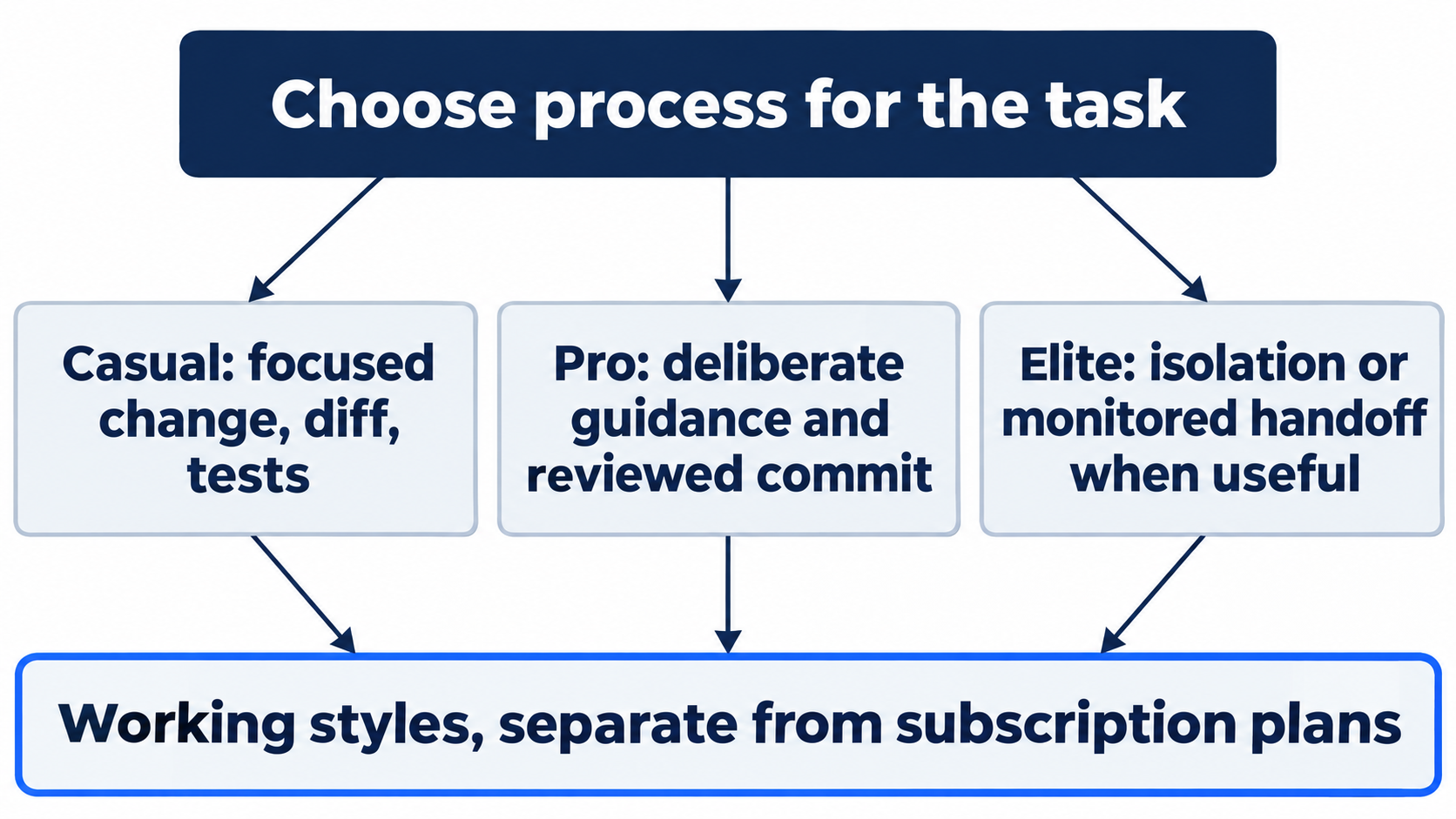
The styles are parallel choices.
Check your starting point
If asked, confirm Ticket Triage and choose Trust and continue. Enter /status to inspect the session. Check the original directory, loaded AGENTS.md, intended model and reasoning level, and Workspace (Ask for approval).
Use the composer, Codex's input box, for this command. A leading ! runs the shell command you supply:
!git status --short && git rev-parse --short HEAD && npm test
Expect clean status and seven passes. Keep the original checkout: the separate eight-test worktree has not been merged here.
Check: You are in the original project, status lists no changes, and the summary reports seven passes.
Save your choice in WORKFLOW.md
WORKFLOW.md is a Markdown checklist, not a configuration file. Read it before work and supply it with tasks when you want Codex to follow it.
The pro example supplies the complete request and file. For casual or elite, replace its entire Style: sentence and Add six checklist items: clause with your choice: four items for casual or five for elite. Keep the one-file boundary, stop condition, and separate review and commit requests.
Create only WORKFLOW.md for Ticket Triage. Use heading "My Codex routine" and the line "Style: pro, one scoped change, one review, one verified commit." Add six checklist items: check the project directory and clean Git status; check model, reasoning, and Workspace (Ask for approval) in /status; state one task and its allowed files; inspect the diff; run npm test and read its result; commit only reviewed files. End with "Stop if tests fail or the permission mode differs; inspect before committing." Do not change code, configuration, or tests. Run npm test, show the new file, and do not commit or push.
Wait for the file and test results. Ordinary workspace edits and tests can run without an approval dialog.
!cat WORKFLOW.md && git status --short && git diff --check
Read the untracked file directly with cat; git diff --check only checks tracked changes for whitespace. The pro file is:
# My Codex routine

Style: pro, one scoped change, one review, one verified commit.

- [ ] Check the project directory and clean Git status.
- [ ] Check model, reasoning, and Workspace (Ask for approval) in /status.
- [ ] State one task and its allowed files.
- [ ] Inspect the diff.
- [ ] Run npm test and read its result.
- [ ] Commit only reviewed files.

Stop if tests fail or the permission mode differs; inspect before committing.
The [ ] markers are unchecked boxes. The stop condition pauses work for failed tests or an unexpected permission mode. Check the style label and items against your selection.
Check: Only WORKFLOW.md is new, its style matches your choice, the checklist and stop condition are present, and seven tests still pass.
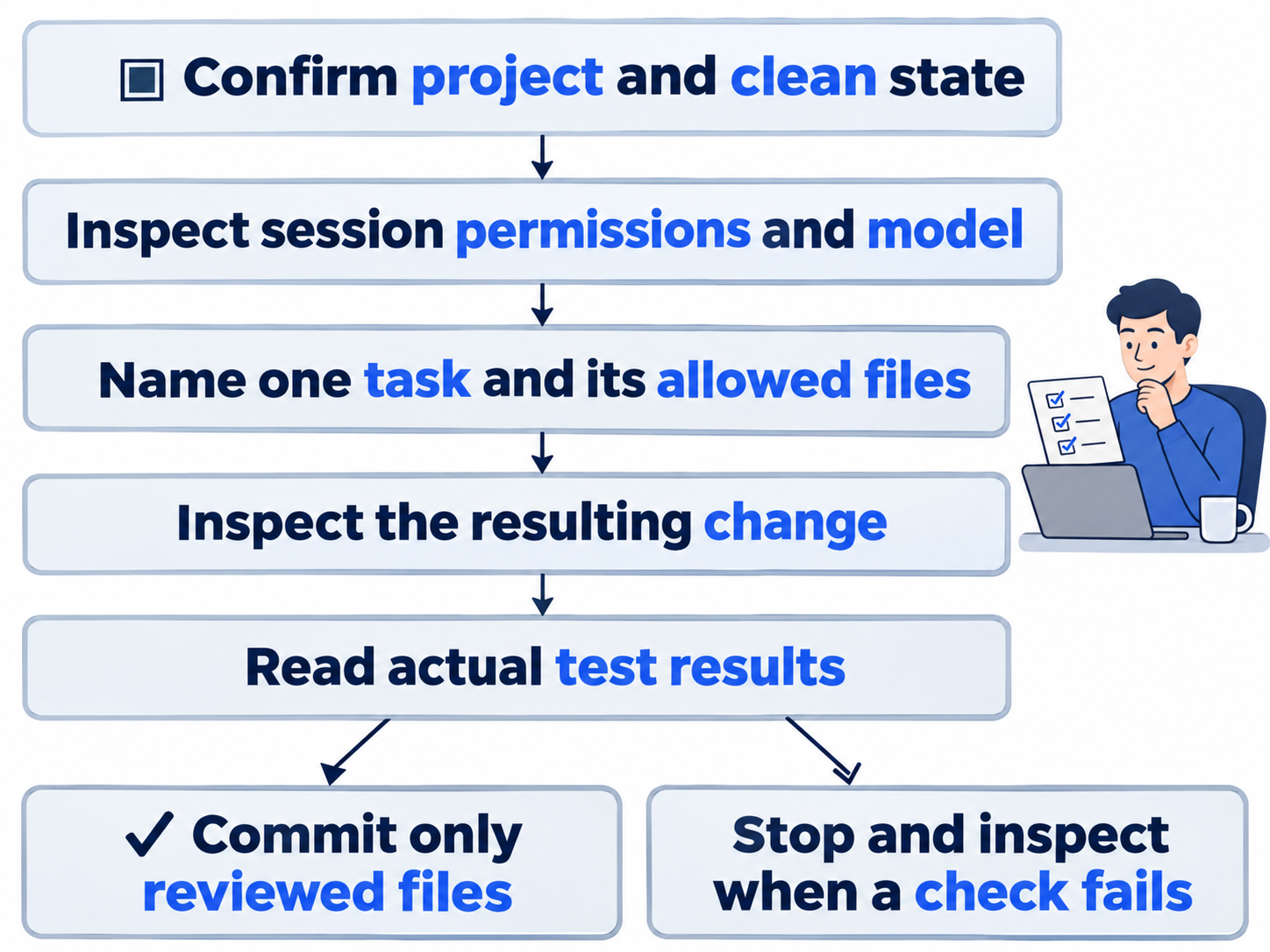
Keep its stop condition with the checklist.
Commit the reviewed checklist
A commit saves selected changes in Git history. Once the document satisfies your request, send the separate instruction:
Commit only WORKFLOW.md with message "docs: save the daily Codex routine". Do not push, publish, or change any other file.
If Codex requests approval for Git's protected index, its staging metadata, inspect the command. It should stage and commit only WORKFLOW.md. Choose Yes, proceed once. A workspace edit and a protected Git operation can cross different permission boundaries.
Check: The latest commit contains only the checklist, with message docs: save the daily Codex routine.
Verify the report and repository
The harness is the Node script that launches and checks a noninteractive Codex task. Run the script already in your project:
!node automation/report.mjs
Read Validated report for and check its commit identifier. The report uses JSON, structured text a program can parse. Your identifier will differ from this example:
{"head":"ed5af072ec176d613ed35c269c3fef44a7b68c18","tests_passed":7,"clean":true,"ready":true,"reason":"Working tree is clean and npm test passed all 7 tests. Ticket Triage: refund first; tests checked."}
head must identify your new checklist commit. tests_passed must be seven, clean and ready true, and reason nonempty. The saved event log supplies the actual child test output. Check it when investigating a report; a plausible explanation does not replace the command result.
The report child runs noninteractively with approval policy never. It does not inherit the interactive session's Ask mode. Your checklist's permission check concerns the interactive session where you request changes.
!git status --short && git log -1 --oneline && npm test
git log -1 --oneline prints the newest commit and message. Expect no status entries, the checklist commit message, and seven passes. Keep generated report and event files ignored.
Check: The report names your checklist commit, the independent tests pass seven of seven, and Git status is clean.
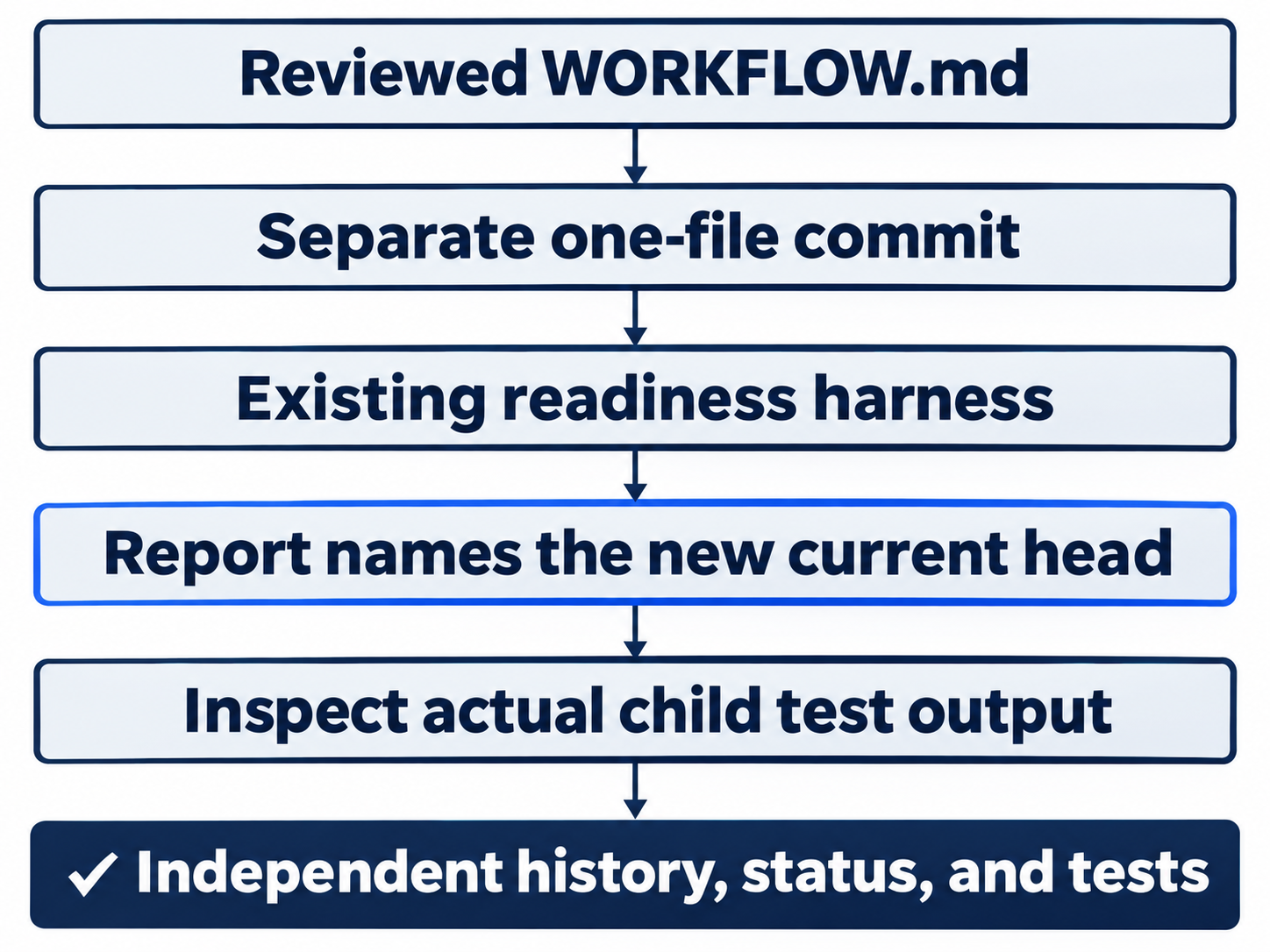
Inspect the report and actual tests.
Use the desktop path
Not run: desktop steps. Open the original Local project and inspect the model, reasoning, and Ask for approval beneath the composer. Send the same one-file request with your selected checklist. Read the document in the review pane. Use New tab > Terminal for the file, Git, and test commands, without the composer's !.
Send the separate commit request and inspect any approval. Run node automation/report.mjs, then check the report, current commit, clean status, and seven tests. If you already created the file through the CLI, inspect that file in the app.
Check: The desktop checklist is still labeled Not run; completing the CLI route does not verify the app controls.
Enter /quit when finished with the CLI.
What you proved
- You selected a working style and saved its checklist in
WORKFLOW.md. - You reviewed and committed only that document.
- The readiness report identifies the current commit, and seven independent tests pass.
You can stop here. Going deeper explains why this works and where it breaks.
Going deeper
Read this section to adapt your routine, translate familiar habits, or look up terms from the hands-on lessons.

A useful routine makes the next action clear.
Keep the process proportional
Choose a style for the task in front of you. A short documentation fix can use casual even after you have learned worktrees and hooks. Elite is useful when separate ownership or automation reduces coordination work; it also gives you more results to inspect.
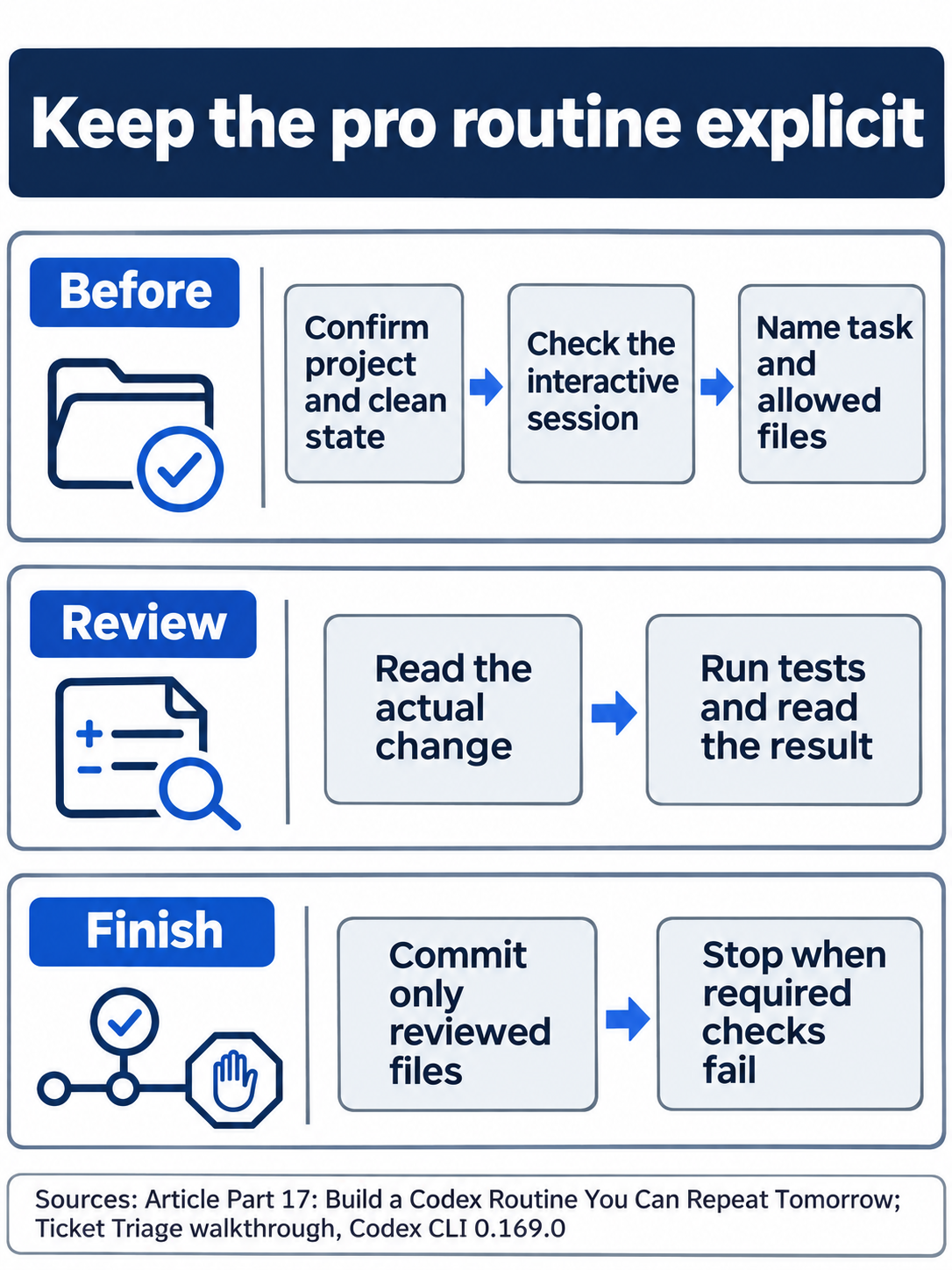
Review and stopping belong in the saved checklist.
Optional routine review, not run: compare one task with your checklist. Reset: leave the file unchanged and confirm the clean seven-test checkout on Ask for approval.
Translate the habit, then check the tool
Keep project guidance in AGENTS.md, reusable instructions in skills, and review responsibility with the person accepting the work. Check each agent's discovery rules before sharing setup. Project guidance, skills, permissions
Keep the walkthrough's CLI pin. Before upgrading, check the release notes and current pricing.
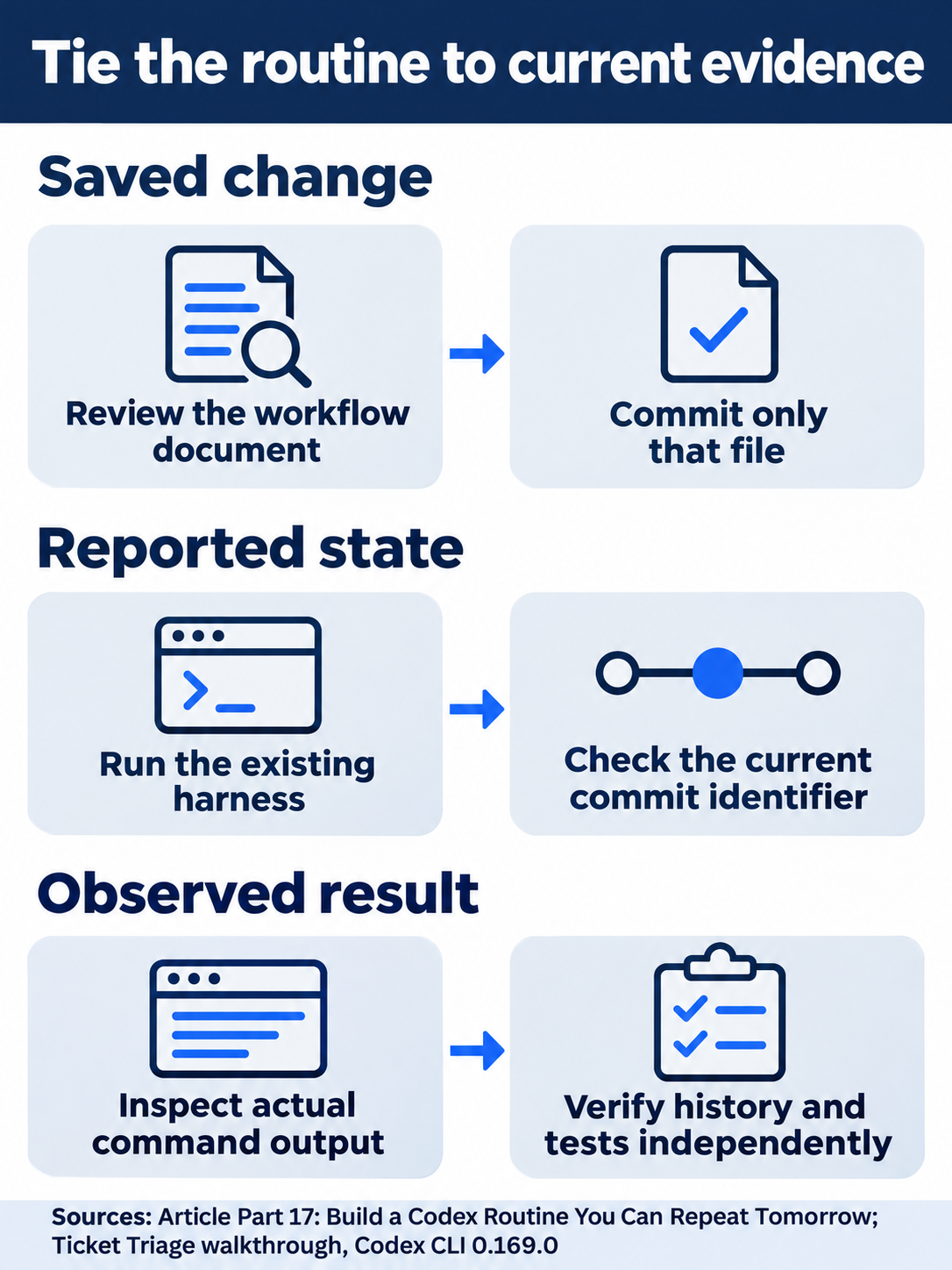
Check both the report and independent results.
Compact glossary
Use this glossary for the walkthrough's terms and command families.
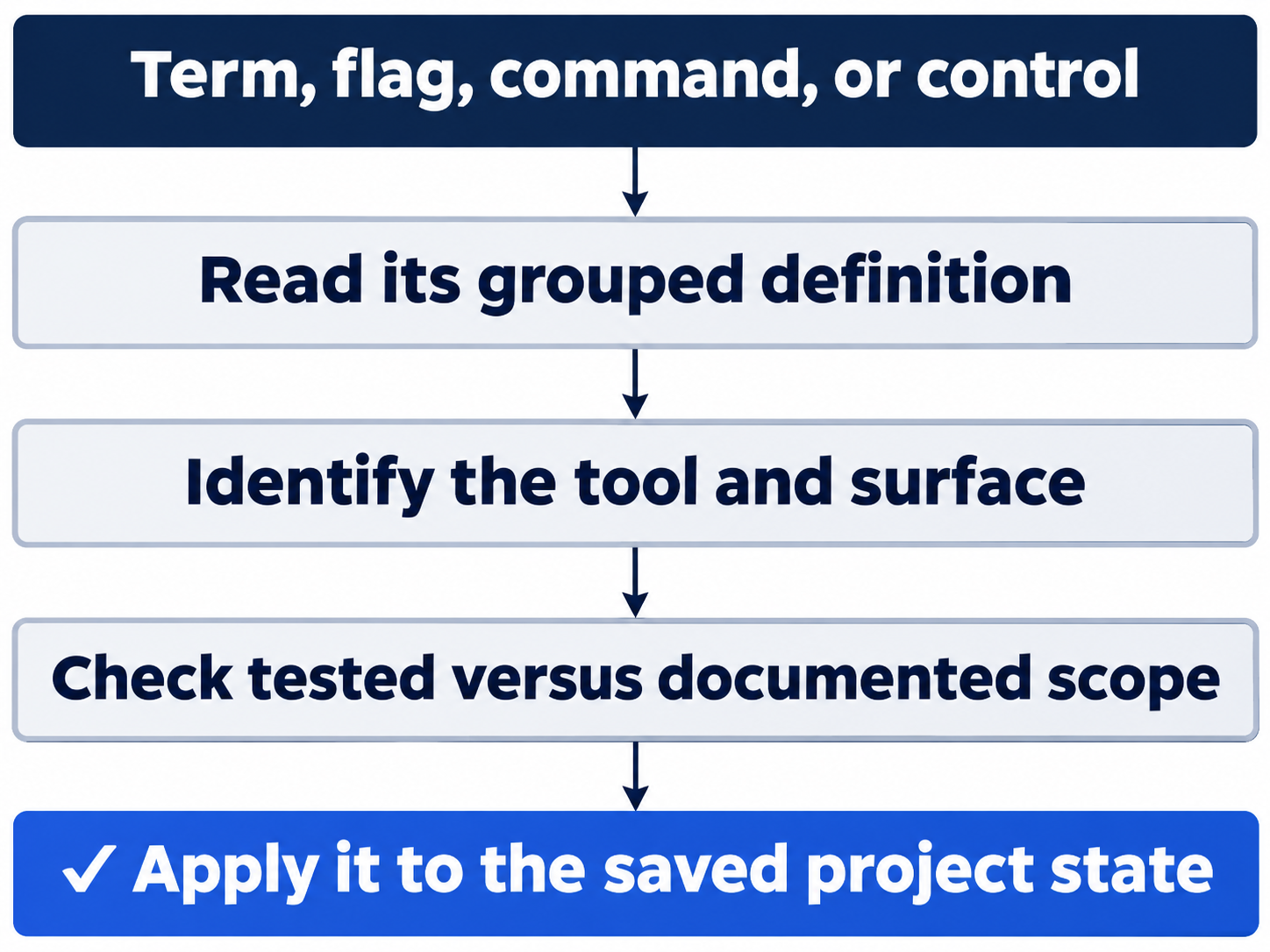
Apply its meaning to the project you are using.
-
Codex CLI;
codex; composer; prompt: The terminal interface, its start command, its input box, and your task request. -
Session; thread; transcript; footer: A conversation, its identity and action record, and the settings display below the input.
-
/status;/model; reasoning: Inspect session settings; select the model and how much reasoning it uses. -
/permissions; Read Only; Workspace Ask; Approve for me; Full Access: Inspect permissions; read-only access; workspace edits with boundary approval; automatic approval review; access without sandbox restrictions. -
Trust and continue; Yes, proceed: Trust the selected project; approve the displayed action once. Read its path and scope first.
-
/quit;codex resume --last;/app: Leave the CLI; reopen its latest local conversation; continue in the desktop app. The app route is Not run. -
/new;/plan; Shift+Tab; composer ready state: Start a fresh conversation; plan before implementing; change collaboration mode; wait until input is ready. -
/compact; context; memories; recap: Summarize a conversation; the information currently available; saved reusable information; a summary of work. -
Git; repository; checkout; branch;
HEAD: Version history, the project, its working files, a named line of commits, and the selected commit. -
git status --short; untracked; ignored: Inspect changes; a new unsaved file; files excluded from ordinary status.??marks an untracked path. -
git diff;--stat;--check: Inspect differences, their size summary, or whitespace problems. -
git add;git commit -m;git log -1 --oneline: Stage reviewed files, save them with a message, and inspect the newest commit. -
git switch -c: Create a branch and switch to it. -
git rev-parse --short HEAD; index; lock: Print a compact commit identifier; Git's staging metadata; its protection against conflicting writes. -
git worktree;/worktree; Local; Worktree: Separate checkouts and Codex's checkout selector; the current project or an isolated worktree. -
cd;pwd;mkdir -p;cat;test: Change directory, print location, create directories, read a file, or check a condition. -
Shell;
!;&&;--; flags: Command interpreter; run a composer shell command; continue on success; end option parsing; command options. -
Node.js;
node; npm;npm test;node --test: The JavaScript runtime, its launcher, package tooling, and project or direct test commands. -
node --check: Check JavaScript syntax without executing the program. -
--version;--input-type=module;-e;-g: Inspect a version, use JavaScript modules, run supplied code, or install a package globally. -
Ticket Triage;
classify; refund; shipping; other: The sample project, its classifier, and its three categories. Refund has priority. -
Markdown; README.md; WORKFLOW.md;
[ ]: Readable text formatting, a project introduction, a personal routine, and checklist boxes. -
AGENTS.md;AGENTS.override.md; guidance: Project instructions, an overriding instruction filename, and rules loaded for the task. -
config.toml; profile;--profile;-c: Configuration, a named setup, its selection flag, and a Codex setting override. -
model;model_reasoning_effort;sandbox_mode;approval_policy;approvals_reviewer: The profile's model, reasoning, sandbox boundary, approval timing, and approval reviewer. -
codex debug prompt-input; effective settings: Inspect the model-visible input and the settings that actually apply. -
Skill;
SKILL.md;.agents/skills;$name; frontmatter: Reusable instructions, their file and folder, explicit invocation, and opening YAML metadata such as name and description. -
MCP; server; tool;
codex mcp add/list: Model Context Protocol, a connected service and its operations, and connection-management commands. -
Subagent; explorer;
/subagents: A delegated thread, a read-focused role, and the view for inspecting agent work. -
Hook; PreToolUse;
/hooks; stdin; exit code: An event handler, its before-tool event and trust view, standard input, and process status. -
Plugin; marketplace; manifest;
/plugins: A component bundle, its catalog, its descriptive file, and the installed-plugin view. -
codex plugin marketplace add; installed component: Register a catalog; inspect the component and source that an installation supplies. -
GitHub; repository remote; PR;
gh: The hosting service, a linked repository, a proposed change for review, and GitHub's CLI. -
gh pr comment;--repo;--body;@codex review: Post a comment to the selected repository PR with the supplied text; request Codex review. -
gh api;--jq; API; bot: Query GitHub, filter its JSON, use its programming interface, and identify an automated account. -
Cloud task; environment; status; finished: Remote work, its setup and progress, and a completion state that still needs result inspection.
-
codex exec;--sandbox;--json;-o: Run a task noninteractively, select its sandbox, emit events, and write the final response. -
--output-schema; JSON; schema; harness: Constrain structured output, its format and definition, and the checking script. -
JSONL; stdout; stderr: One JSON object per line; normal output; diagnostic output.
-
CODEX_BIN; environment variable; child process: A selected executable, a setting supplied to a process, and a process it launches. -
git init -b main;git branch --show-current;git rev-parse --show-toplevel;git remote get-url: Create the named initial branch; inspect branch, repository root, or linked remote. -
cmp;cp;printf;grep -F; grep-o;sh: Compare, copy, print, search literal text or print matches, and run a shell script. -
rm -r;-f;-rf;rmdir: Remove recursively, force removal, combine both options, or remove an empty directory. Review the exercise's exact target. -
curl -I;--max-time: Request response headers and bound the network attempt's duration. -
codex sandbox --permission-profile :read-only: Run the model-free probe under the named read-only boundary. -
/skills;/mcp;/warnings;/usage;--url: Inspect skills, connections, diagnostics, or account usage; supply a remote MCP address. -
/cd;--enable;tui_multi_backend: Change an idle chat's directory; enable the named experimental feature for one invocation. -
New tab > Terminal; review pane; Not run: The desktop shell control, file-review display, and an explicit unverified-action label.
-
Not run; blocked; manual checklist: An unexecuted action, an unmet prerequisite, and the pending manual checks.
-
Not run: browser sign-in.;Not run: desktop steps.;Not run: app Terminal steps.;Not run: first-time account setup.;Not run: manual GitHub and cloud setup.;Not run: native desktop/web steps.;Not run: reader-specific remote setup.: These explicit status labels identify checks that remain unverified.
Optional final audit, not run: identify a task note's project, command, result, and stop condition. Reset: leave files and settings unchanged; confirm clean status, seven passes, and the intended permission mode.
Do this today
Everyone
- Save the checklist that fits one real task and verify its reviewed commit.
- Start the next task by checking directory, permissions, and clean status.
If you read Going deeper
- Compare one familiar agent habit with its Codex file or control before sharing setup.
- Keep your checklist unchanged while inspecting the comparison, then confirm the clean seven-test project.
End of OpenAI Codex, Day-to-Day. Choose the routine your next task needs.