
Stop Retyping the Same Task
Tasks persist after they finish, and you can steer them while they run: two habits that turn one-off work into a repeatable workflow.
Your finished tasks do not vanish. You can reopen them, build on them, and redirect them mid-run. This is how reusable work actually works in Cowork.
In this article: You will learn how tasks persist in Cowork's Tasks list, how to reopen and reuse finished work instead of starting from scratch, what deleting a task actually does (and does not do) to your files, and how to steer a task mid-run. These two habits, reusing finished tasks and redirecting running ones, are what turn the competitor brief from a one-time effort into something you own.
You can run a real task, read the loop that produces it, feed that loop your actual tools, and keep the whole thing safely scoped. That is a complete cycle. But there is a quiet assumption buried in everything so far: that each task is a one-off you start from a blank prompt every time.
Cowork does not work that way. Your tasks persist after they finish. You can reopen them, build on them, and refine them instead of rebuilding from scratch. And while a task is running, you can step in and redirect it. This article is about those two capabilities, persistence and steering, because together they are what turn the competitor brief from a thing you generated once into a thing you actually own.
The Tasks list: where your work lives
When you switch to the Cowork tab, your work is organized as Tasks, and they do not disappear when they finish. Each task you have run sits in your Tasks list, and you can reopen any of them to see what Claude did, read the output it produced, and pick up where it left off.
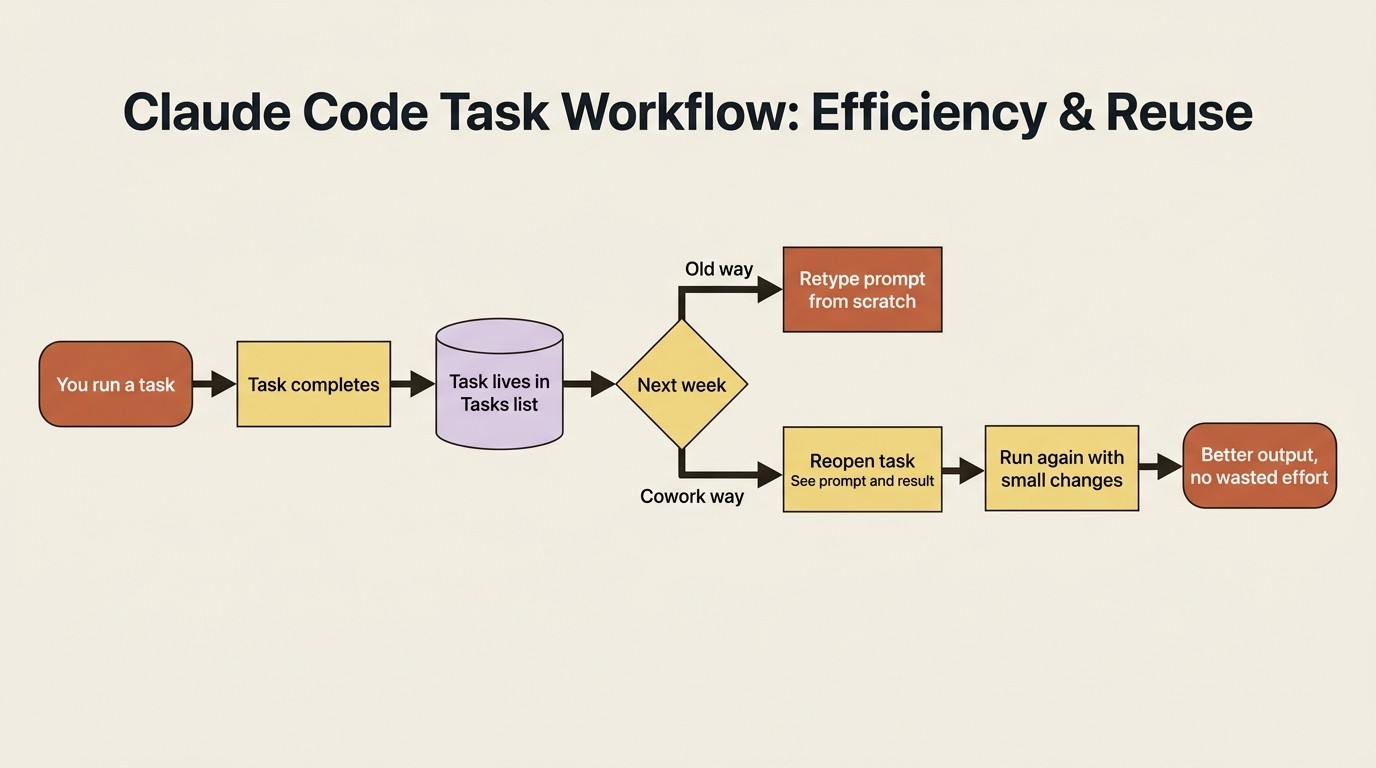
A finished task is not just a delivered file; it is a complete record: the prompt you gave, the plan Claude made, the steps it took, and the result. Reopening one is like pulling a previous project folder off the shelf with all the working still inside. You can see not only what you got, but how Claude got there, which is exactly what you need when you want to run something similar but slightly different.
Reusing instead of retyping
Once you internalize that tasks persist, your habits shift. Instead of composing the competitor brief from a blank prompt each week, you reopen last week's, see the prompt and the result together, and run it again with whatever has changed. Instead of remembering the exact phrasing that made Claude format the document the way you liked, you go find the task where it worked and start from there.
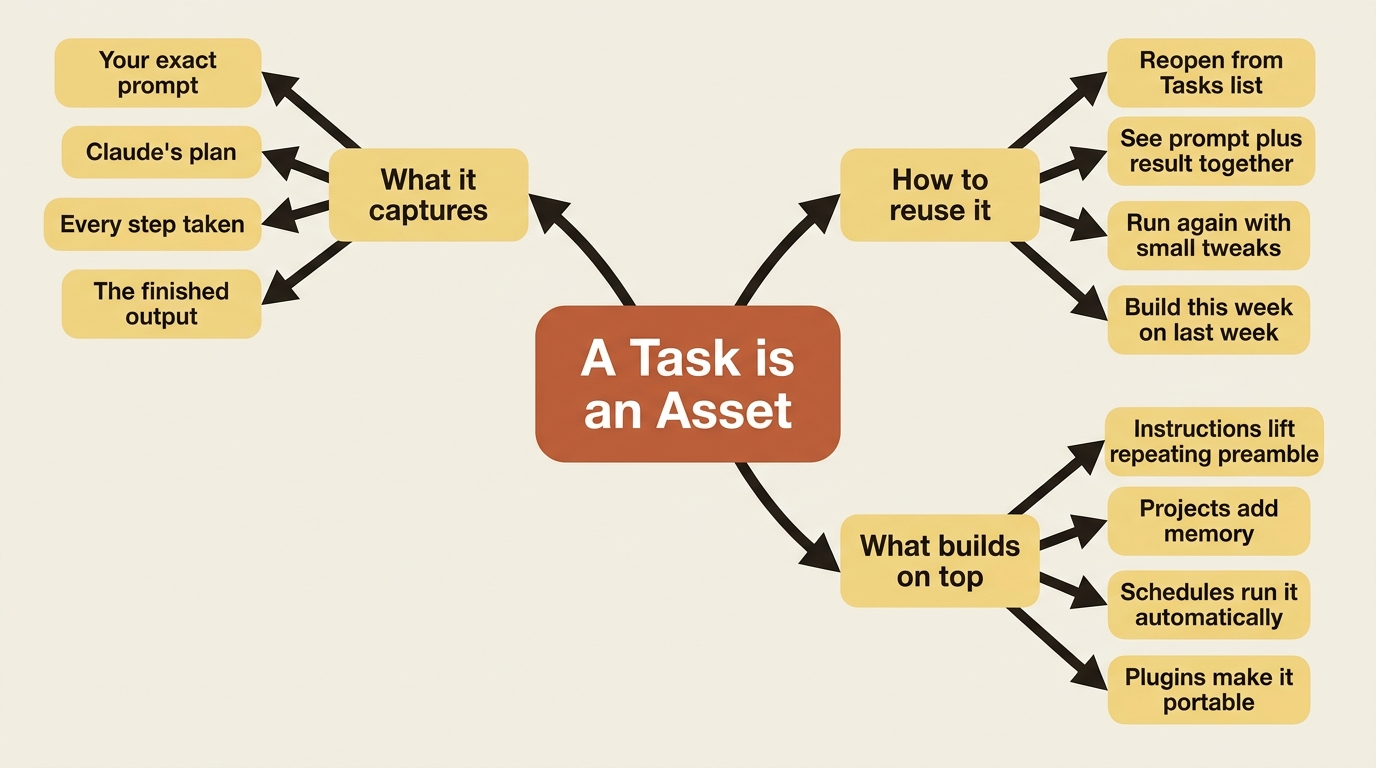
The work you put into getting a task right, the precise outcome, the output location, the formatting, the sources, is captured the moment the task succeeds. Every future run of that shape inherits it. A well-crafted task is an asset, not a disposable prompt, and the Tasks list is where those assets accumulate.
Deleting a task: what it actually does
You stay in control of your task history, which includes the ability to clear it. To delete a task, click the ⋮ menu next to it, or select tasks and click the trash icon.
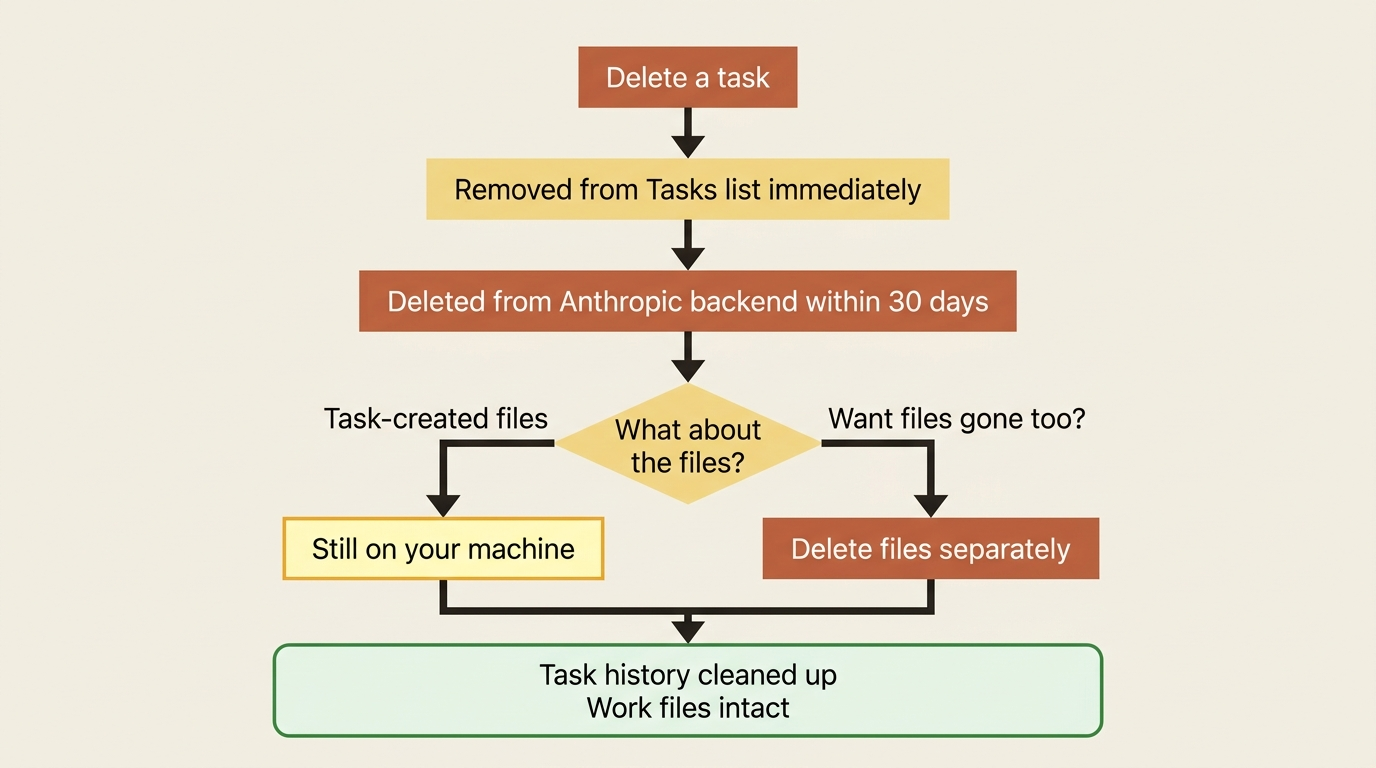
When you delete a Cowork task, it is removed from your task history immediately, and deleted from Anthropic's backend storage within 30 days. But here is the important distinction: deleting a task removes the task record, not the work the task did. If a task created or modified files in your folders, those files are still there. Deletion cleans up the history, not the consequences.
Steering: you are the driver, not the passenger
The second half of this article is about the live task, not the finished one. Throughout a task, Cowork keeps you in the loop. You see progress as Claude works, and its reasoning is visible. You can interject mid-task: course-correct, add a constraint, or redirect entirely.
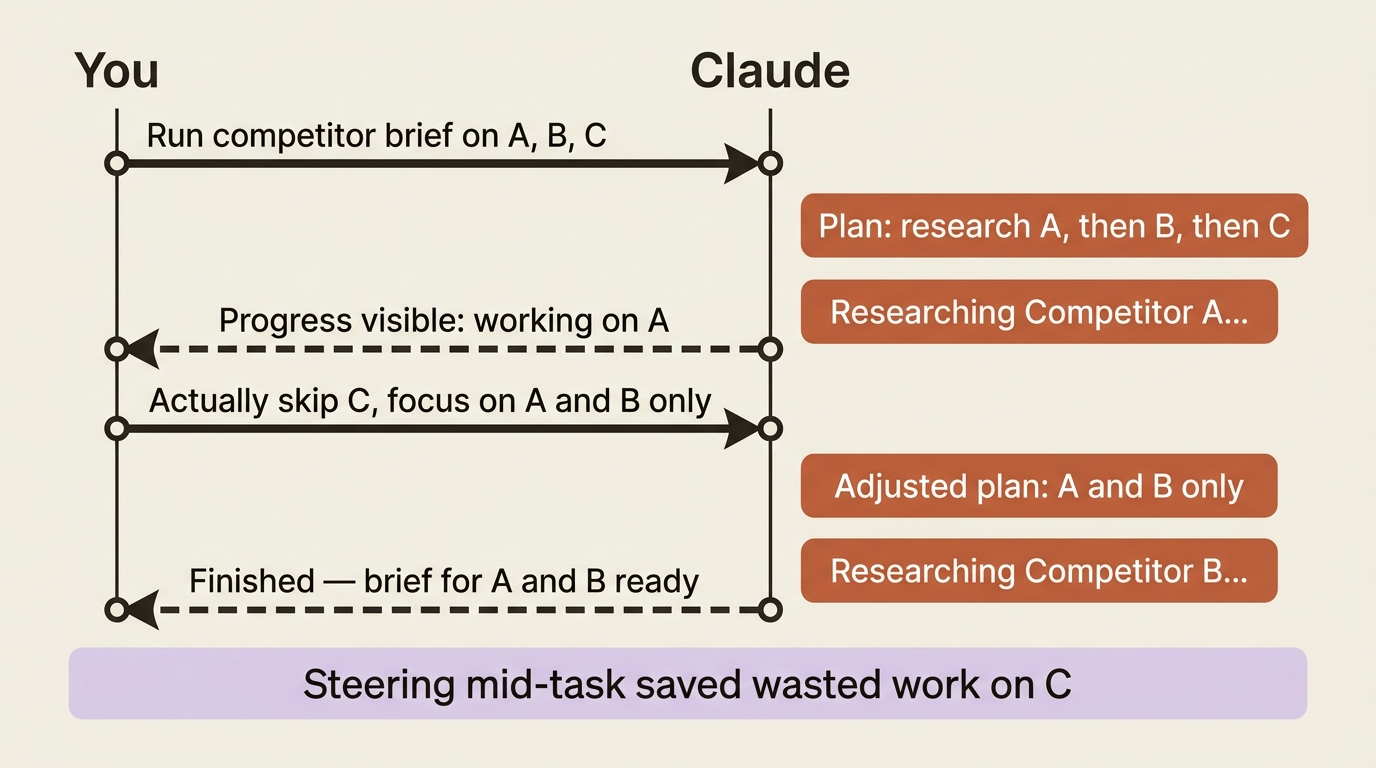
If you watch Claude start researching the wrong competitor, you do not have to kill the task and start over. You tell it, mid-run, and it adjusts. It is the difference between handing someone written instructions and walking away versus working alongside them.
This connects directly back to the permission modes. Ask before acting is steering at its most cautious: Claude pauses and waits at each step. But even in Act without asking, you can still jump in and redirect a task that is moving in a direction you do not want.
Two ways to work
Cowork supports two legitimate working styles, and good users move between them deliberately.
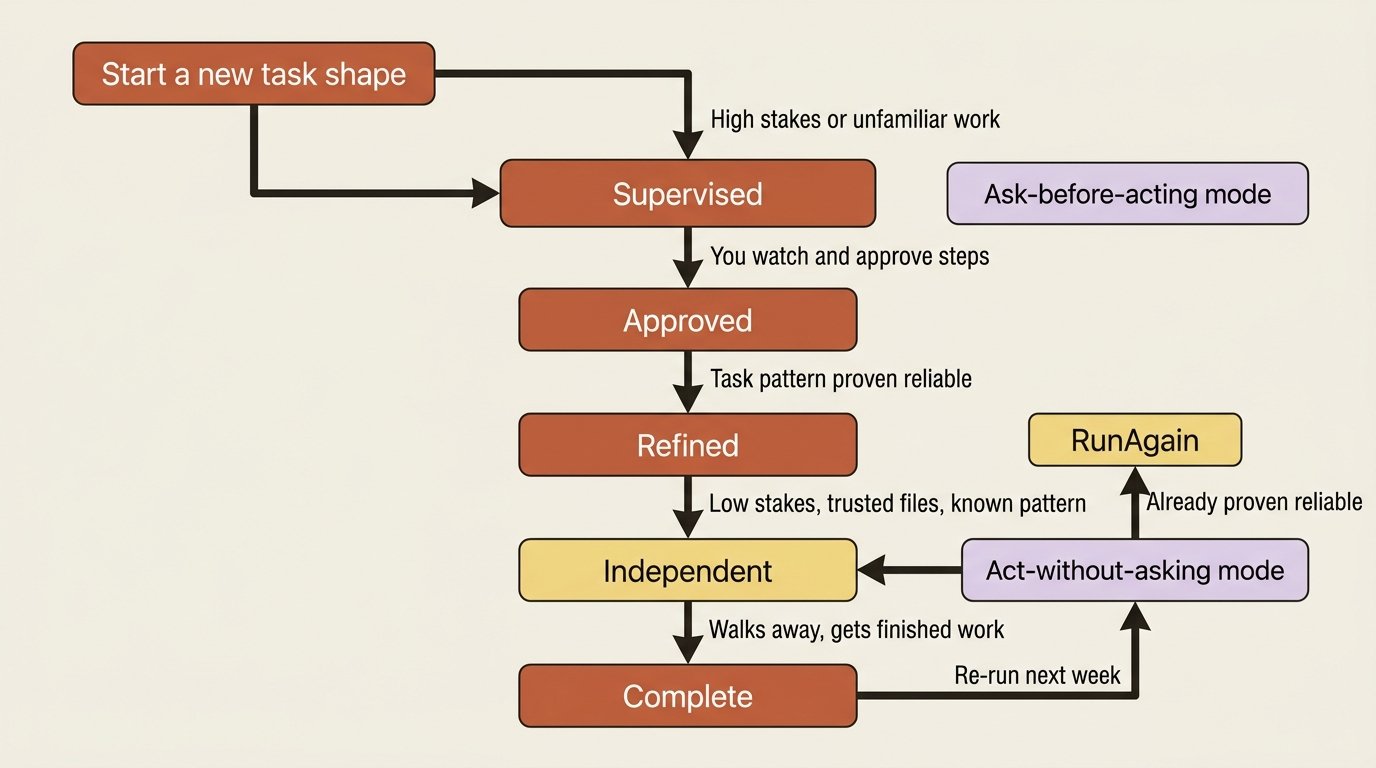
Supervise closely when the task is new, the files are sensitive, the stakes are high, or you simply have not seen Claude do this particular kind of work yet. Pair this with Ask before acting, watch the plan, approve the steps, and intervene freely.
Let it run independently when the task is well-understood, the access is scoped to safe sources, and you have watched this shape of work succeed before. Give a clear prompt, glance at the plan, and step away.
The progression between them is the arc of getting comfortable with an agent. You start every new kind of task in supervised mode. As a task shape proves reliable, you graduate it to independent. The competitor brief might start as something you watch step by step, and three weeks later be something you fire off and forget.
Do this today
- Open your Tasks list right now and count how many tasks you have already run. These are assets, not history.
- Reopen your competitor brief task from the first article. Read the prompt and plan together. Notice what you would refine if you ran it again.
- Run it again, with the refinements. Compare the second result to the first using the same task as a baseline.
- Practice mid-task steering deliberately on the next task you run: interject with one clarification or redirect before the task finishes, and see how Claude adjusts.
- Delete a task you no longer need and confirm that the files it created are still on your machine.
From one-off to repeatable
The shift in this article is subtle but it is the hinge the whole series turns on. For four articles, you have been running tasks. Now you are keeping them: reopening finished work instead of retyping it, building this week's brief on last week's, and driving tasks mid-run rather than hoping the prompt was perfect.
A task stopped being a disposable request and became a durable, reusable, steerable piece of your workflow. Everything from here compounds on that.
This is Part 5 of "Getting Real Work Done with Claude Cowork," a 12-part guide to using Claude Cowork for real knowledge work.