
Tell Claude Your Preferences Once, and Never Type Them Again
Global and folder instructions lift the repeating preamble out of every task prompt so you only specify what actually changes.
Global and folder instructions are the standing context every task inherits. Set them well and your prompts get shorter while your output gets more consistent.
In this article: You will learn about Cowork's two levels of standing instructions, global (every session) and folder (a specific body of work): what to put in each, how to set them up in under five minutes, and the one rule that prevents confusing conflicts between levels. Once instructions are set, the repeating preamble lifts out of your prompts permanently.
Look closely at the competitor-brief prompt you have been running and you will spot a pattern. Some of it describes the task: research these companies, cover pricing and recent news. But some of it describes you and your standards: the format you want, the tone, the fact that you are doing this for a product team, and the house style for how briefs should read. That second category is the same in every task you run. And right now you are typing it out every single time.
You should not have to. Cowork lets you set standing instructions that apply automatically, so the preamble lifts out of your prompts and becomes a default Claude already carries into every session.
How instructions flow into every task
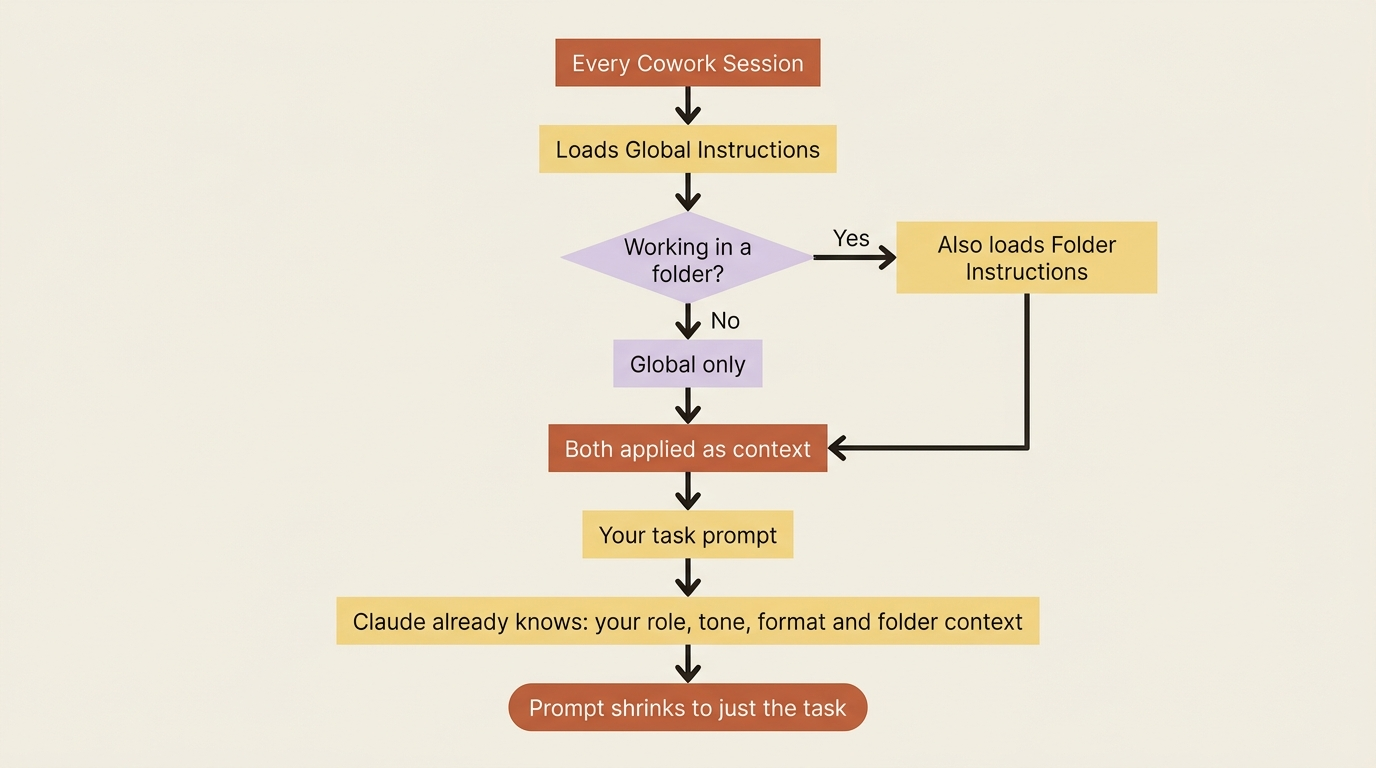
Every Cowork session loads your global instructions first. If you are working in a folder that has its own instructions, those load too. By the time you type your task prompt, Claude already knows your role, your preferred tone, your default output format, and any folder-specific context. Your prompt becomes just the part that actually changes.
Global instructions: your standing defaults
Global instructions apply to every Cowork session you run. This is where your stable, always-true context belongs: the things that are the same whether you are writing a competitor brief, cleaning a spreadsheet, or drafting an email.
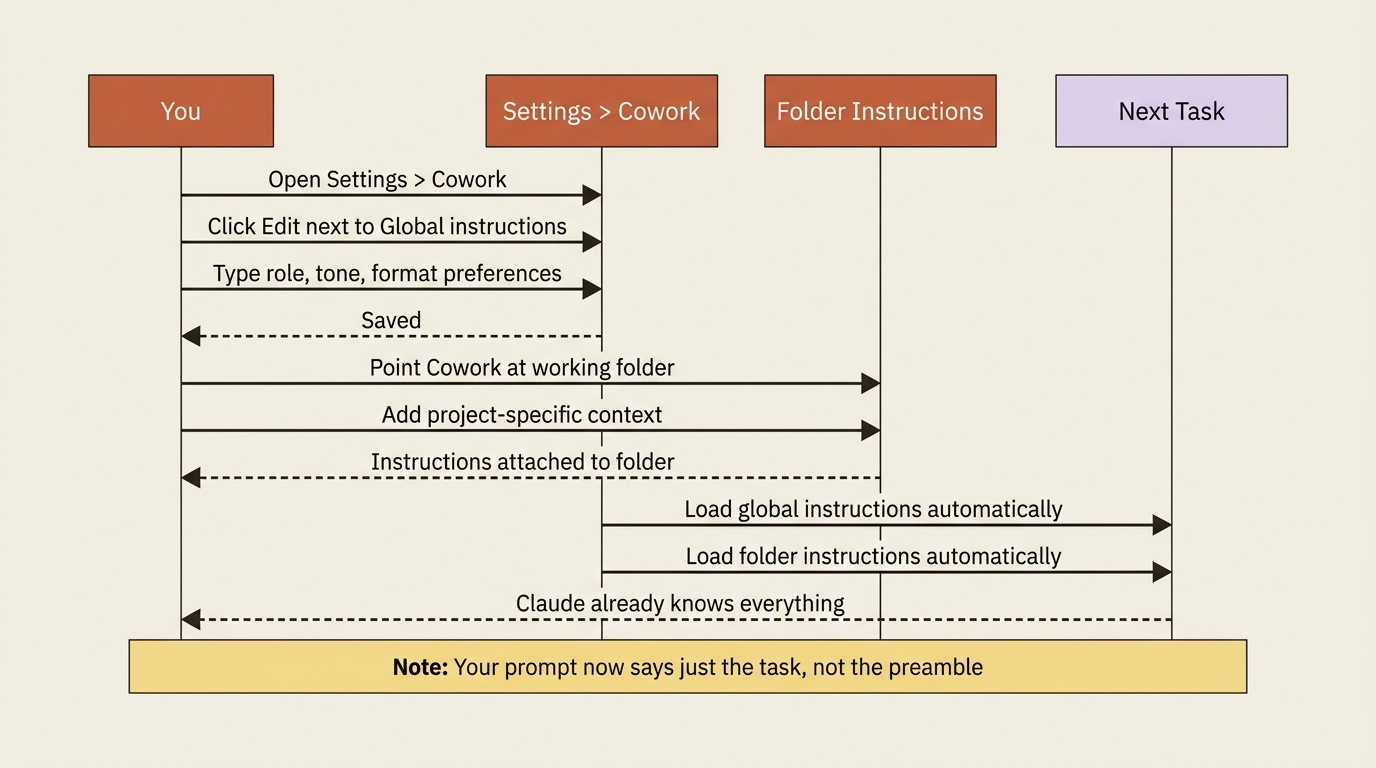
Setting them takes about thirty seconds. In Claude Desktop, go to Settings > Cowork, click Edit next to Global instructions, type your instructions in the text box, then click Save.
Good candidates for global instructions include who you are and what you do ("I am a product marketing manager at a B2B SaaS company"), how you want things written ("default to plain, direct prose; no marketing fluff"), how you want output delivered ("save documents as formatted Markdown unless I say otherwise; always tell me the file path when you finish"), and standing context about your work ("our main competitors are X, Y, and Z").
The test is simple: if you would say it at the start of most tasks, it belongs in global instructions.
Folder instructions: context scoped to a place
Global instructions apply everywhere, which is their strength and their limit. Some context is not universal; it is specific to a particular body of work that lives in a particular place. That is what folder instructions are for.
When you point Cowork at a folder that has its own instructions, Claude picks up that guidance for work in that location. A folder holding your competitive-intelligence materials might carry instructions about which competitors matter most, where past briefs are stored, and the exact report template to follow.
One detail that is easy to miss and genuinely useful: Claude can update folder instructions on its own during a session. If, mid-task, Claude works out something durable about how you want work in that folder handled, it can write that back into the folder instructions so future tasks benefit.
What goes where
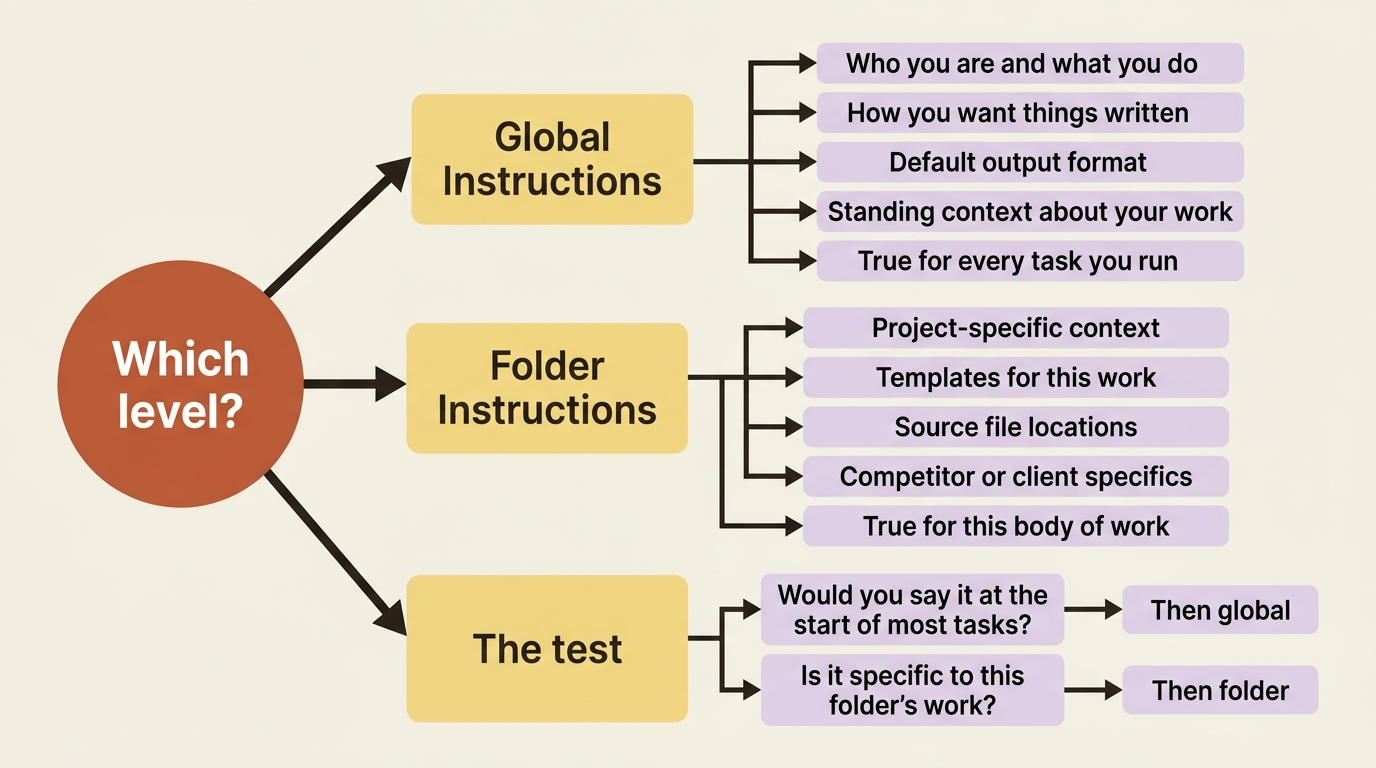
The practical rule: if it is true about you, it is global. If it is true about this body of work, it belongs with the folder. Your house writing style is global. The competitive-intelligence report template is a folder instruction. When you are unsure, ask whether you would want this guidance applied to a completely unrelated task. If yes, global. If no, folder.
Setting them up
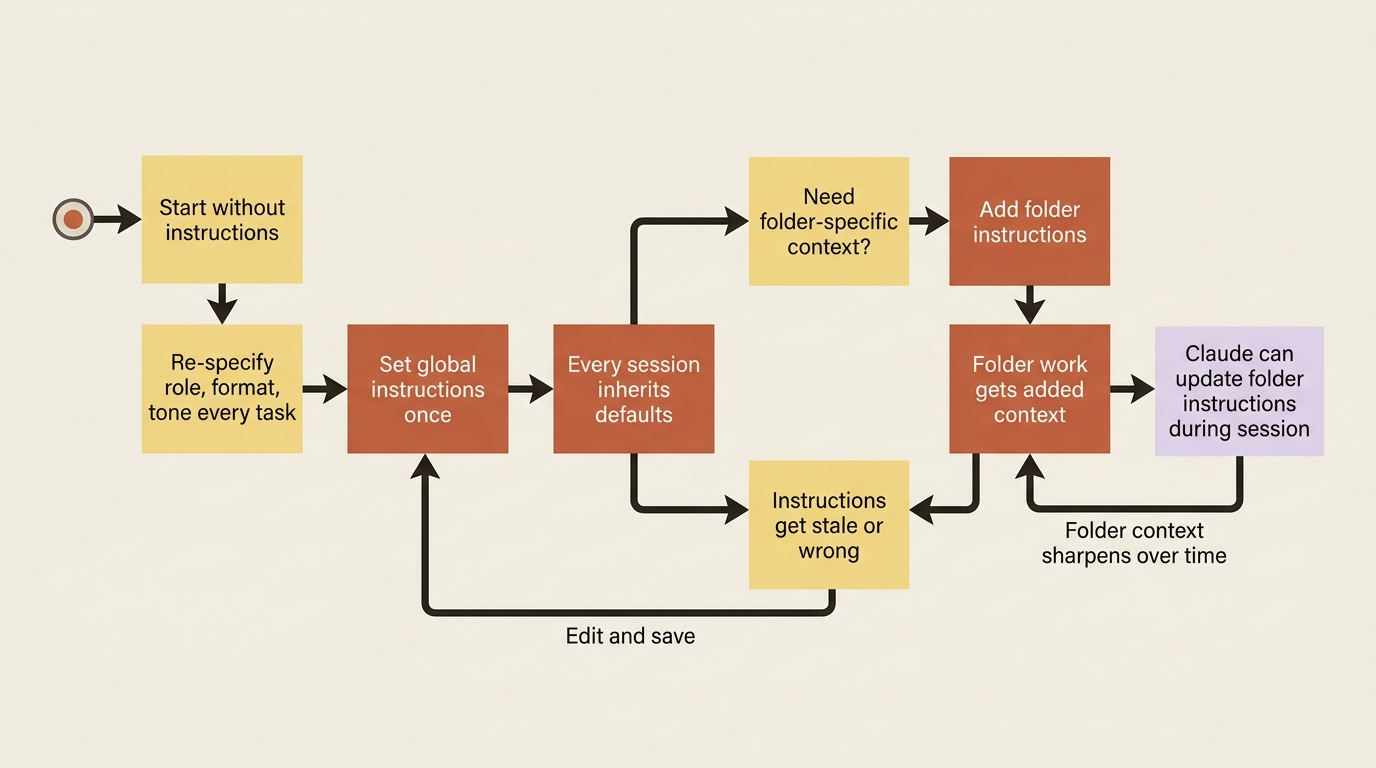
Instructions are not set once and forgotten. They are living context that you refine as you learn what works. The folder-instruction update behavior, where Claude can write back what it learns, means the context can sharpen on its own as you run tasks.
The one rule that prevents confusion
Instructions at different levels are additive, not strictly hierarchical. Claude takes your global instructions and your folder instructions together as context, rather than treating one as a hard override of the other.
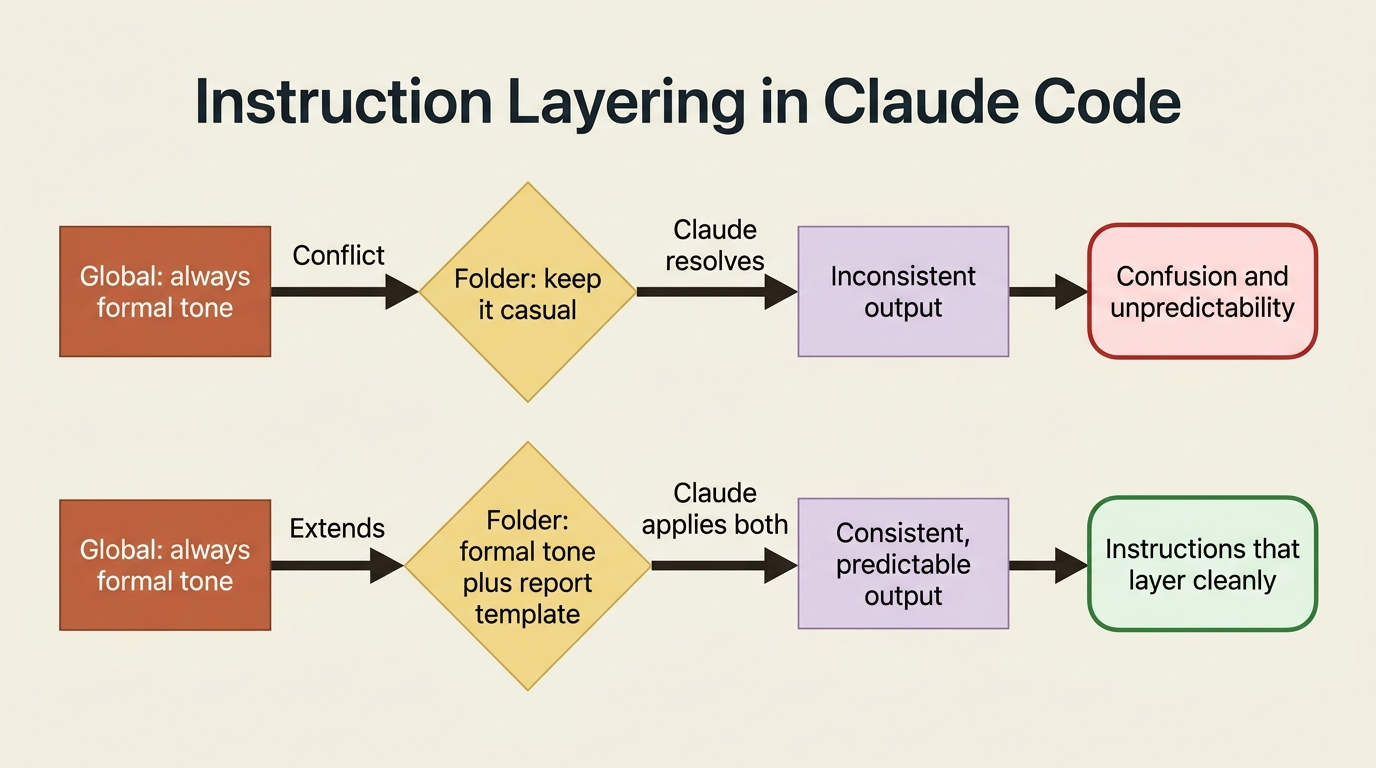
The practical consequence is a habit: write non-conflicting instructions. If your global instructions say "always use a formal tone" and a folder says "keep it casual and friendly," you have handed Claude a contradiction to resolve. The resolution may not be the one you wanted.
Keep each level internally consistent and complementary. Let global hold things that are genuinely universal for you, and let folders add detail that extends rather than fights those defaults. Instructions that layer cleanly produce predictable behavior.
Do this today
- Open
Settings > Coworkright now and clickEditnext to Global instructions. Add your role, your preferred output format, and one or two standing preferences. Keep it to fewer than ten lines. - Identify the repeating preamble in the last three task prompts you wrote. Move everything that is always true into global instructions.
- Create a folder for your competitive-intelligence work if you have not already. Write three to five folder instructions: the competitors you track, the report template, the source locations.
- Run a task after setting up instructions and compare the prompt you need to the one you wrote before. The difference is the preamble you no longer have to type.
- Watch for Claude updating folder instructions during a session, and review what it wrote before the next run.
You have stopped repeating yourself
The throughline of the last two articles is the slow disappearance of busywork. Tasks became reusable so you stop retyping prompts. Instructions lifted the unchanging parts of those prompts out entirely, so you stop re-specifying your role, your format, and your standards every time.
Ask for the outcome. Let the standing context fill in the rest.
This is Part 6 of "Getting Real Work Done with Claude Cowork," a 12-part guide to using Claude Cowork for real knowledge work.