
Revise the Requirement Before Codex Writes the Code
Use a specific requirement revision to make planning useful and verify that the fresh implementation receives it.
Revise the criteria, inspect the handoff, and verify seven tests.
A correct-looking output can still hide a requirement you never asked the tests to check.
In this article: Require ordered categories and unchanged input before implementation, then inspect the assertions and focused commit.
In Part 2, you committed the README examples, verified five passing tests, and reopened the conversation that produced them.
Tested on Codex CLI 0.169.0, macOS, Node.js 22.22.1, and Git 2.47.1.
Desktop actions are not run.
Start here
Prerequisites: Node.js 22 or later, Git, a signed-in Codex CLI, and Ticket Triage through Part 2.
!git status --short && npm test
Check: The Part 2 repository is clean and all five tests pass.
Run this in the resumed Part 2 Ticket Triage conversation. Today you will revise a proposed change before a fresh conversation implements it. Wait for five passes and no status entries. Inspect existing changes before continuing.
Starting fresh or fell behind? Run git switch -C main codex/day-02. This replaces your main with the end of Day 2; to keep your own work, run git branch my-backup first.
Ask for the approach first
Our classifier accepts one ticket at a time. We want a helper, a small function that reuses that classifier to handle several tickets together. An array is an ordered list of values. The helper will accept an array of ticket strings and return an array of categories in the same order.
Enter this slash command when Codex is idle:
/plan
Check: The footer says Plan mode and Ask for approval remains selected.
Plan mode asks Codex to investigate and propose an approach before implementation, the work of changing the program. Check that the footer says Plan mode. Keep Ask for approval selected. Planning and permission to cross the workspace boundary are separate choices.
Send this request:
Plan only. Add an exported classifyMany(tickets) helper that returns one category per input ticket in the same order, using classify for each ticket. Preserve the five existing tests and all current classification behavior. Add exactly two tests: empty input returns an empty array, and mixed input returns other, shipping, refund, shipping for Hello; Where is my package?; The mug arrived broken and I want a refund; The box showed up crushed and the mug inside is in pieces. Change only src/classify.js and test/classify.test.js. Do not edit, commit, or push yet.
Check: The proposed plan preserves behavior, changes only two files, and adds exactly two tests.
An exported function can be imported by another JavaScript file. The plan should preserve classify, add classifyMany, and add two tests. Its acceptance criteria state when the work is complete.
Check empty input, all four categories in order, and the two-file boundary. Wrong ordering assigns categories to the wrong tickets; leave the README unchanged.
Revise before implementing
The CLI presents Implement this plan? with these choices:
- Yes, implement this plan, which returns to Default working mode and starts coding in the current conversation.
- Yes, clear context and implement, which starts a fresh thread, another saved conversation, with the approved plan.
- No, stay in Plan mode, which lets you continue discussing the plan.
Use the arrow keys to highlight 3. No, stay in Plan mode, then press Enter. Wait until the normal composer returns before typing. The menu's Enter key selects a choice; it does not submit a new revision prompt.
Check: The ordinary composer is ready while Plan mode remains active.
Now send the revision:
Revise the plan before any edits: the input array must stay unchanged, and its unchanged-input assertion belongs inside the mixed-input test, keeping exactly seven total tests. State this explicitly in the acceptance criteria. Do not implement yet.
Check: The criteria require unchanged input, an assertion inside the mixed test, and seven total tests.
This adds a checkable condition. A function could return the right answers while rearranging the caller's original array. We want to rule that out. An assertion is one comparison within a test; adding an assertion to an existing test does not require adding another test.
Verify unchanged input, its assertion inside the mixed test, and exactly seven tests. Even if preservation was already mentioned, the revision makes its check explicit.
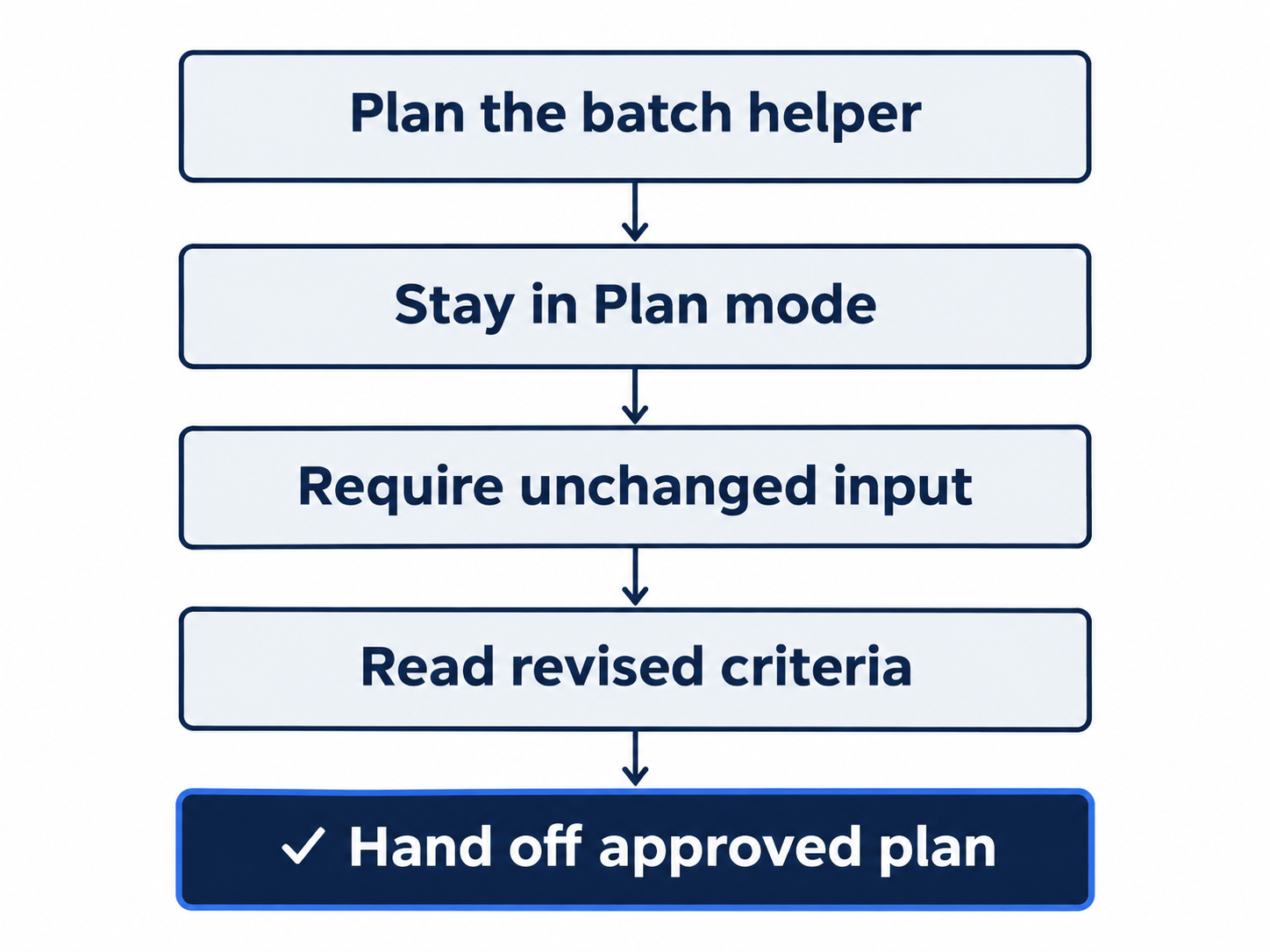
Stay in Plan mode, add unchanged input, then approve the complete revised criteria.
Give the approved plan a fresh conversation
At the next Implement this plan? menu, highlight 2. Yes, clear context and implement and press Enter.
Context is the information supplied to the model for its current work. This choice starts a fresh conversation supplied with the approved plan. It does not reset the repository or undo your existing commits. Watch the new thread begin by reading the approved plan and then the project files.
Check: The implementation thread receives the revised plan, including the unchanged-input requirement.
The helper should reuse classify in this form:
export function classifyMany(tickets) {
  return tickets.map(classify)
}
map calls classify for each array item and collects the returned categories in a new array. Inspect the actual diff rather than pasting this example over the generated work. The existing classify function should remain unchanged, including its refund-first rule.
The new tests should check an empty array and the mixed example. assert.deepEqual compares the contents of arrays. The mixed test should compare both the returned categories and the original input against a copy made before the call. The expression [...tickets] makes that copy; the three dots copy the array's items into a new array.
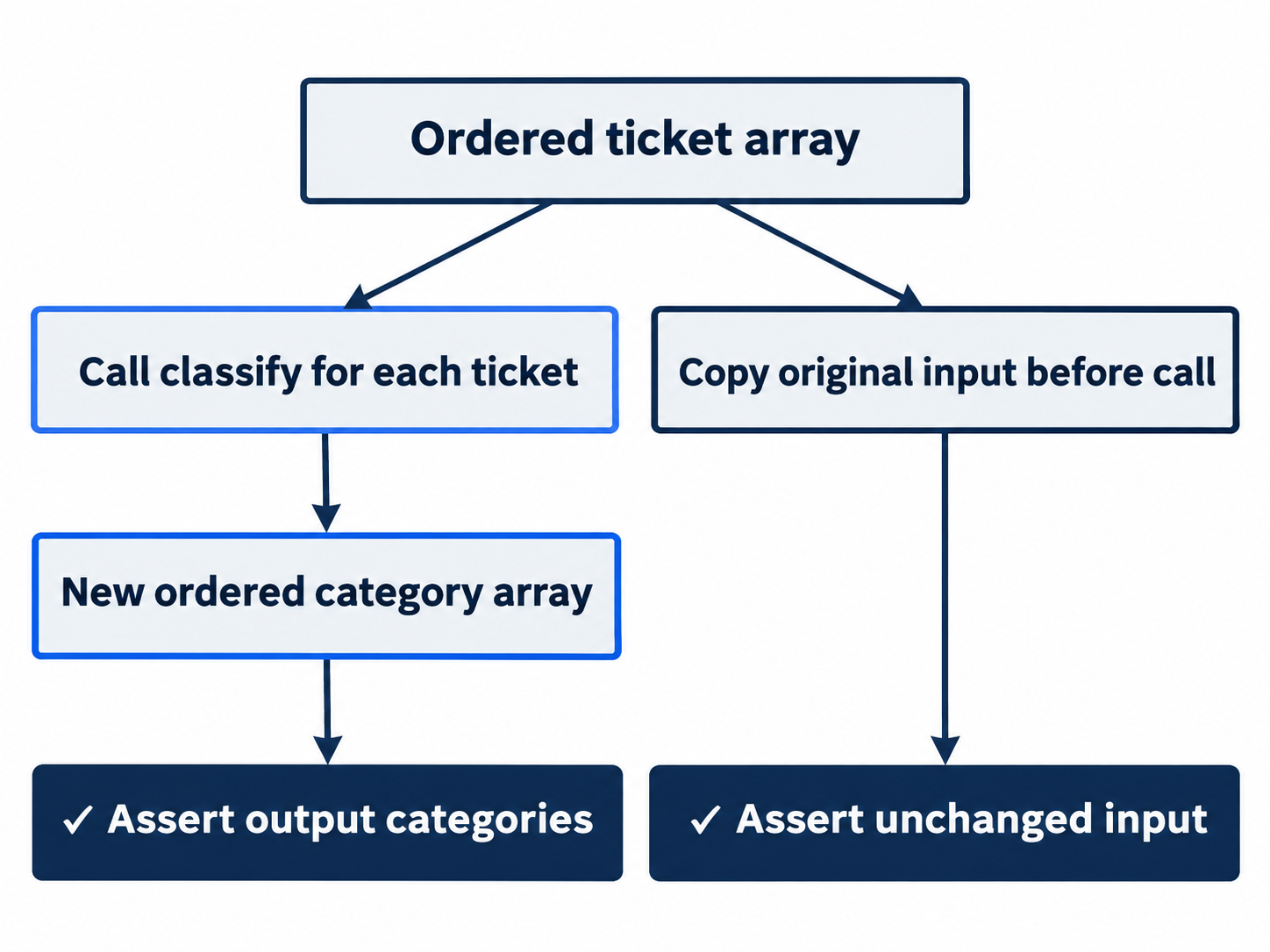
Compare returned categories and the original array; one passing count cannot prove both.
Compare the work with the plan
After Codex finishes, run:
!npm test && git diff -- src/classify.js test/classify.test.js
Check: Seven tests pass; the diff checks category order and unchanged input.
Expect seven passes and zero failures. Compare the diff with the criteria: one helper, five preserved tests, two new tests, and mixed-test assertions for category order and unchanged input.
Workspace reads, edits, and tests stay within this Ask for approval boundary without a per-edit dialog. Once the diff matches the plan, send:
The implementation matches the revised plan and all seven tests pass. Commit only src/classify.js and test/classify.test.js with the message "Add ordered batch classification". Do not push.
Check: Inspect a commit request limited to the two approved files.
At Would you like to run the following command?, inspect the Git command and confirm it names only those two files. Choose 1. Yes, proceed (y) for this one request. The other choices save an approval for commands beginning with git add -- src/classify.js test/classify.test.js, or cancel with No, and tell Codex what to do differently (esc). Keep this approval limited to the reviewed change.
Verify the saved result:
!git log -1 --oneline && git status --short && npm test
Check: The batch-helper commit is saved, status is clean, and all seven tests pass.
Expect Add ordered batch classification, clean status, and seven passes. Your commit identifier will differ.
The desktop path
Not run: desktop steps. Open Ticket Triage's chat in the ChatGPT desktop app and keep Ask for approval beneath the composer. Enter /plan, send the same planning request, and ask for the same revision before approving implementation. Inspect the revised criteria and the app's displayed implementation choice. Record its actual wording and whether it offers the fresh-conversation handoff; this desktop behavior awaits the manual check.
Check: The app is on Ticket Triage with Ask for approval selected.
Inspect the two-file diff, run the same verification commands in the integrated terminal without the initial !, and send the same bounded commit request. Check its approval and the final clean, seven-test state. If you already completed the CLI route, inspect that result instead of adding the helper twice.
Check: If you complete the labeled desktop route, verify the same final result before removing its Not run label.
What you proved
- You revised the plan before implementing it in a fresh conversation.
- The mixed test checks category order and unchanged input within seven total tests.
- The two-file batch-helper commit is saved with clean status.
You can stop here. Going deeper explains why this works and where it breaks.
Going deeper
Read this section if you want to choose when planning helps, understand the fresh-thread handoff, or avoid a misleading menu interaction.
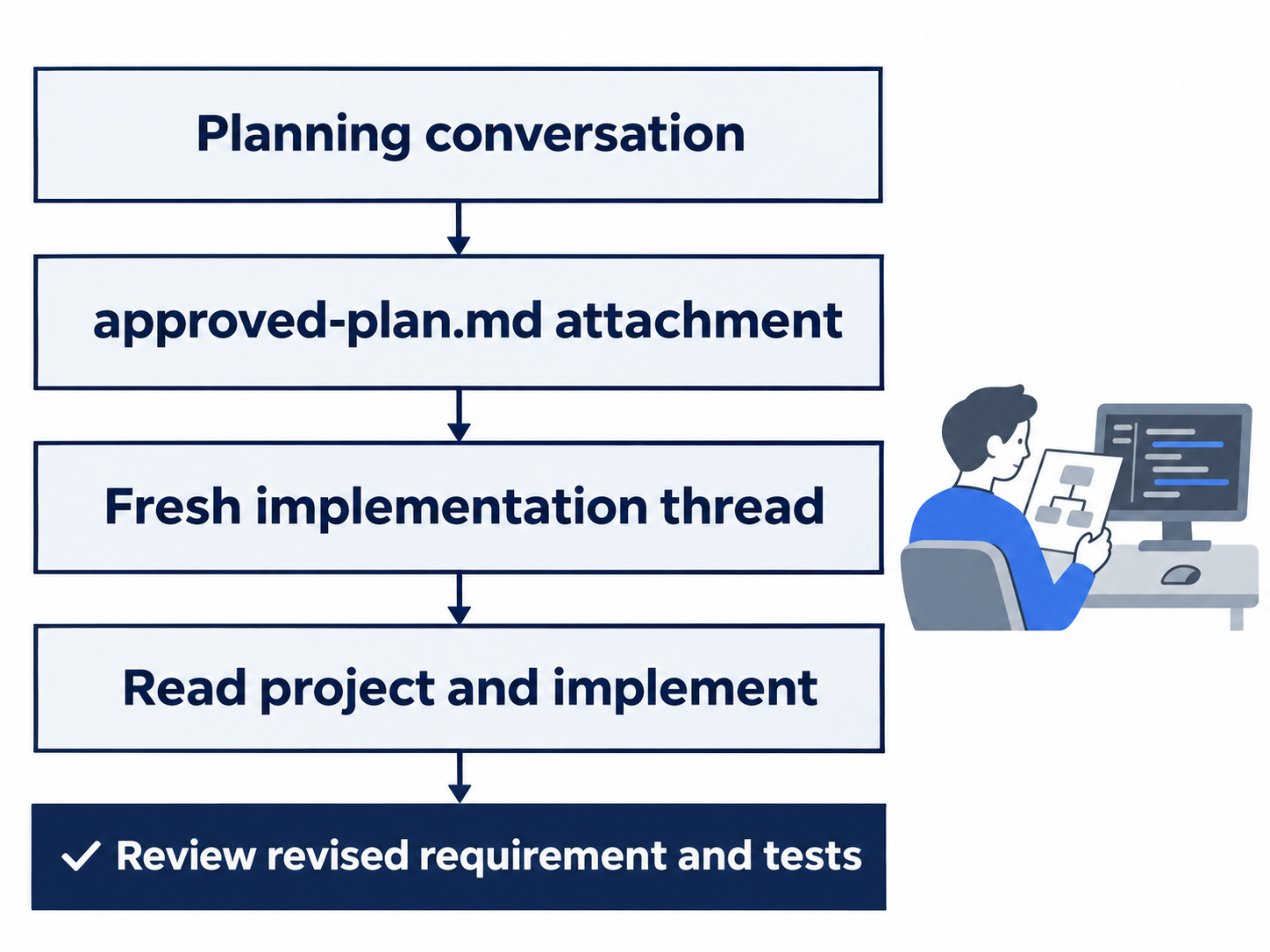
Inspect the attachment and implementation rather than assuming the entire planning chat transferred.
What the handoff actually transferred
The fresh thread reads an approved-plan.md attachment. Compare its unchanged-input requirement with the test assertion; do not assume the whole planning chat transfers. The 0.169.0 release notes describe complete-plan handoff and keeping the original session open if transfer fails. See the CLI reference.
When the implementation menu is open, Enter selects a menu choice. Choose No, stay in Plan mode and wait for the composer before typing a revision. Use the fresh-thread implementation choice only after the revised acceptance criteria are complete.
Optional inspection: read the fresh thread's opening prompt and compare its approved-plan requirement with the mixed-input assertion in the diff. Reset: return to the implementation thread after inspecting the planning conversation; leave Ticket Triage clean with seven passing tests. Do not reimplement the plan merely to inspect its handoff.
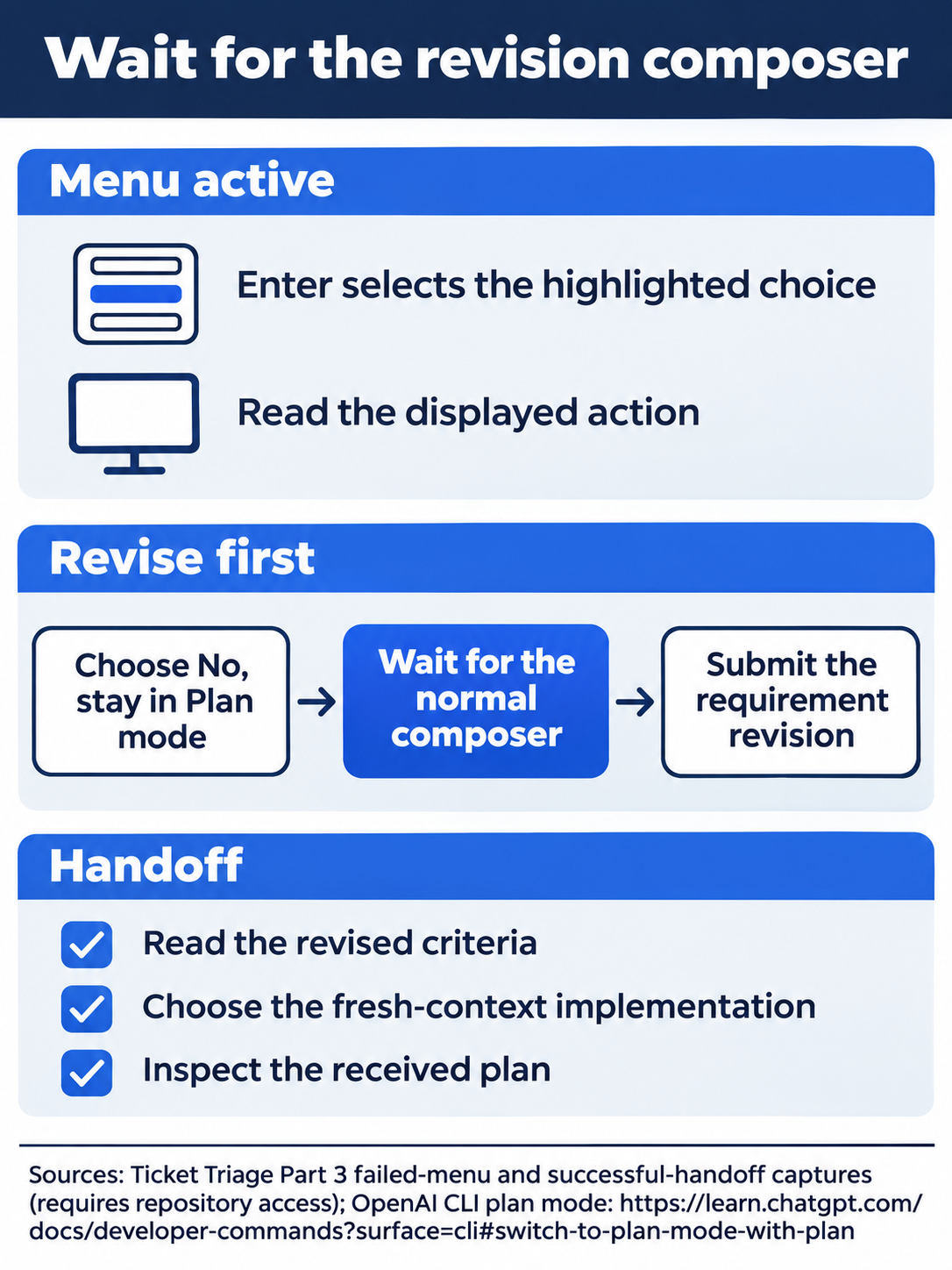
Enter chooses the menu item; submit a revision only after the composer returns.
Reasoning effort is a separate setting
Reasoning effort controls how much deliberation the selected model applies. Check effort separately in the planning and implementation threads. A planning choice does not promise that a fresh implementation conversation inherits the same setting.
Inspect /status when effort matters. The models guide recommends matching effort to the task and reviewing results. More effort authorizes no extra files or commits.
Optional exercise, doc-backed, not run: inspect /model without changing it, then close the picker and use /status to read the active model and effort. Reset: leave the original model and effort selected, keep Ask for approval, and return to the existing implementation conversation.

Conceptual illustration: compare the requirement with its proposed assertion before implementation.
When a direct request is enough
A direct request suited the bounded README task. Planning helps compare approaches and agree on missing requirements. The prompting guide recommends behavior, context, boundaries, and verification rather than a long process for every task.
Optional exercise, doc-backed, not run: write one sentence in your own notes explaining which requirement you changed before implementation and how the test proves it. Then write a direct request suitable for a README spelling correction. Reset: keep those notes outside Ticket Triage, send neither practice request, and verify that the repository still has seven passing tests and no pending change.
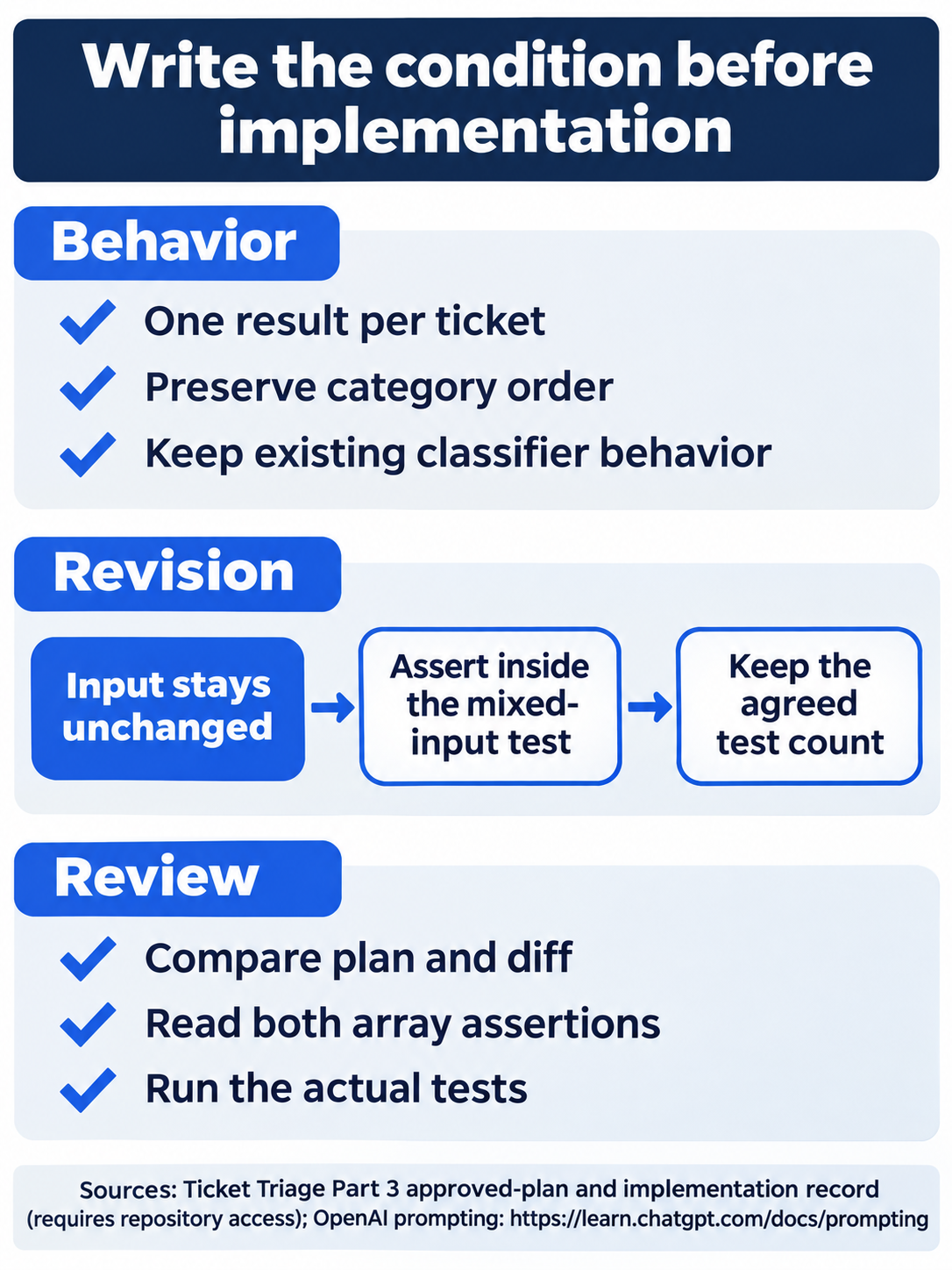
Unchanged input belongs in an assertion, not just in a plausible explanation.
Approval mode changes the pauses
The plan's implementation menu is a decision about the proposed work. The later command approval is a decision about a specific action crossing the execution boundary. They are different checks. With Ask for approval, protected Git metadata can require a command approval while ordinary workspace edits proceed without a dialog. Approve for me can send eligible requests to automatic review, while Full Access changes the boundary, so readers selecting those modes should not expect the same pause. See the permissions guide.
Reset after inspecting settings: keep Ask for approval and ordinary working mode selected. Finish in the implementation thread, with the batch-helper commit saved and the repository clean.
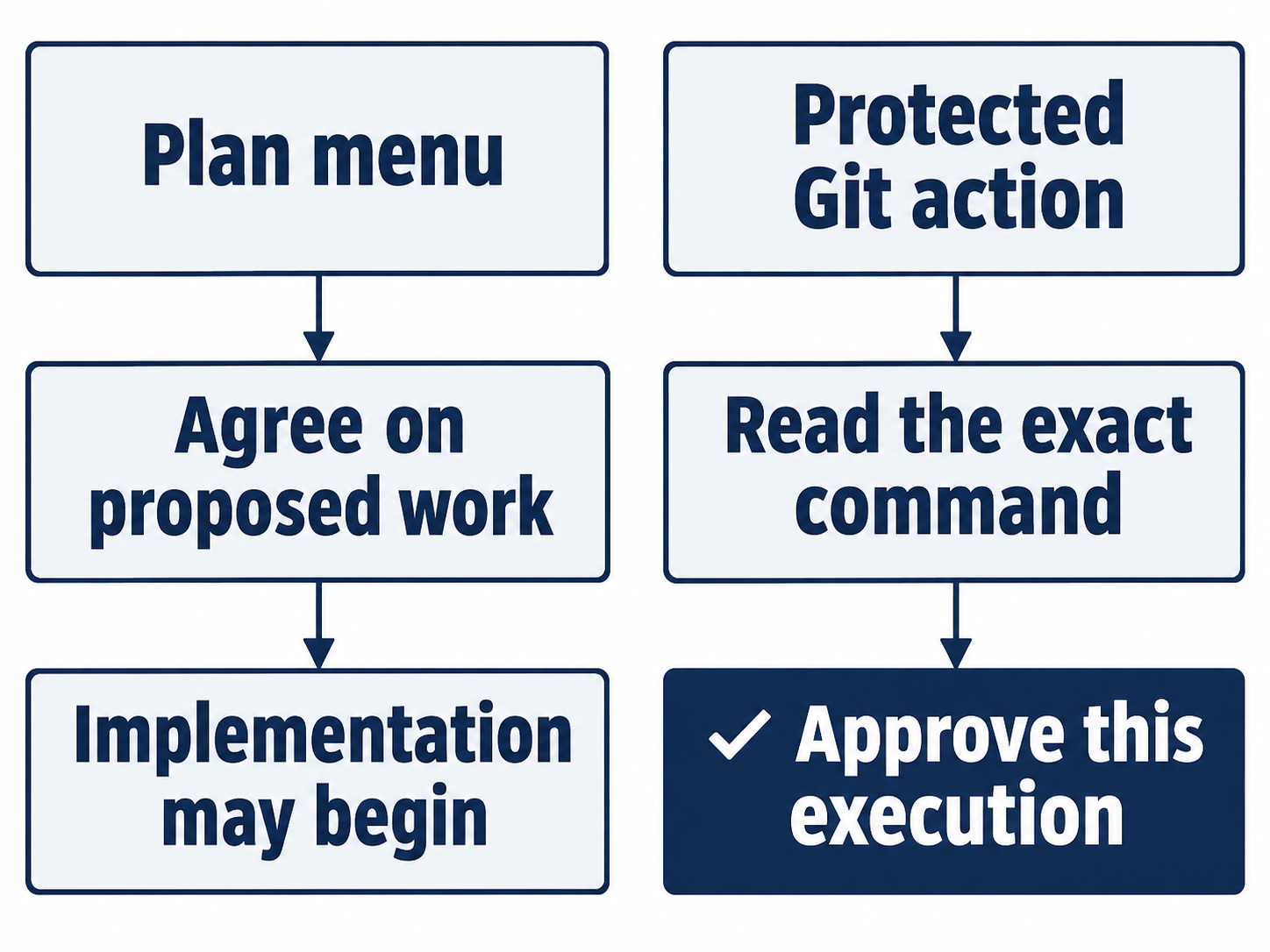
One accepts proposed work; the other permits a displayed command across a boundary.
Do this today
Everyone
- Revise the plan before approving it. Verify that the mixed-input test checks both ordered categories and unchanged input.
- Save the two-file change as a focused commit; check seven passing tests and clean status.
If you read Going deeper
- Compare the approved-plan attachment with the implementation, then return to the implementation thread.
- Inspect the active reasoning effort without changing settings, perform the reset, and keep the repository clean.
Coming up in Part 4: Permissions and the sandbox, with a blocked command you can observe before sending a model prompt.