
Check What Survives Codex Compaction
Assess compaction by retained working meaning and repository checks rather than assuming a displayed token decrease.
Compact the working chat and check the next action afterward.
A completion message is easier to trust when the conversation can still name the work that matters.
In this article: Keep a temporary review label in chat, compact the conversation, and verify its useful meaning and unchanged files.
Tested on Codex CLI 0.169.0, macOS, Node.js 22.22.1, and Git 2.47.1.
Desktop actions are not run.
Yesterday you added AGENTS.md project rules and documented classifyMany, the helper that classifies a list of tickets while preserving their order; begin today in that same ticket-triage folder.
If the previous Codex conversation is still open, enter /quit at its idle composer. Start the terminal command from your ticket-triage directory.
Start here
Prerequisites: Git, Node.js 22 or later, a signed-in Codex CLI, and the Ticket Triage conversation from Part 5.
codex resume --last
Check: The working Ticket Triage conversation reopens.
--last selects this directory’s latest saved conversation. Today you will compact it, check its next action, and confirm unchanged files.
Starting fresh or fell behind? Run git switch -C main codex/day-05. This replaces your main with the end of Day 5; to keep your own work, run git branch my-backup first.
A session is the saved conversation you are continuing. Its context is the material available to Codex when it prepares a reply: your instructions, relevant conversation content, and information supplied by tools. Today you will inspect that context through an ordinary task rather than asking Codex to remember an unrelated fact.
Establish the starting point
Use the session that worked on Ticket Triage's batch-helper documentation. You should have the classifier, its tests, README.md, and AGENTS.md from your completed work. Keep Ask for approval selected. This exercise asks Codex to read and report, with no code changes.
First check the files and tests from the composer, the input box at the bottom of Codex. An initial ! runs a shell command you supply. The following line asks Git for a short change report, then runs the project's tests:
!git status --short && npm test
Check: The working tree is clean and all seven tests pass.
git status --short prints changed or untracked files in a compact form. A clean working tree means the current project files match their saved Git state, so that command prints no file entries. The && runs npm test only after the Git command succeeds.
Expect no status entries and seven passes covering the categories, damage fix, and batch helper. Resolve a different starting state before continuing.
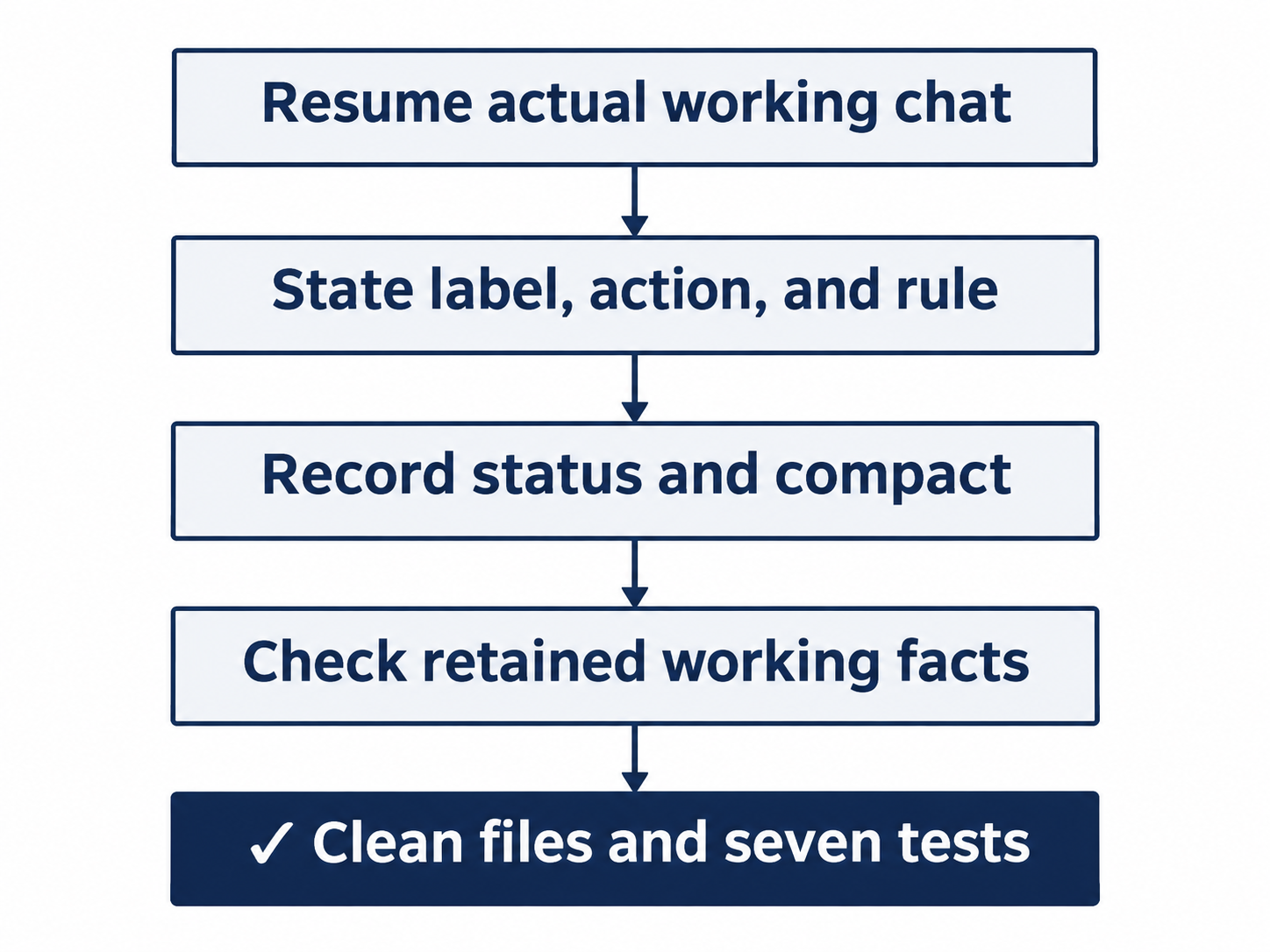
State the label, next action, and rule before summarizing; verify them afterward.
Give the conversation a small job
Use a temporary review label to make today's working state easy to check. The label BLUE-HERON-7 identifies this conversation's review; it is not a password or a value the program needs. The next action is the specific task you intend to perform when you continue.
The prompt also names memories, Codex's optional recall from earlier chats. You do not enable or change that feature today. Keep the temporary label in this conversation.
Send this prompt exactly:
Read AGENTS.md and src/classify.js. For this chat only, our review label is BLUE-HERON-7 and the next action is to review classifyMany’s empty-input behavior without changing code. Do not write the label or task to files or memories. Reply with the label, the next action, and the project rule that must keep refund ahead of shipping.
Check: The answer names BLUE-HERON-7, the empty-input review, and refund priority, without writing files.
Empty input means an empty ticket list. Its existing test gives the conversation a concrete review to retain without implementing anything.
Watch reads of AGENTS.md and src/classify.js. Compare the label, empty-input review, and refund-before-shipping rule with the prompt and file.
Inspect the current session
Enter the slash command that reports the session's configuration and context:
/status
Check: Directory, loaded AGENTS.md, permissions, and context display are visible.
Check Directory for Ticket Triage, Agents.md for AGENTS.md, and Permissions for Workspace (Ask for approval). Find the Context window line, which reports how much space the session is using. Record what those fields show so you can compare them afterward.
Check project, instructions, and permissions together; a familiar title alone does not identify the working state. Keep status available for comparison.
Compact the conversation
Compaction summarizes earlier conversation content into a shorter account that Codex can use to continue the task. Wait until the current response has finished, then enter:
/compact
Check: Wait for Context compacted before sending another prompt.
Completion permits the retention check; the message alone does not establish its result.
Now inspect the same session again:
/status
Check: The same directory, instruction file, and permission mode remain visible; note the context display.
Compare the project directory, loaded instruction file, permission mode, and context display with the fields you recorded. Keep the same conversation open. The next check asks whether its working state is useful, so you need the conversation you just compacted.
Check what survived
Ask for the three facts that matter to the next action:
Without changing files, what is our review label, what is the next action, and which project rule governs refund versus shipping? Answer those three items only.
Check: All three requested facts match the earlier prompt and project rule.
Check each item against your earlier prompt and AGENTS.md:
- The review label is
BLUE-HERON-7. - The next action is to review
classifyMany's empty-input behavior without changing code. - The project rule keeps refund classification ahead of shipping and damage.
Check meaning rather than punctuation. Correct any missing or wrong item explicitly before allowing further work.
Finish with the same independent file and test check:
!git status --short && npm test
Check: The working tree is still clean and all seven tests pass.
The label remains in the conversation, with no file needed to store it.
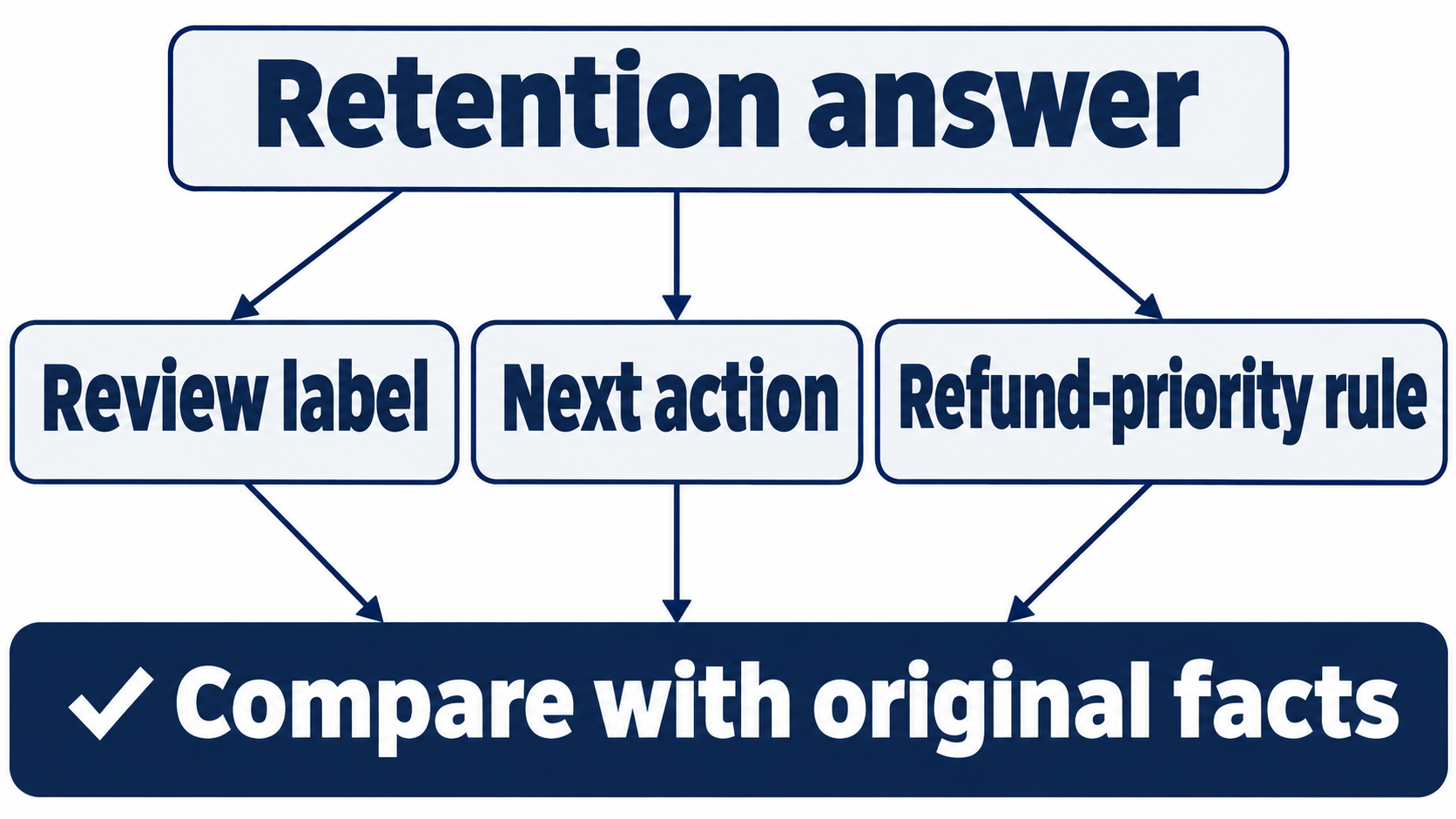
Compare the review label, empty-input task, and refund-priority rule with the original request.
The desktop path
Not run: desktop steps. Continue the saved working conversation through /app into the ChatGPT desktop app. Check that the project and prior messages are present before using the desktop composer. Keep this handoff labeled unverified until you complete the manual check.
Check: The app is on Ticket Triage with Ask for approval selected.
In the desktop composer, use the same working-context and retention prompts. Run the file and test checks in the integrated terminal, the app's built-in shell, without the CLI's ! prefix. Inspect the command picker for the actual status and Compact controls. Record their displayed names and results; if a control is absent, mark that check blocked. Native desktop status and compaction are not established by the successful CLI run.
Check: If you complete the labeled desktop route, verify the same final result before removing its Not run label.
What you proved
- The conversation retains its review label after compaction.
- It can name the next action and governing refund rule.
- The temporary review leaves project files unchanged and all seven tests passing.
You can stop here. Going deeper explains why this works and where it breaks.
Going deeper
Read this section if you want to separate saved conversations, current context, project instructions, and optional memories, or inspect the measurements behind the exercise.
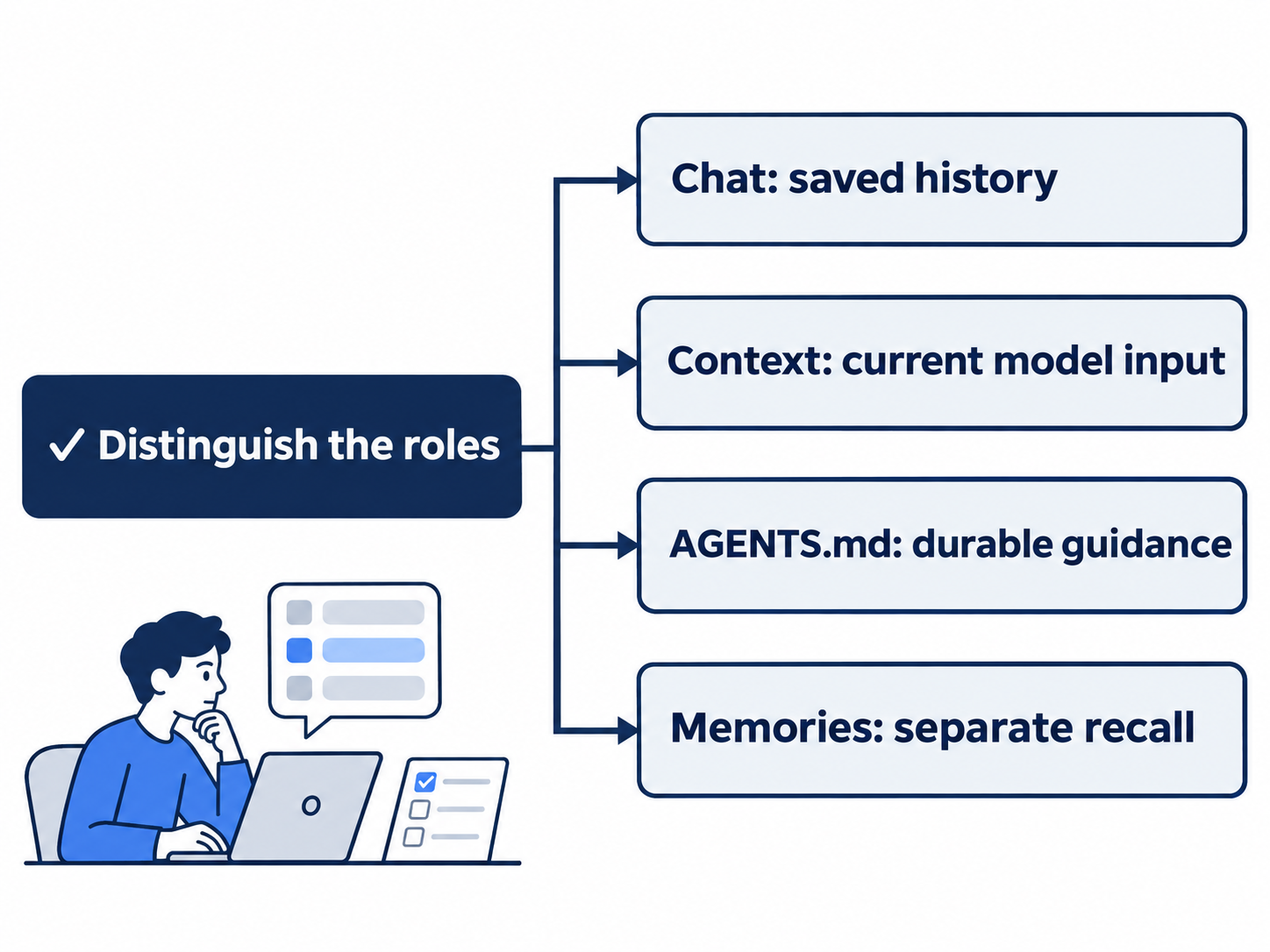
Saved history, current input, project guidance, and optional memories are distinct.
A saved conversation and its current context
A saved conversation is something you can resume. The context supplied for a particular reply is the material Codex uses at that point in the work. Tool output, file content, and instructions can all contribute to it. A file existing in the repository does not prove the model has inspected it; today's first prompt explicitly requested the two files the review needed.
The command reference describes /compact as replacing earlier turns with a summary that retains critical details. A summary can preserve the point of a discussion while omitting its wording or less important details. The exercise therefore checks a label, an action, and a project rule; successful compaction does not prove that every earlier sentence remains available.
A fresh chat is a separate check; retention inside this compacted conversation does not establish cross-chat recall.
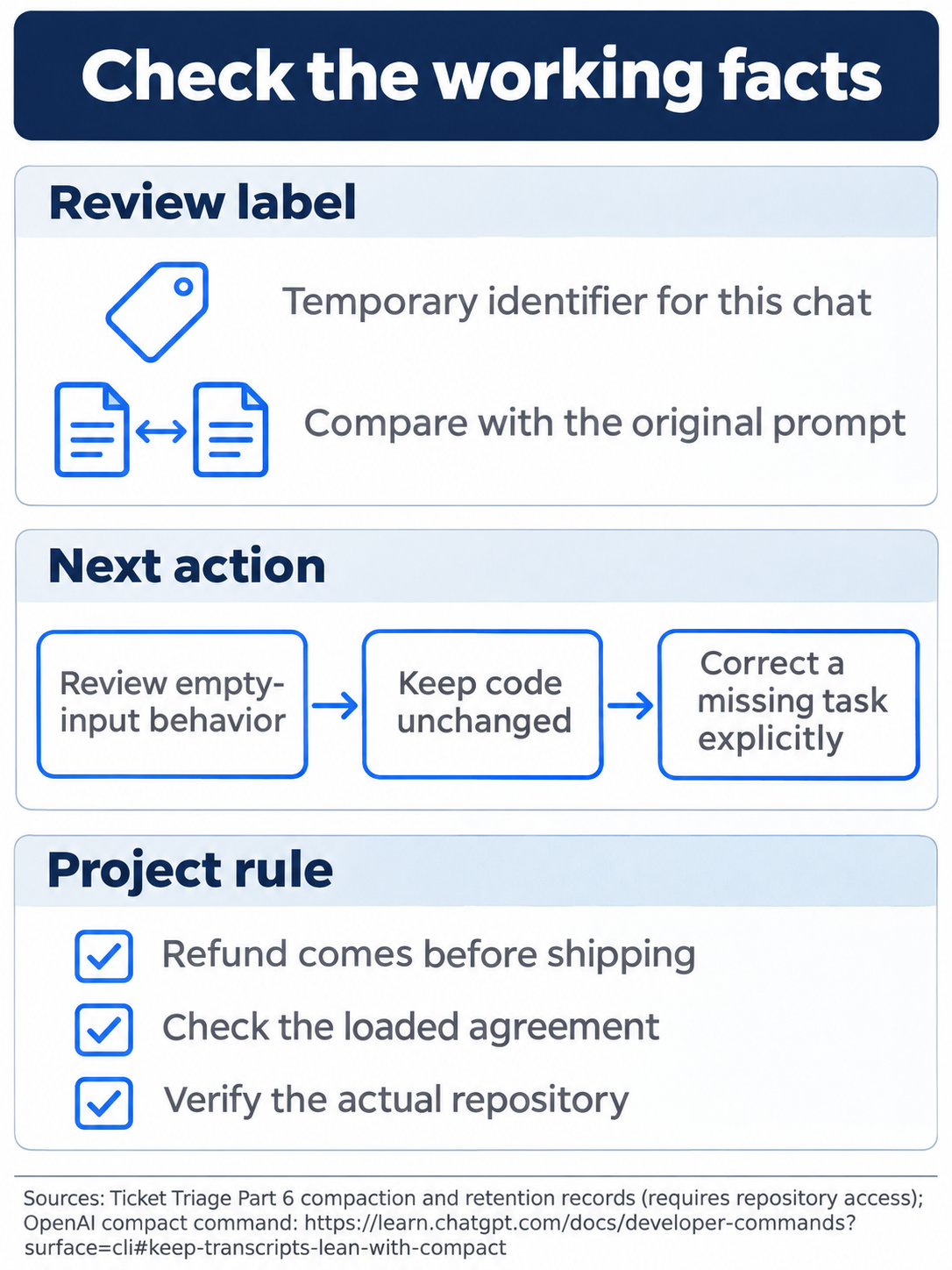
A completion message does not establish that the next action remains usable.
Put lasting rules in the project
AGENTS.md is the durable part of this exercise. It records guidance in a file that travels with the repository. Codex's instruction-discovery guide describes loading applicable guidance when a session starts, including global instructions and project files along the path to the working directory.
Keep enduring refund guidance in AGENTS.md and the temporary review label in chat. A growing conversation still needs a clear next action.
An instruction file is still guidance, not a replacement for verification. The refund regression test checks the program's behavior. The status and tool transcript check that Codex loaded or read the intended material. Each check answers a different question.
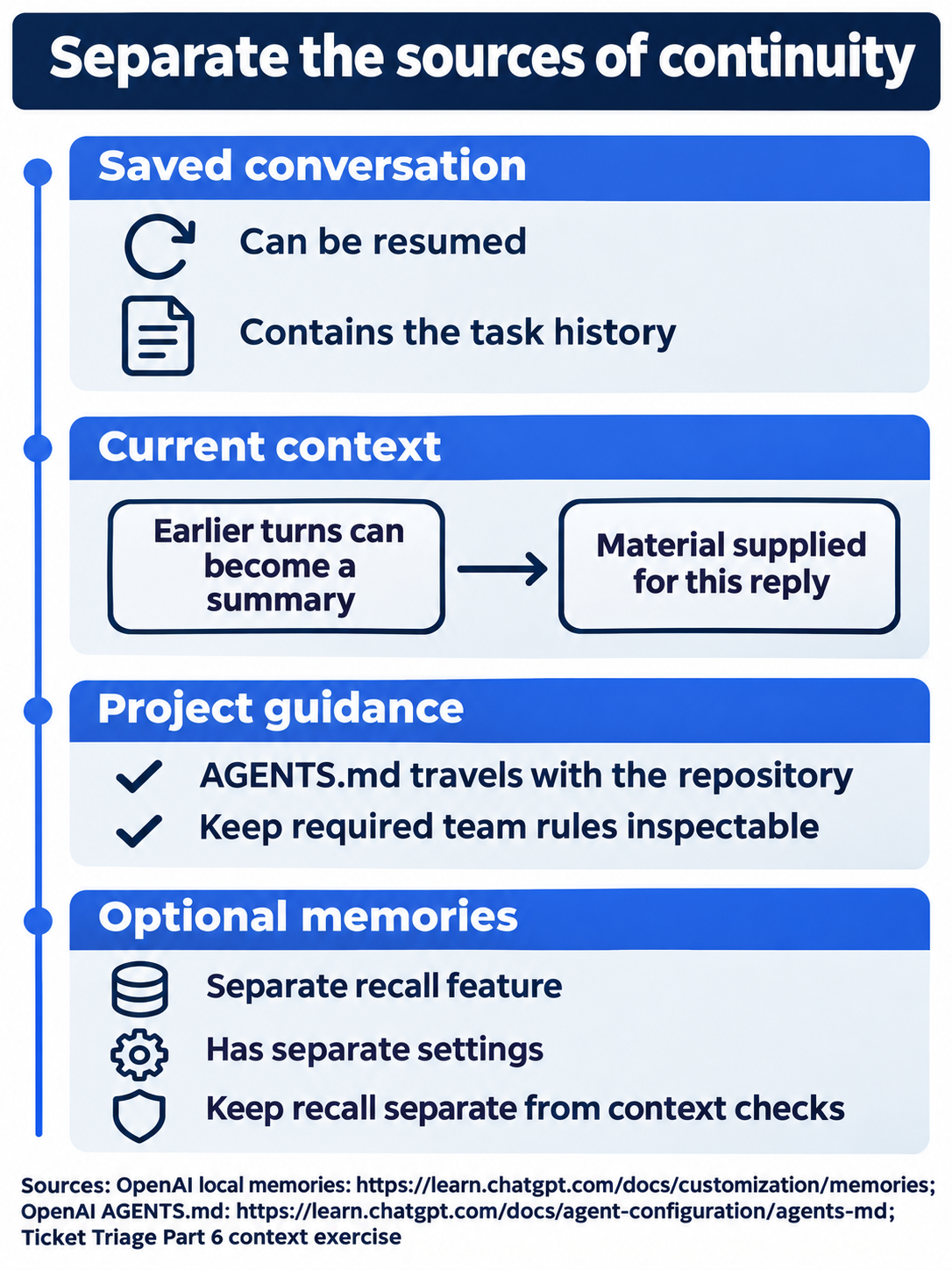
Keep temporary task state in chat and required team guidance in project files.
Local memories are a separate feature
Local memories can carry useful information from eligible earlier chats into later work. They are separate from the current conversation and from checked-in project rules. The local-memory guide says to keep required team guidance in AGENTS.md or documentation.
Leave memories disabled. If the /memories control offers Not now, choose it. Retaining today's label inside the same chat checks conversation continuation, not optional recall from other chats.
The documented local store lives under CODEX_HOME, Codex's configuration and state directory. A fresh home uses memories_v2/ when memories are enabled, subject to configuration and existing state. A store-version default does not establish that the feature is enabled. ChatGPT web has its own memory controls; the local-memory page describes that distinction. Desktop memory controls remain on the manual checklist.
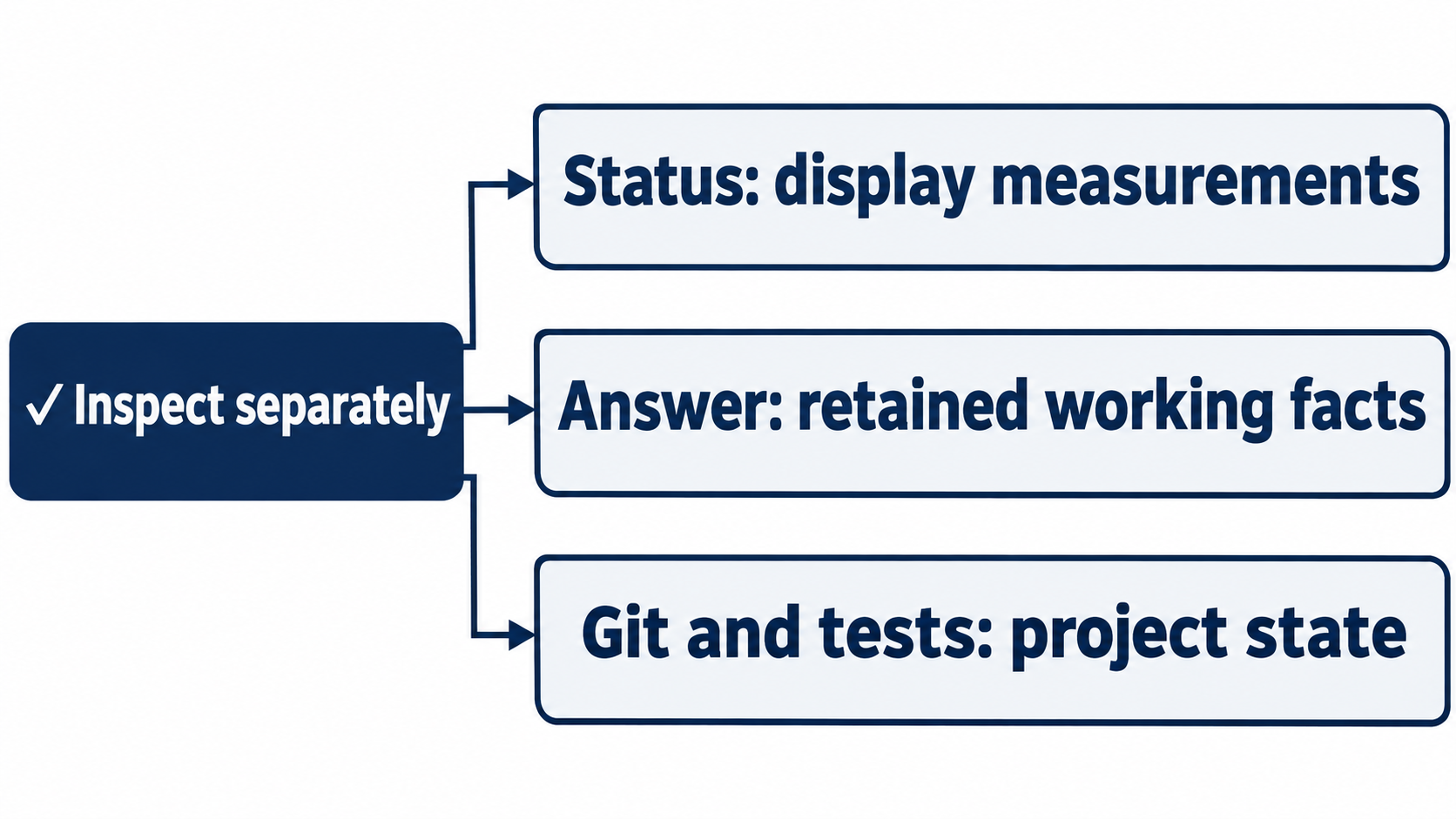
Display measurements, retained meaning, and unchanged files support different conclusions.
Read the status display without overinterpreting it
A token is a unit of information the model reads or writes; K in the context display means thousands. Read the used amount and percentage alongside the actual retention answer. The display can remain at the same rounded percentage even when its used amount changes. Completion of compaction does not promise an immediate decrease in every displayed field.
Compare status displays with the retention answer and independent project check. Neither one elapsed time nor a manual compaction establishes performance or automatic-compaction behavior.
If a session is nearly full, state the current goal and next action clearly before continuing. Enduring rules belong in AGENTS.md; the temporary review label belongs in the conversation. Avoid filling a project instruction file with one chat's temporary state.
Reset after any inspection: leave memories disabled, keep Ask for approval selected, and return to the same compacted conversation with a clean repository and seven passing tests. The reads, compaction, and tests stay within the ordinary workspace boundary.

Conceptual illustration: compare the short task note with the retained working facts.
Do this today
Everyone
- Resume the working Ticket Triage conversation, run
/compact, and verify the review label, next action, and refund-priority rule. - Rerun the file and test check. Keep the repository clean and all seven tests passing before continuing work.
If you read Going deeper
- Record the actual before and after context fields alongside the retention check. Keep the observations separate from explanations the test did not establish.
- Complete the desktop checklist using the same working conversation. Leave each native app or memory-control step marked Not run until its result is observed.
Coming up in Part 7: Models and cost, choosing an available model and reading the right usage evidence.