
Check That Codex Receives Your AGENTS.md Rules
Separate writing a rule, discovering it in prepared input, and observing a fresh session follow it.
Inspect discovery and verify a fresh conversation’s actual behavior.
A rule on disk becomes useful when you can check that the session receives and follows it.
In this article: Save four project agreements, inspect their discovery, and verify tests even when the new prompt omits a reminder.
In Part 4, you observed the sandbox's refusals, approved one network request, and kept the project clean with seven passing tests.
Tested on Codex CLI 0.169.0, macOS, Node.js 22.22.1, and Git 2.47.1.
Desktop actions are not run.
Start here
Prerequisites: Git, Node.js 22 or later, a signed-in Codex CLI, and Ticket Triage through Part 4.
!git status --short && npm test
Check: The repository is clean and all seven tests pass.
Run this in the existing Ticket Triage conversation. Today you will save working agreements, inspect discovery, and check a fresh chat’s behavior. Wait for clean status and seven passes before continuing.
Starting fresh or fell behind? Run git switch -C main codex/day-04. This replaces your main with the end of Day 4; to keep your own work, run git branch my-backup first.
Save the working agreements
AGENTS.md is a plain-text file containing instructions for Codex in this project. Its .md ending means Markdown, a text format whose headings and lists remain readable without a special viewer. Save it at the repository root, the top folder containing package.json, src, and test. Use the exact filename and capitalization.
The agreements require tests, refund priority, and focused changes. A conditional closing line makes compliance visible; it is neither a password nor a safety boundary.
Create the file through the composer:
!printf '%s\n' '# Ticket Triage working agreements' CODEX2_RULE_MARKER '- Run npm test before reporting a task complete.' '- Keep refund classification ahead of shipping and damage.' '- Keep changes focused; ask before adding dependencies.' '- End your final response with "Ticket Triage: refund first; tests checked." only after npm test passes.' > AGENTS.md
Check: The new root AGENTS.md contains the marker and all four agreements.
The printf format prints each supplied argument on its own line. The final > saves those lines in AGENTS.md. This command creates the file for today's exercise; do not use it to overwrite an instruction file containing work you need to keep.
The heading and CODEX2_RULE_MARKER identify four agreements. The test rule includes documentation; the closing phrase counts only alongside actual passing tests.
Inspect the rule before a model run
Now ask the CLI to show its prepared input and filter that output down to one rule:
!codex debug prompt-input "Check project instructions" | grep -F -o "Keep refund classification ahead of shipping and damage."
Check: Prepared input contains the exact refund-priority sentence shown below.
debug prompt-input displays the information Codex prepares to supply to the model, without sending a model request. The quoted text is a sample task for that inspection. A pipe, written |, passes one command's output to another command. In this command, grep filters text: -F treats the search text literally, and -o prints only the matching text.
Check for this exact output:
Keep refund classification ahead of shipping and damage.
Prepared input establishes discovery, not compliance. If the sentence is missing, check the filename, its location, and your current project directory before continuing.
The filter avoids printing unrelated instructions and tool descriptions.
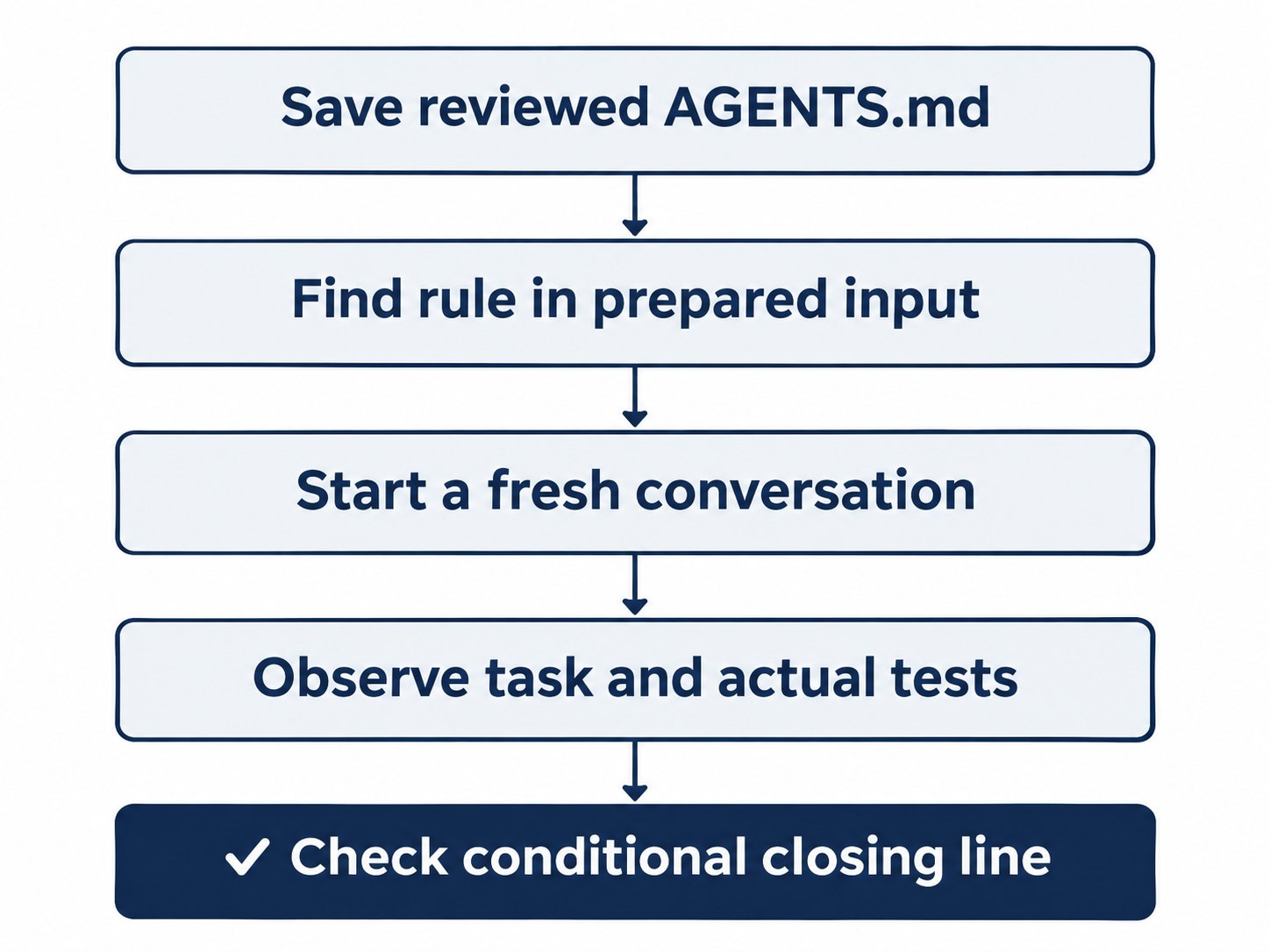
A saved agreement, prepared input, and a fresh task answer different questions.
Start a genuinely new conversation
Enter /quit when Codex is idle. From the same project directory in your terminal, run:
codex
Check: A new conversation opens, without the previous README discussion.
Use this new launch rather than codex resume: we want a fresh conversation to receive the file independently. The project and its commits stay on disk. At the new composer, enter:
/status
Check: Directory is Ticket Triage, Agents.md is AGENTS.md, and Workspace Ask for approval remains selected.
Read the actual directory, model, effort, permission mode, and loaded AGENTS.md. The new transcript should exclude the earlier discussion.
Send this task without repeating the working agreements:
Read README.md and src/classify.js. Add a short README section documenting classifyMany(tickets), including empty input returning [] and the fact that it preserves input order and leaves the input array unchanged. Change only README.md. Do not change JavaScript files, commit, or push.
Check: Codex changes only the README, runs seven tests, and follows the closing-line rule.
Watch the actions. Codex should read the project, add the README section, and run npm test. The request itself does not ask for a test run or the special closing line. Those instructions come from AGENTS.md.
Check that the new session reads the file, runs all seven tests, and ends its answer with:
Ticket Triage: refund first; tests checked.
Check the executed test command as well as the response. Ask for approval permits these workspace reads, the README edit, and the test run without a per-edit dialog.
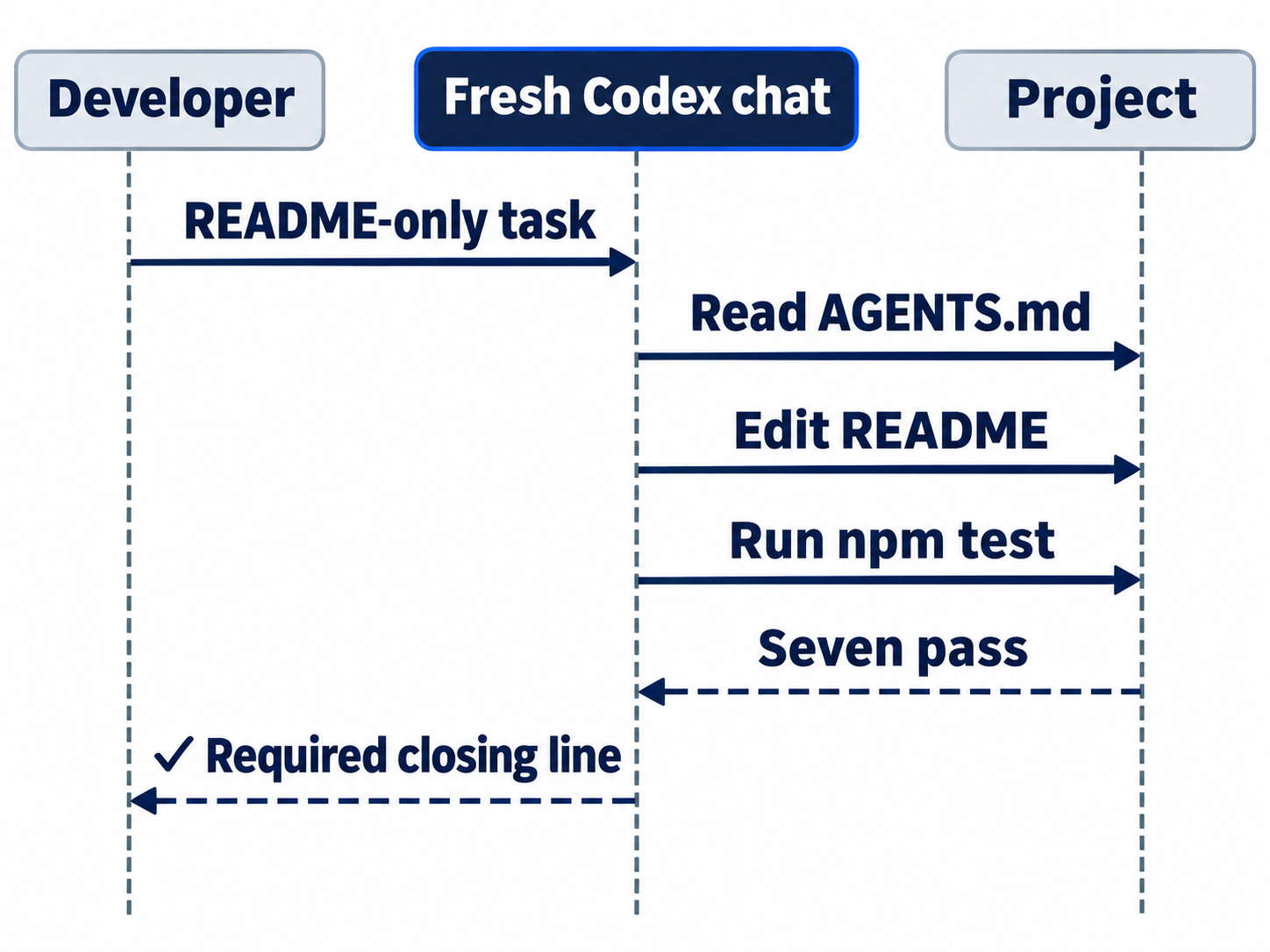
The request omits a test reminder; verify that the loaded agreement still leads to tests.
Review and save the result
Inspect the agreements, changed lines, and tests yourself:
!cat AGENTS.md && git diff -- README.md src/classify.js test/classify.test.js && npm test
Check: The agreements match, only the README explanation changed, and seven tests pass.
Match the agreements, then check that only README batch documentation changed: empty input, category order, and unchanged input. Both JavaScript files must remain unchanged and seven tests pass.
Remember that the new AGENTS.md is still untracked, so it does not appear in an ordinary diff yet. You inspected its contents directly with cat. Approve the two intended files by sending:
The README change and seven passing tests are approved. Commit only AGENTS.md and README.md with the message "Record project rules and batch behavior". Do not push.
Check: The commit request names only AGENTS.md and README.md.
At Would you like to run the following command?, inspect the Git command. It should stage and commit only AGENTS.md and README.md. Choose 1. Yes, proceed (y). The other choices save a broader allowance for commands starting with git add -- AGENTS.md README.md, or cancel with No, and tell Codex what to do differently (esc). Protected Git metadata requires this approval; creating the instruction file does not.
Check: The approved command saves only the agreements and README update.
Verify the saved checkpoint:
!git log -1 --oneline && git status --short && npm test
Check: The agreements-and-README commit is saved, status is clean, and seven tests pass.
Expect Record project rules and batch behavior, clean status, and seven passes; your commit identifier will differ.
The desktop path
Not run: desktop steps. In Ticket Triage's ChatGPT desktop project, create the same root AGENTS.md using the file editor or integrated terminal. Run the same prompt-input check in the integrated terminal without the initial !. Then create a new Local chat for this project, keep Ask for approval beneath the composer, and send the same README task without repeating the agreements.
Check: The app is on Ticket Triage with Ask for approval selected.
Inspect the actual test action, closing response line, and README diff. Send the same bounded commit request, inspect its approval, and verify the clean seven-test checkpoint in the integrated terminal. If you already completed the CLI route, inspect its result instead of asking for the same README section twice. Record the fresh-chat controls and evidence using the manual checklist.
Check: If you complete the labeled desktop route, verify the same final result before removing its Not run label.
What you proved
- The refund rule appears in prepared model input.
- A fresh conversation runs the tests and follows the conditional closing-line rule.
- The agreements and README update are committed with seven passing tests.
You can stop here. Going deeper explains why this works and where it breaks.
Going deeper
Read this section if you need different instructions in different directories, an existing instruction filename, or a careful migration from another agent.
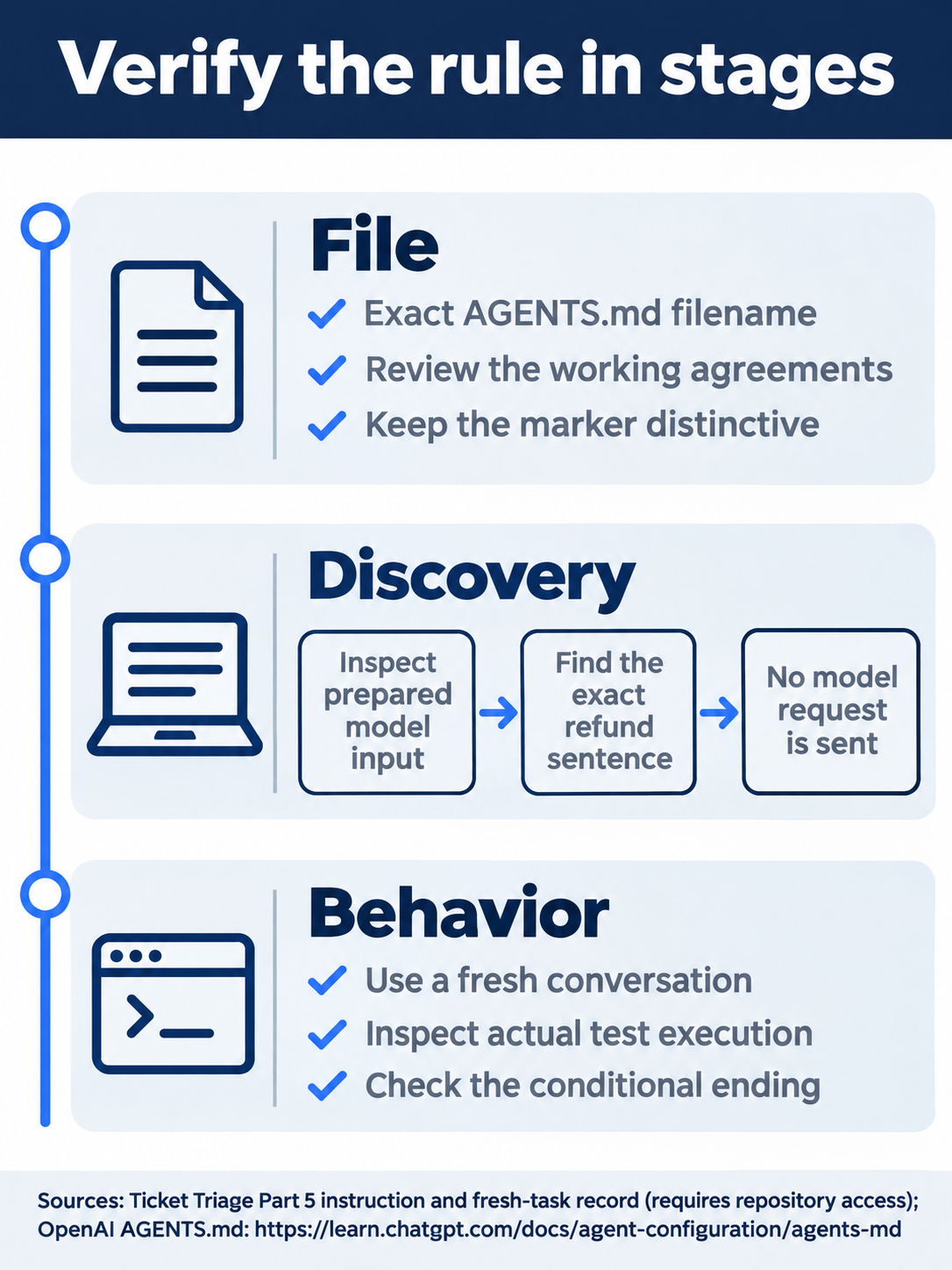
Read the file, find the instruction, and inspect the executed task.
Which file wins
Codex first checks its configuration home, normally ~/.codex or the directory selected by CODEX_HOME: a nonempty AGENTS.override.md takes precedence over AGENTS.md. Project discovery then walks from the repository root to the current directory. Each directory contributes at most one file, choosing an override before AGENTS.md, then configured fallback names. More-specific guidance comes later. The AGENTS.md guide documents this order.
Keep experiments local rather than changing shared global guidance.
Optional exercise, doc-backed, not run: in a repository that has no root AGENTS.override.md, copy the existing AGENTS.md to that filename and append a temporary marker. Inspect prepared input to find the new marker. Copying the working agreements keeps the experiment from dropping them accidentally. Reset: remove only the override you created, launch Codex again, and verify that the original root rule appears and the temporary marker does not. Leave the committed AGENTS.md intact.
Optional exercise, doc-backed, not run: create a new empty folder named instruction-probe and give it an AGENTS.md containing a distinct marker. Run the prompt-input inspection from that folder and look for both the root rule and the nested marker. This tests discovery for that working directory, not a promise that every descendant file is always loaded from the root. Reset: return to the repository root, delete only the probe file and its now-empty folder, and check clean status with seven passing tests.
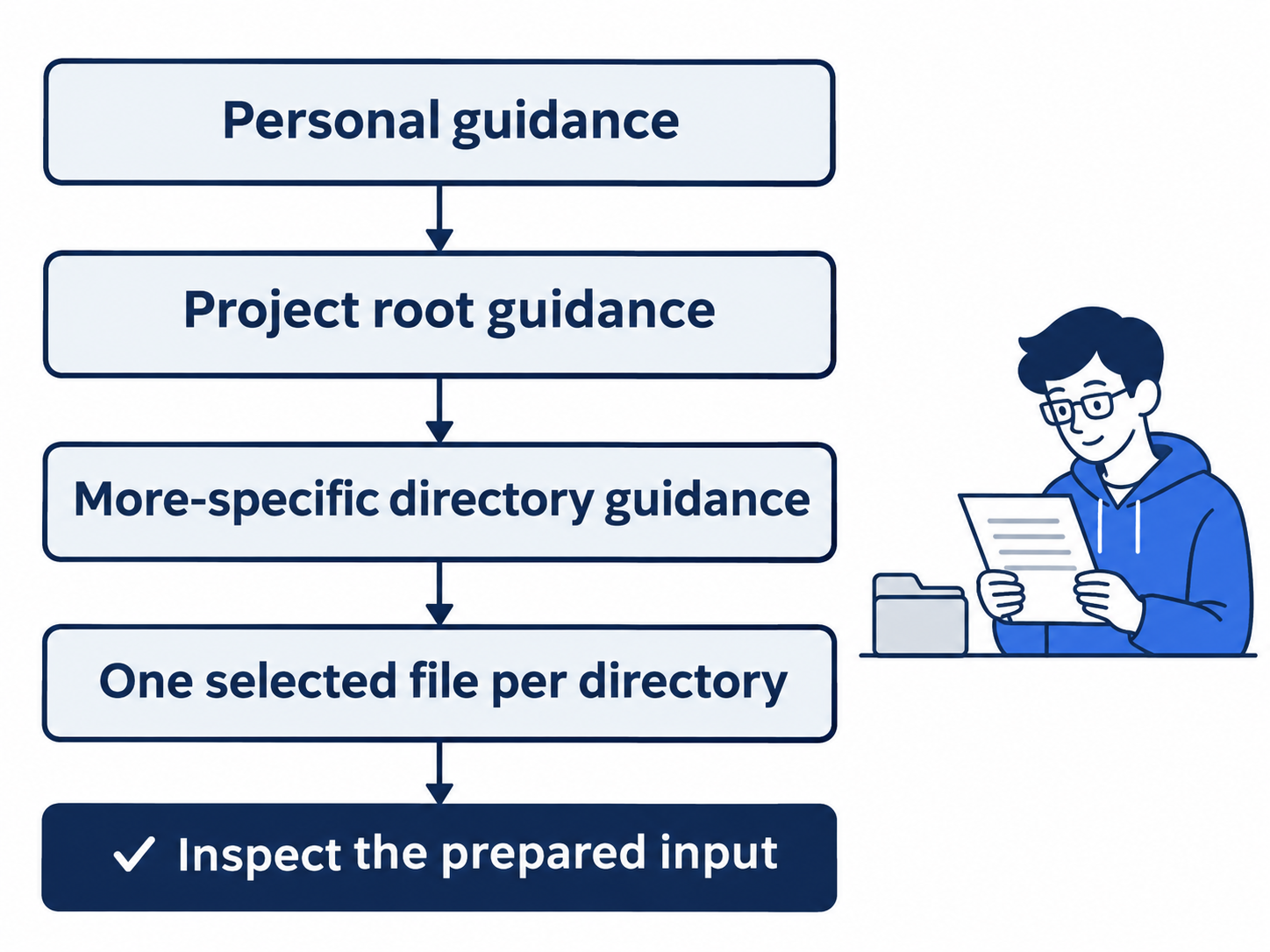
Personal guidance precedes project-root and nested guidance, with one selected file per directory.
Keep instructions short and inspect the boundary
The AGENTS.md page describes project_doc_max_bytes as a combined project-guidance budget of 32 KiB, or 32,768 bytes; the advanced configuration page uses per-file wording. The multi-file cutoff is not run here. Keep guidance concise and inspect discovery; nested files do not establish that the combined budget disappears.
The prompt-input check establishes discovery; the fresh task checks behavior. Instructions do not enforce permissions. Keep tests and the sandbox for their separate jobs, and inspect the active interactive mode rather than inferring it from a different debug command.
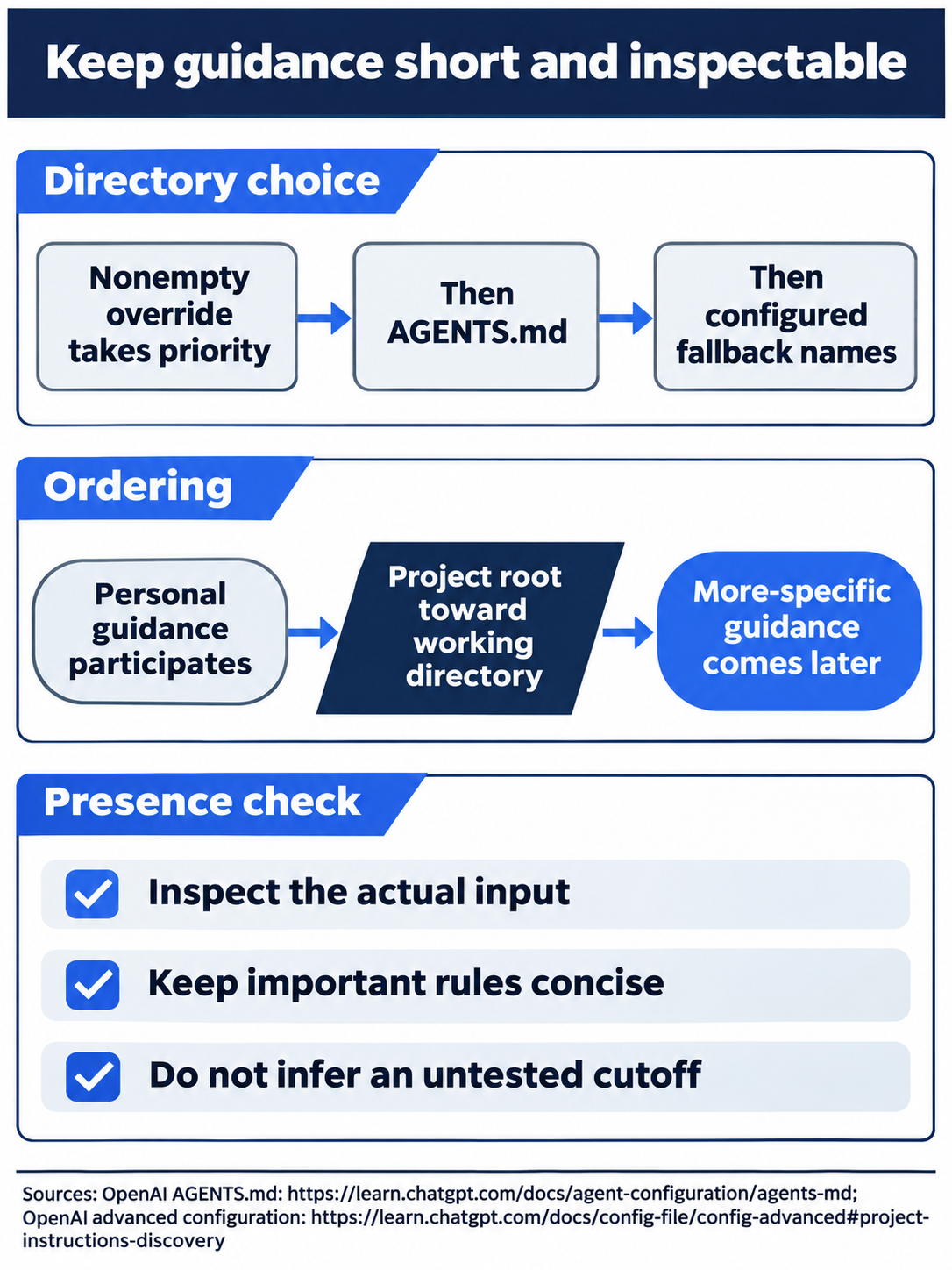
Do not assume nearby instruction files merge or that nested documents remove the budget.
Fallback names and CLAUDE.md
A fallback filename is tried when higher-priority files are absent. project_doc_fallback_filenames can list TEAM_GUIDE.md or CLAUDE.md; it does not merge them beside an existing AGENTS.md. Codex does not discover CLAUDE.md by default. See the configuration reference.
For Ticket Triage, keep the committed AGENTS.md; no fallback change is needed. If you inspect your existing fallback configuration, close it without editing. Reset after inspection: leave the original configuration unchanged, restart in Ticket Triage's root, and check the same injected refund rule.
Import is a copy, not a live file link
/import copies supported Claude Code or Cursor setup. Claude Code uses CLAUDE.md; Codex’s import contract copies its text into AGENTS.md. It skips a nonempty destination and existing skill folders. This is a one-time CLI copy, not a live link.
Desktop Settings > Import separately offers automatic updates. Those controls are not run here; the import guide does not establish a live link between instruction files.
Optional inspection, doc-backed, not run: enter /import while idle and inspect the available source agents and items. Cancel before importing anything. Ticket Triage already has its instruction file, and this exercise needs no personal configuration migration. Reset: leave the import flow without applying changes, verify AGENTS.md is unchanged, and confirm clean status with seven passing tests.
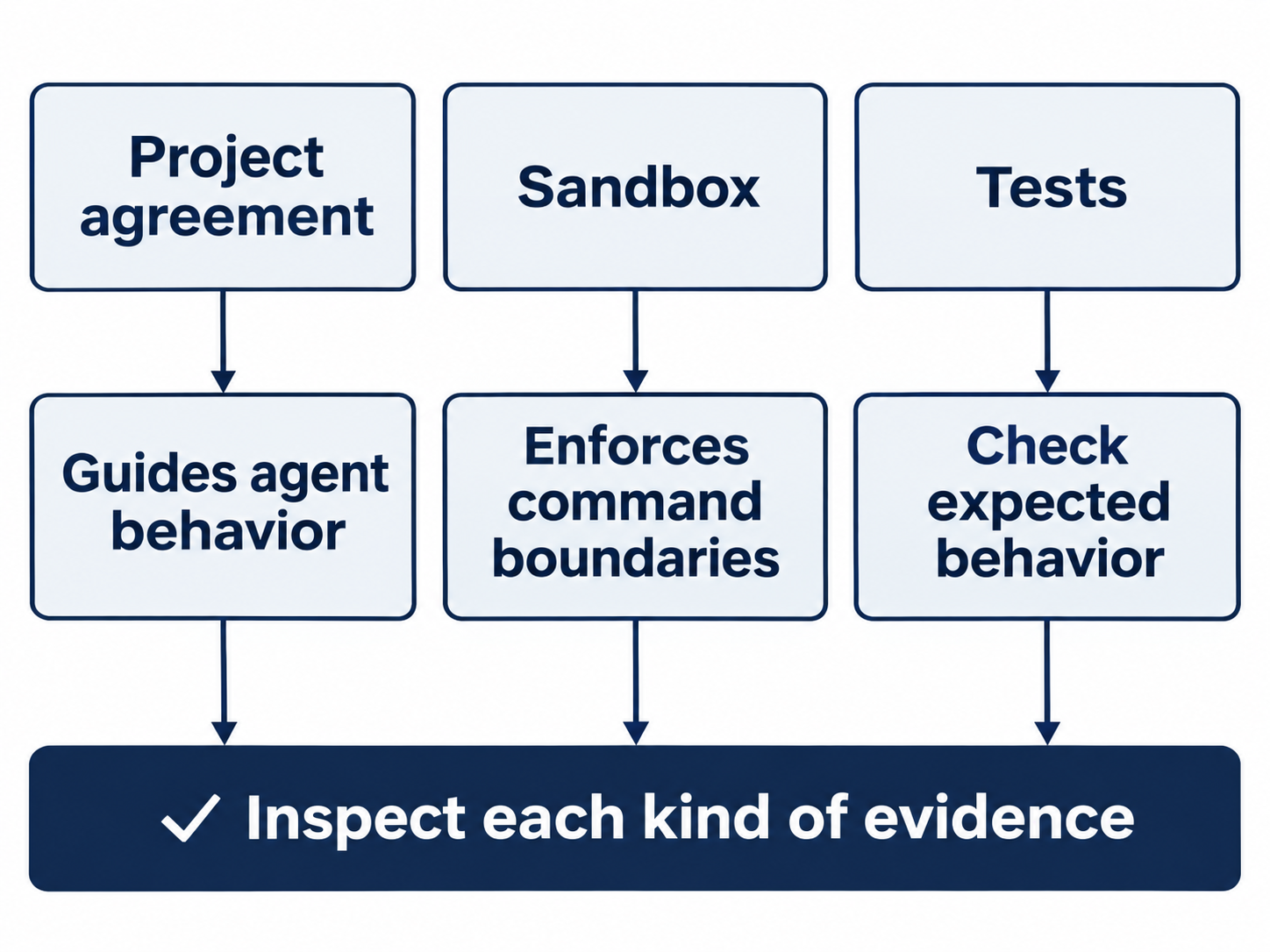
Instructions guide the task, the sandbox limits actions, and tests check program behavior.
Review guidance has its own consumer
Codex's GitHub review integration also reads applicable AGENTS.md files. Its review documentation recommends a ## Code Review Rules section for consequential repository-specific checks. A refund-precedence rule belongs there if reviewers repeatedly need it; routine formatting checks belong in automated checks instead. The GitHub review route is not run in this lesson.
When a rule becomes vague or noisy, revise it as reviewed work, inspect discovery, and test a fresh task.

Conceptual illustration: check the short agreement beside actual reads and test output.
Do this today
Everyone
- Confirm the refund rule appears in prompt input and that a fresh session runs the tests and produces the required closing line.
- Commit the agreements and focused README section; verify seven passing tests and clean status.
If you read Going deeper
- Try one labeled directory experiment, perform its reset, and confirm the original root rule still loads.
- Inspect migration or fallback settings without applying changes; leave Ticket Triage clean with seven passing tests.
Coming up in Part 6: What Codex can see, with a working fact you check before and after compaction.